Delete MedDRA synonym
The Delete MedDRA synonym feature is an option in the PV > MedDRA Synonym module that allows you to remove a MedDRA synonym completely from the PV system when it is no longer required, such as when it has become obsolete or redundant. This feature helps prevent any confusion or errors that may arise from using outdated or incorrect MedDRA synonyms.
Important
Prior to deletion, the synonym must be inactivated first. Otherwise, the Delete option is not available.
In addition, pay attention that if you delete a MedDRA synonym in the PV application, it will be completely removed from the system. However, if there is a possibility that the MedDRA synonym may be needed again in the future, consider inactivating it only.
-
In the PV application header, select the CONFIGURATION tab.
-
In the left pane, select MedDRA Synonym.
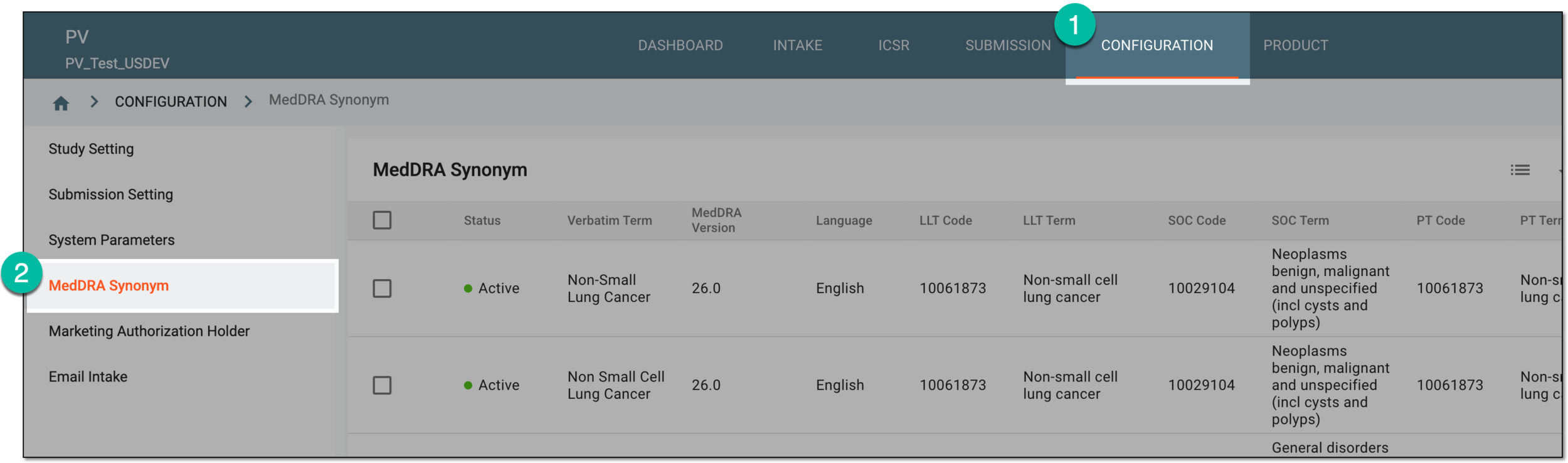 Figure 1. Accessing MedDRA synonym configuration
-
On the MedDRA Synonym table that opens, go to the synonym you need to delete and in the Actions column next to it, select
 > Delete
  .
.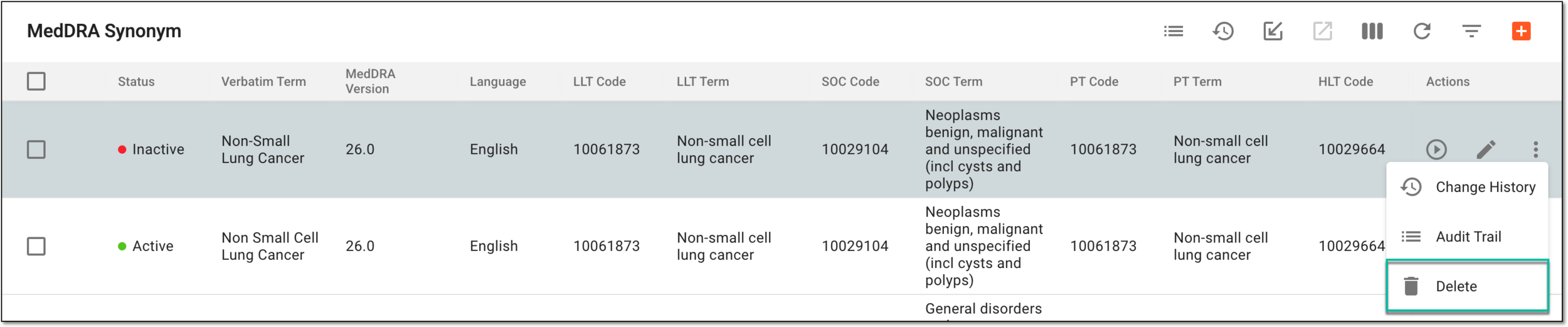 Figure 2. Deleting MedDRA synonym
-
In the confirmation dialog that opens, confirm the deletion by selecting DELETE.
 Figure 3. Deleting MedDRA synonym from PV system
The MedDRA synonym has been deleted from the PV system.