Inactivate MedDRA synonym
The Inactivate MedDRA synonym feature is a useful option in the PV > MedDRA Synonym module that allows you to mark a MedDRA synonym as inactive, making it unavailable for use in coding and analysis. This can be necessary when, for example, a synonym is no longer relevant or accurate, or when it is determined that a synonym has been created in error.
-
In the PV application header, select the CONFIGURATION tab.
-
In the left pane, select MedDRA Synonym.
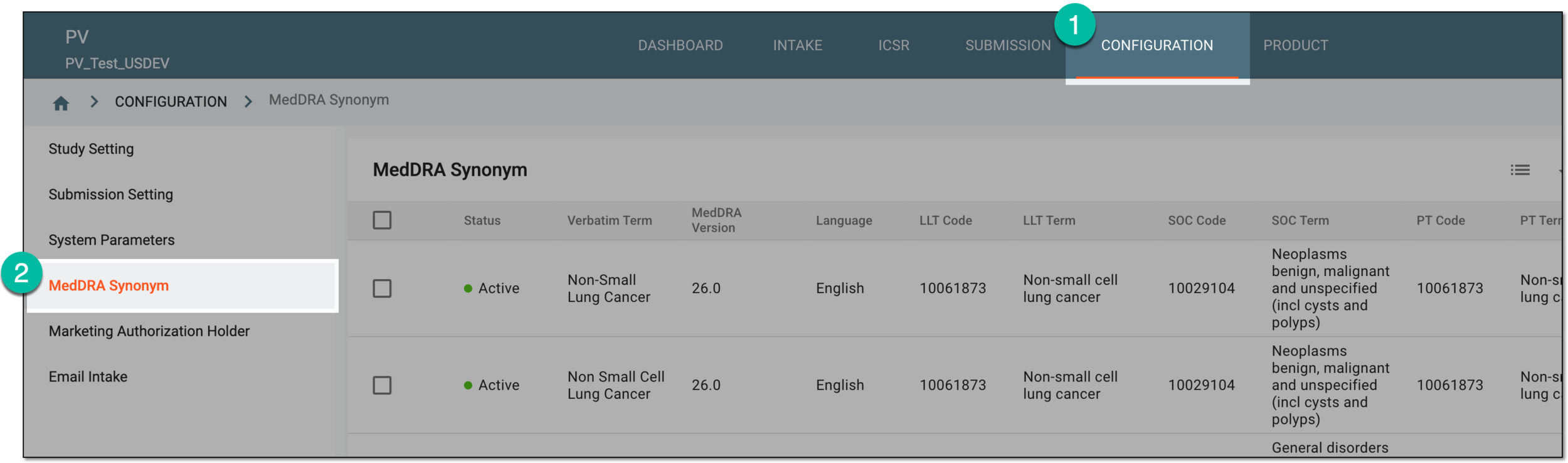 Figure 1. Accessing MedDRA synonym configuration
-
On the MedDRA Synonym table that opens, go to the synonym you need to inactivate and in the Actions column next to it, select Inactivate
 .
. Figure 2. Selecting to inactivate synonym
Tip
Active synonyms are marked with a green circle
 .
.
The MedDRA synonym has been inactivated. You can no longer use it for coding and analysis. If needed, you can permanently delete it from the system.