Forward/Return route for marketing authorization holder/applicant
In pharmacovigilance, the Marketing Authorization Holder (MAH) refers to the entity that holds the marketing authorization or license for a pharmaceutical product. Until the authorization is obtained, the entity is considered a marketing authorization applicant. Once you have configured the needed marketing authorization holder or applicant record in the system, you can arrange the review and approval process to ensure the data validity.
The review process is simple: upon creation, the record is sent for dedicated users' review until it obtains the final approval. You can send your record for review and approval using the Forward Route and Return Route options. Every time the route is forwarded or returned, a dedicated user receives an email notification inviting them to review the status change in the PV application.
Important
The review and approval process stages are coordinated by the workflow that can be configured according to your business needs by the EDETEK administrator.
For instance, you can make your workflow the following: Draft, Ready for Review, and Approved. Thus, upon creation, your MAH record is a draft that must be sent for review by a dedicated user. Once reviewed, if all is good, the MAH is approved.
-
In the PV application header, select the CONFIGURATION tab.
-
On the page that opens, from the left pane, select Applicant / Holder.
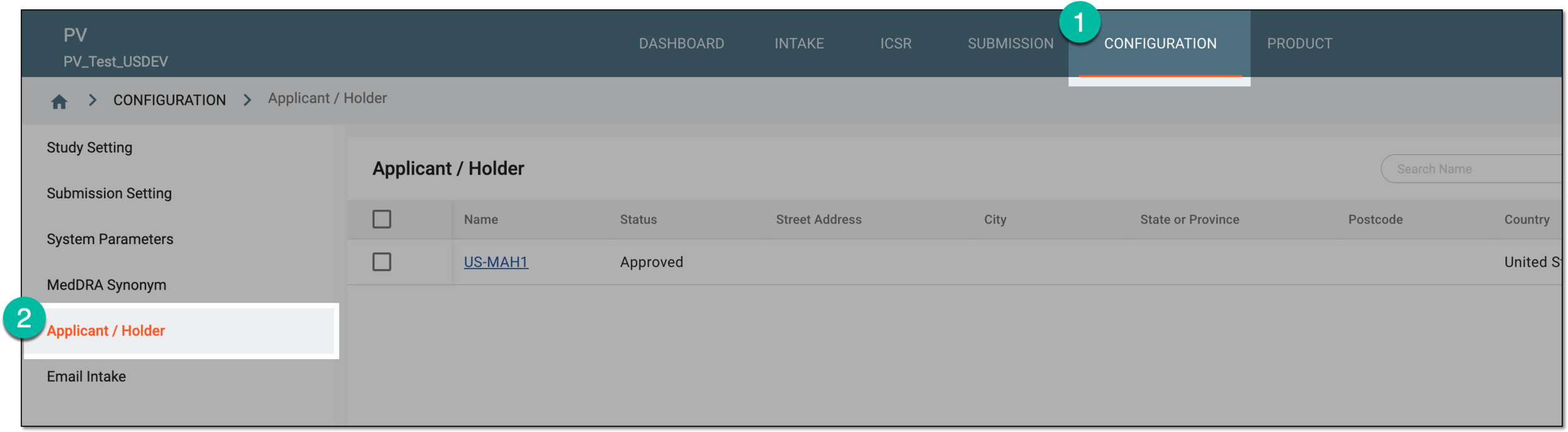 Figure 1. Accessing applicant and holder configuration
-
In the Applicant / Holder table that appears, locate the record for which you want to forward or return the route. Then select its name.
 Figure 2. Accessing marketing authorization holder or applicant details
-
On the page that opens, from the workspace toolbar, select one of the following options:
-
Forward Route
 : select to upgrade the MAH status by requesting approval from the dedicated reviewer.
 -
Return Route
 : select to roll back the MAH status by requesting approval from the dedicated reviewer.
 Figure 3. Selecting to forward or return route
-
-
Depending on your selection, in the Forward or Return dialog that opens, complete the fields as explained in the following table.
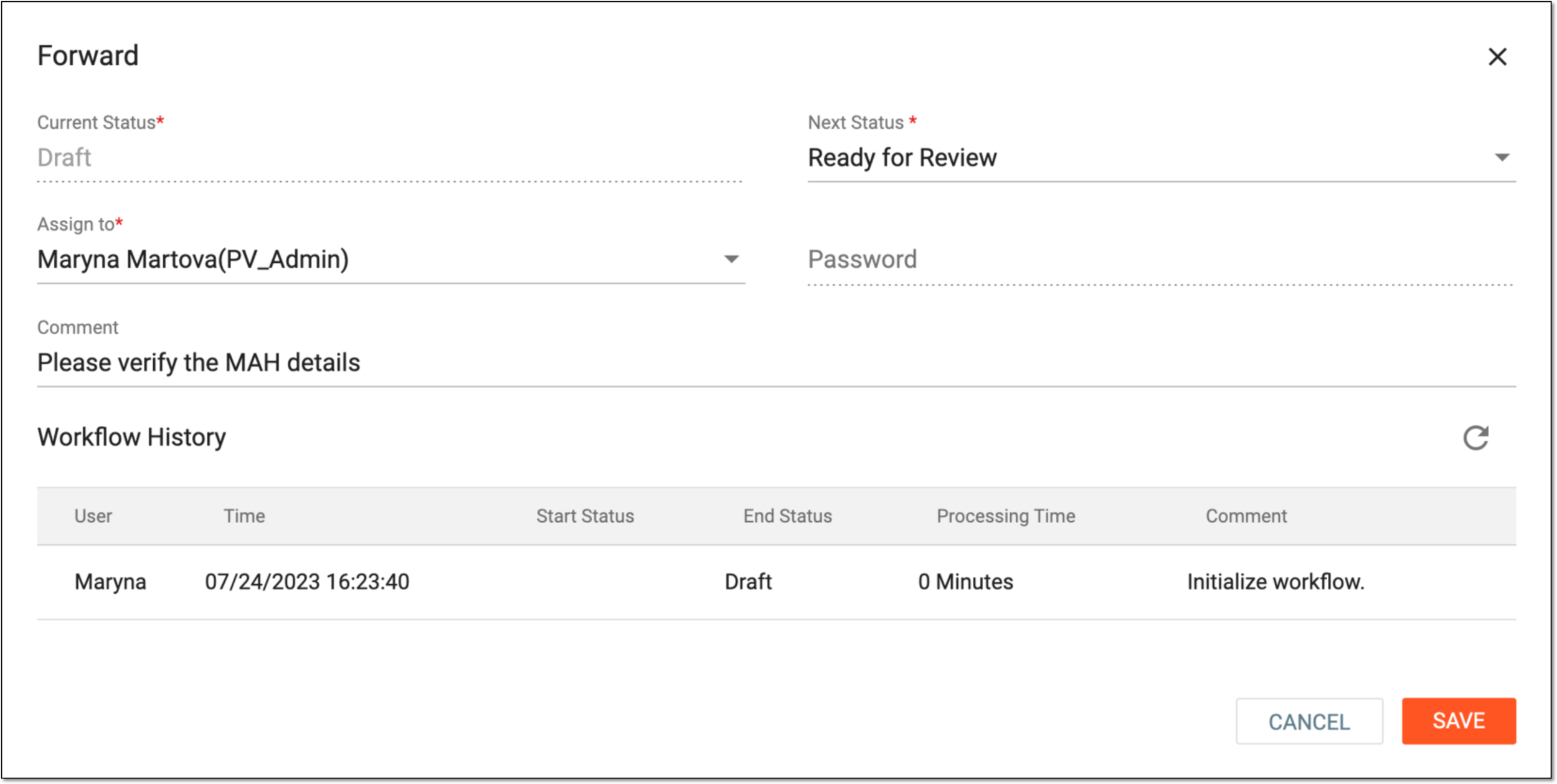 Figure 4. Forwarding route
Tip
In the following table, mandatory elements are marked with an asterisk (*).
Element
Details
Current Status*
Represents the current status of the marketing authorization holder or applicant record in the PV system.
Next Status*/Return Status*
Depending on whether you are forwarding or returning the route, select the next or previous status available for your marketing authorization holder or applicant in the PV system according to the configured workflow.
Assign To*
Select the user to assign them as an approver for the status change.
The list of assignees is based on their study access permission granted via ADMIN.Password
Enter the password to confirm your identity and authorization to perform the action.
Comment
Enter the comment to let the assignee know the details of the action, for instance, to state the reason for the route change.
Workflow History
Represents the table containing the history of route changes for the marketing authorization holder or applicant record.
SAVE
Select
 to save the implemented changes.
CANCEL
Select
 to discard the changes without saving.
Important
For security, the system logs you out after three failed attempts to confirm your identity with a password or code.
Once saved, depending on the performed action, the route is forwarded to the next or returned to the previous status.