Analyze workflow history for marketing authorization holder/applicant
In pharmacovigilance, the Marketing Authorization Holder (MAH) refers to the entity that holds the marketing authorization or license for a pharmaceutical product. Until the authorization is obtained, the entity is considered a marketing authorization applicant.
For all the marketing authorization holders and applicants previously configured in PV, you can arrange an approval process to ensure data validity. The stages of the approval process can differ and are coordinated by the workflow configured according to your business needs by the EDETEK administrator.
To send the marketing authorization holder or applicant record to its next stage of approval, you need to forward or return the workflow route. The history of all the route changes for your records can be traced by reviewing the workflow history.
-
In the PV application header, select the CONFIGURATION tab.
-
On the page that opens, from the left pane, select Applicant / Holder.
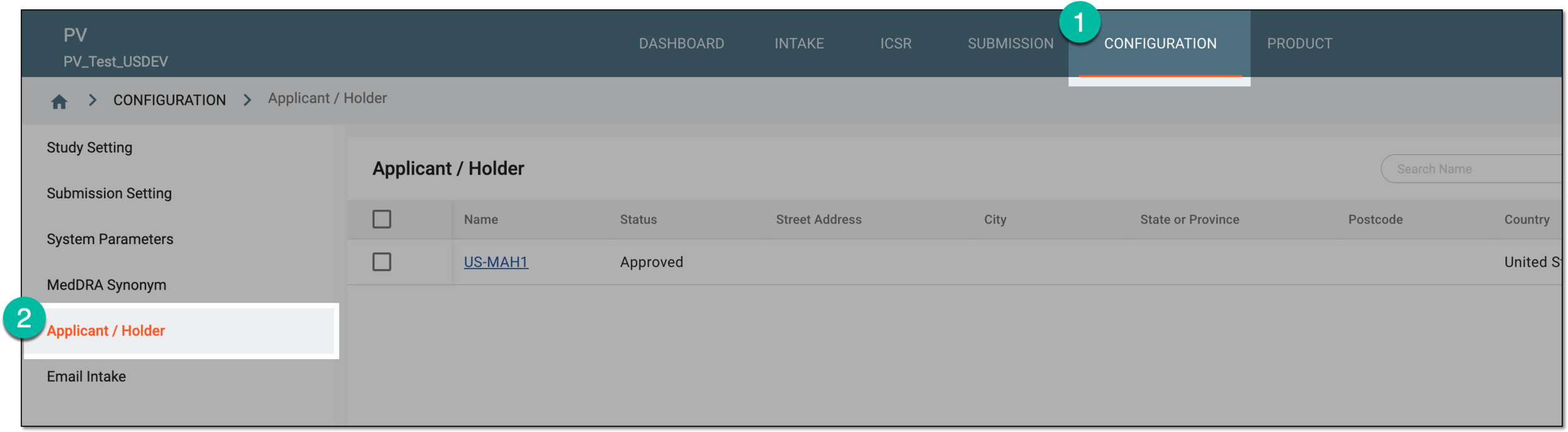 Figure 1. Accessing applicant and holder configuration
-
In the Applicant / Holder table that appears, locate the record for which you want to view the workflow history. Then next to it, from the Actions column, select More
 > Workflow History
  .
. Figure 2. Accessing workflow history for marketing authorization holder or applicant
Tip
Alternatively, you can access the workflow history by opening the details of the record of your interest and from the workspace toolbar, selecting More
> Workflow History . -
In the Workflow History dialog that opens, view the structured history of all workflow changes performed to the marketing authorization holder or applicant, who performed them, when, and so on.
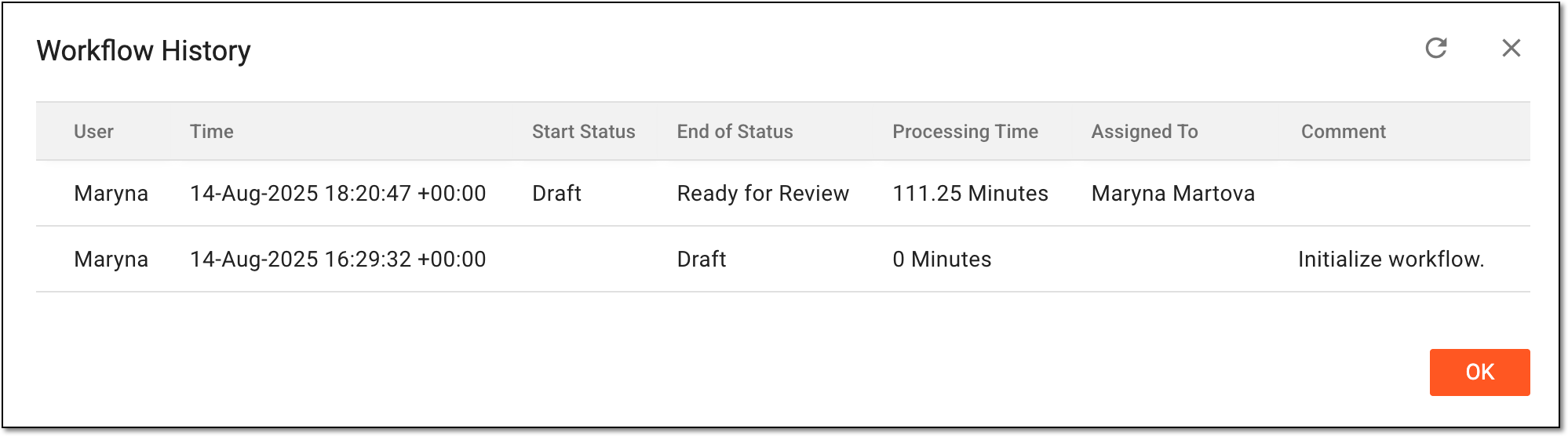 Figure 3. Analyzing workflow history for marketing authorization holder or applicant
You have analyzed the complete history of workflow changes for the marketing authorization holder or applicant data. Select  to close the dialog.