Analyze audit trail for marketing authorization holder/applicant
In pharmacovigilance, the Marketing Authorization Holder (MAH) refers to the entity that holds the marketing authorization or license for a pharmaceutical product. Until the authorization is obtained, the entity is considered a marketing authorization applicant.
For all the marketing authorization holders or applicants previously configured in PV, you can view the audit trail that gives you descriptive information about all operations taken towards them. You can see who and when operated, the operation type, and so on.
-
In the PV application header, select the CONFIGURATION tab.
-
On the page that opens, from the left pane, select Applicant / Holder.
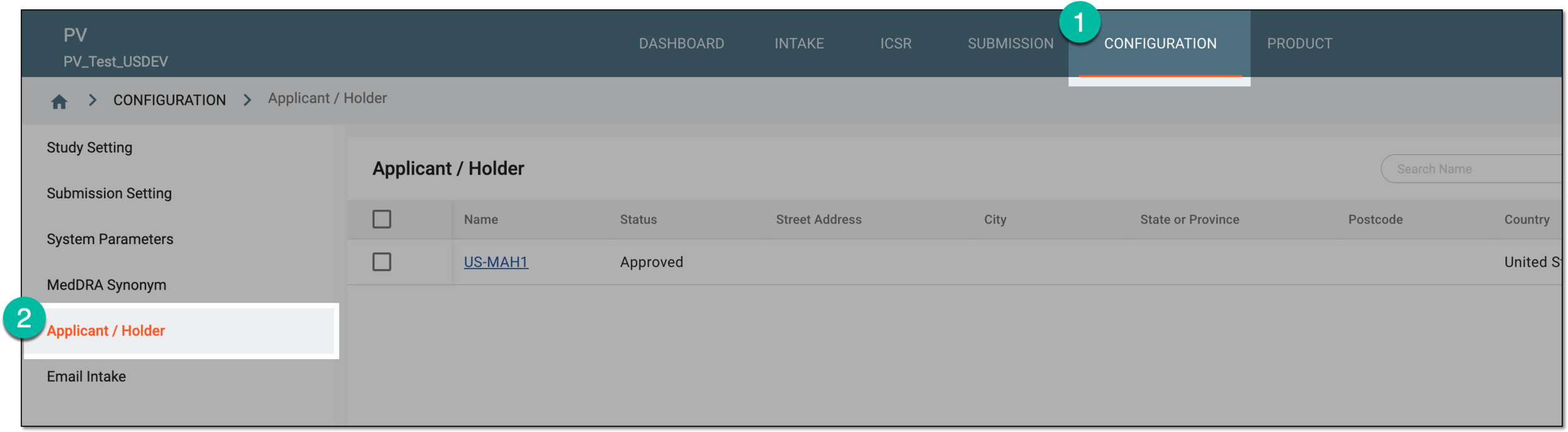 Figure 1. Accessing applicant and holder configuration
-
In the Applicant / Holder table that appears, locate the record for which you want to view the audit trail. Then next to it, from the Actions column, select More
 > Audit Trail
  .
. Figure 2. Accessing audit trail for marketing authorization holder or applicant
Tip
Alternatively, you can access the audit trail by opening the details page of the record of your interest and from the workspace toolbar, selecting More
> Audit Trail . -
In the Audit Trail dialog that opens, view the history of operations with the marketing authorization holder or applicant, who performed them, when, and so on.
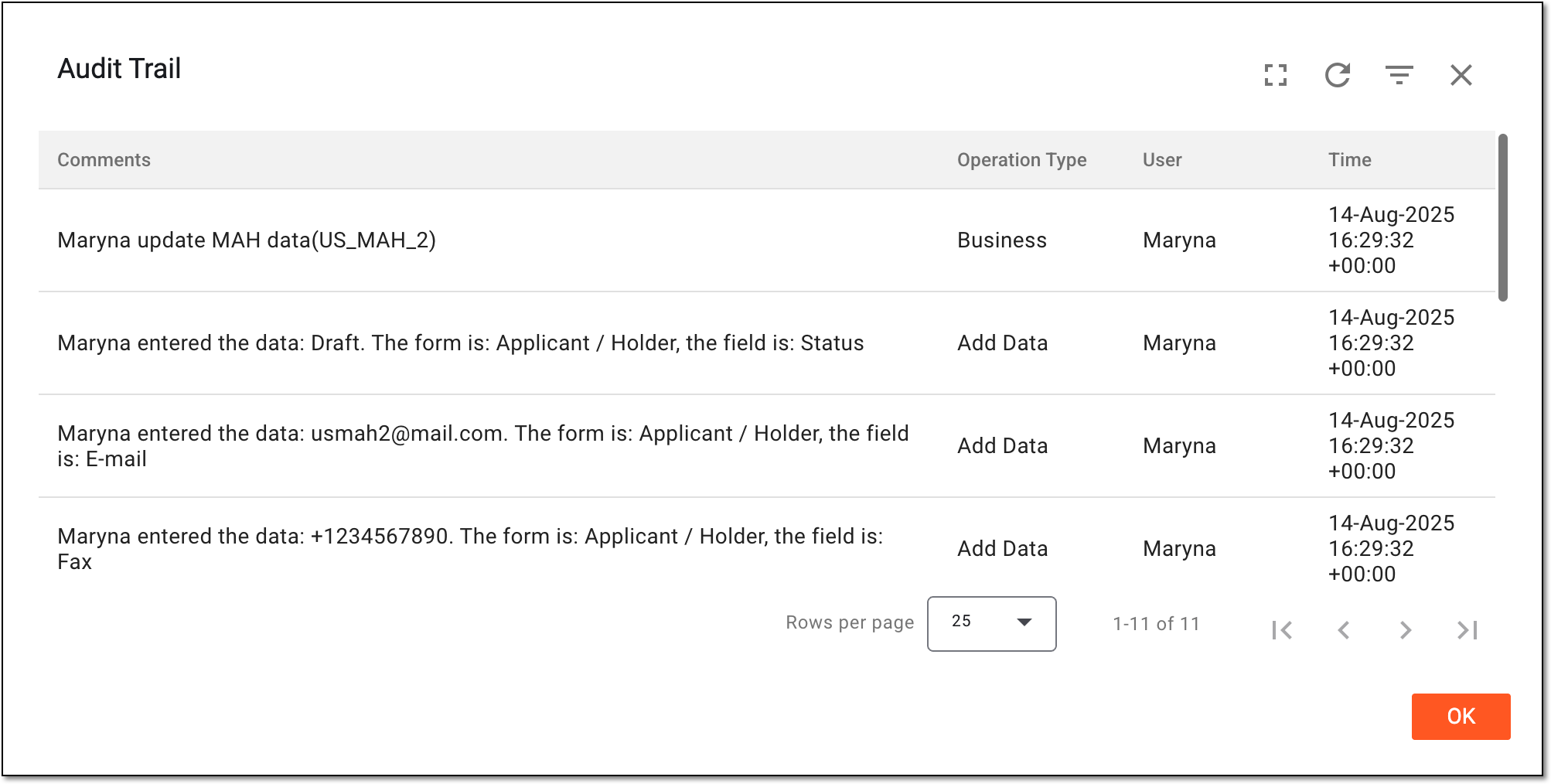 Figure 3. Analyzing audit trail for marketing authorization holder or applicant
You have analyzed the complete audit trail for the marketing authorization holder or applicant data. Select  to close the dialog.