Delete subject phase property
In EDC, you can delete any of the existing properties for subject phases according to your business needs.
For example, if you no longer need to track the cholesterol levels of subjects within a specific phase.
-
In the EDC application header, select the STUDY INFO tab.
-
On the page that opens, in the left pane, select Subject > Subject Phase.
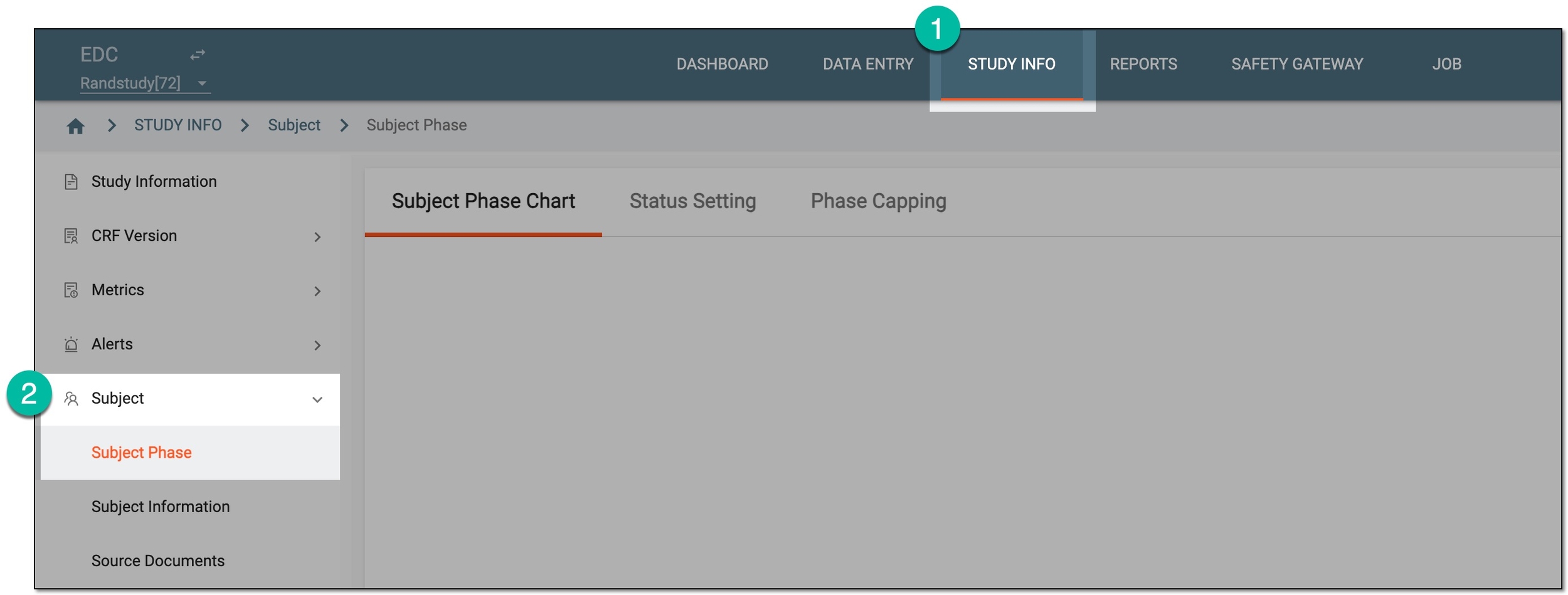 Figure 1. Accessing subject phase management
-
On the Subject Phase Chart page that opens, on the subject phase flow chart, double-click the tile of your interest.
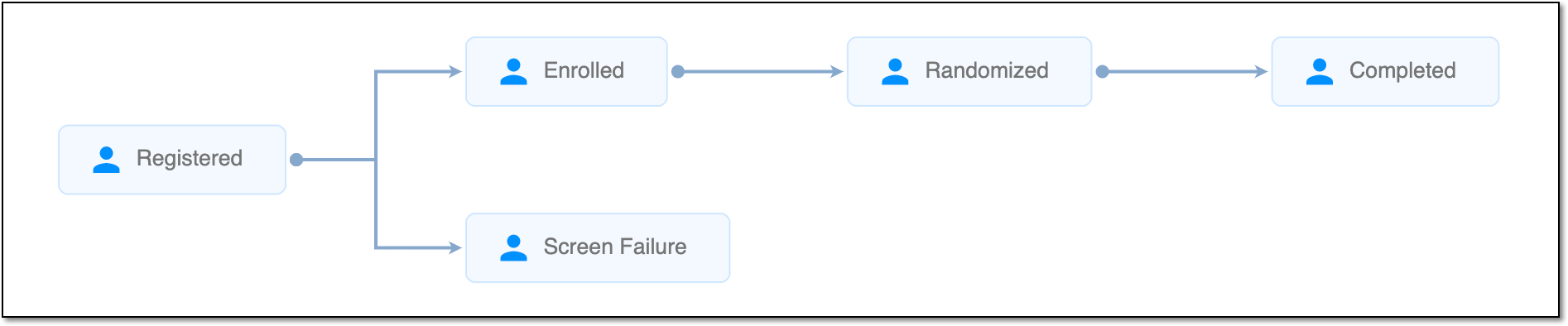 Figure 2. Viewing subject phase flow chart
Tip
For quick access to Property, right-click the needed phase in the chart.
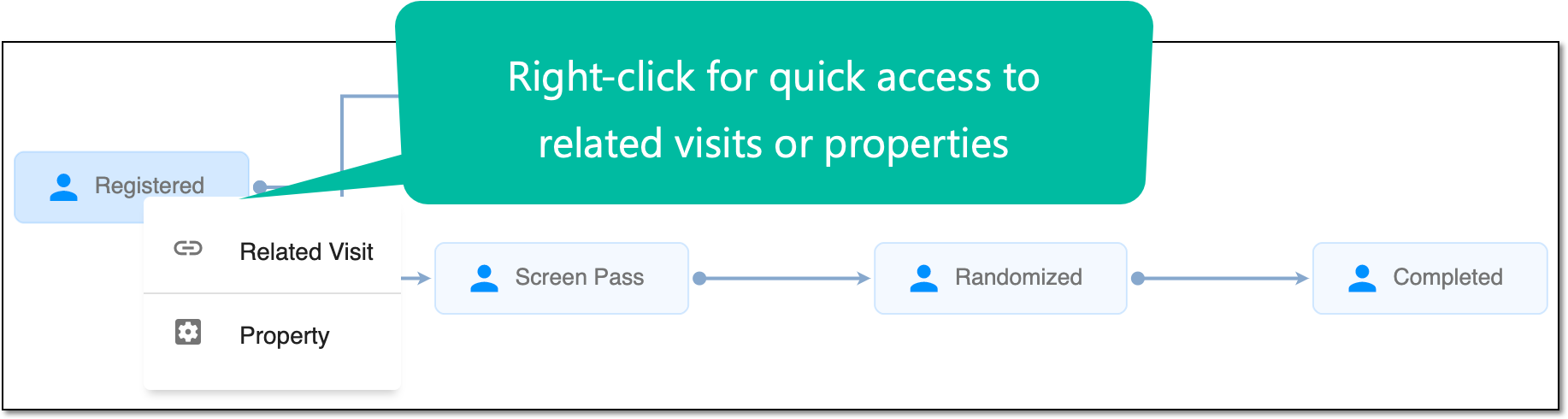 Figure 3. Accessing Related Visit and Property functionality
-
In the dialog that opens, select the Property Define subtab.
-
In the table that appears, locate the property of your interest, and next to it, select Delete
 .
.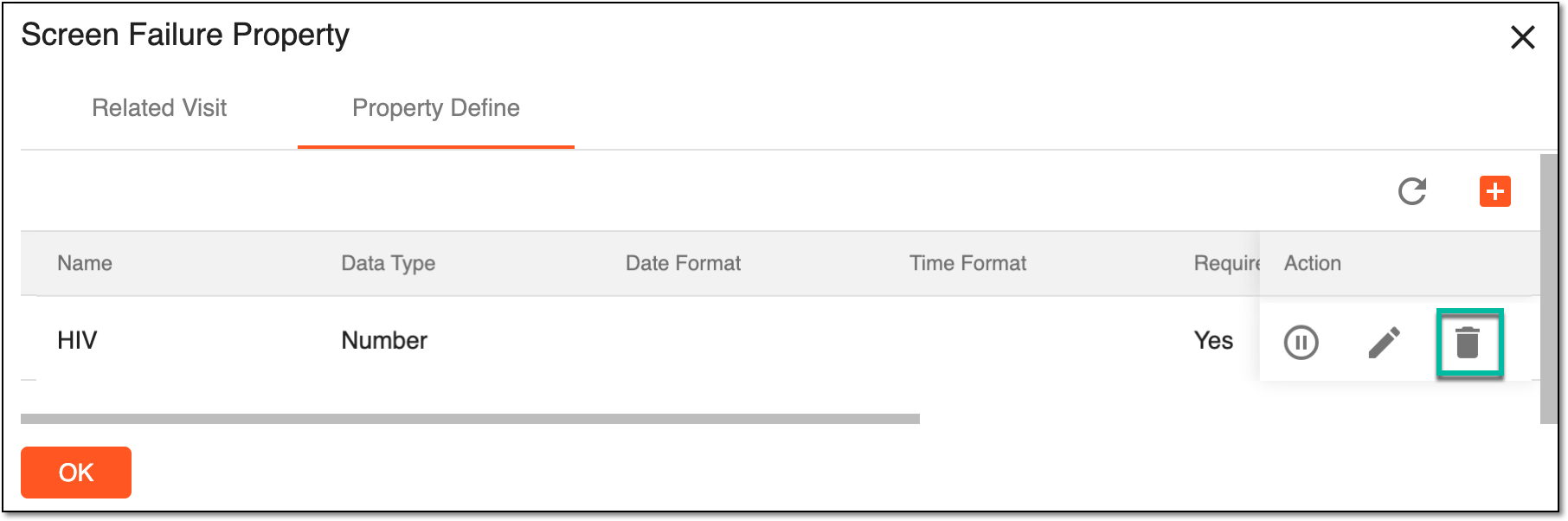 Figure 4. Activating/Inactivating property
-
In the Confirm dialog that appears, select
 to proceed with deletion.
 Figure 5. Confirming property deletion
Upon confirmation, the property is deleted.
A specific phase that a subject has to complete in the course of a clinical trial to move further to the next phase. For instance, Screening, Enrolled, Randomized, and others.
 |
In eClinical, subject phases are designed individually for each study via the SD application, although they are referenced in others, like IWRS or EDC.