Activate/Inactivate subject phase property
In EDC, you can activate or inactivate the existing properties for subject phases according to your business needs.
For example, you need to temporarily stop tracking the cholesterol levels of subjects within the specific phase. Although, you anticipate that you might need to track it again in the future. Instead of deleting the property, you simply inactivate it. You can activate it back again as soon as it is needed.
-
In the EDC application header, select the STUDY INFO tab.
-
On the page that opens, in the left pane, select Subject > Subject Phase.
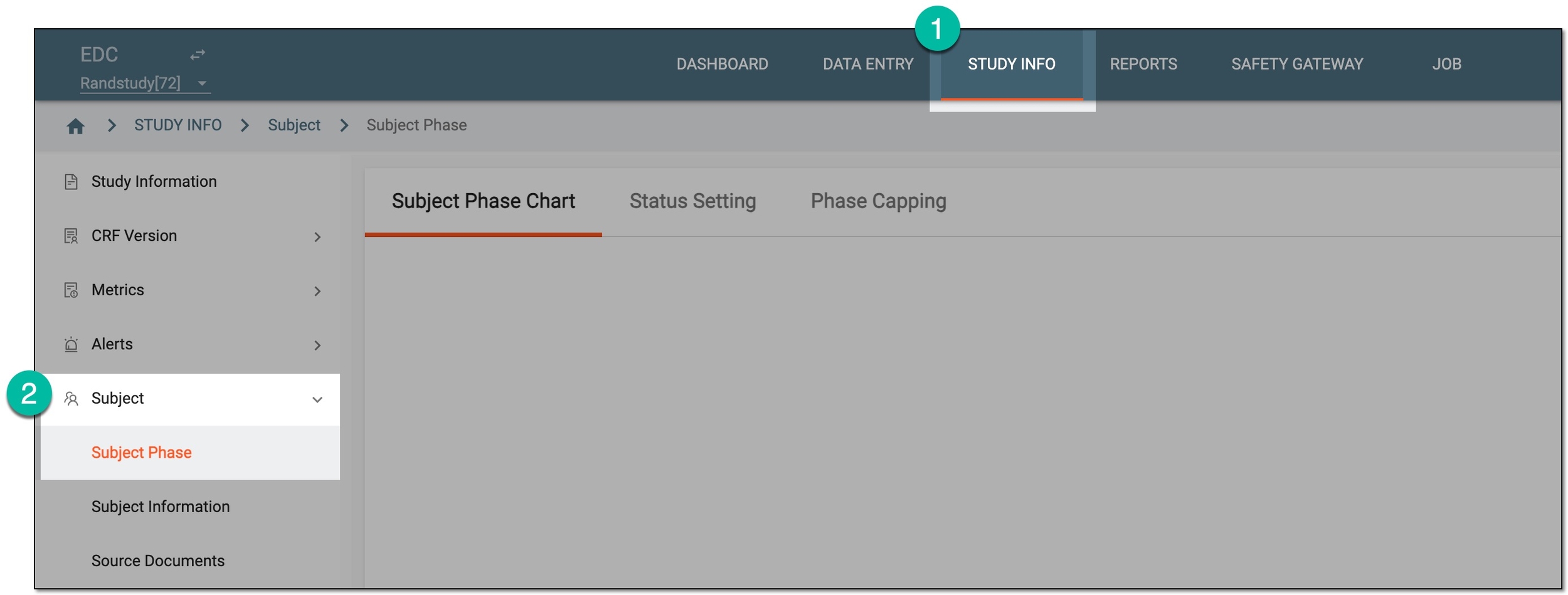 Figure 1. Accessing subject phase management
-
On the Subject Phase Chart page that opens, on the subject phase flow chart, double-click the tile of your interest.
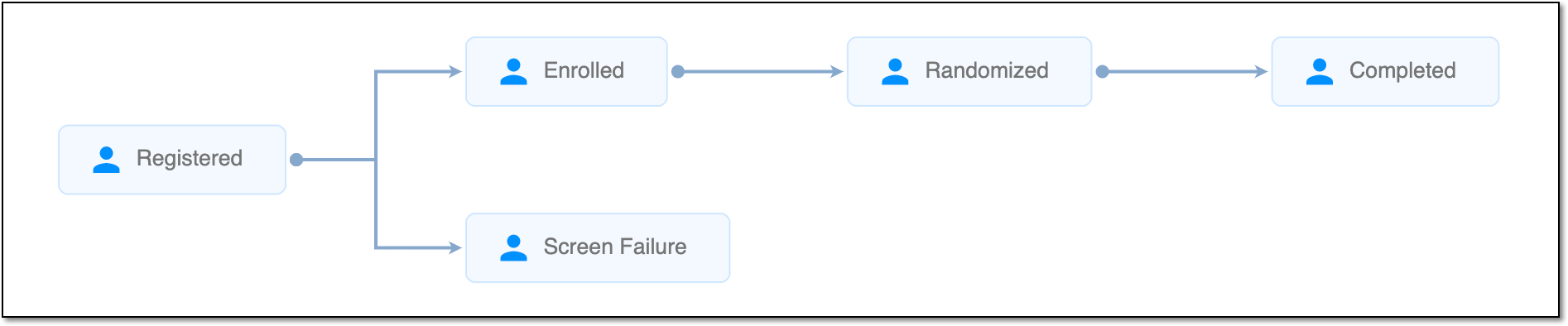 Figure 2. Viewing subject phase flow chart
Tip
For quick access to Property, right-click the needed phase in the chart.
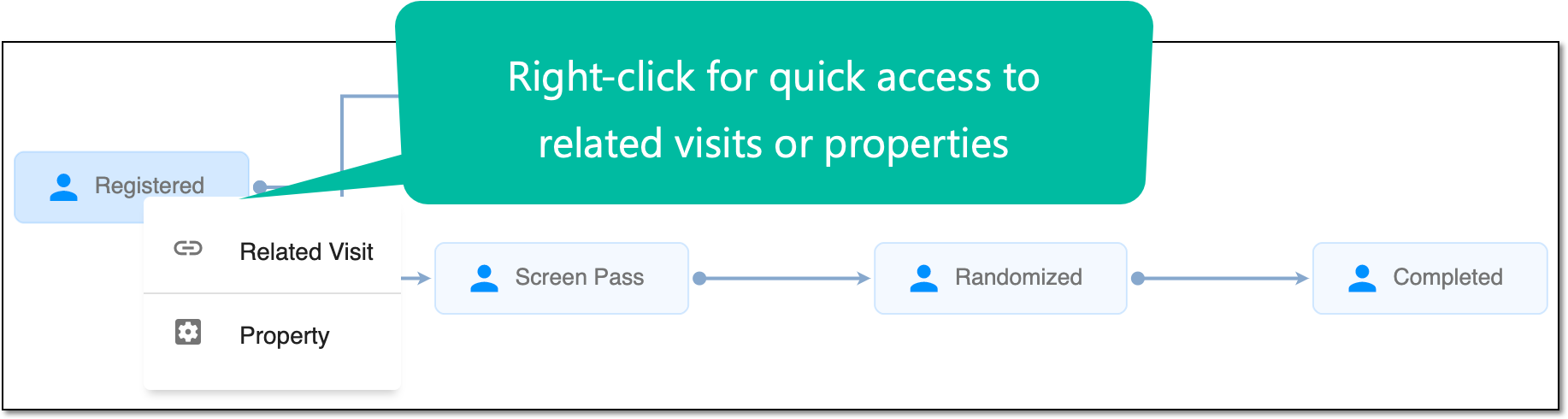 Figure 3. Accessing Related Visit and Property functionality
-
In the dialog that opens, select the Property Define subtab.
-
In the table that appears, locate the property of your interest, and next to it, select Activate
 or Inactivate
  .
.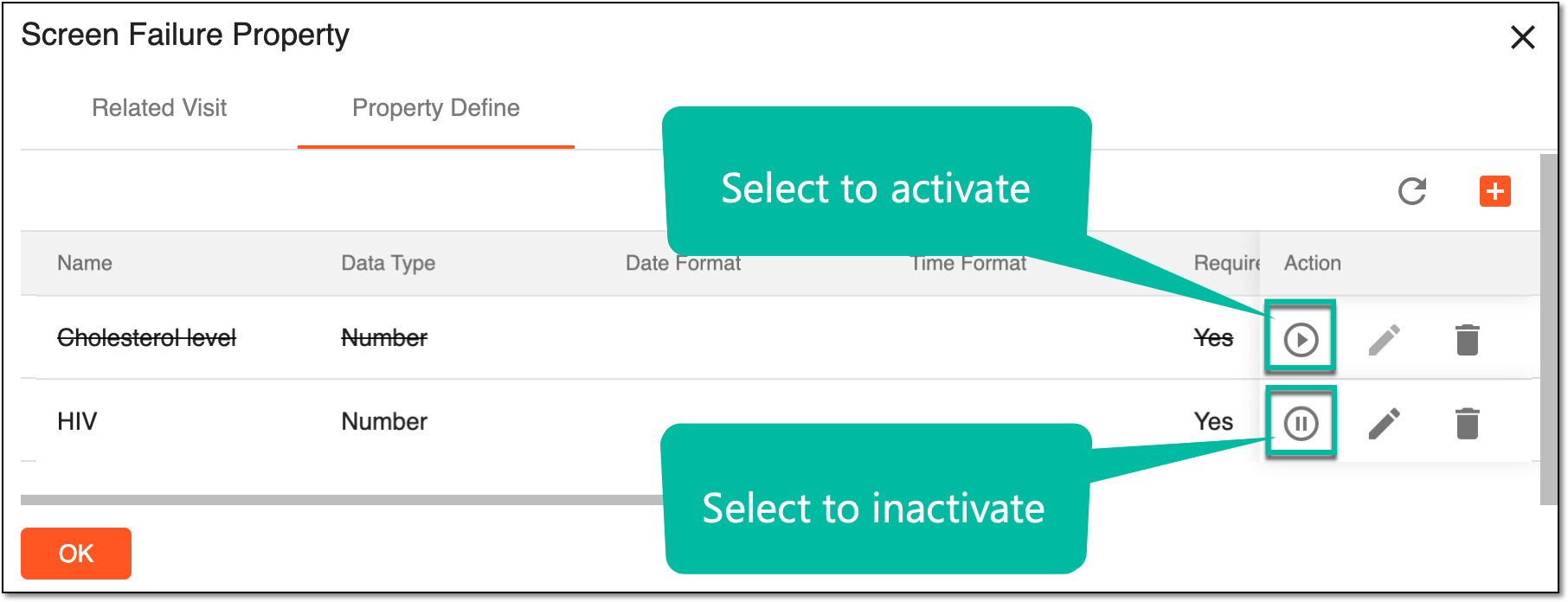 Figure 4. Activating/Inactivating property
Upon selecting, the respective action takes place and the property is either activated or deactivated.
A specific phase that a subject has to complete in the course of a clinical trial to move further to the next phase. For instance, Screening, Enrolled, Randomized, and others.
 |
In eClinical, subject phases are designed individually for each study via the SD application, although they are referenced in others, like IWRS or EDC.