Retrieve latest RAVE EDC configuration
With the CRF version integration, you can specify the mapping between CRF versions in eClinical EDC and RAVE EDC, providing flexibility for each system to be linked with the desired corresponding version in the other system. The CRF version mapping ensures that data recorded in eClinical EDC from either eCOA or eDiary mobile application remains accurately represented in RAVE EDC.
From time to time, the study team may update the CRF version visits, forms, or items in the RAVE EDC system due to protocol amendments or new study requirements. In such a case, new visits, forms, and items need to become available in the eCOA or eDiary mobile application for users to enter the required data. In the eClinical EDC, you have the option to retrieve the latest CRF version configuration from RAVE EDC.
Important
You need to make sure that the corresponding mapped CRF version of eClinical EDC has the same visits, forms, and items added so they can be mapped accordingly. The mapping must be established so the updated CRF version changes can become available in the respective eCOA or eDiary mobile application for data entry.
-
In the EDC application header, select the STUDY INFO tab.
-
In the left pane of the page that opens, select the System Integration subtab.
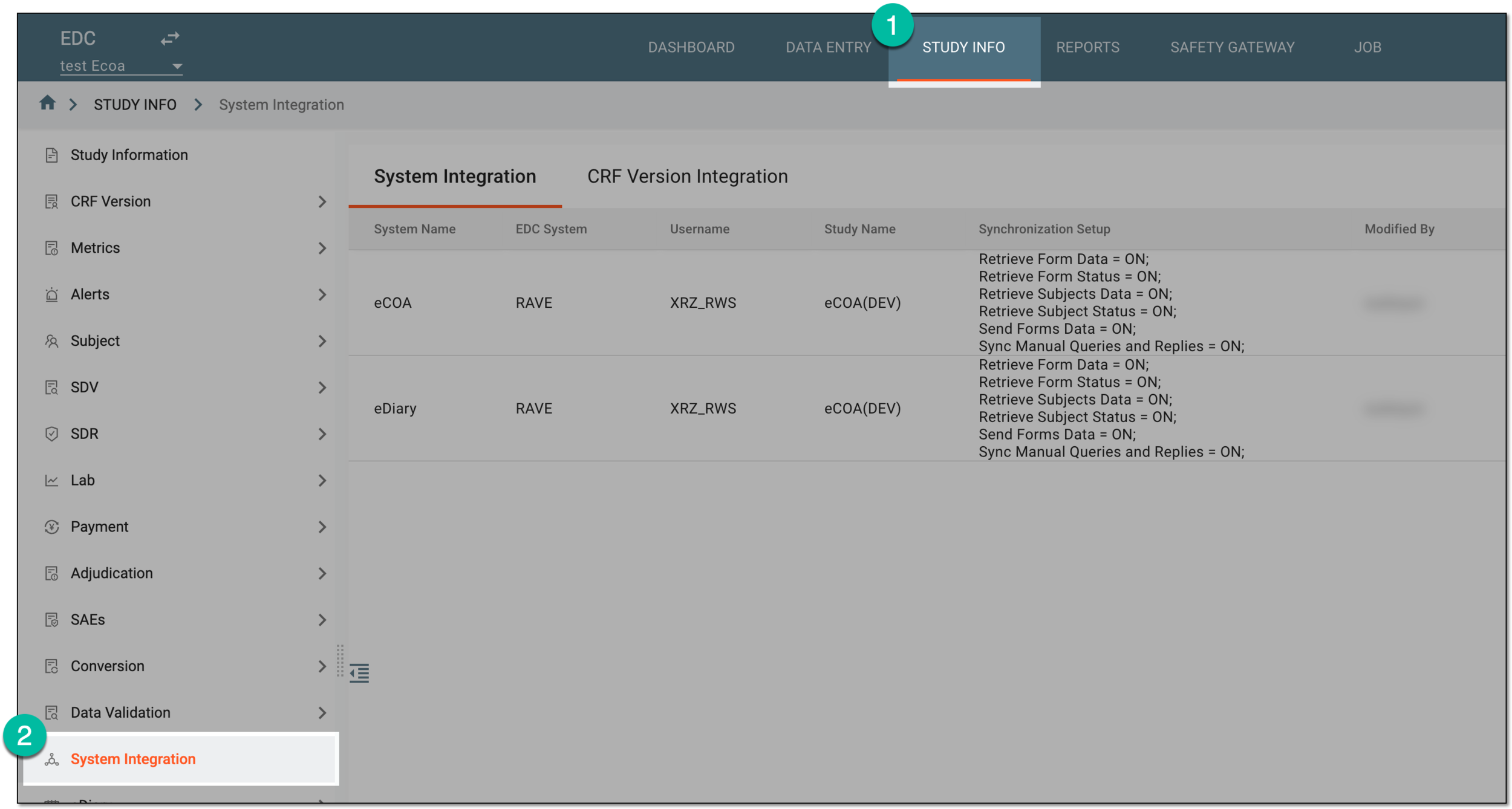 Figure 1. Accessing system integration
-
In the contents panel that appears, select the CRF Version Integration tab.
-
From the workspace toolbar of the CRF Version Integration table that appears, select Update RAVE ODM
 .
. Figure 2. Selecting to retrieve latest RAVE EDC configuration
Once selected, the RAVE EDC configuration is updated. If the configuration contains changes, new visits, forms, or items become available in eClinical EDC for mapping with its CRF version.