Edit additional ID
In a clinical trial, unique identifiers (IDs) are used to identify trial participants, protecting their personal information and maintaining confidentiality.
In EDC, you can configure the unique ID parameters for your study subjects depending on your requirements. Different studies can have one or multiple IDs for their subjects during a trial. Multiple IDs might be required if you want your subjects to receive new specific identifiers when passing through the trial phases.
For instance, you want two different IDs to be assigned to the subjects of your trial, depending on the phases that they pass: registration or enrollment. Thus, you can configure the following: Pre-screening ID for registered applicants and Subject ID for enrolled study subjects.
Once the additional IDs are configured for your study, you might need to make some changes to the, for instance, edit the ID elements or some other details.
-
In the EDC application header, select the STUDY INFO tab.
-
On the Study Information page that opens, in the contents panel, select the ID Configuration tab.
 Figure 1. Accessing subject ID configuration
-
On the page that opens, in the Additional ID Configuration block, locate the ID you want to edit and in the Action(s) column next to it, select Edit
 .
.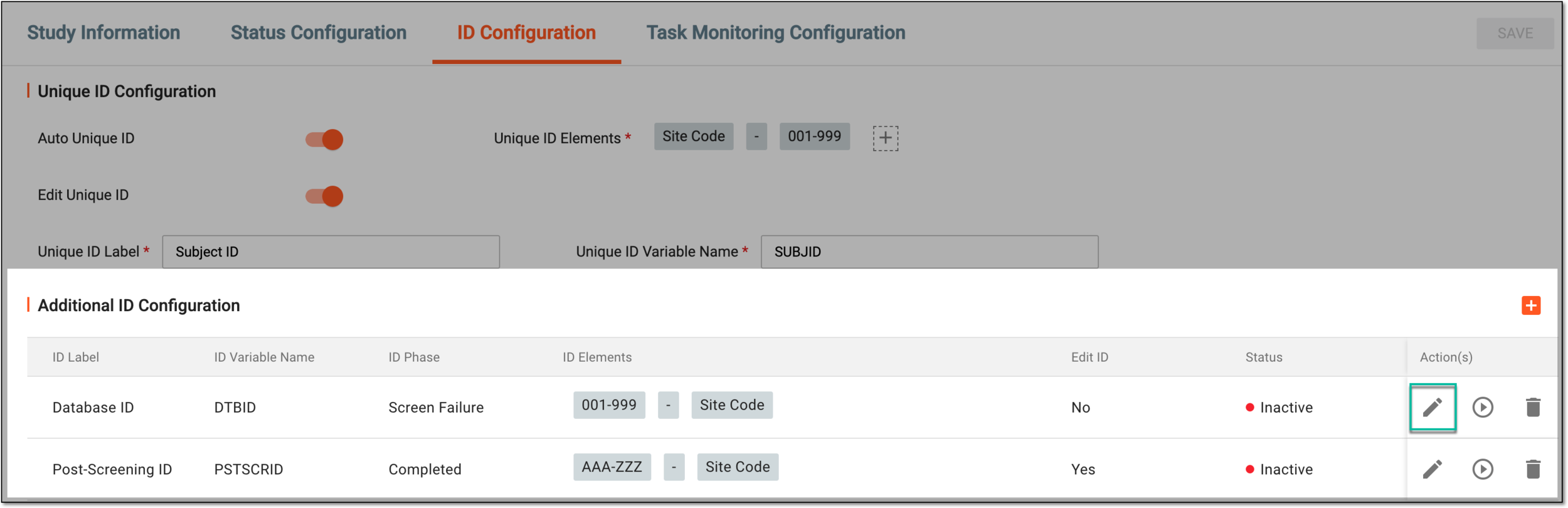 Figure 2. Selecting option to edit additional ID
-
In the Edit dialog that opens, update the ID details as needed. The fields here are isentical to the ones explained in the table of the Configure additional IDs for subjects section.
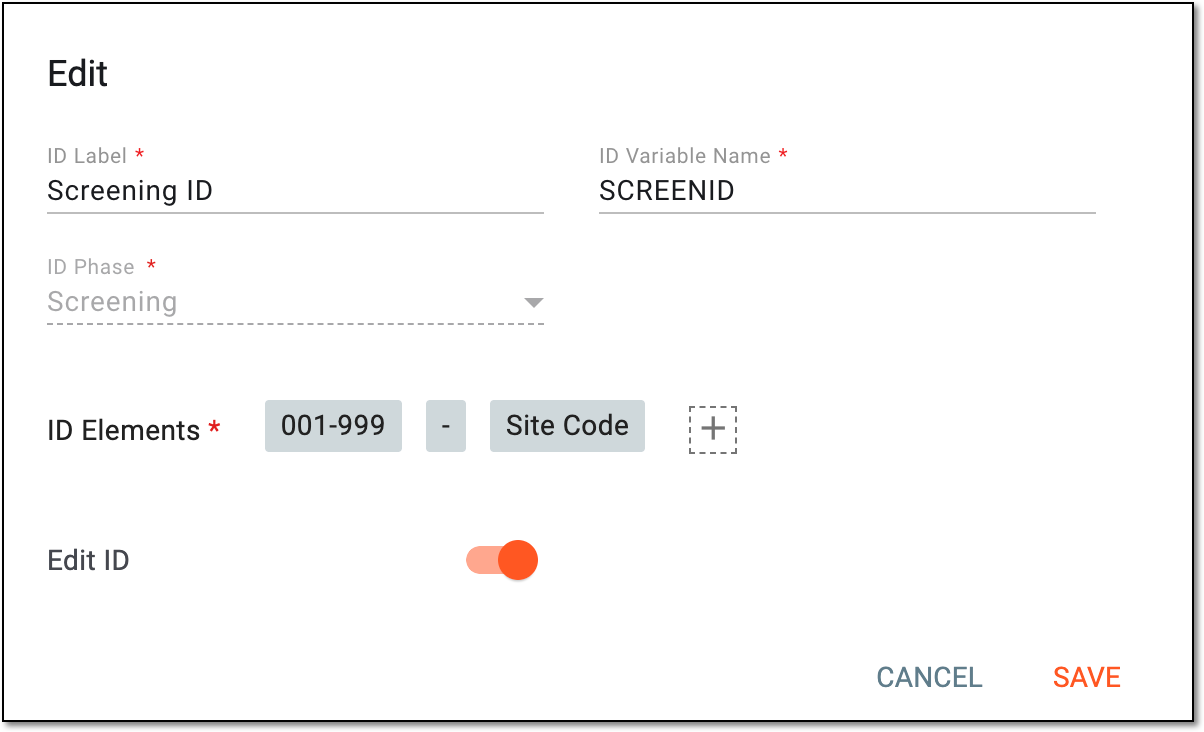 Figure 3. Editing ID details
-
Select
 to save the implemented changes.
Once saved, your changes are applied, and the newly assigned identifiers now follow the updated logic.