SDV & SDR workload report
In the clinical trials industry, SDV stands for Source Data Verification, and SDR stands for Source Data Review. Both terms relate to the process of ensuring data accuracy and integrity within a clinical trial. Both terms are explained in detail in the following paragraphs.
Source Data Verification (SDV) involves the review and comparison of data recorded in the source documents against the data captured on the case report forms (CRFs). During SDV, a trained Monitor or Clinical Research Associate (CRA) compares the source data to the CRFs to identify any discrepancies or errors. They may review laboratory results, medical history, adverse event records, and other relevant information. Discrepancies found during SDV are usually documented and resolved through data clarification or query processes with the site personnel responsible for data collection.
Source Data Review (SDR), on the other hand, refers to a broader assessment and review of the source data beyond a simple verification process. It involves a comprehensive review of the collected data to evaluate its quality, consistency, and compliance with the study protocol, standard operating procedure, and regulatory requirements. During SDR, the CRA or data management team examines the data for completeness, accuracy, and compliance with the established criteria. They analyze trends, perform data reconciliations, and identify any potential anomalies or issues that may require further investigation or data clarification.
The SDV & SDR workload report provides detailed statistics on how much effort has been put into SDR and SDV. This effort is measured in minutes. After defining the workload for SDV and defining the workload for SDR, it becomes specified how many minutes are required for completing each form for SDV and reviewing source documents for each visit in terms of the SDR process. So after the SDV has been completed and SDR results have been submitted, the minutes spent on the process of SDV and SDR are automatically calculated and are reflected in the SDV & SDR workload report.
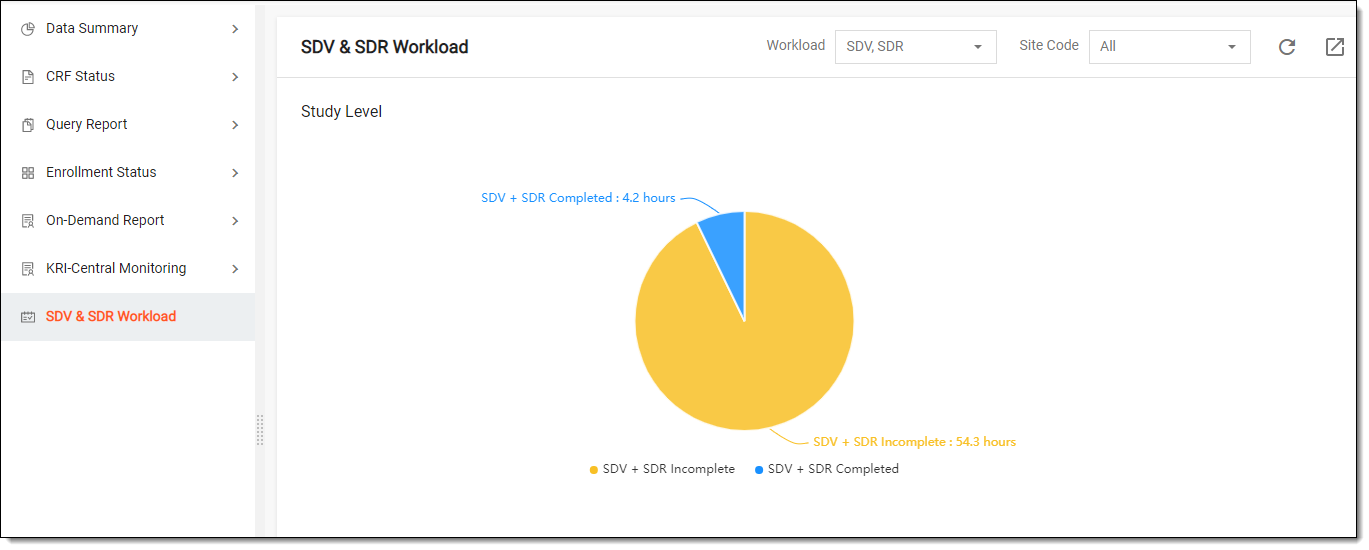
You can also view the SDV & SDR workload statistics per each study site.
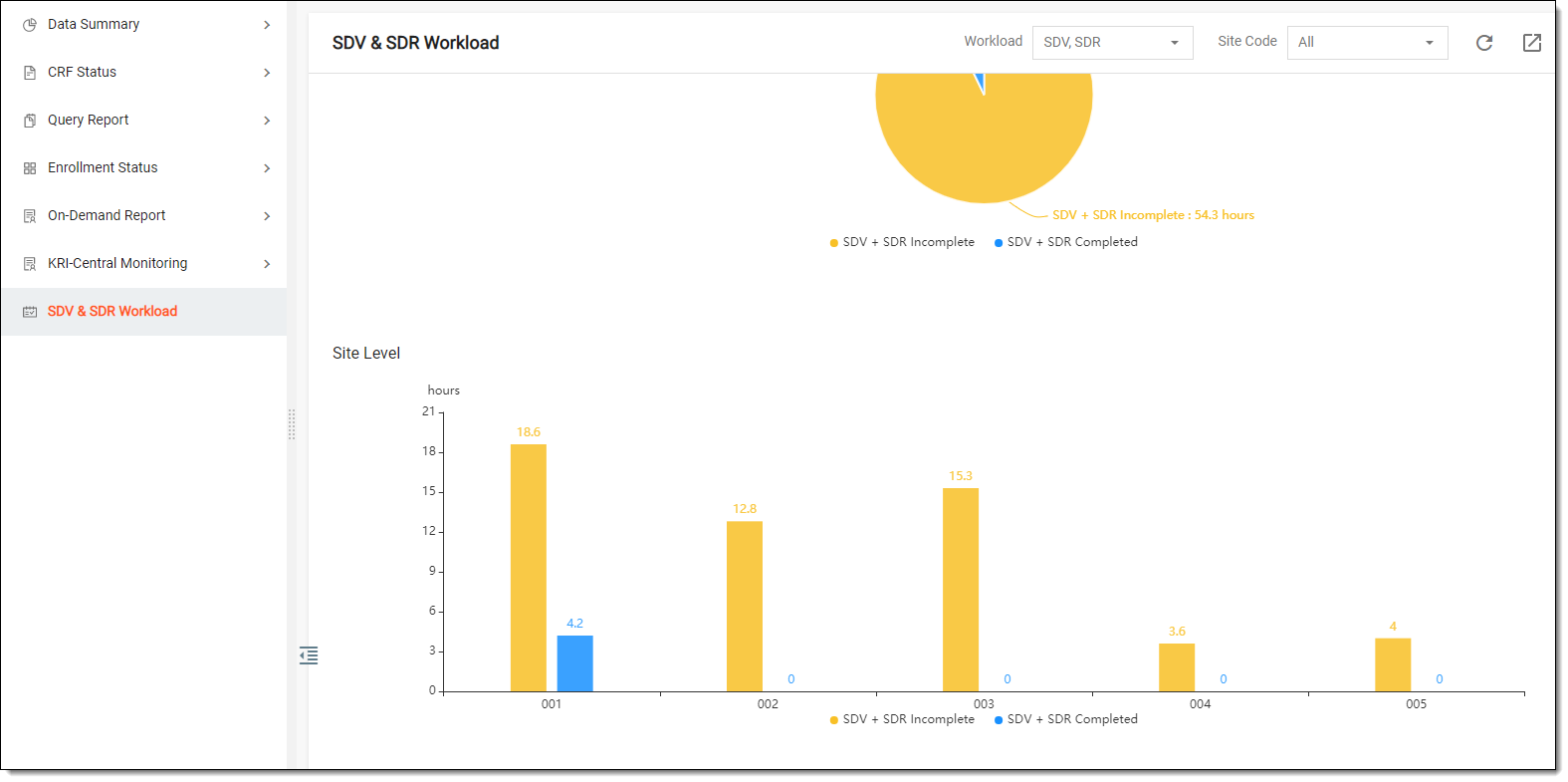
Within the SDV & SDR Workload tab, you can perform the following actions to help you with reading the SDV and SDR workload data:
-
From the workspace toolbar, in the Workload field, select either SDV, SDR, or SDV, SDR value depending on whether you want to view the workload statistics for both SDV and SDR processes together in one pie chart or separately.
-
From the workspace toolbar, in the Site Code field, select the sites for which you want to view the SDV and SDR workload statistics.
-
From the workspace toolbar, select Export
 to download the SDV and SDR workload statistics in a PDF file to your computer.