Define SDR workload
Source Data Review (SDR) refers to a comprehensive review of the collected data to evaluate its quality, consistency, and compliance with the study protocol, standard operating procedure, and regulatory requirements. During SDR, the CRA or data management team examines the data for completeness, accuracy, and compliance with the study protocol and regulatory requirements.
After adding various SDR setting records and executing the configuration, the process of SDR planning can be considered complete. The next stage of SDR implementation involves the measurement of the workload required for the SDR process itself. Once it is measured and the time required for the SDR process is thoroughly calculated, you can define the workload for each visit. This means you need to specify the time needed to review source documents pertaining to different subjects under various visits. You can set different workload in minutes for different phases of a specific visit.
-
In the EDC application header, select the STUDY INFO tab.
-
In the left pane of the page that opens, expand SDR and select the SDR Workload tab.
-
In the SDR Workload table that appears, select checkboxes next to the visits for which you want to define the SDR workload.
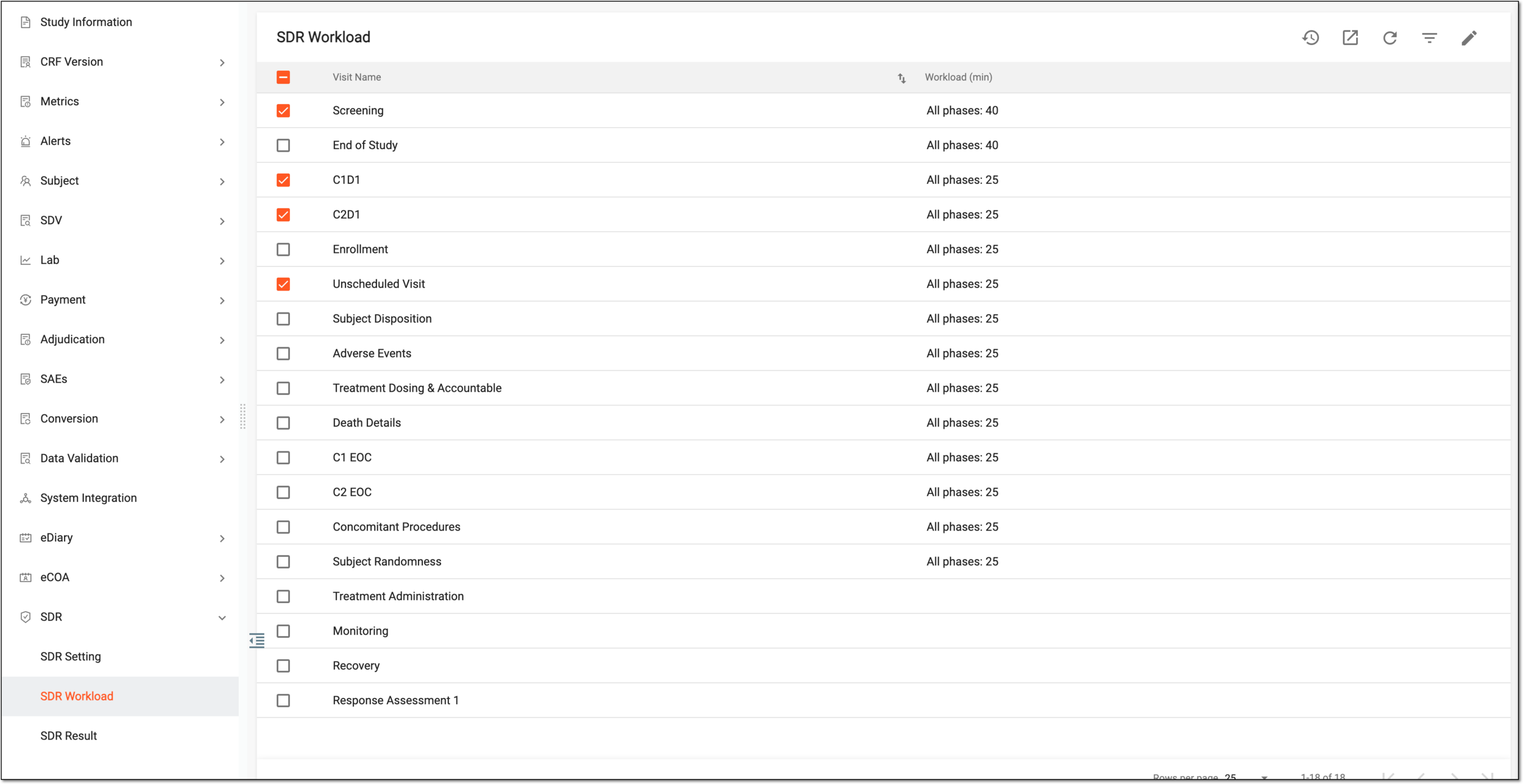 Figure 1. Selecting visits
-
Then from the workspace toolbar, select Edit
 .
. -
On the Edit panel, fill in the attributes as explained in the following table.
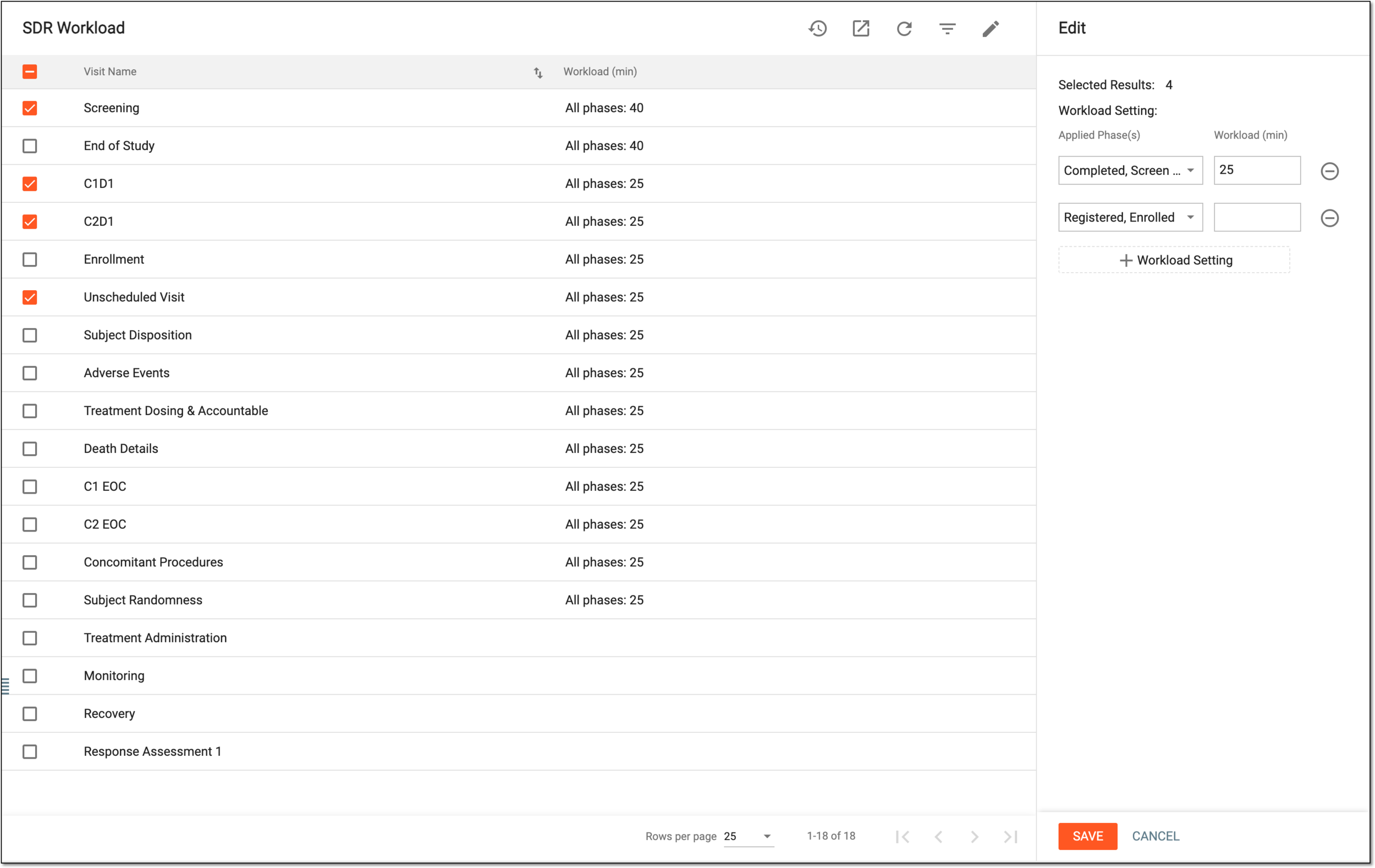 Figure 2. Defining SDR workload
Element
Details
Applied Phase(s)
Expand the dropdown list and select the study phase(s) during which the selected visit(s) are assigned the further configured workload.
For instance, if the forms of the same visit vary for different study phases, the time spent on their SDR differs. Thus, you can set various workload values for the same visit but at different study phases.
Workload (min)
Enter the number of minutes to set as an estimated workload for the SDR procedure completion for the selected visit(s) during the selected phase(s).
Workload Setting
Select
 to add more fields of applied phases and workload.
SAVE
Select
 to apply the specified SDR workload.
CANCEL
Select
 to dismiss the workload editing without making any changes.
Once saved, the SDR workload is defined for the selected visits.