Add investigational product to CTMS
With the CTMS application, you can create and maintain a database of the investigational products involved in your clinical trials. Thus, each time a new investigational product record needs to be added to the CTMS system, you can do so following the instructions in this topic.
-
In the CTMS application header, select the ENTITY MANAGEMENT tab.
-
On the page that opens, in the left pane, select Investigational Product.
-
On the Investigational Product page that opens, above the table, select New Item
 .
. -
In the New form that opens, fill in the needed information as suggested in the following table.
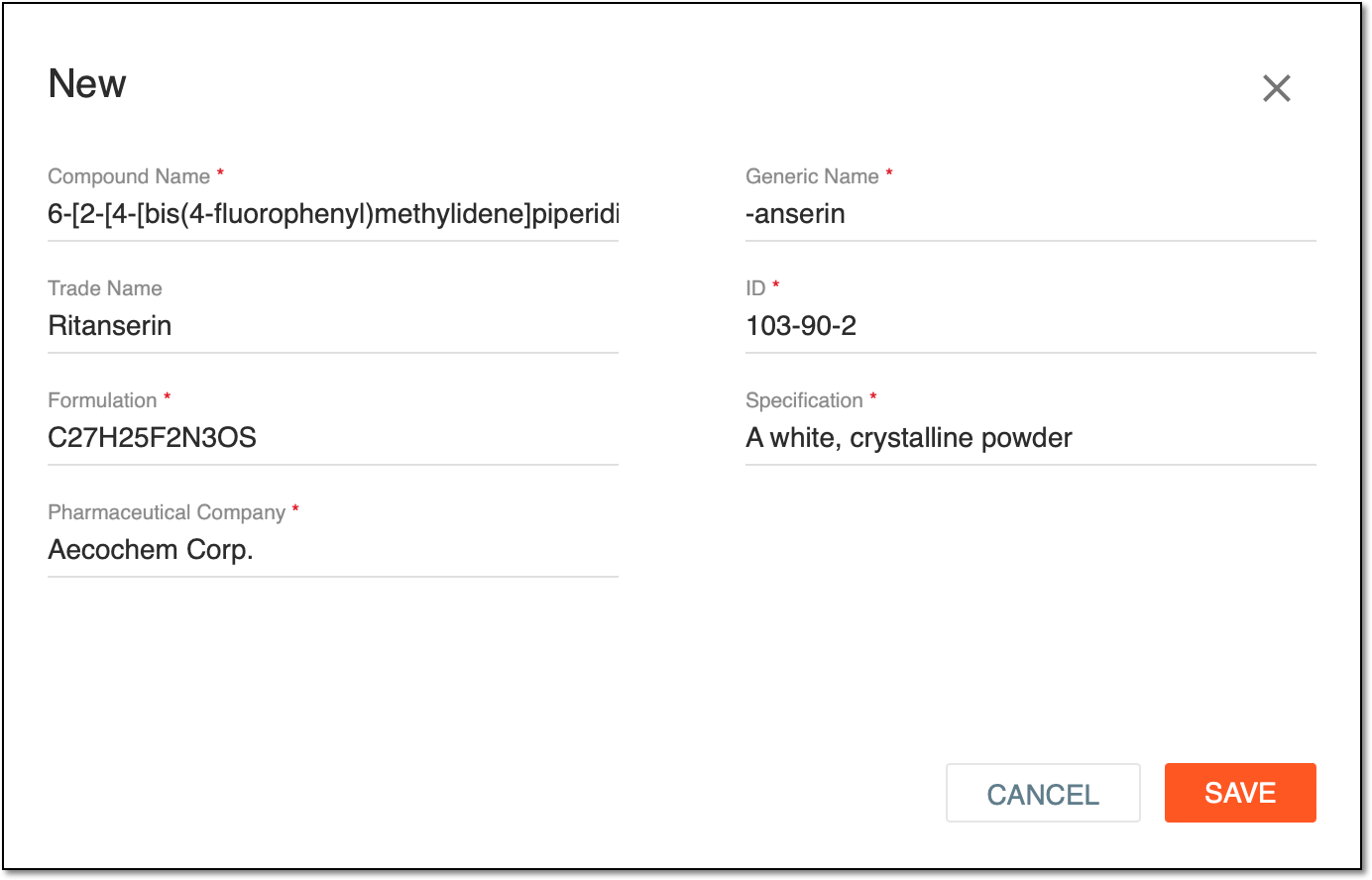 Figure 1. Example of filled form for investigational product
Element
Details
Compound Name*
Enter the chemical name of the investigational product.
This name is intended to provide the name from which an unambiguous structural formula can be created. For example, (6E,13E)-18-bromo-12-butyl-11-chloro-4,8-diethyl-5-hydroxy-15-methoxytricosa-6,13-dien-19-yne-3,9-dione.
Generic Name*
Enter the generic or nonproprietary name of the investigational product.
This name is intended to provide a unique standard name for each active ingredient of the investigational product to avoid prescribing errors. For example, -anib for angiogenesis inhibitors (such as pazopanib); -anserin for serotonin receptor antagonists, especially 5-HT2 antagonists (for instance, ritanserin and mianserin); -nabant for cannabinoid receptor antagonists; and so on.
Trade Name*
Enter the brand name of the investigational product.
ID*
Enter the unique identifier of the investigational product you add.
Formulation*
Enter the molecular formula of the investigational product.
Specification*
Enter all the critical product substance attributes that affect the manufacturing and quality of the investigational product.
Pharmaceutical Company
Enter the name of the company manufacturing the investigational product.
SAVE
Select
 to save the investigational product record to the CTMS database.
CANCEL
Select
 to cancel adding a new investigational product record to the CTMS database.
Once saved, a new investigational product record is added to CTMS. You are redirected to the Investigational Product table, where the added investigational product appears.