Export visit windows to XLSX in data entry
In a clinical trial, a visit window defines the allowable time span for a subject visit in case it is impossible to conduct that visit on the exact scheduled visit date.
Tip
Data managers (DM) define visit windows and their anchors in the Study Designer (SD) app. Then these settings are automatically populated in the EDC application in the corresponding visit.
Once the window settings are populated from SD, from the DATA ENTRY module of EDC, the clinical research coordinator (CRC), clinical research associate (CRA), and other site personnel can utilize it for operational aspects to enter and manage data of each visit. It also reminds the subject about the next visit occurrence in advance. Also, the experts may need to check the visit windows for mistakes and whether the visit windows are in the permitted window ranges.
In this section, you can learn how to export the visit window details of a particular site.
-
In the EDC application header, select the DATA ENTRY tab.
-
In the open site list, select the needed site.
-
In the open subject list, select Switch to Visit Window
 .
.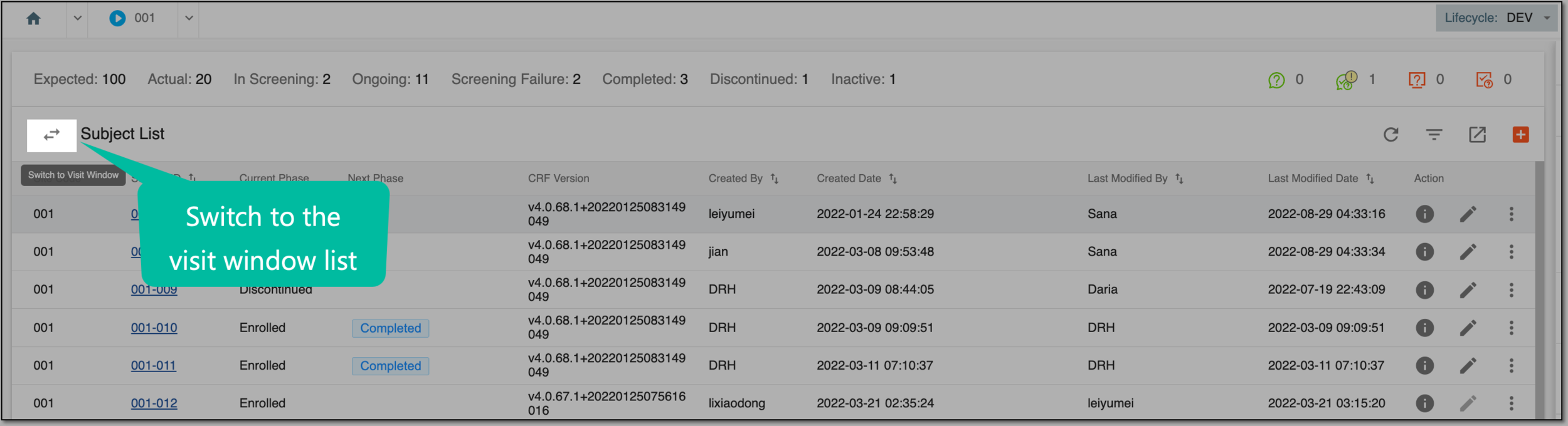 Figure 1. Switching to visit window page
-
On the Visit Window List page, apply the needed filters to narrow down the list of visit windows.
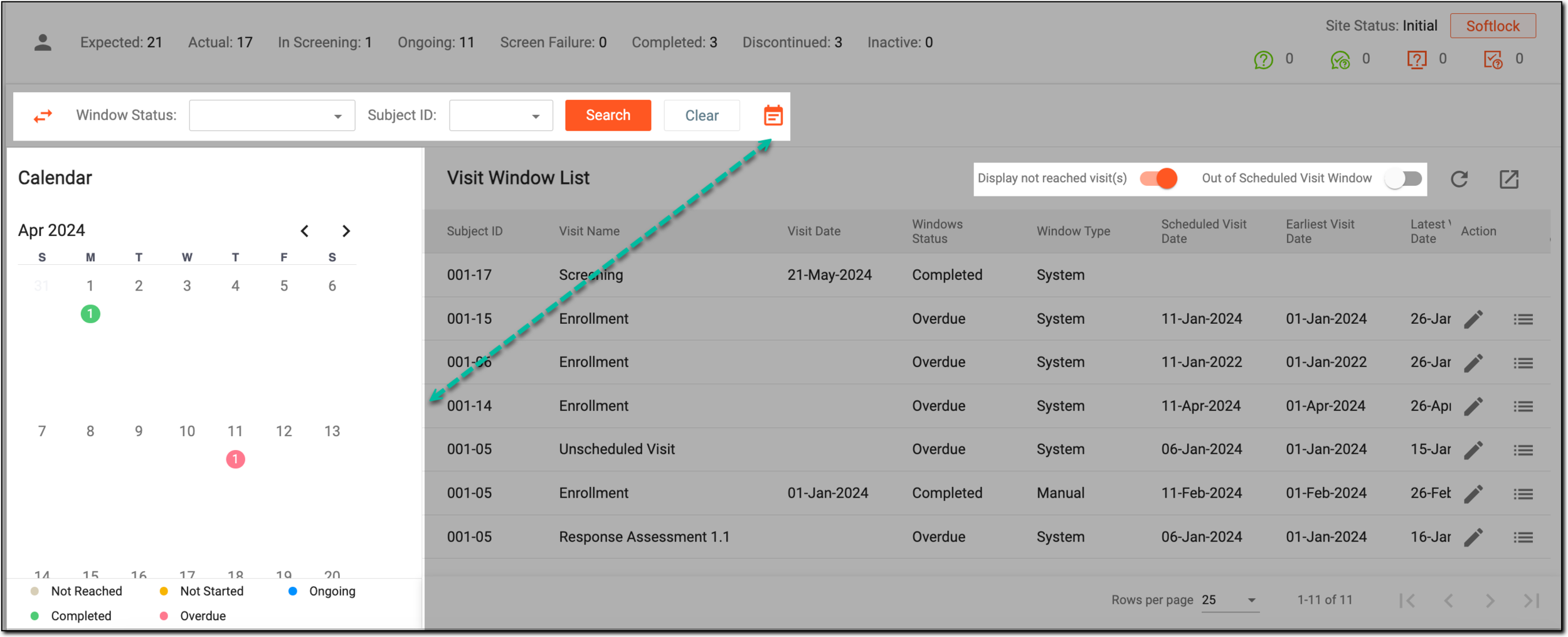 Figure 2. Filtering visit window list
-
Now that the table contains the filtered list of visit windows you need, in the workspace toolbar, select Export
 .
.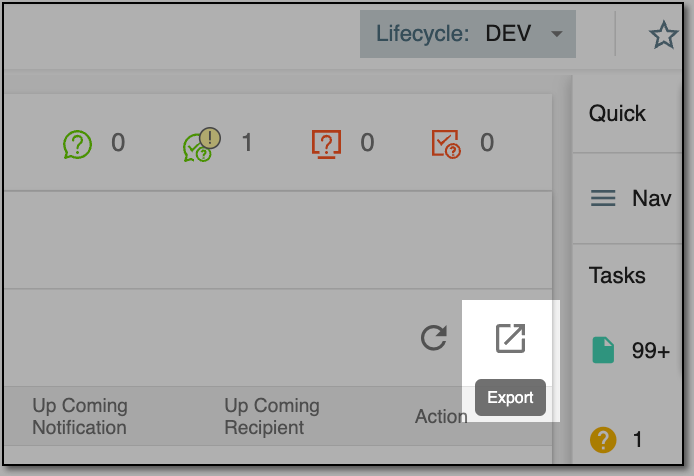 Figure 3. Exporting visit window list
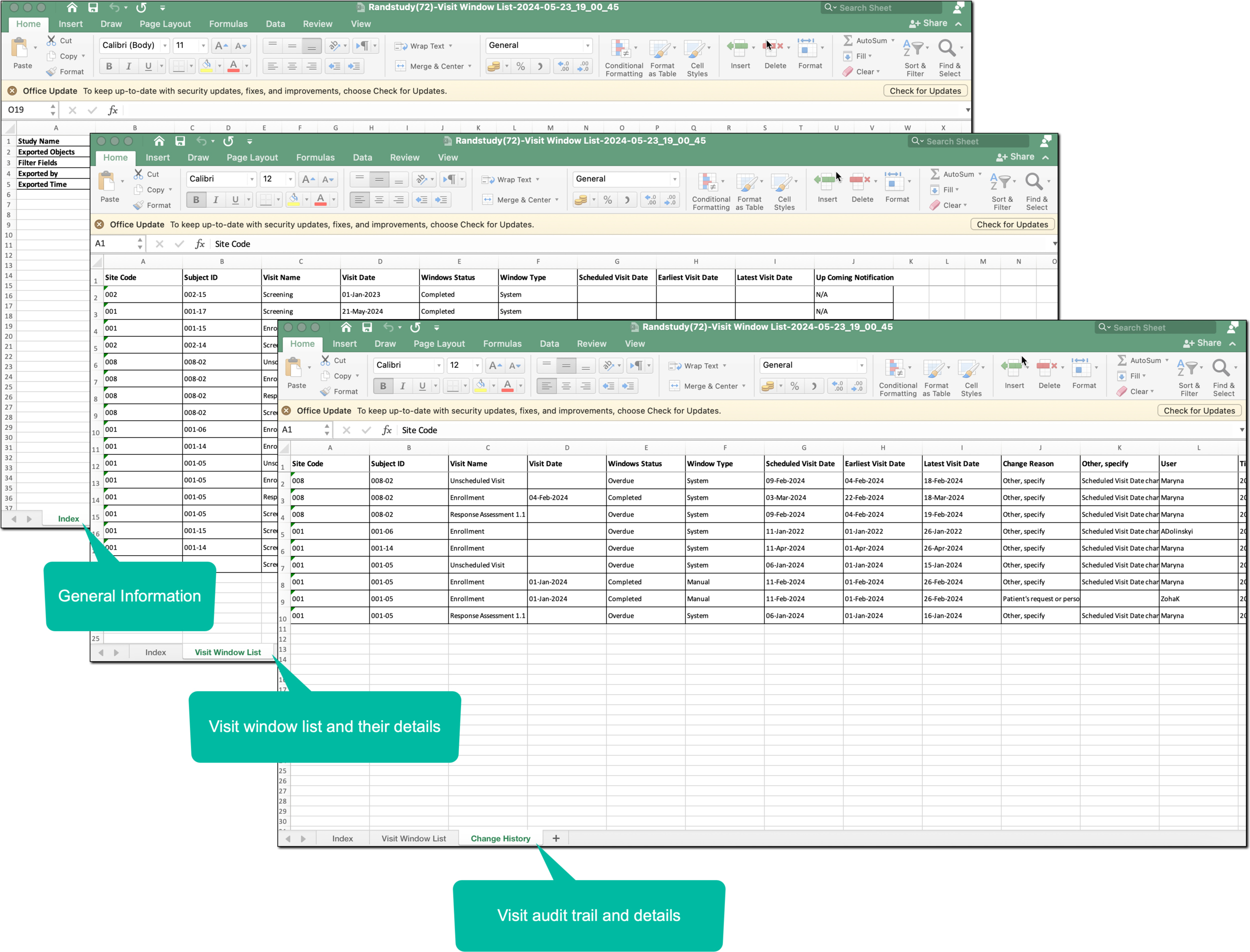
Once selected, an XLSX sheet is saved on your computer. Follow the prompts on your PC to access the file and continue working with the visit window list offline.
The file comprises general information (the study name, objects exported, filters applied, and so on), the list of visit windows with their details, and the audit trail of those visit windows.