Analyze visit window audit trail in data entry
In the clinical trial, a visit window defines the allowable time span for a subject visit in case it is impossible to conduct that visit on the exact scheduled visit date. An audit trail of the visit window tracks updates made in the information of the subject's visit window.
Important
You cannot perform an audit trail of a visit window of such visit(s) that are not yet initiated and are currently in Not Arrived status.
-
In the EDC application header, select the DATA ENTRY tab.
-
In the open site list, select the needed site.
-
In the open subject list, select Switch to Visit Window
 .
.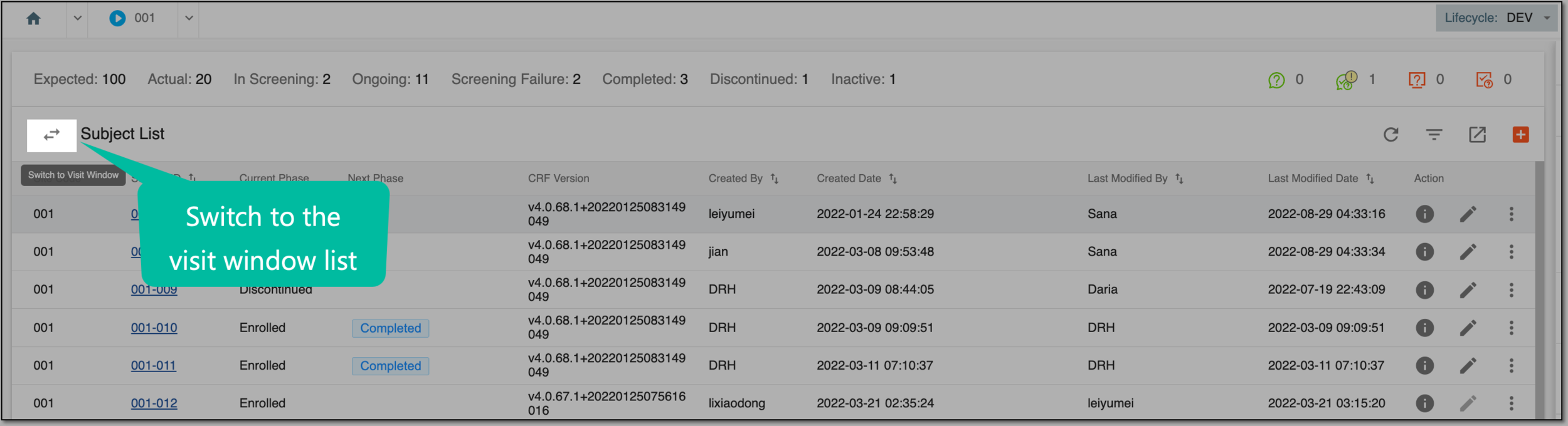 Figure 1. Switching to visit window page
-
On the Visit Window List page, apply the needed filters to narrow down the list of visit windows.
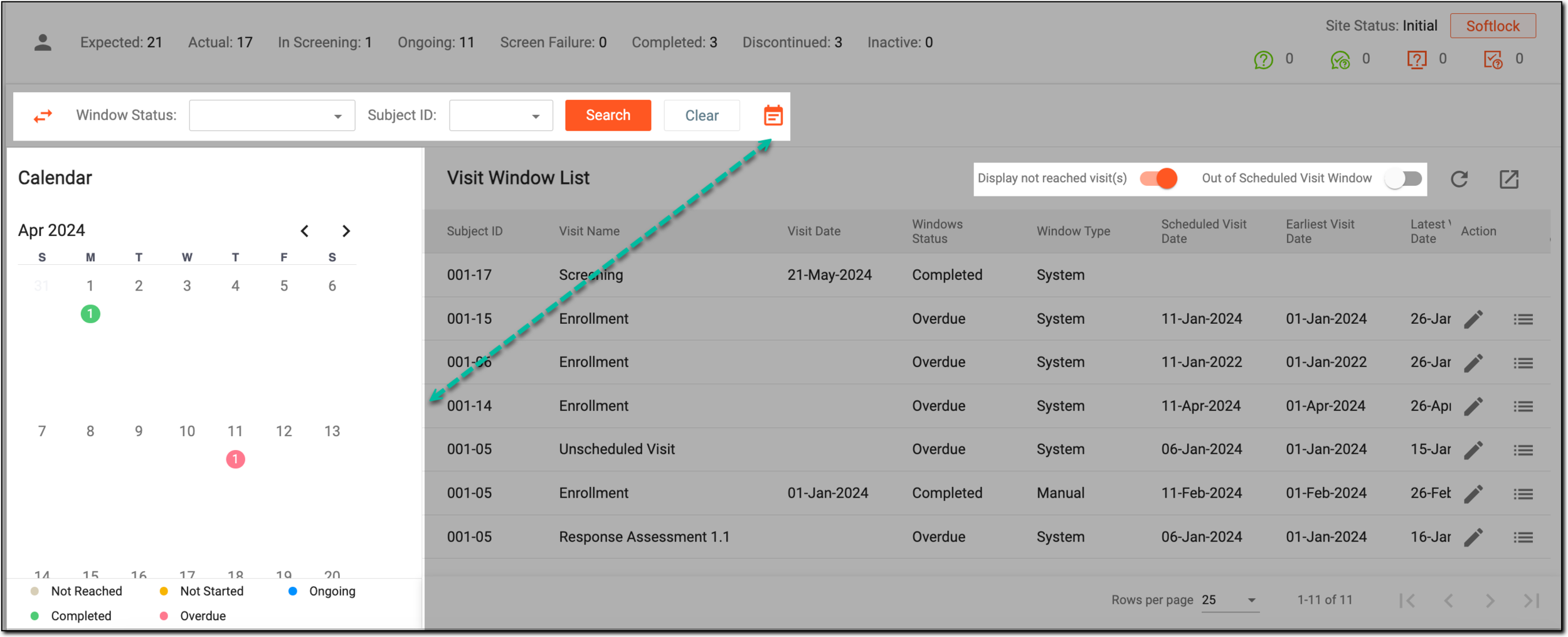 Figure 2. Filtering visit window list
-
In the table with a list of visit windows, next to the needed visit window, select Audit Trail
 .
.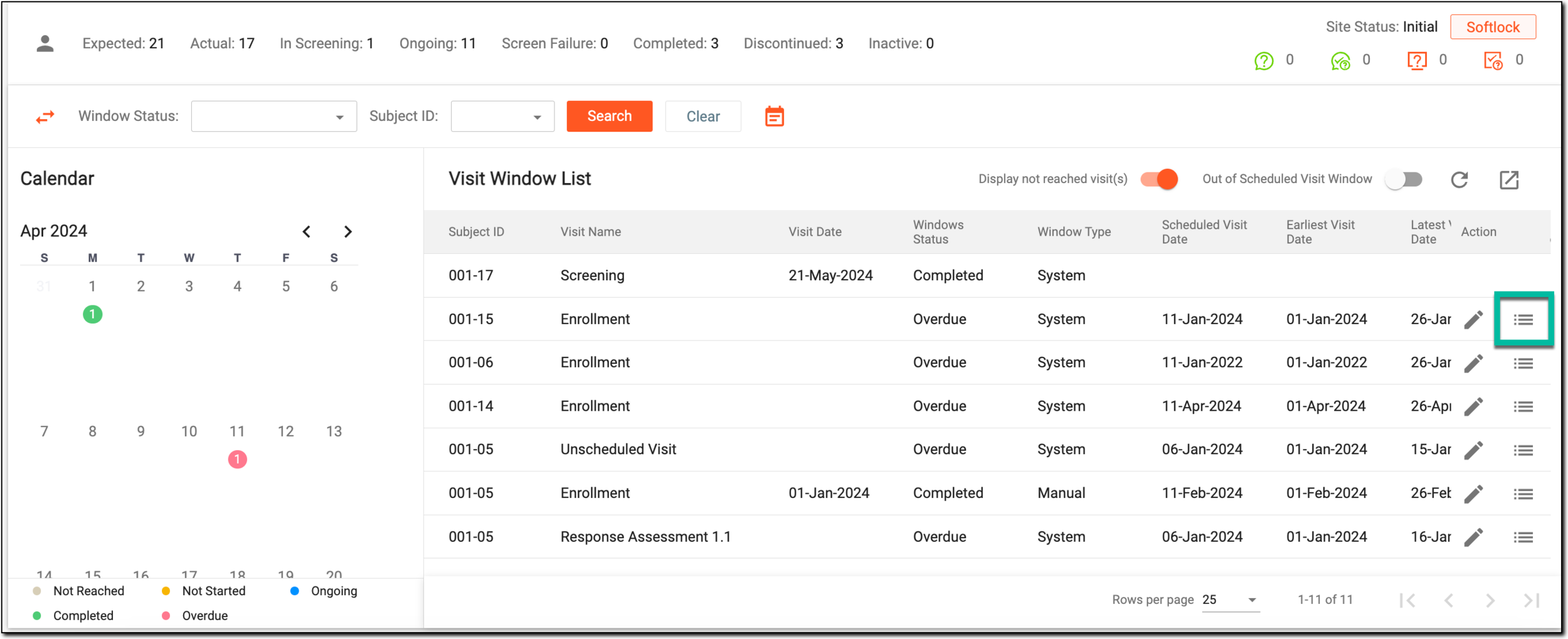 Figure 3. Audit Trail option
-
In the open Audit Trail dialog that opens, you can investigate what changes have been introduced to the particular visit window, by whom, and when.
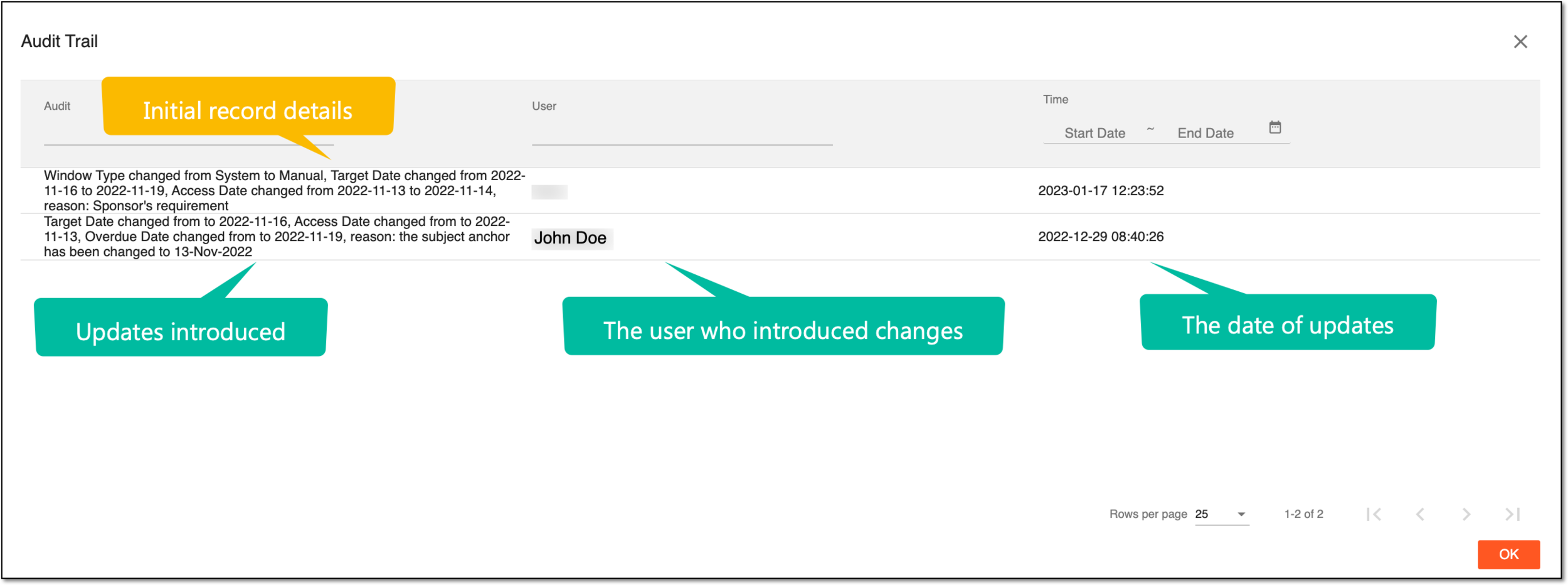 Figure 4. Investigating audit trail of visit windows
-
Once you have studied the required information, select
 .
.
Once done, the dialog is closed and you return to the Visit Window List table.