Edit visit window dates and reason in data entry
In a clinical trial, a visit window defines the allowable time span for a subject visit in case it is impossible to conduct that visit on the exact scheduled visit date.
Tip
Data managers (DM) define visit windows and their anchors in the Study Designer (SD) app. Then these settings are automatically populated in the EDC application in the corresponding visit.
Once the window settings are populated from SD, from the DATA ENTRY module of EDC, the clinical research coordinator (CRC), clinical research associate (CRA), and other site personnel can utilize it for operational aspects to enter and manage data of each visit. It also reminds the subject about the next visit occurrence in advance. Also, the experts may need to check the visit windows for mistakes and whether the visit windows are in the permitted window ranges.
In this section, you can learn how to edit the dates and reason for a visit window of a particular site.
Important
You cannot edit the visit window dates and reason for such visit(s) that are not initiated and are currently in Not Reached status.
-
In the EDC application header, select the DATA ENTRY tab.
-
In the open site list, select the needed site.
-
In the open subject list, select Switch to Visit Window
 .
.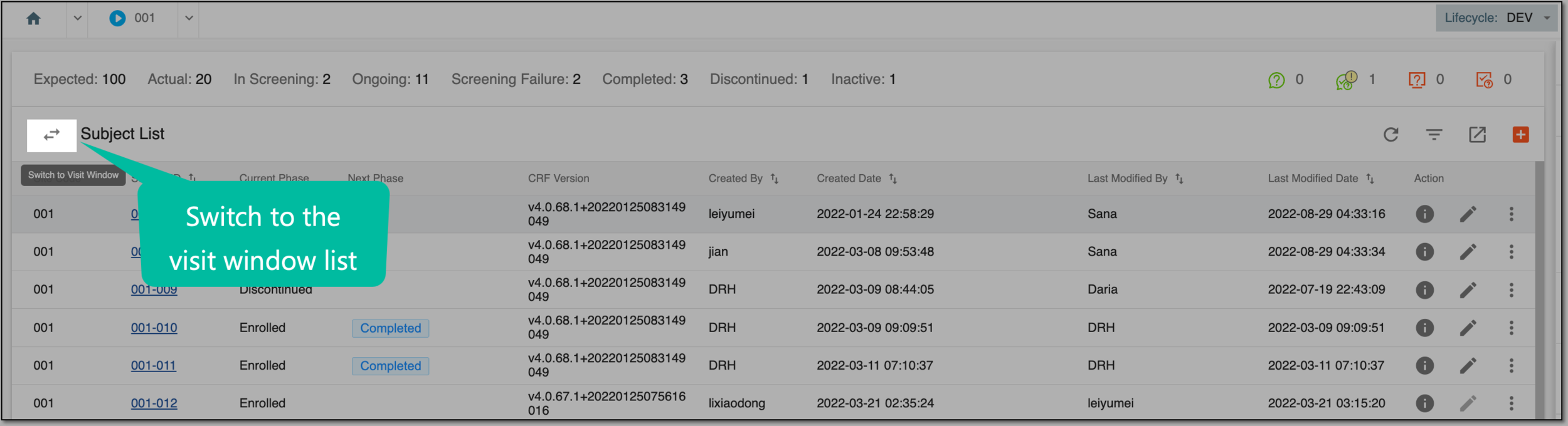 Figure 1. Switching to visit window page
-
On the Visit Window List page, apply the needed filters to narrow down the list of visit windows.
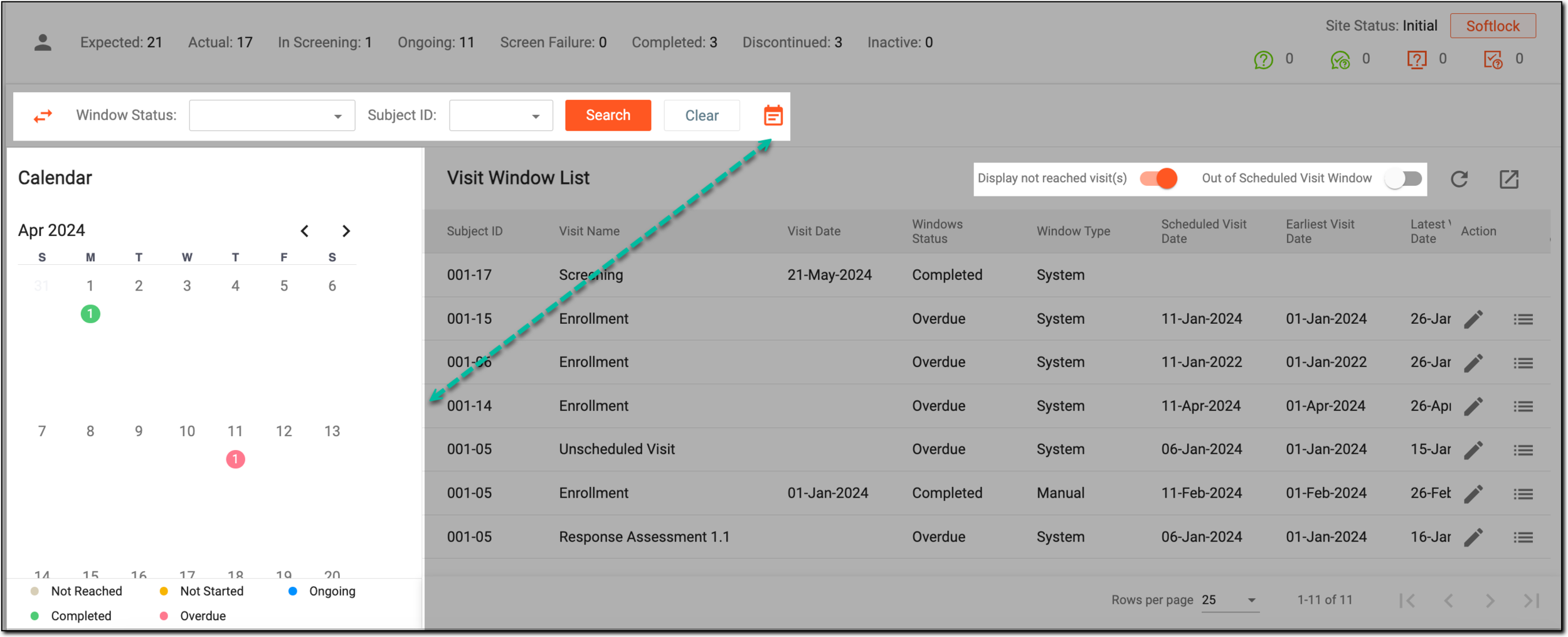 Figure 2. Filtering visit window list
-
In the table with a list of visit windows, next to the needed visit window, select Edit Visit Window
 .
.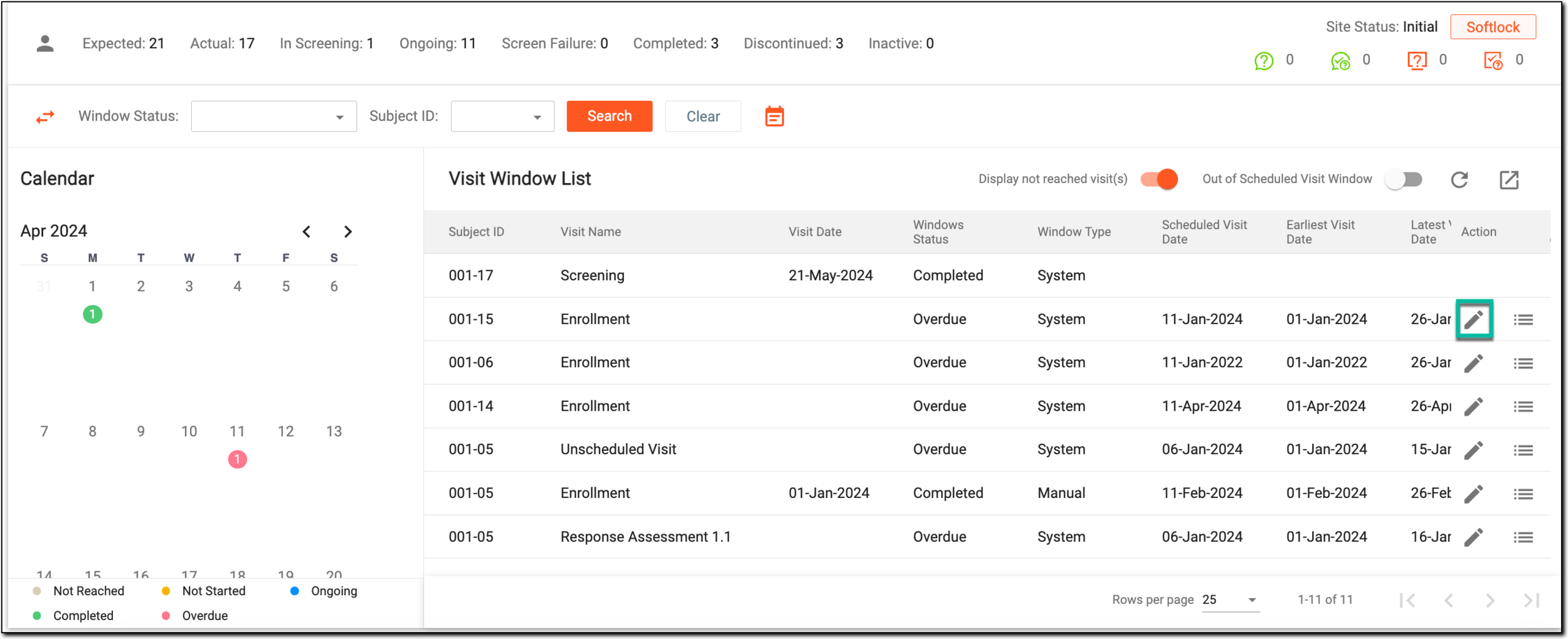 Figure 3. Edit Visit Window option
-
In the open Edit Visit Window dialog, all the fields are populated from SD. Update the required settings as explained in the following table.
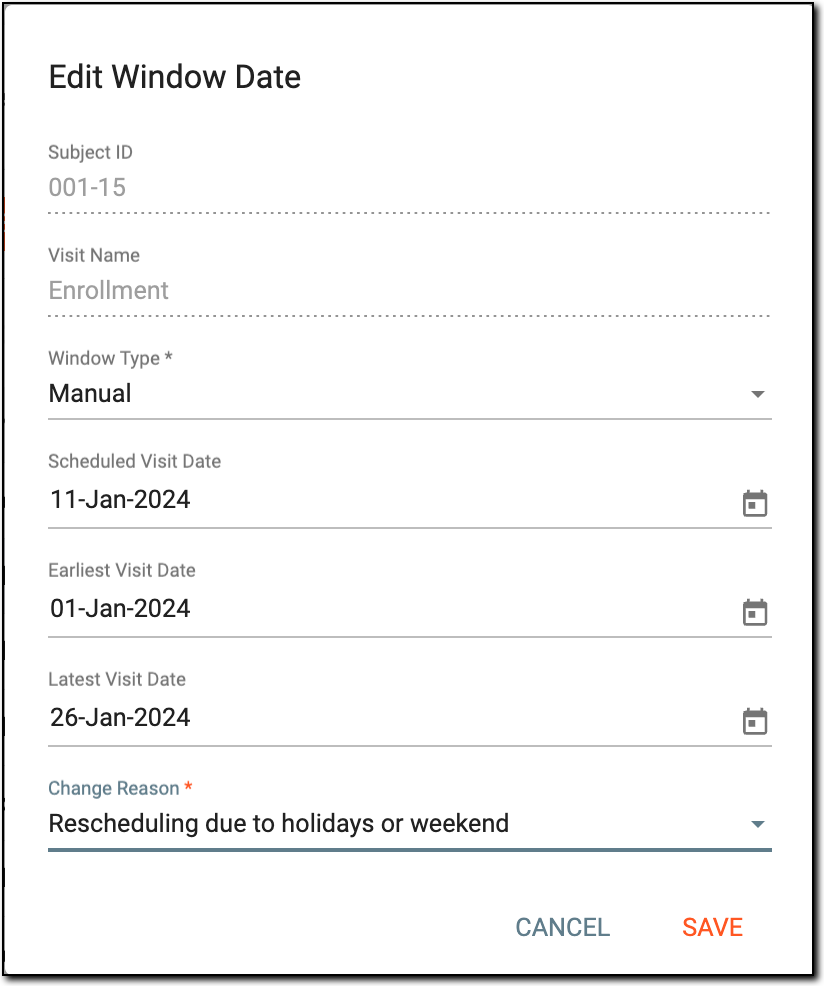 Figure 4. Editing visit window details
Tip
In the following table, mandatory elements are marked with an asterisk (*).
Element
Details
Subject ID
A read-only unique value that identifies the subject against the protocol of a clinical trial.
Visit Name
A read-only unique value that identifies the visit against the protocol of a clinical trial.
Window Type*
Select the type of the visit window:
-
System: a type of visit window defined in SD; a default setting.
-
Manual: a type of visit window that you can define manually by selecting the dates. Once selected, the Scheduled Visit Date, Earliest Visit Date, and Latest Visit Date become enabled.
Scheduled Visit Date
A date that is the most preferable for the visit to occur.
Earliest Visit Date
A date when the visit interacts first with the clinical trial.
Latest Visit Date
A date when the most recent interaction occurred in the visit.
For instance, if a patient had a scheduled visit planned on date A, once the patient completes the visit, date A remains the latest visit date until the next visit.
Change Reason*
The reason for the visit window changes introduced. If applicable, select one of the predefined reasons or enter your own:
-
Medical decision approved by sponsor
-
Patient's requests or medical reasons (which also include their inability to attend)
-
Sponsor's requirement
-
Rescheduling due to holidays or weekend
-
Others, specify: select this option to enter your custom reason.
Once selected, the input field opens in which you can introduce the reason for the visit window changes.
SAVE
Select
 to save the changes introduced.
CANCEL
Select
 to discard any changes and close the dialog.
 -
After the changes are saved, the visit window is updated.