Edit simple or log form
In CTMS, you can edit the name of a simple or log form of a monitor template. This may be required due to changing protocol demands, some errors in the naming, or else.
-
In the CTMS application header, select the LIBRARY tab.
-
On the page that opens, from the left pane, select the Monitor Template subtab.
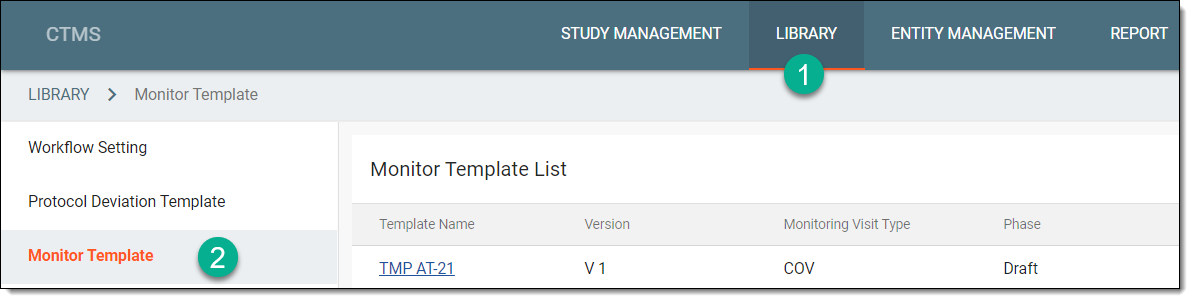 Figure 1. Accessing monitor template subtab
-
From the Monitor Template List table, select the template name in which the required simple or log form exists.
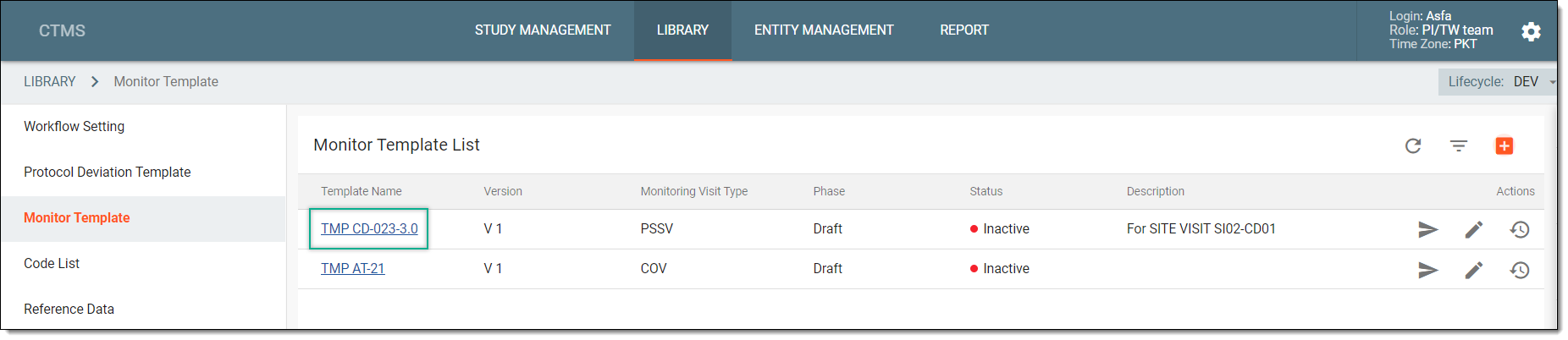 Figure 2. Selecting monitor template
-
On the Monitor Template Detail page that appears, from the explorer pane, locate the required simple or log form, and right-click it.
-
From the dropdown menu that appears, select Edit Form
 .
.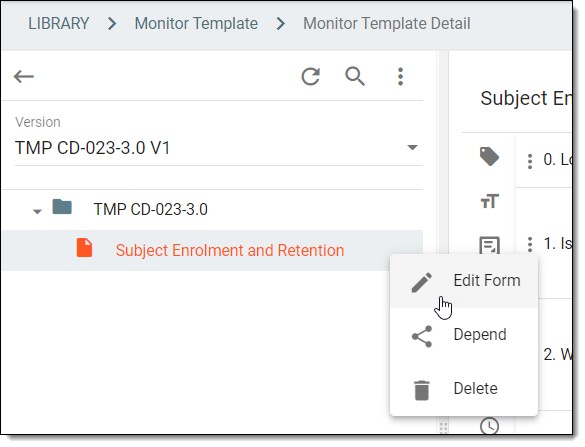 Figure 3. Selecting option to edit simple or log form
-
In the Edit pane that appears, in the Name* field, enter the name of the simple or log form.
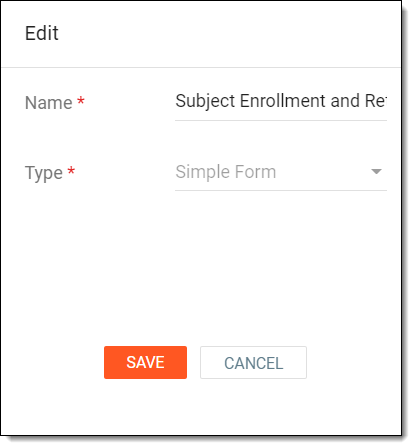 Figure 4. Editing form name
-
Select
 to save your changes.
Upon saving, the name of the simple or log form is updated.