Analyze subject enrollment report
In EDC, the subject enrollment report is designed to display detailed and useful statistics and trend charts of the subject disposition dynamics during the study process.
Important
In the eClinical system, the list of subject phases and their relations is set per each study in the Study Designer application.
The Subject Enrollment report is designed to demonstrate the current and complete picture of the subject disposition statistics in a clinical trial.
-
In the EDC application header, select the REPORTS tab.
-
On the page that opens, in the left pane, select Enrollment Status > Subject Enrollment.
-
On the page that opens, analyze the data as follows.
The Current Disposition block displays how many subjects there are currently under each disposition for a study in general or each site individually. By default, the statistics are displayed for a study (all sites), and you can select to view the statistics for each site individually using the respective dropdown menu on the top right.
 Figure 1. Selecting to view disposition statistics for all/individual sites
Tip
Note that selecting to view the statistics for all or individual sites in the Current Disposition block also affects the statistics of the Subject Enrollment block. If you select to view the data for a particular site, all the charts display that site's data.
The Subject Enrollment block displays trend charts of the subject disposition dynamics in a study. Here, you can view different statistical charts, for instance, Disposition Detail, Drop Out Rate, and Screen Failure Rate.
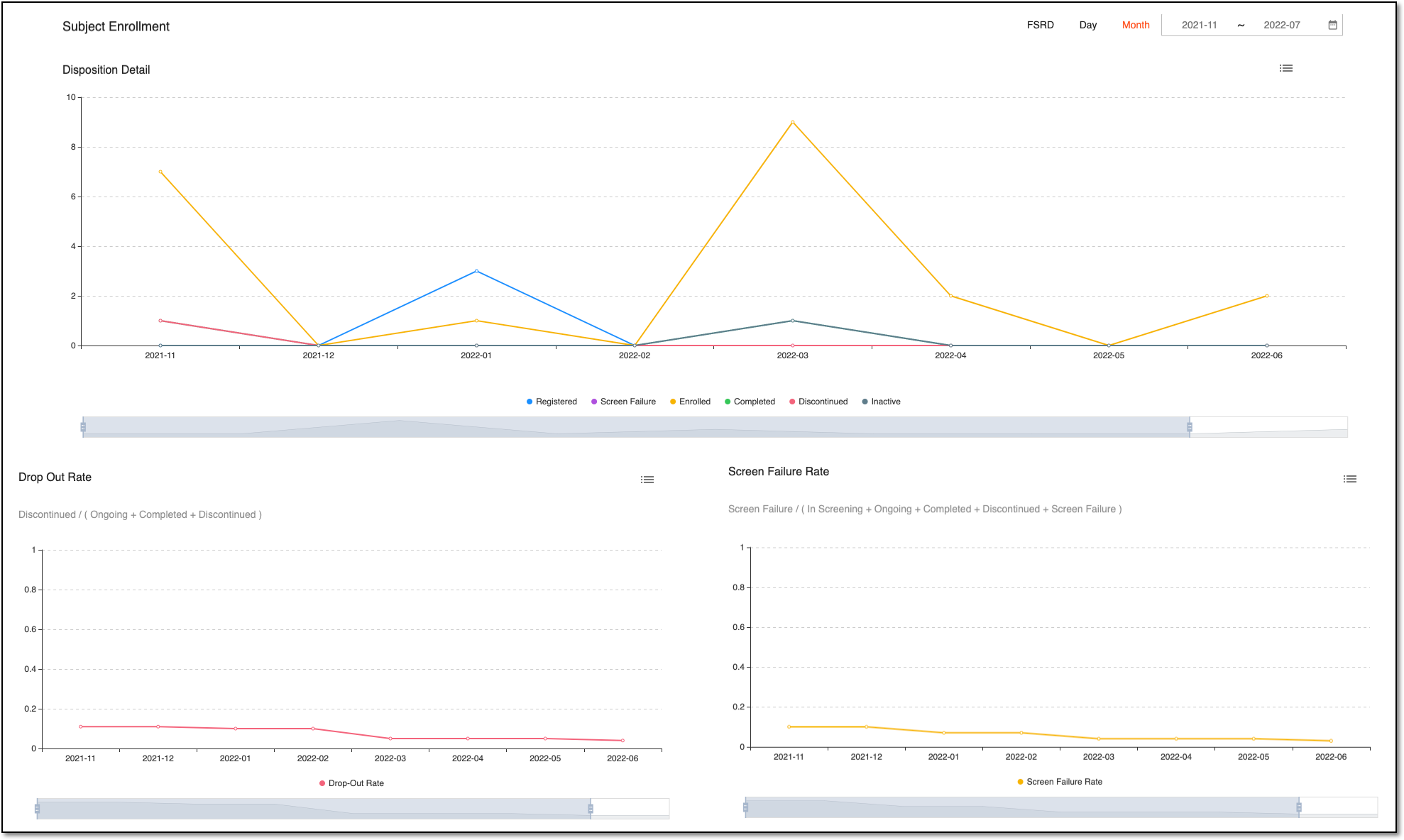 Figure 2. Subject enrollment statistics charts
To adjust the data displayed on the chart(s), you can use a set of tools as follows.
-
To view the data for a particular time frame on all the charts, select one of the options on the top right: DAY, MONTH, or FSRD (the first date of subject registration).
-
To show or hide any subject disposition statistics, select the respective disposition(s) following the chart. Upon selecting, the disposition name is grayed out and the respective data disappears from the chart. Select the disposition name again to restore its data on the chart.
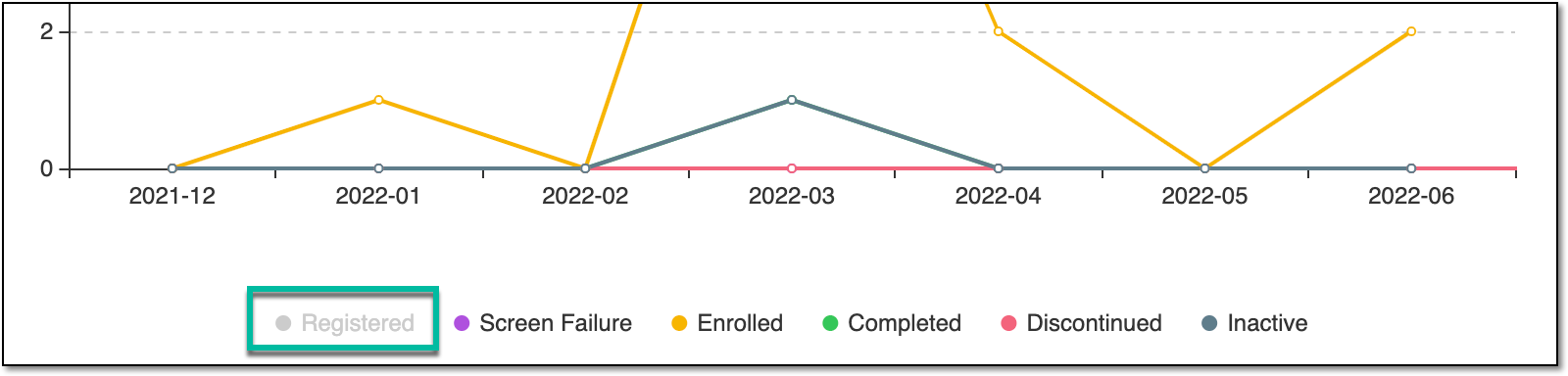 Figure 3. Showing/Hiding subject disposition statistics
-
To adjust the time frame for each chart individually, drag the slider following the respective chart.
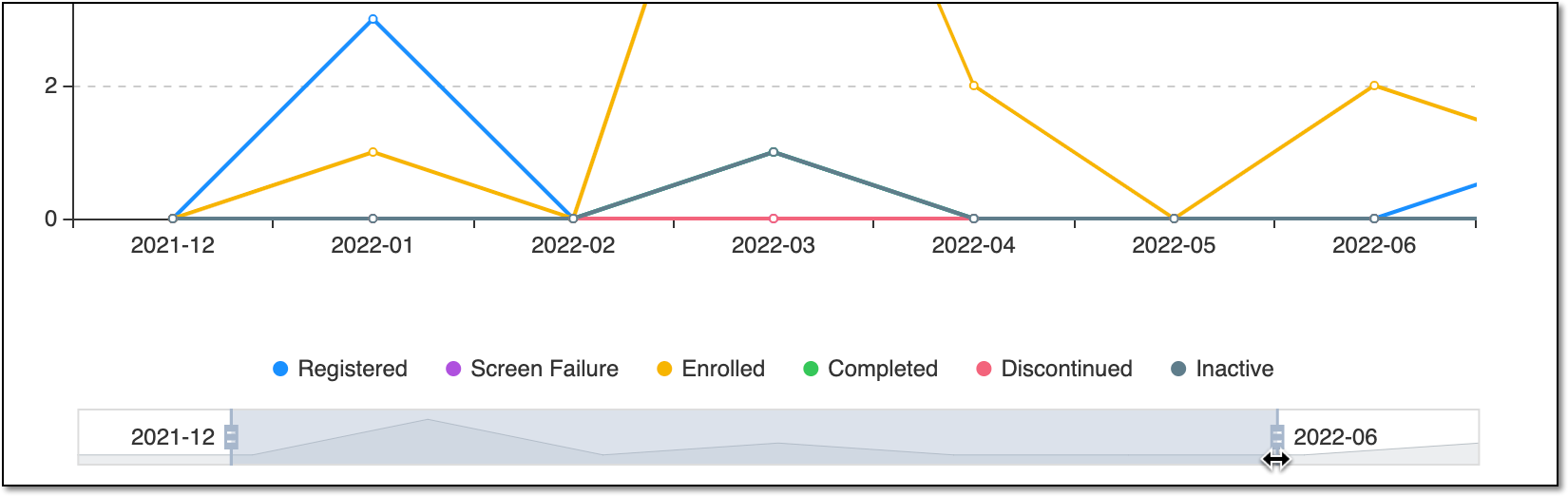 Figure 4. Adjusting chart time frame with slider
-
To switch between chart and table view, select the button
 on the top right of each trend chart.
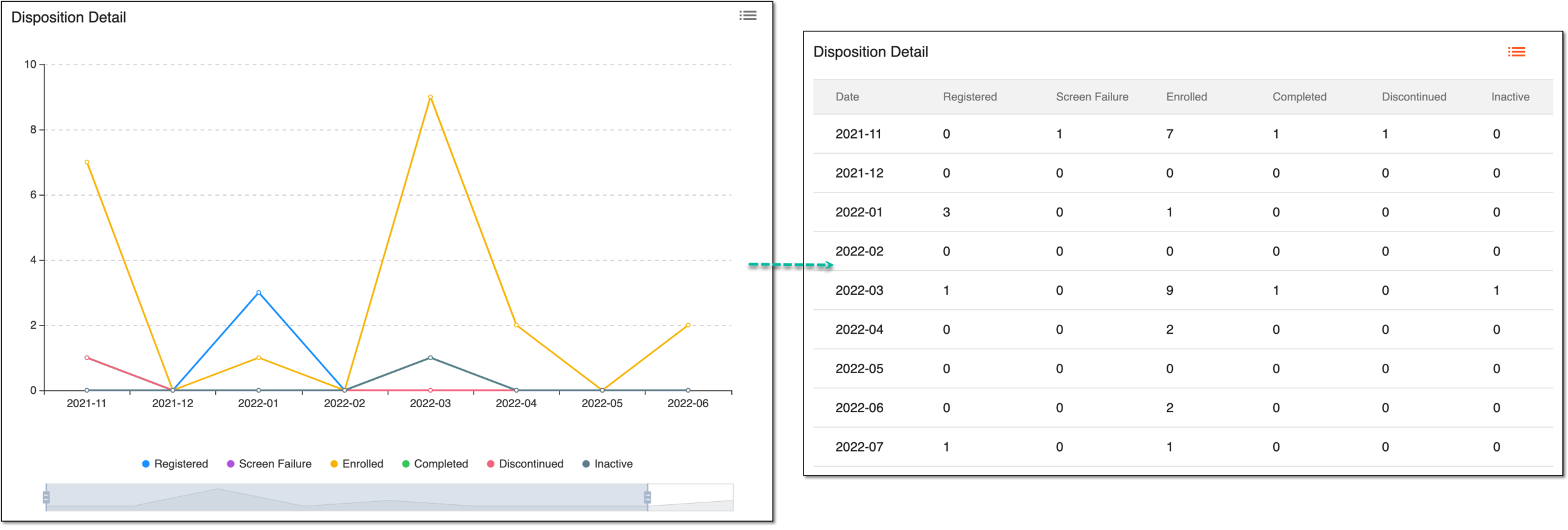 Figure 5. Switching chart to table view
-
You have analyzed the subject enrollment and disposition statistics. You can also export the Subject Enrollment report data to your computer and further work with it offline.