Analyze subject phase charts
In a clinical trial, it is important to keep track of subjects: how many are registered, how many of them pass the screening and are enrolled in a study, and how many more you need to register and enroll in to achieve the estimated goal. This can be achieved by analyzing the subject phase statistics.
Important
In the eClinical system, subject phases are set per each study in the Study Designer application.
-
In the EDC application header, select the REPORTS tab.
-
From the left pane, select Enrollment Status > Subject Phase.
-
On the page that opens, analyze the data as follows.
In the By Study section of the Subject Phase report, you can view the ratio (in percent and count) of the phases of all subjects participating in the study. Thus, you can track how many of the subjects are registered, failed/passed their screening, enrolled in the study, completed, deactivated, and so on.
The statistics are given in a form of a pie chart where each subject phase is color-coded. Next to the pie chart, you can find a table with phase names and color codes, subjects count, and ratio (in %).
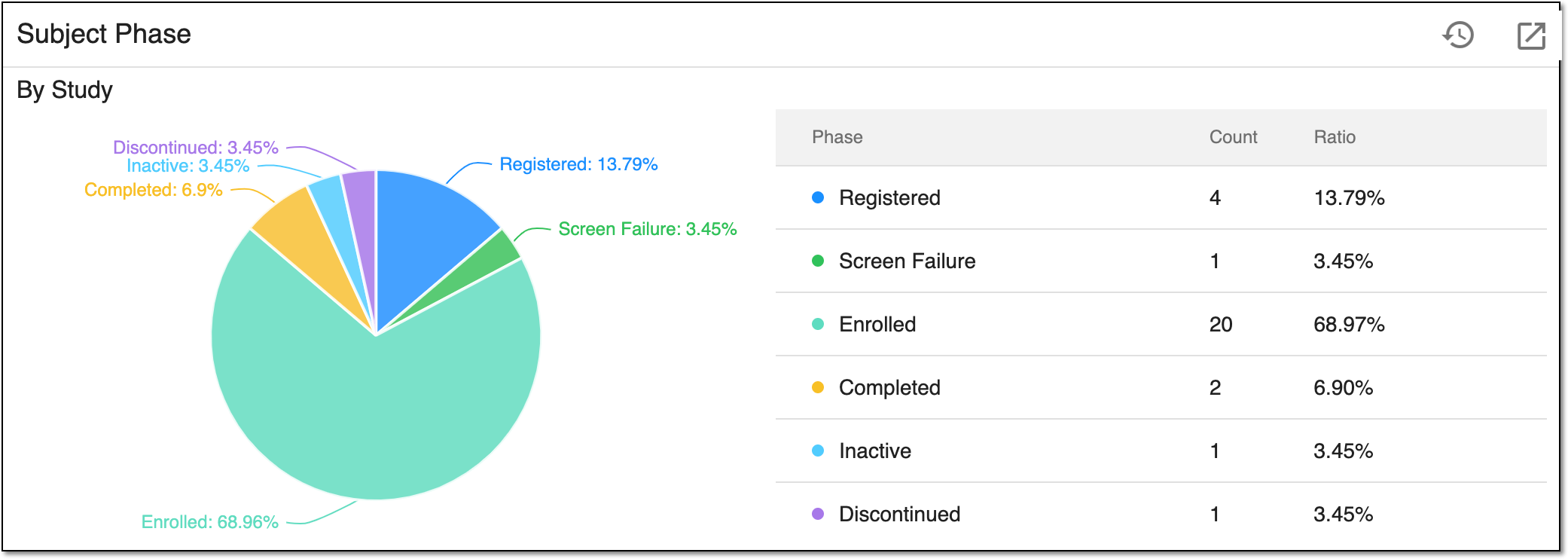 Figure 1. Viewing subject phase report by study
Tip
Hover your cursor over any pie chart section to view its details.
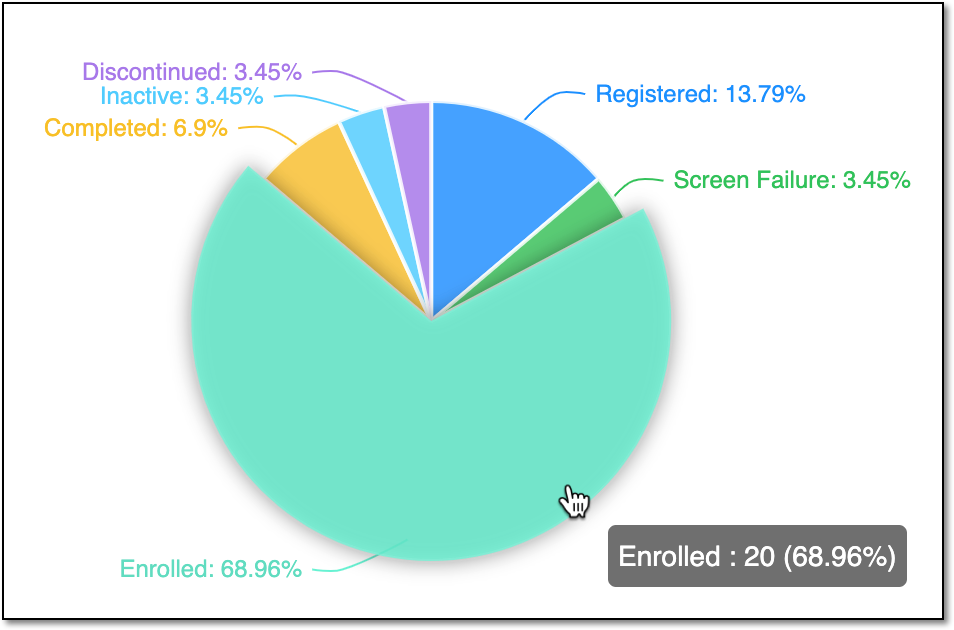 Figure 2. Viewing diagram section details
In the By Site section of the Subject Phase report, you can view the column chart with data on subject phases organized by sites.
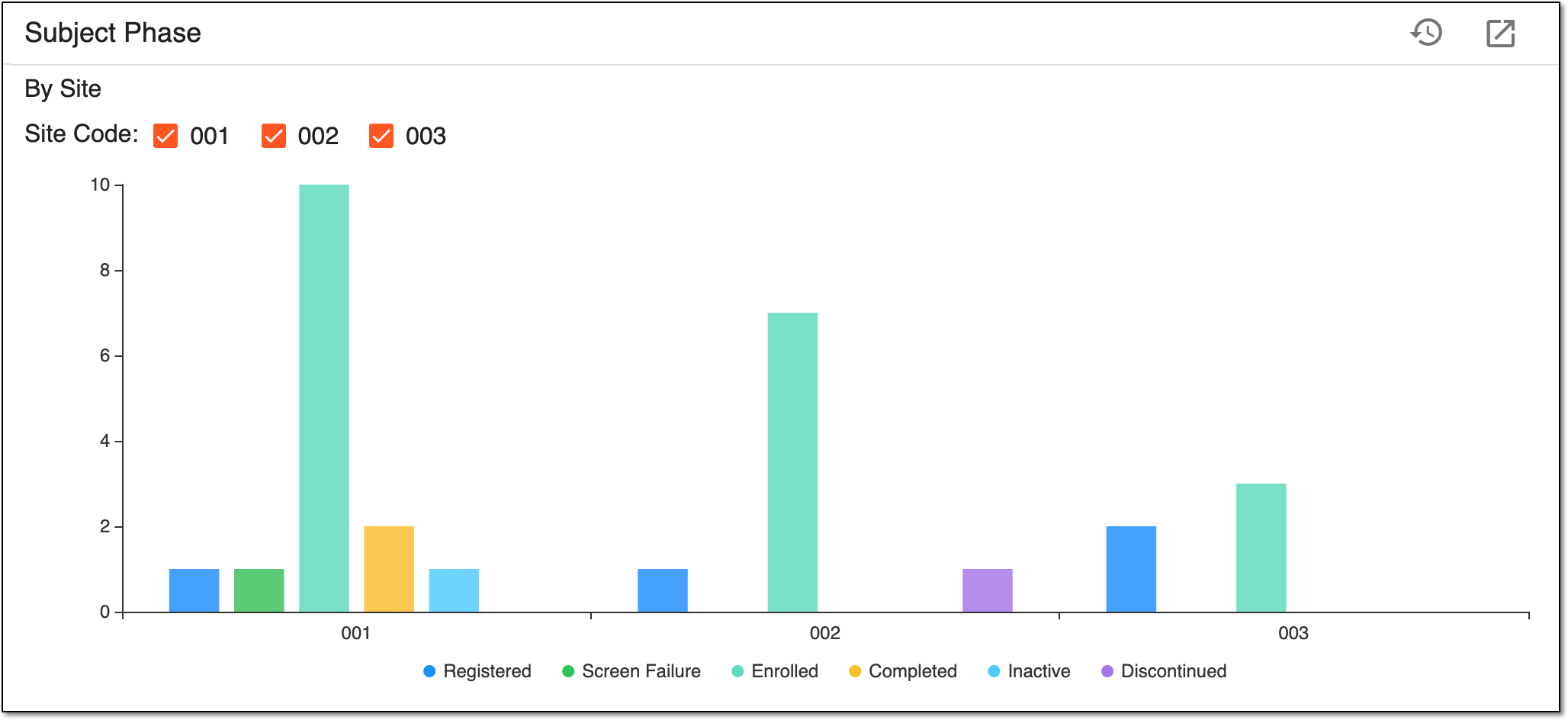 Figure 3. Viewing subject phase report by site
By default, all the sites and phases are depicted on the column chart. Though, you can configure the chart to depict only the sites and subject phases you need:
-
To show or hide any site data, select or clear the respective Site Code checkboxes above the chart.
-
To show/hide any subject disposition statistics, select the respective disposition(s) following the chart. Upon selecting, the disposition name is greyed out and the respective data disappears from the chart. Select the disposition name again to restore its data on the chart.
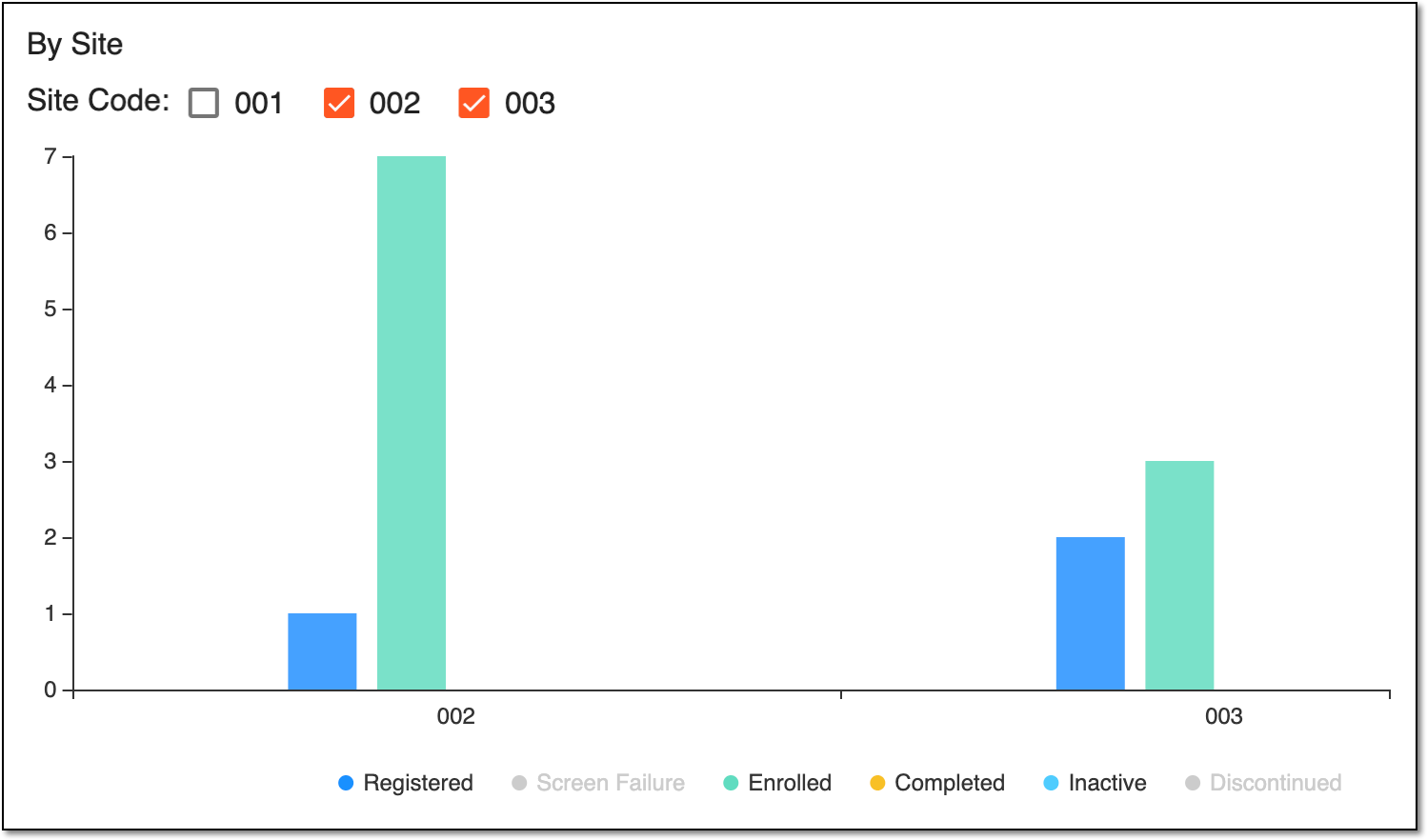 Figure 4. Configuring subject phases and sites diagram
-
You have analyzed the subject phase statistics by study and by site. You can also export the Subject Phase report data as a PDF file and further work with it offline locally on your computer.
A specific phase that a subject has to complete in the course of a clinical trial to move further to the next phase. For instance, Screening, Enrolled, Randomized, and others.
 |
In eClinical, subject phases are designed individually for each study via the SD application, although they are referenced in others, like IWRS or EDC.
An eClinical application that provides functionality to design and configure a study (clinical trial), namely to configure CRFs, set subject phases, visits, and others.
The application supports the design of the CDSIC ODM-compliant electronic CRFs to support EDC and eDiary data collection and management.
Get to know all the possibilities of the app with the comprehensive SD User Guide.