View scrambled number details
With the scrambled randomization feature, you can avoid unexpected unblinding. When all the subject numbers within the cohort are mixed up (scrambled), looking at them, you cannot tell to which arm they belong. Thus, the blinding is not compromized.
-
In the IWRS application header, select the TREATMENT DESIGN tab.
-
On the page that opens, in the left pane, select the Period subtab.
-
In the Period List table that appears, locate the period of your interest. Then in the Period Name column, select the value to open the period configurator.
-
In the period configurator, above the Scrambled Randomization List table, switch to the Scrambled Number Details tab.
Alternatively, select the name of the scrambled randomization of your interest to open the Scrambled Number Detail tab that is already filtered to only display the randomization numbers within one scrambled randomization.
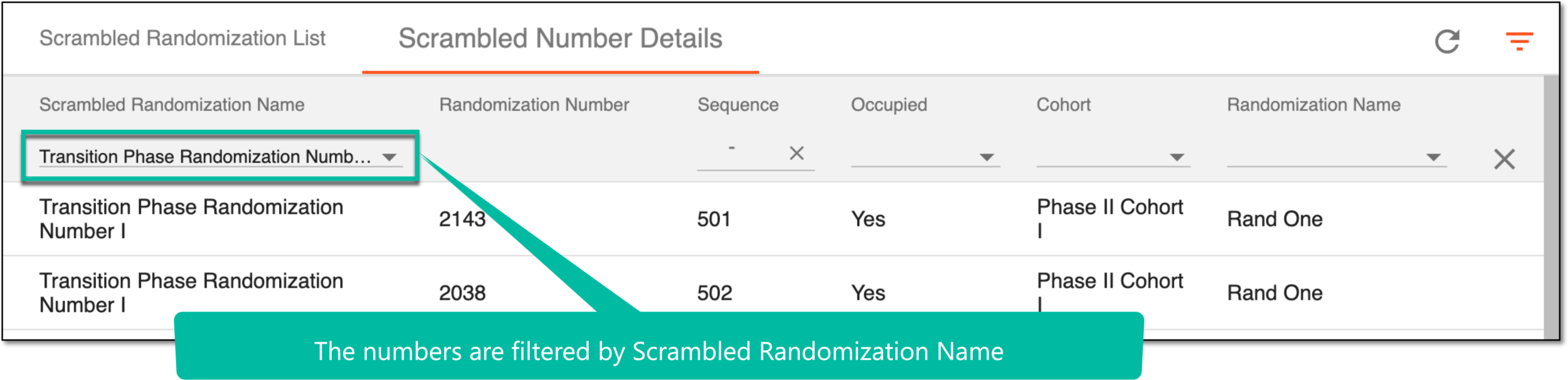 Figure 1. Viewing filtered scrambled number detail
-
In the Scrambled Number Detail table that opens, view the scrambled number attributes that are explained in the following table.
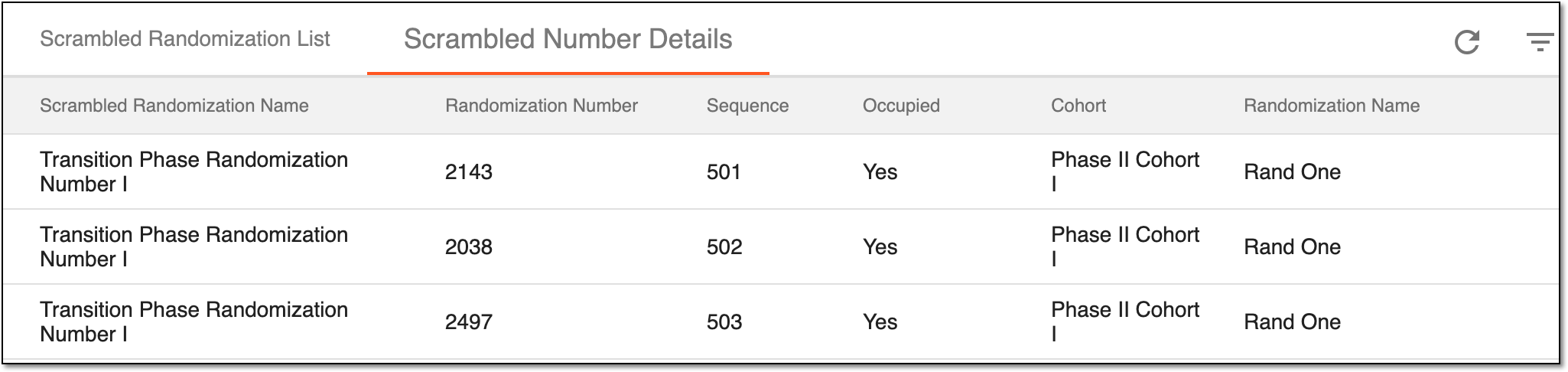 Figure 2. Viewing scrambled number detail
Column
Details
Scrambled Randomization Name
Represents the name of the scrambled randomization.
Randomization Number
Represents the randomization number that the system assigns to subjects.
Sequence
Represents the sequence number of the randomization number.
Occupied
Represents if this randomization number is already occupied by a randomization scheme.
Cohort
Represents the name of the cohort in which the randomization numbers are scrambled.
Randomization Name
Represents the name of the randomization phase configured in Study Designer based on which the current period is generated.
A set of global randomization numbers within each period of the multiperiod study used to prevent unexpected unblinding.
In IWRS, the scrambled randomization feature is only available for multiperiod studies to mix up the subject randomization numbers in each cohort so that by viewing the randomization number itself user cannot tell to which arm the randomization number belongs.
A group of subjects who share a set of specific factors (characteristics) that is first defined and composed, then studied or tracked over a given time period. In a clinical trial, outlining the study cohort begins with clearly defined, study-specific inclusion criteria.
A group of subjects formed as a result of randomization for blinding purposes that has its own schedule of visits and treatment plan according to a study protocol.
A specific phase that a subject has to complete in the course of a clinical trial to move further to the next phase. For instance, Screening, Enrolled, Randomized, and others.
 |
In eClinical, subject phases are designed individually for each study via the SD application, although they are referenced in others, like IWRS or EDC.
An eClinical application that provides functionality to design and configure a study (clinical trial), namely to configure CRFs, set subject phases, visits, and others.
The application supports the design of the CDSIC ODM-compliant electronic CRFs to support EDC and eDiary data collection and management.
Get to know all the possibilities of the app with the comprehensive SD User Guide.
In IWRS, a period is a study phase in which the subjects are grouped and randomized. The Period functionality in the application is the main unit of the configuration of the subject randomization process.
The period configuration is a complex process of defining the screening conditions (factors) and cohorts of subjects that are further assigned to different arms according to the randomization scheme.