Add new scrambled randomization
In the IWRS system, you need to create scrambled randomization to mix up subject randomization numbers for the period and prevent unexpected unbinding.
-
In the IWRS application header, select the TREATMENT DESIGN tab.
-
On the page that opens, in the left pane, select the Period subtab.
-
In the Period List table that appears, locate the period of your interest. Then in the Period Name column, select the value to open the period configurator.
-
In the period configurator, above the Scrambled Randomization List table, select New Item
 .
. -
In the Add dialog that appears, start creating your scrambled randomization by setting the preferences as described in the following table.
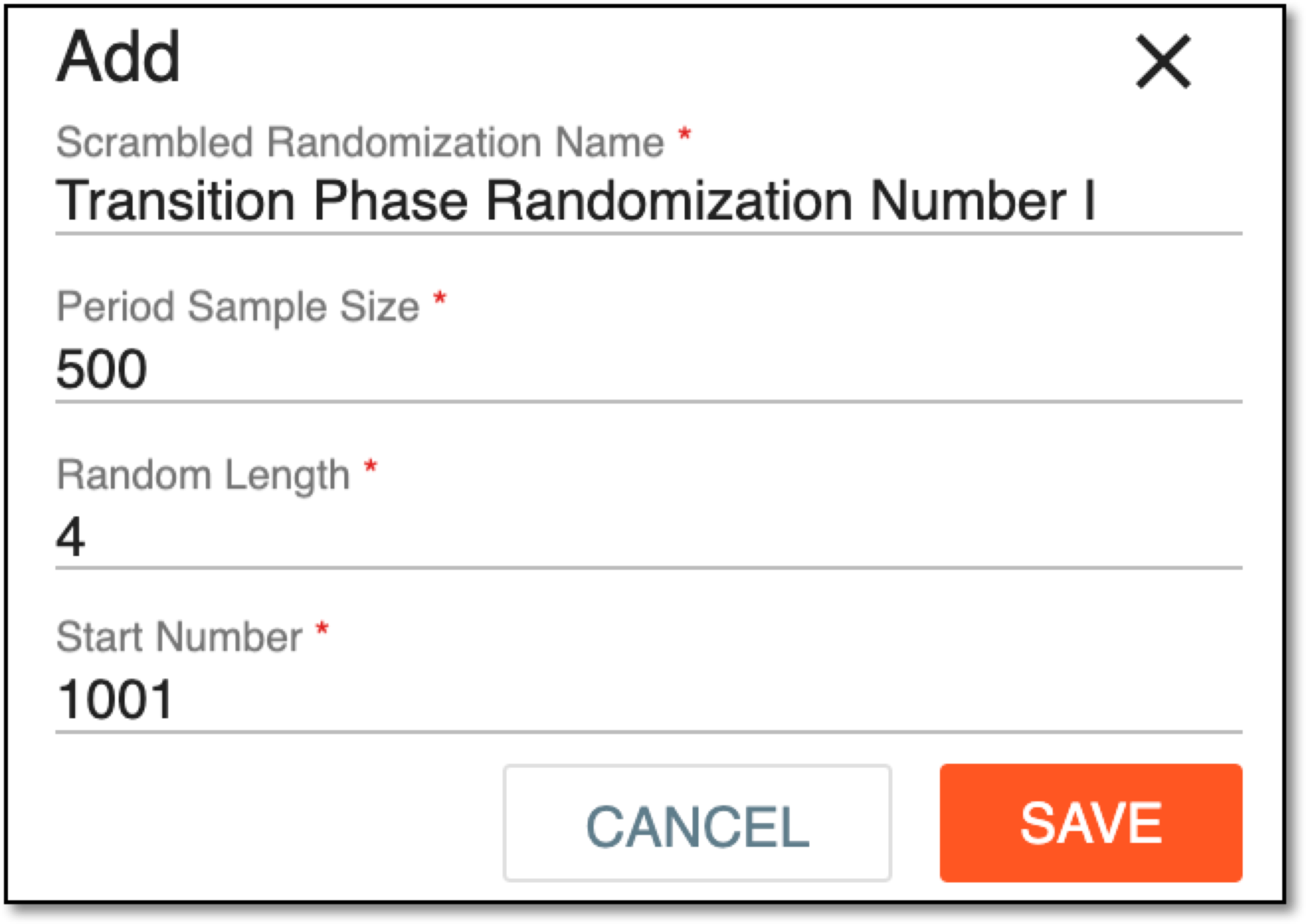 Figure 1. Creating new scrambled randomization
Tip
In the following table, mandatory elements are marked with an asterisk (*).
Element
Details
Scrambled Randomization Name*
Enter a unique name of the scrambled randomization you create.
Period Sample Size
Enter the estimate of randomization numbers equal to or higher than the estimate of subjects included in the period and randomized.
Random Length
Enter the total of digits of the subject randomization number.
Start Number
Enter the starting number of the subject randomization chain.
All the randomization numbers within the period must be unique. If the starting number you enter duplicates the existing randomization numbers, the warning appears, and you cannot create randomization until a valid value is given.
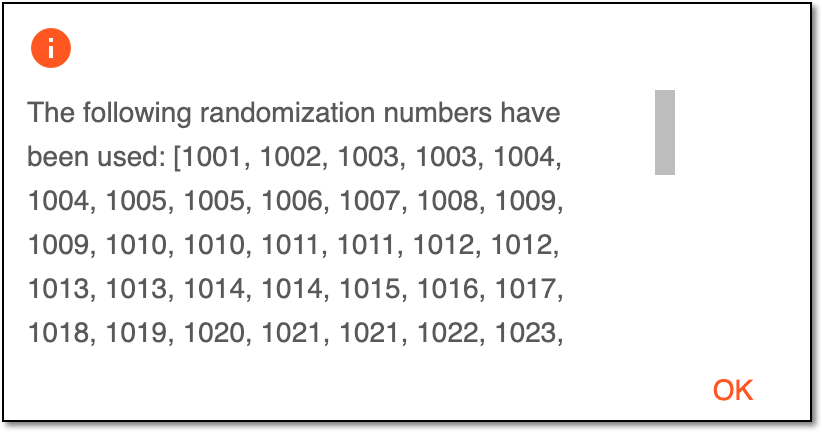 Figure 2. Invalid starting number warning
SAVE
Select
 to create your scrambled randomization.
CANCEL
Select
 to stop creating scrambled randomization, close the dialog, and return to the Scrambled Randomization
List page. In such a case, no changes are saved.
to stop creating scrambled randomization, close the dialog, and return to the Scrambled Randomization
List page. In such a case, no changes are saved.
Upon saving, the new scrambled randomization is created and added to the Scrambled Randomization List table. You can also edit existing scrambled randomization or view scrambled number details.