Create item disposition
If the current list of item dispositions is not sufficient for your business purposes, you can create your own item disposition tailored to your business needs.
Important
Manually created item dispositions cannot be used later for dispensing and supplying.
-
In the IWRS application header, select the TREATMENT DESIGN tab.
-
In the left pane, select the Item Disposition subtab.
-
On the page that appears, on the workspace toolbar, select New Item
 .
. -
In the Add dialog that appears, start creating your factor by setting the factor preferences as described in the following table.
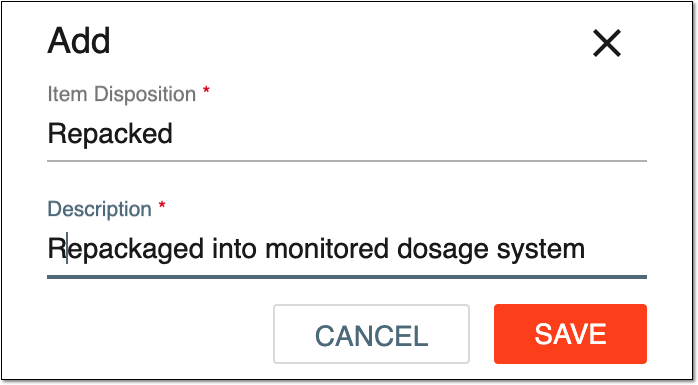 Figure 1. Creating new item disposition
Tip
In the following table, mandatory elements are marked with an asterisk (*).
Element
Details
Item Disposition*
Enter a unique name for the item disposition you create.
Description*
Enter a meaningful description for the item disposition.
SAVE
Select
 to create your item disposition.
CANCEL
Select
 to stop creating a new item disposition, close the dialog, and return to the item disposition list under the TREATMENT DESIGN tab > Item Disposition subtab. In such a case, no changes are saved.
Upon saving, a new item disposition has been created. You can also edit item dispositions.