Audit contact report
After the scheduled meeting or event is successfully conducted and the contact report submitted, you can start the audit—review and approval procedure—to ensure accountability, improve team coordination, and support clear communication on next steps.
Tip
This functionality is only available if the communication audit is enabled for your study.
-
Access the study management page in one of the following ways:
-
In the CTMS application header, select the DASHBOARD tab and then select the study dashboard of your interest.
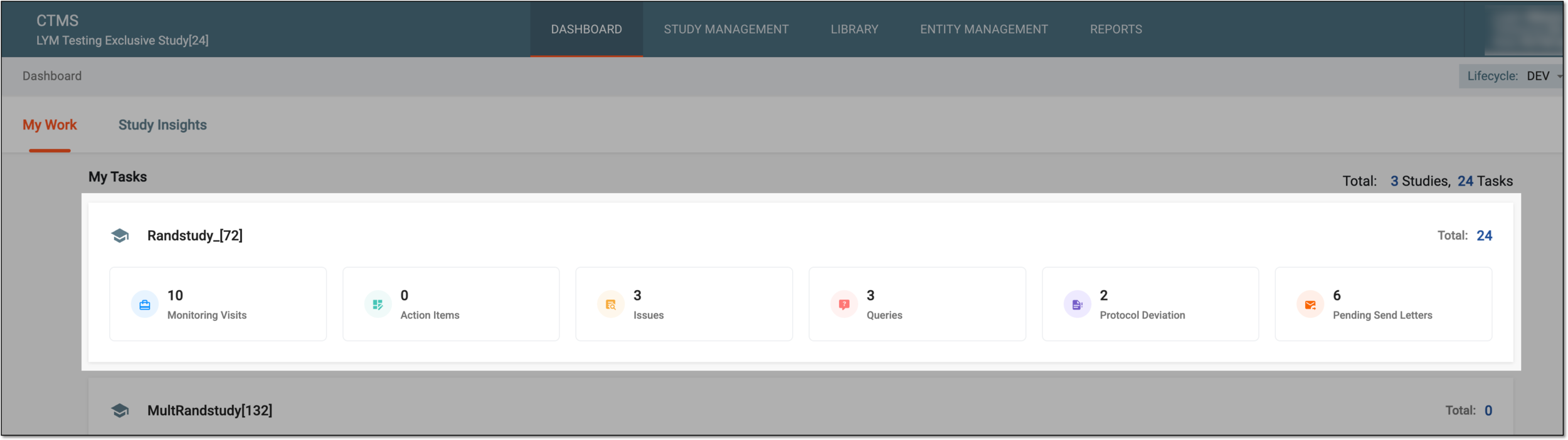 Figure 1. Accessing study management from dashboard
-
In the CTMS application header, select the STUDY MANAGEMENT tab. Then from the Study Data List table, select the study name of your interest.
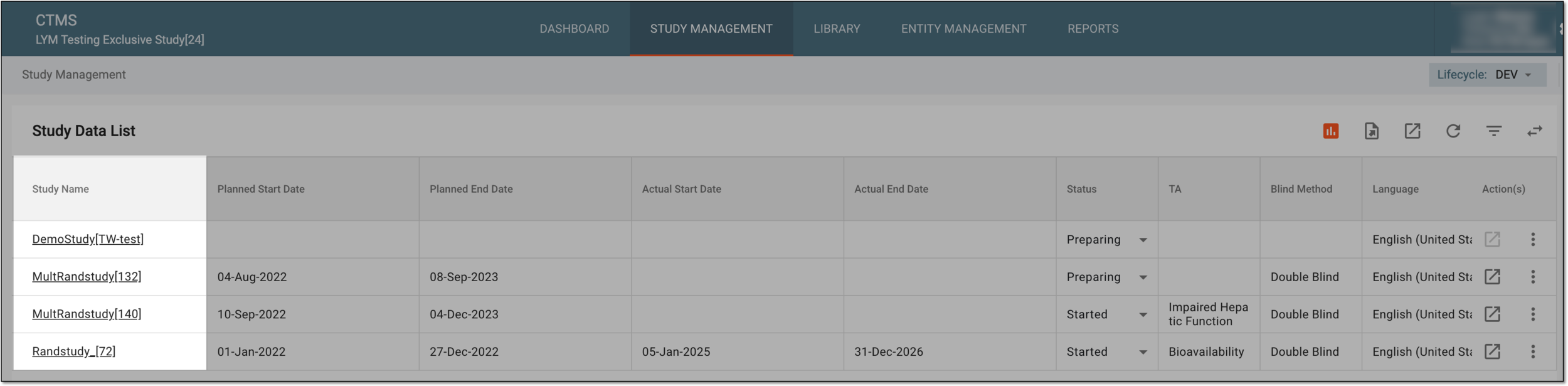 Figure 2. Accessing study management from study data list
-
-
From the left pane, select Communication Management > Communication Tracking.
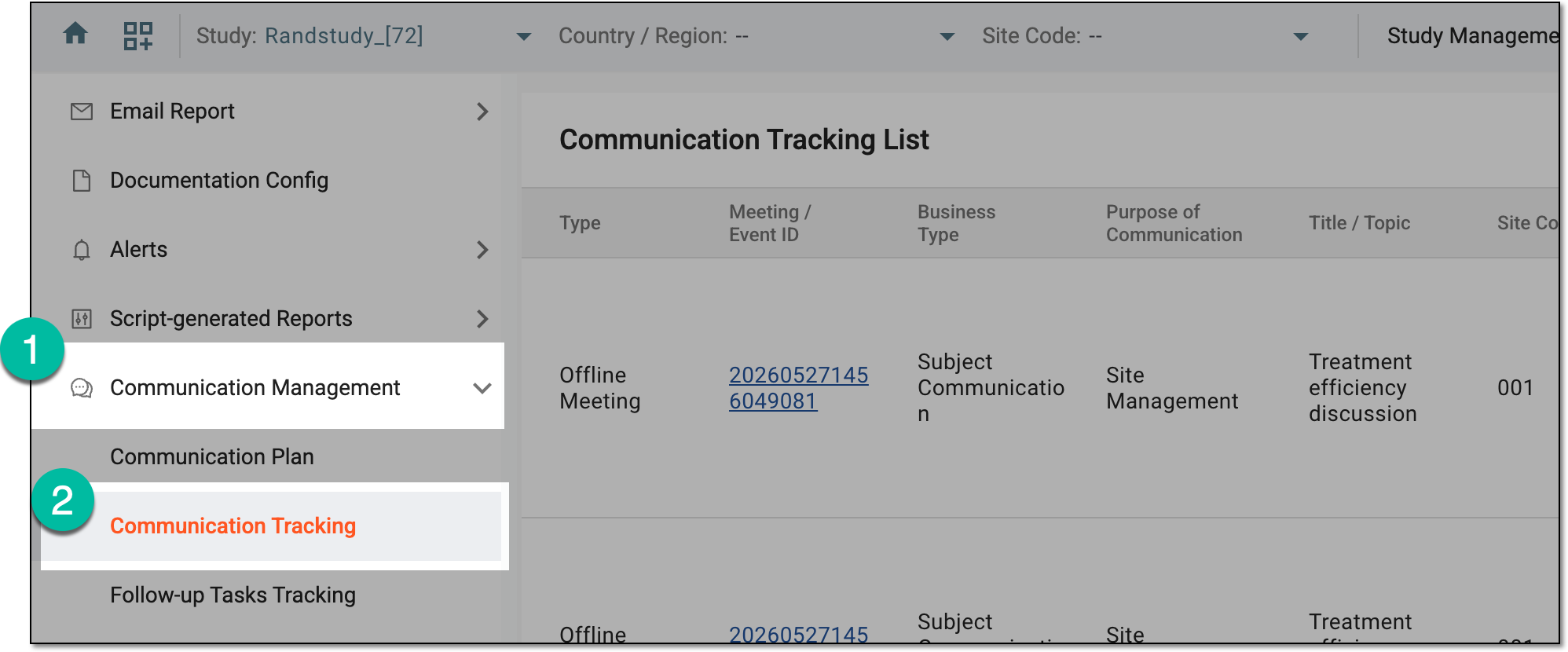 Figure 3. Accessing communication tracking
-
On the Communication Tracking List page that opens, locate the required event, then next to it, select Summary and Follow-up Tasks
 .
.Tip
The meetings and events for review and approval have the Auditing status.
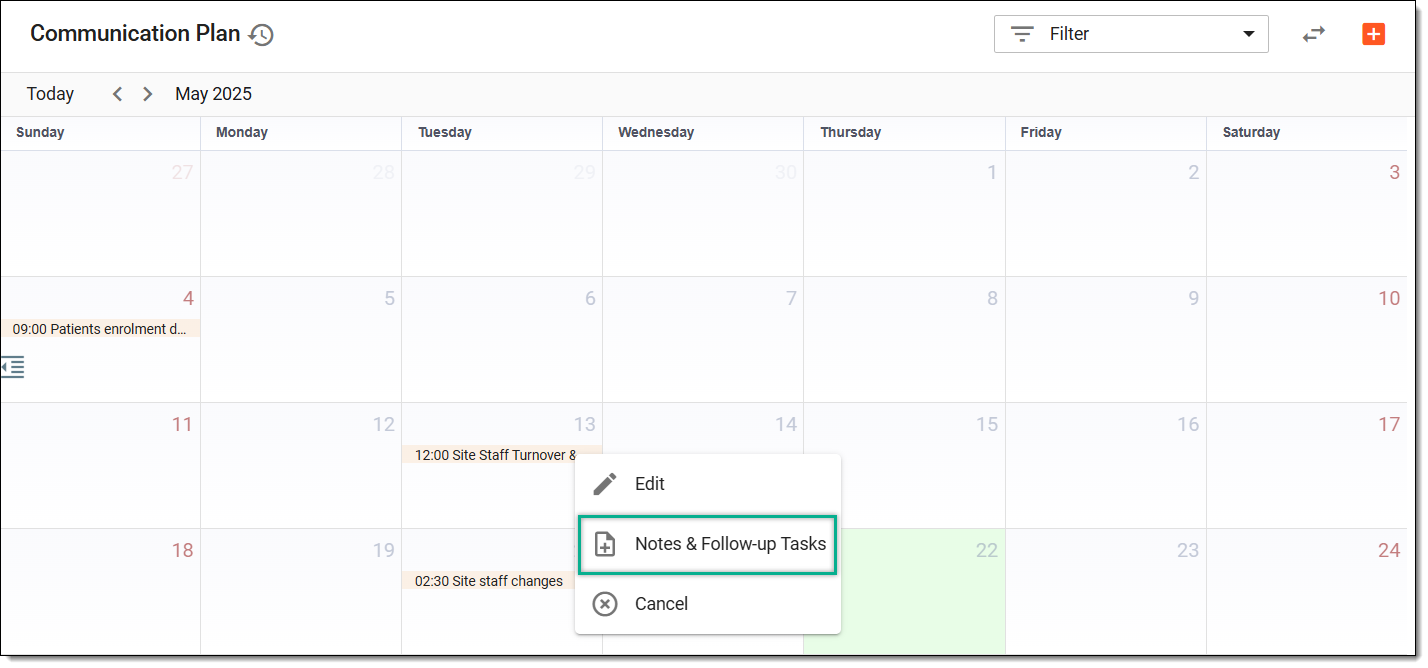 Figure 4. Accessing meeting summary and follow-up tasks
-
On the page that opens, check the details by switching between the Attendees, Summary of Communication, and Follow-up Tasks tabs. Once ready, select
 .
.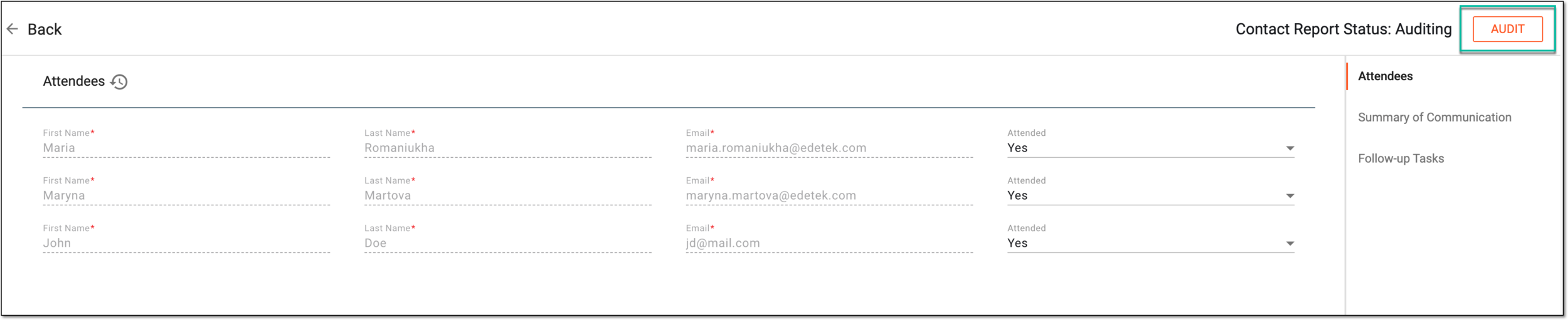 Figure 5. Selecting option to audit contact report
-
In the dialog that appears, audit the contact report as follows.
If you consider the contact report valid and ready for further handling, approve the contact report as explained in the following table.
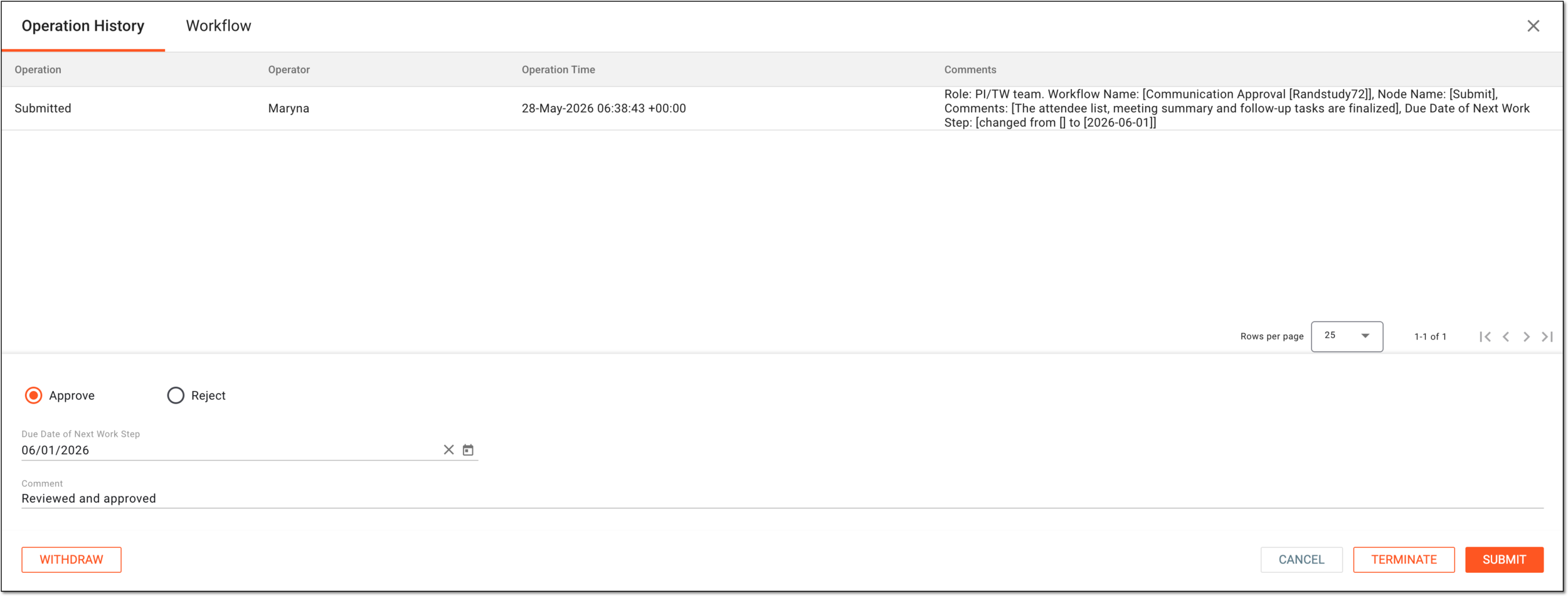 Figure 6. Approving contact report
Tip
In the following table, mandatory elements are marked with an asterisk (*).
Element
Details
Operation History
The tab that opens by default represents the complete log of operations performed to the contact report from its creation and up to date.
Workflow
Switch to this tab to see the communication approval workflow according to which the contact report audit is performed according to the configured settings.
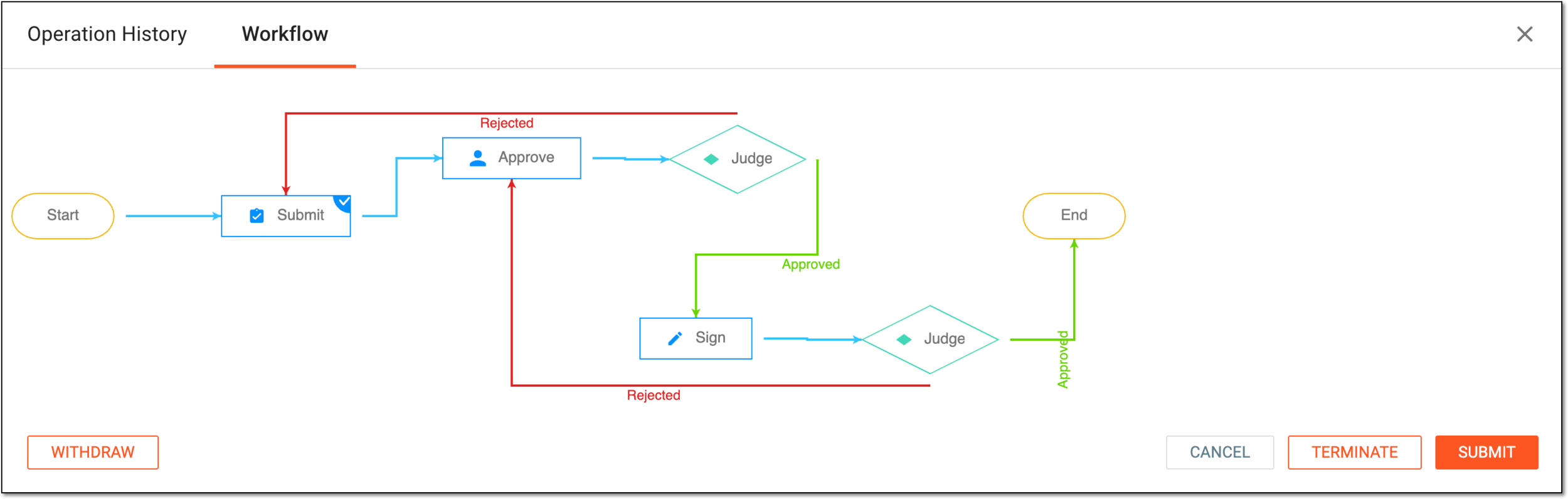 Figure 7. Checking contact report audit workflow
Approve
Select this option to validate the contact report.
Due Date of Next Work Step
Select the date before which the next auditing action must be performed before considered overdue.
Comment
Enter auxiliary details to to support your approval.
Username or Email*
Enter your username or email that you use to log in to the eClinical applications.
The field is only available if the signature is enabled via the Approve node settings of the associated communication approval workflow.Password*
Enter the password that you use to log in to the eClinical applications.
The field is only available if the signature is enabled for the Approve node of the associated communication approval workflow and if you use the authorization method by providing your login and
                                        password.
Send Code
Select
 to send the temporary PIN code to your email for which the SSO method is configured.
The button is only available if the signature is enabled via the Approve node settings of the associated communication approval workflow and if you use the authorization method via SSO.Code*
Enter the temporary PIN code that you received via email.
The field is only available if the signature is enabled via the Approve node settings of the associated communication approval workflow and if you use the authorization method via SSO.Title
Represents the title of the user autopopulated from the ADMIN application based on the selected user name or email.
By signing this page, I acknowledge that the contents of the Contact Report is accurate and complete.
Select this checkbox to acknowledge that you have read the contact report and are ready to sign for its contents.
SUBMIT
Select
 to confirm your action.
CANCEL
Select
 to discard the changes without saving and close the dialog.
If you consider the contact report valid, provide your signature as explained in the following table.
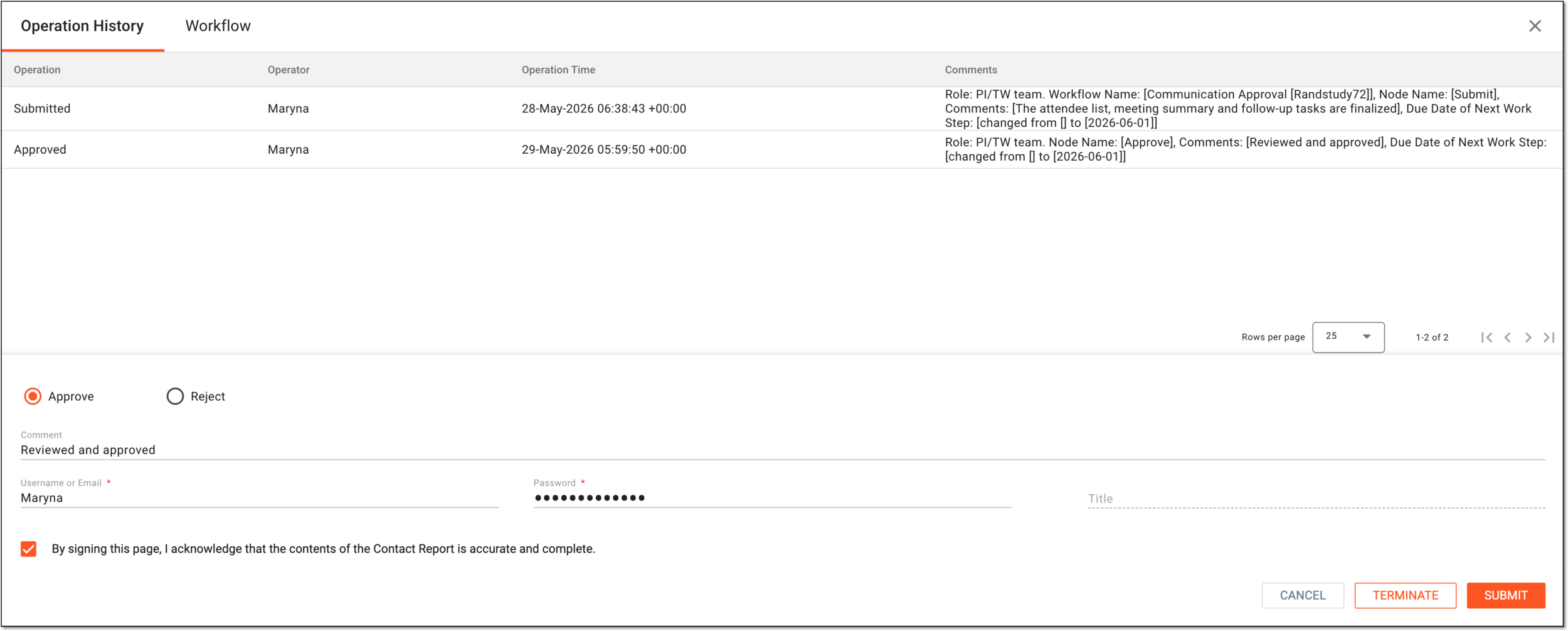 Figure 8. Signing contact report
Tip
In the following table, mandatory elements are marked with an asterisk (*).
Element
Details
Operation History
The tab that opens by default represents the complete log of operations performed to the contact report from its creation and up to date.
Workflow
Switch to this tab to see the communication approval workflow according to which the contact report audit is performed according to the configured settings.
Figure 9. Checking contact report audit workflow
Approve
Select this option to validate the contact report.
Due Date of Next Work Step
Select the date before which the next auditing action must be performed before considered overdue.
Comment
Enter auxiliary details to to support your approval and signature.
Username or Email*
Enter your username or email that you use to log in to the eClinical applications.
Password*
Enter the password that you use to log in to the eClinical applications.
The field is only available if you use the authorization method by providing your login and password.Send Code
Select
to send the temporary PIN code to your email for which the SSO method is configured.The button is only available if you use the authorization method via SSO.Code*
Enter the temporary PIN code that you received via email.
The field is only available if you use the authorization method via SSO.Title
Represents the title of the user autopopulated from the ADMIN application based on the selected user name or email.
By signing this page, I acknowledge that the contents of the Contact Report is accurate and complete.
Select this checkbox to acknowledge that you have read the contact report and are ready to sign for its contents.
SUBMIT
Select
to confirm your action.CANCEL
Select
to discard the changes without saving and close the dialog.If you find any discrepancies or issues in the contact report and cannot verify for it, as an approver or signer, dismiss the contact report by selecting the Reject option and providing the due date for the follow-up action and mandatory reason for your action. Select
to proceed with the contact report rejection.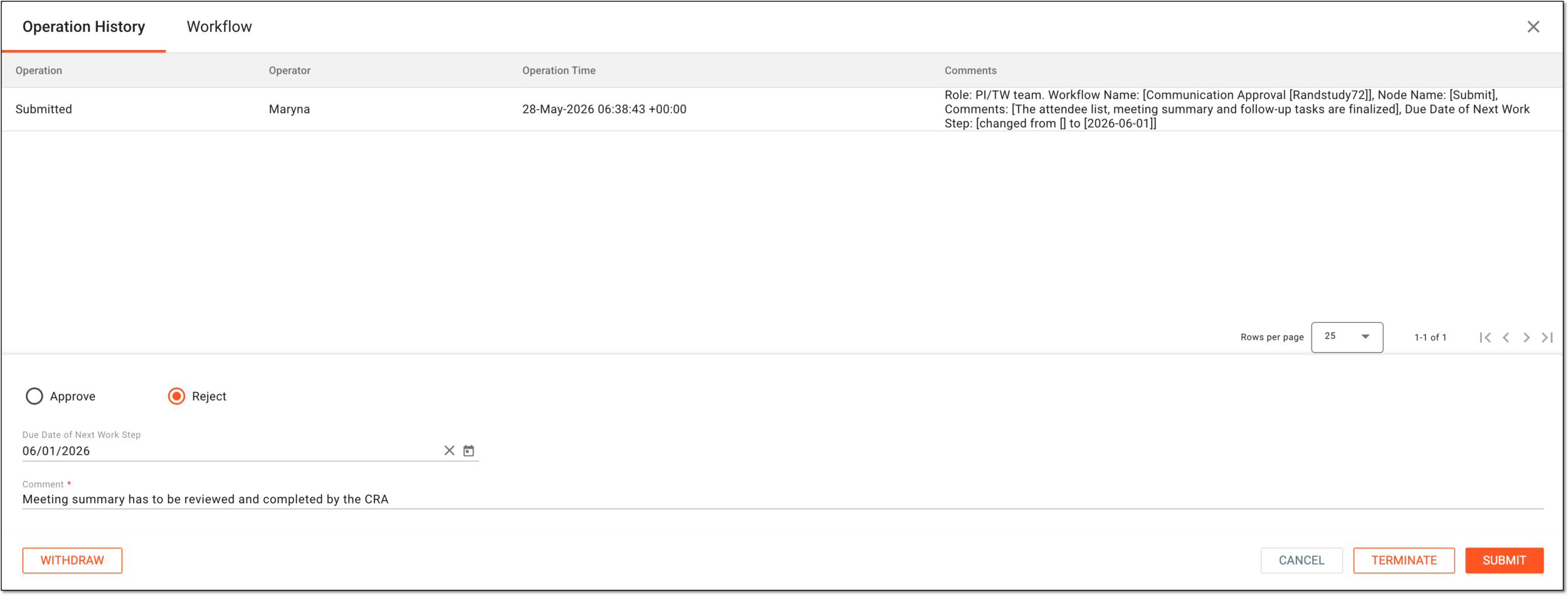 Figure 10. Rejecting contact report
Tip
Under the Operation History tab, review the log of all actions performed with the contact report, who performed them, and when.
Go to the Workflow tab to check the associated schema and all the steps of the communication audit workflow.
If you find that the contact report has been submitted prematurely, you can cancel the submission and return the report to the Draft status by selecting
 . Then in the Reason dialog that appears, provide the mandatory reason for your action. . Select
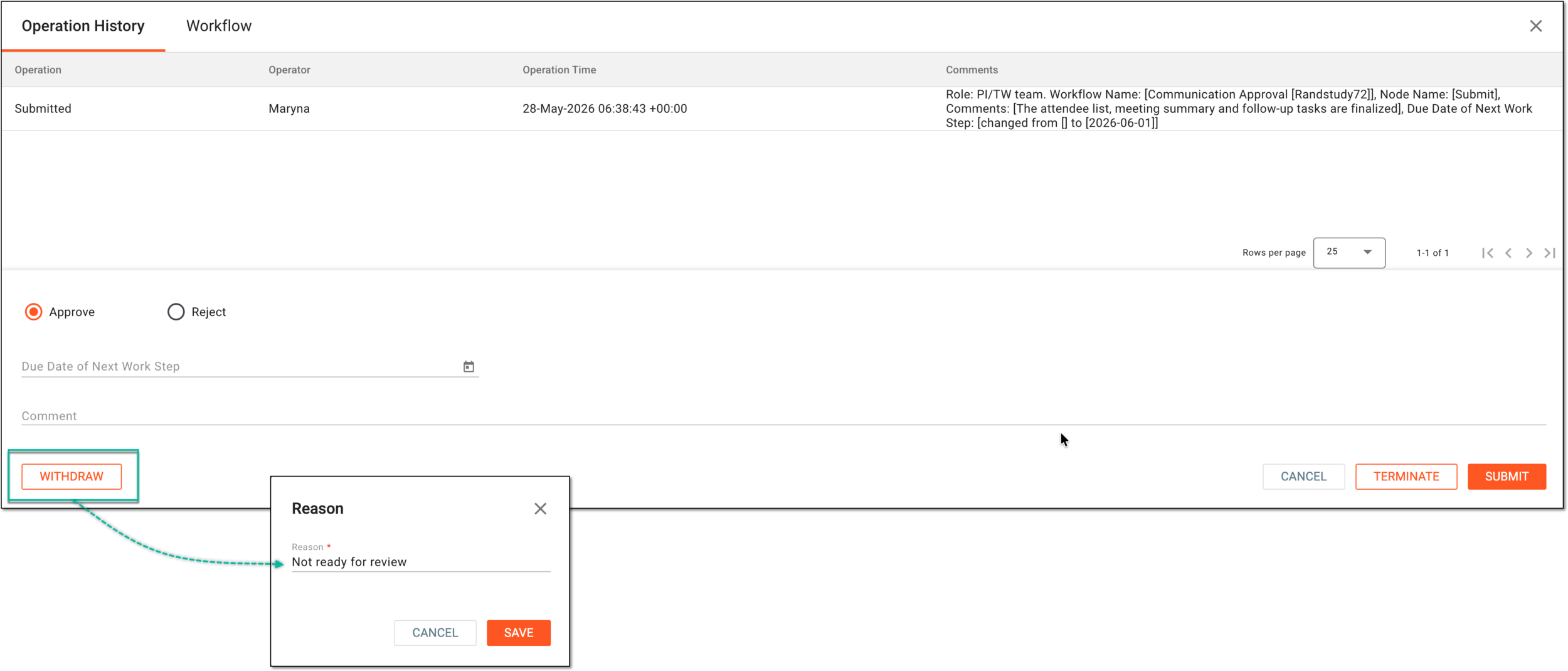 Figure 11. Withdrawing contact report submission
Important
You can only withdraw the submitted contact report in the Auditing status that is not yet approved.
If you find the contact report invalid and cannot verify it, moreover, you see no reason to forward its maintenance to the following users, you can abort the auditing process and all the following workflow stages by selecting
 . Then in the dialog that appears, provide the mandatory reason for your action and confirm the termination.
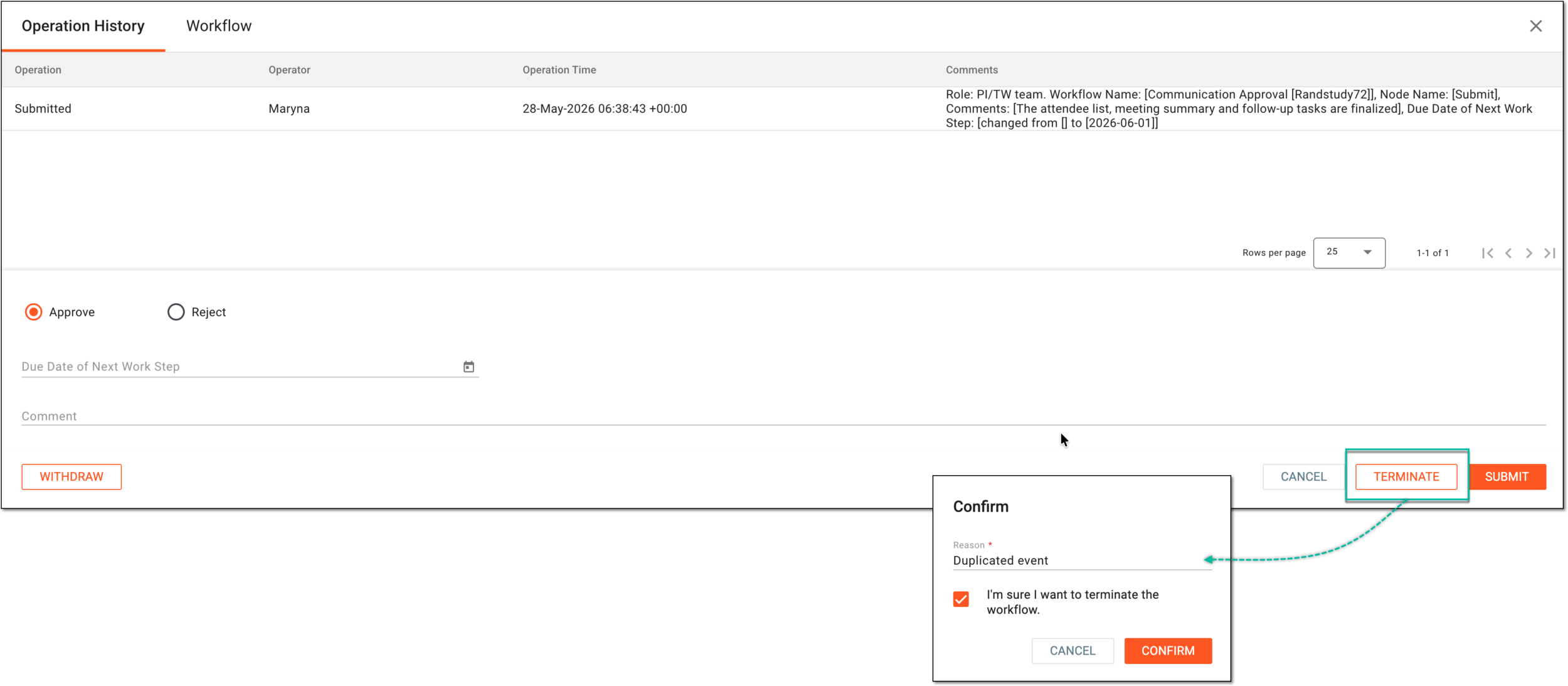 Figure 12. Terminating contact report audit
Once audited, based on your performed action, the contact report obtains the respective status. Once all the stages of the associated workflow are completed, the audit is successfully passed.
A schema, each step of which represents a stage of a specific entity lifecycle in the system.
A workflow can be considered an instrument to help control various actions on system entities for the sake of accountability, as it limits the actions that can be performed on the entity associated with a workflow. This provides an additional tier of scrutiny, and the approval/rejection mechanism reduces the risk of unintended impact on sensitive resources and important information.
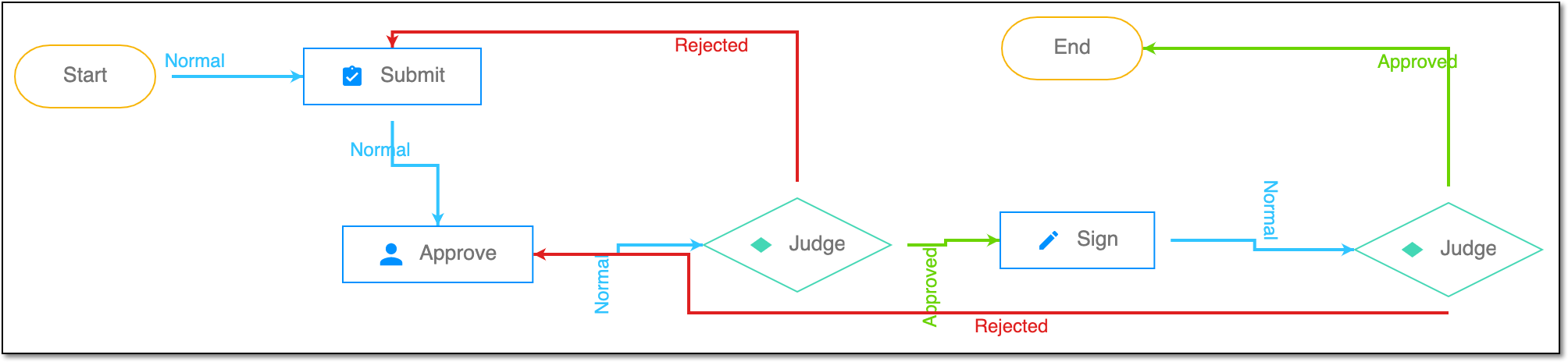 |
For instance, in eTMF, the workflow dictates the procedure of file and folder management from the moment of upload to the approval stage; in CTMS, the workflow controls the process of creation, completion, and approval of a trip report; in EDC, the workflow covers the process of source document handling.