Submit contact report
After the scheduled meeting or event is successfully conducted, and the summary of communication completed, you can submit your contact report to initiate the review and approval process.
Tip
This functionality is only available if the communication audit is enabled for your study.
-
Access the study management page in one of the following ways:
-
In the CTMS application header, select the DASHBOARD tab and then select the study dashboard of your interest.
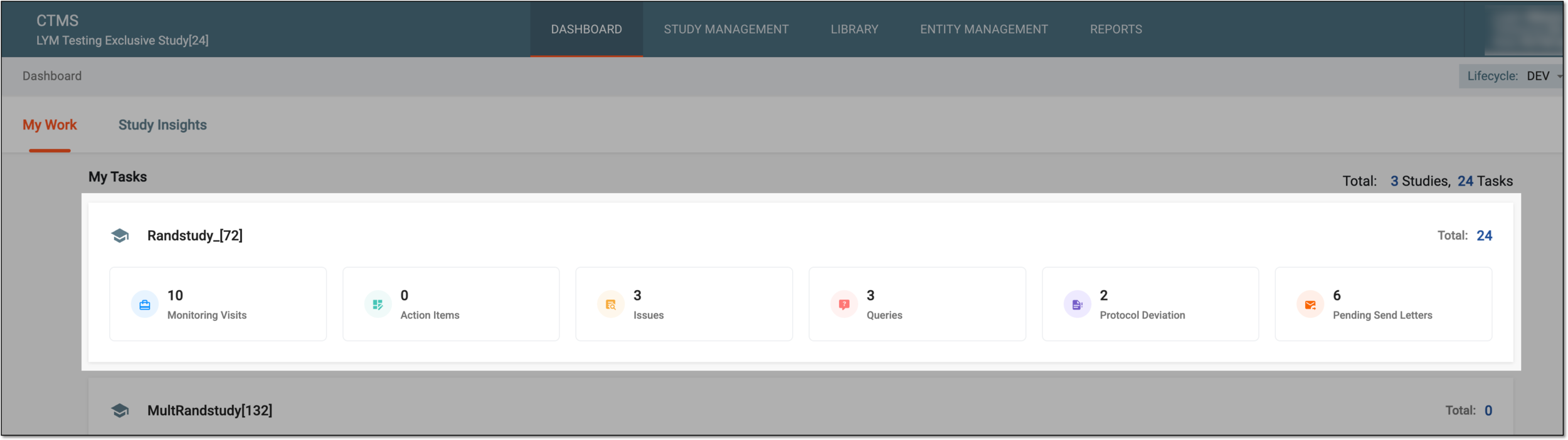 Figure 1. Accessing study management from dashboard
-
In the CTMS application header, select the STUDY MANAGEMENT tab. Then from the Study Data List table, select the study name of your interest.
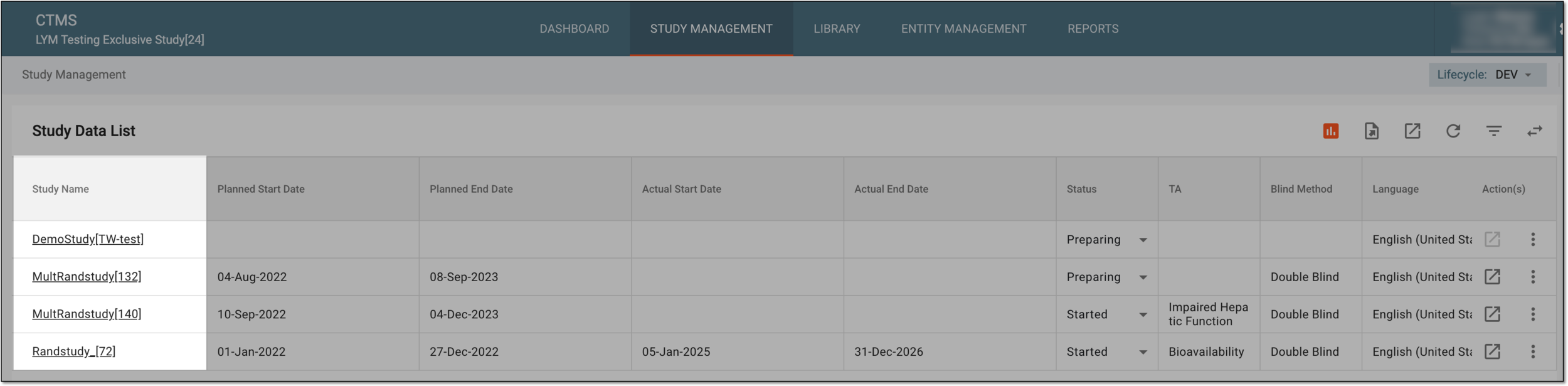 Figure 2. Accessing study management from study data list
-
-
From the left pane, select Communication Management > Communication Tracking.
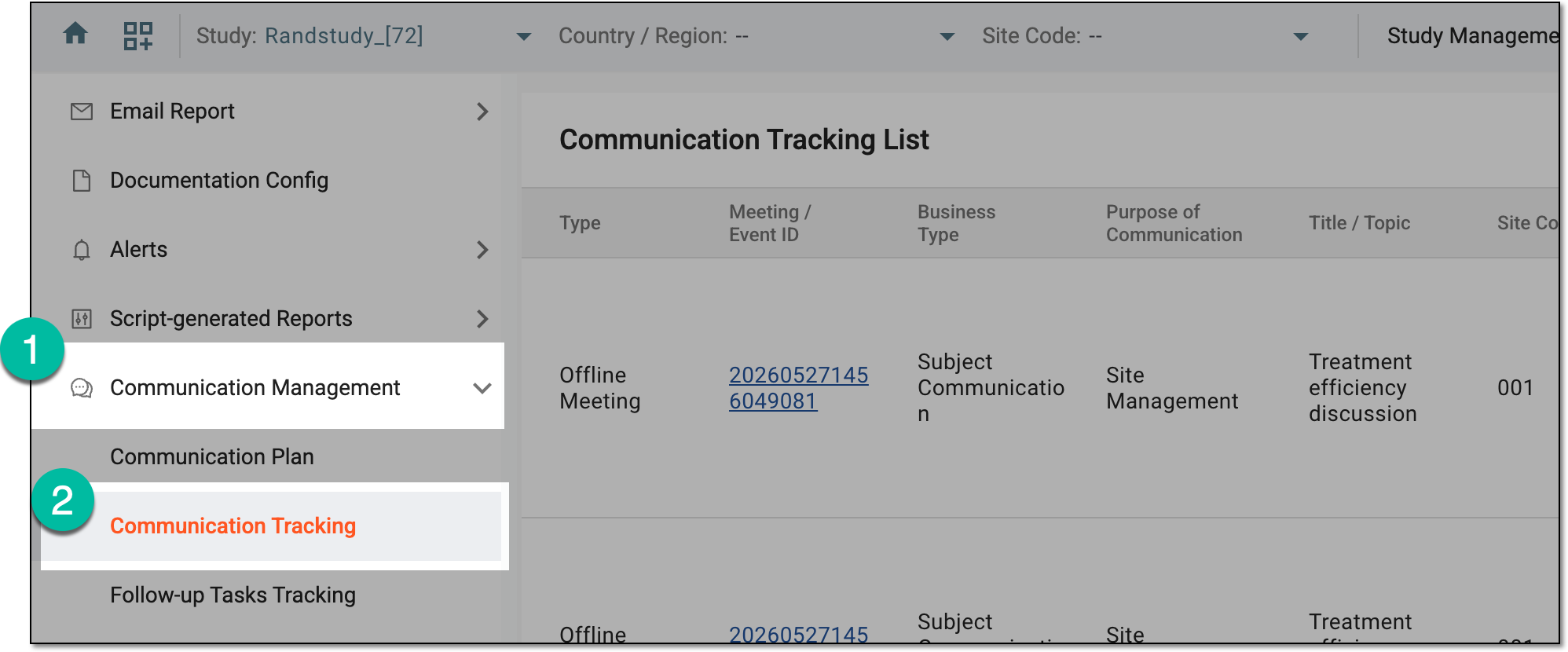 Figure 3. Accessing communication tracking
-
On the Communication Tracking List page that opens, locate the required event, then next to it, select Summary and Follow-up Tasks
 .
.Tip
The meetings and events for submission have the Draft status.
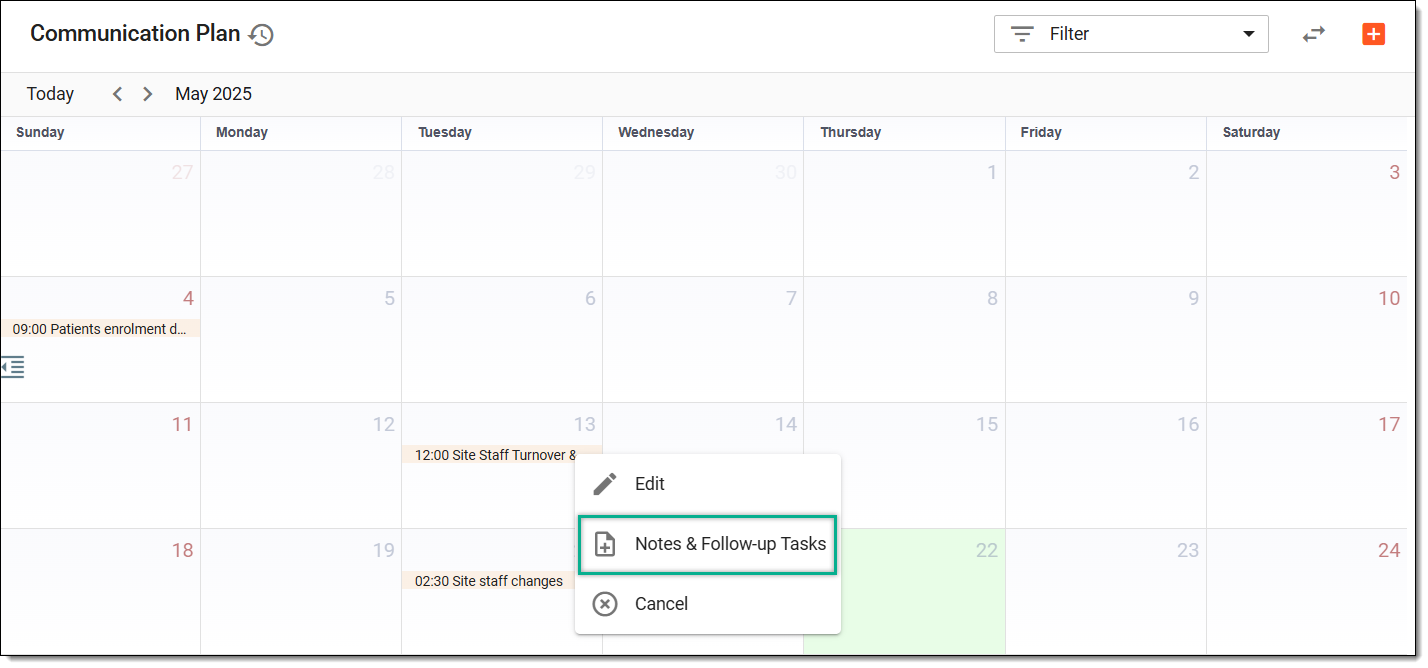 Figure 4. Accessing meeting summary and follow-up tasks
-
On the page that opens, check the readiness of the event details by switching between the Attendees, Summary of Communication, and Follow-up Tasks tabs. Once ready, select
 .
. Figure 5. Submitting contact report
-
In the dialog that appears, provide the due date of the next workflow step—the date by which the next assignee has to complete their review of the report—and any auxiliary comments. Then select
.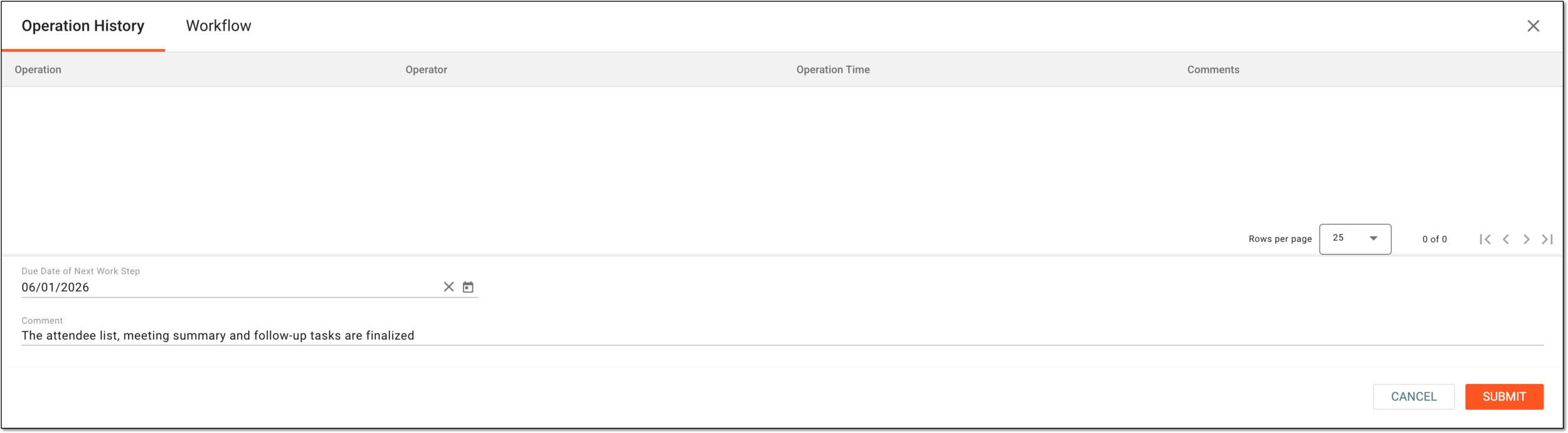 Figure 6. Providing contact report submission details
Tip
If the signature is enabled via the Submit node settings of the associated communication approval workflow, you need to provide your credentials upon the contact report submission.
Once submitted, the responsible assignees can start auditing the contact report.