Configure communication audit
By offering a structured and transparent way to plan and document study-, site-, and subject-related communications, CTMS supports proactive coordination and helps ensure smooth, timely execution of study operations. While introducing audit—the review and approval mechanism—to your communication management brings another tier of scrutiny over planning and efficiency of your study processes.
Important
Before audit configuration, ensure that you have created the communication approval workflow in the CTMS library.
-
Access the study management page in one of the following ways:
-
In the CTMS application header, select the DASHBOARD tab and then select the study dashboard of your interest.
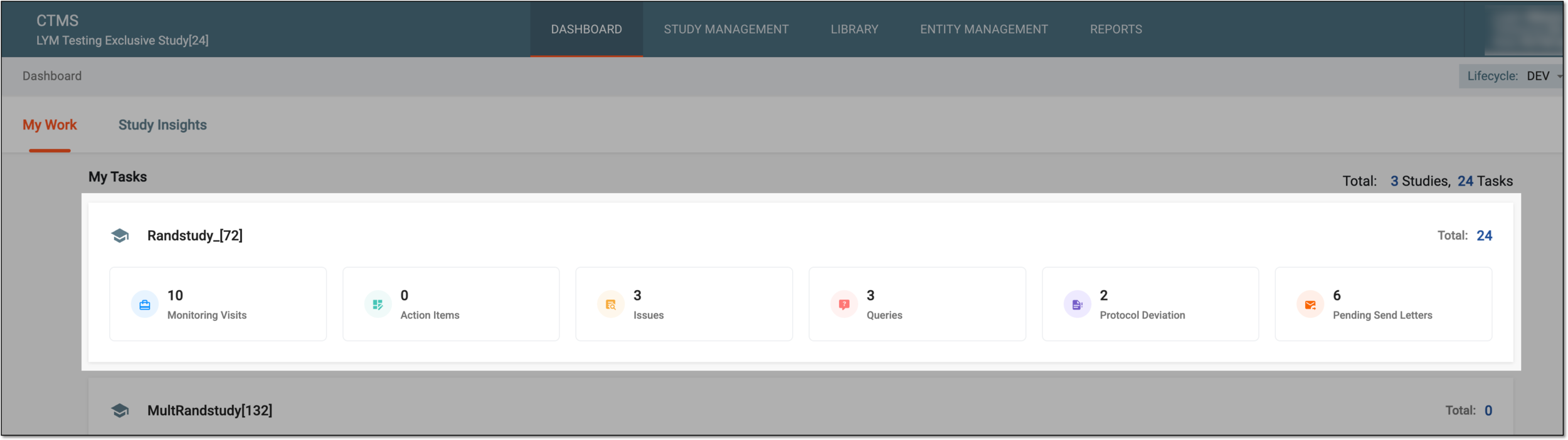 Figure 1. Accessing study management from dashboard
-
In the CTMS application header, select the STUDY MANAGEMENT tab. Then from the Study Data List table, select the study name of your interest.
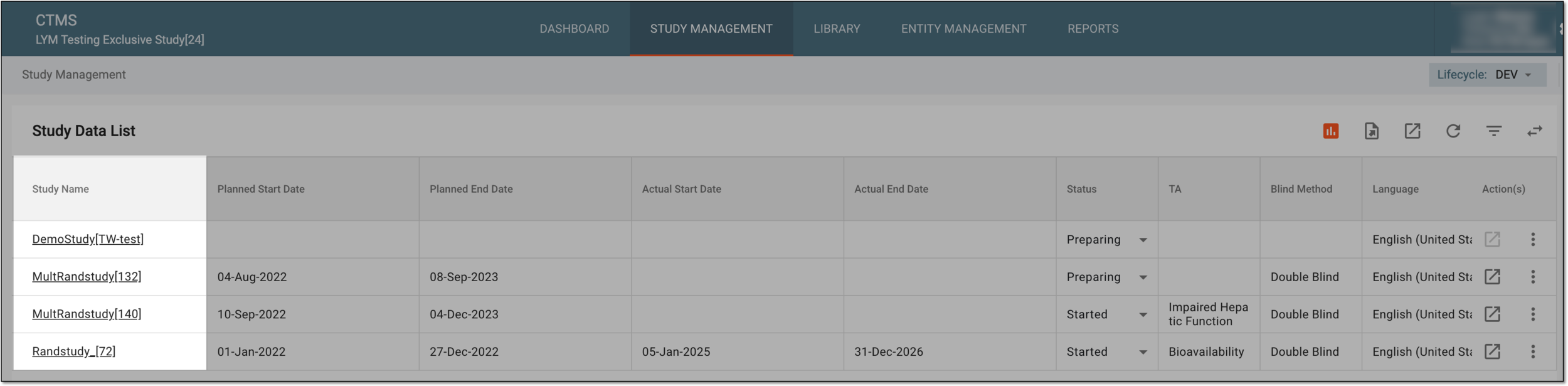 Figure 2. Accessing study management from study data list
-
-
From the left pane, select Communication Management > Communication Tracking.
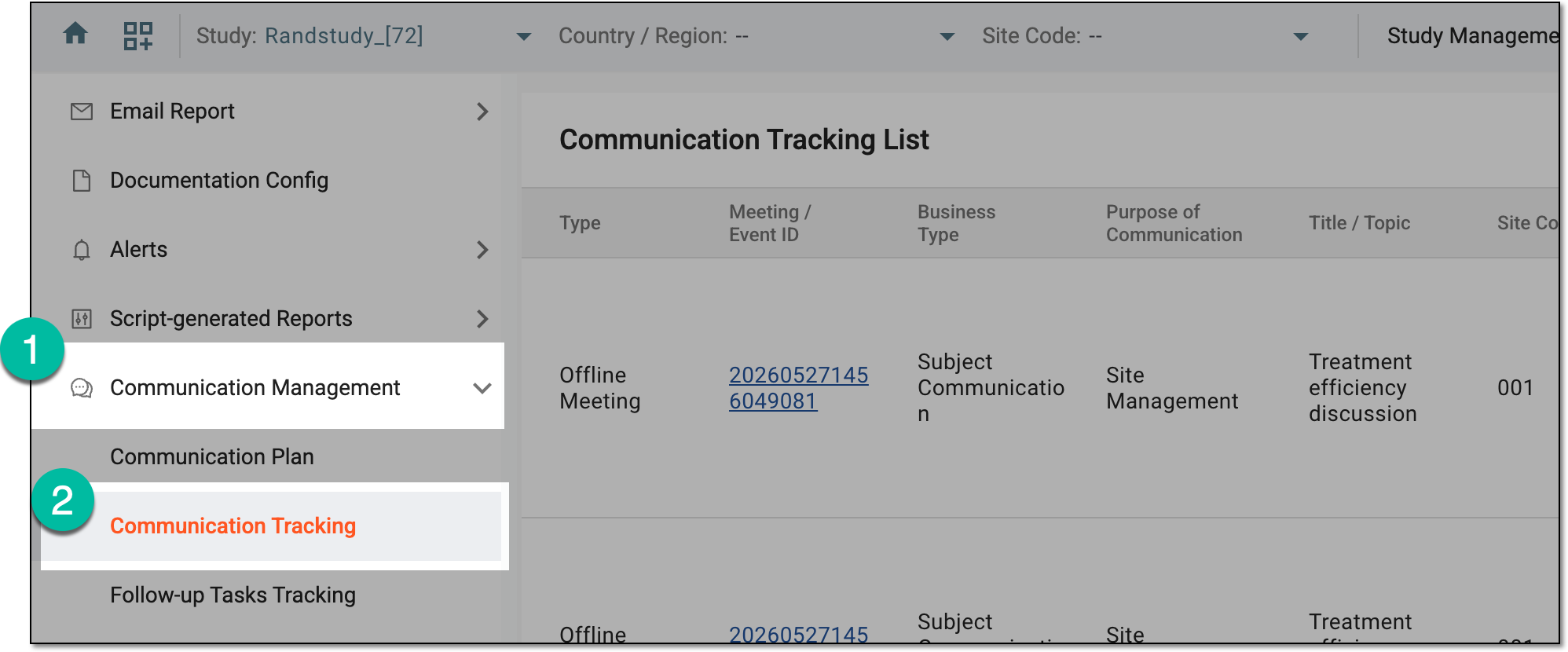 Figure 3. Accessing communication tracking
-
From the workspace toolbar, select Configuration
 .
. Figure 4. Accessing communication audit configuration
-
In the Configuration dialog that opens, set up the audit for your communication activities as explained in the following table.
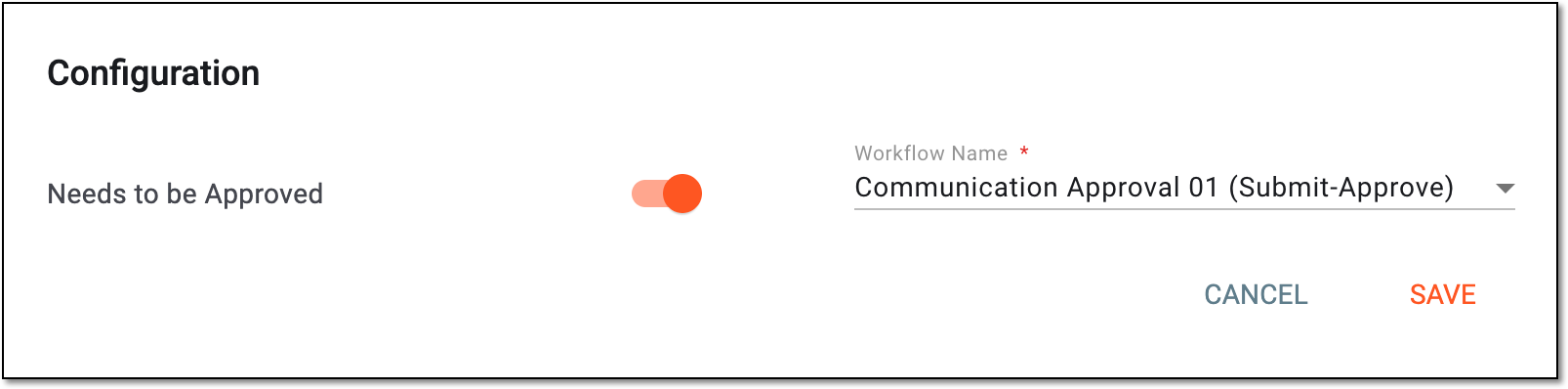 Figure 5. Configuring communication audit
Tip
In the following table, mandatory elements are marked with an asterisk (*).
Element
Details
Needs to be Approved
Configure as follows:
-
Turn on the toggle to enable auditing for your communication activities.
-
Turn off the toggle to skip the audit and do not initiate review and approval procedure.
Workflow Name*
Select the name of the communication approval workflow according to which you want all the activities to be audited.
This field is only available if the Needs to be Approved toggle is turned on.SAVE
Select
 to implement the changes.
CANCEL
Select
 to discard the changes.
 -
Once saved, the audit for your communication activities is either enabled according to the selected workflow or disabled.