Export workflow setting
In CTMS, you can export the existing workflows and all their setting details as PDF files to your computer for sharing with stakeholders or other business purposes.
-
In the CTMS application header, select the LIBRARY tab.
-
On the page that opens, from the left pane, select the Workflow Setting subtab (if not opened by default).
 Figure 1. Accessing workflow setting
-
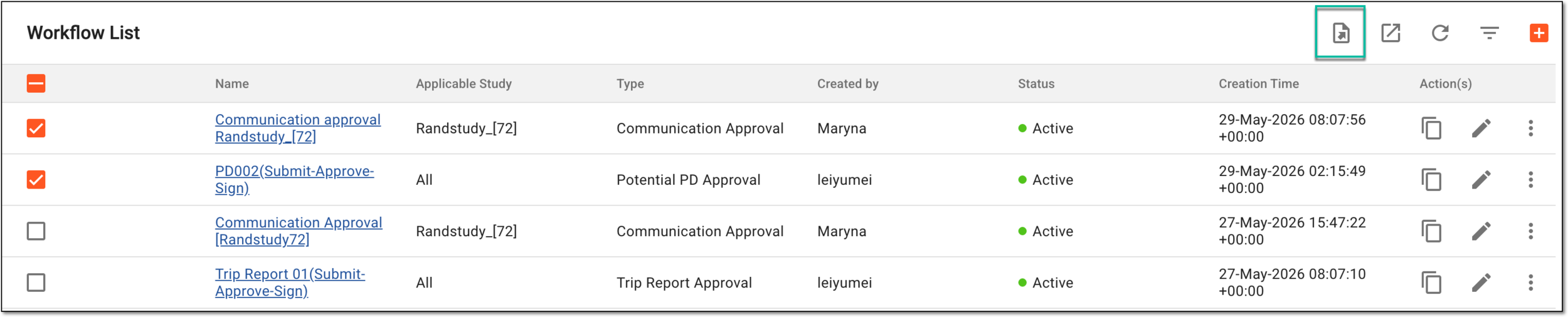
On the Workflow List page that opens, locate the workflow settings that you want to export and select the checkboxes next to them. Then from the workspace toolbar, select Export
 .
.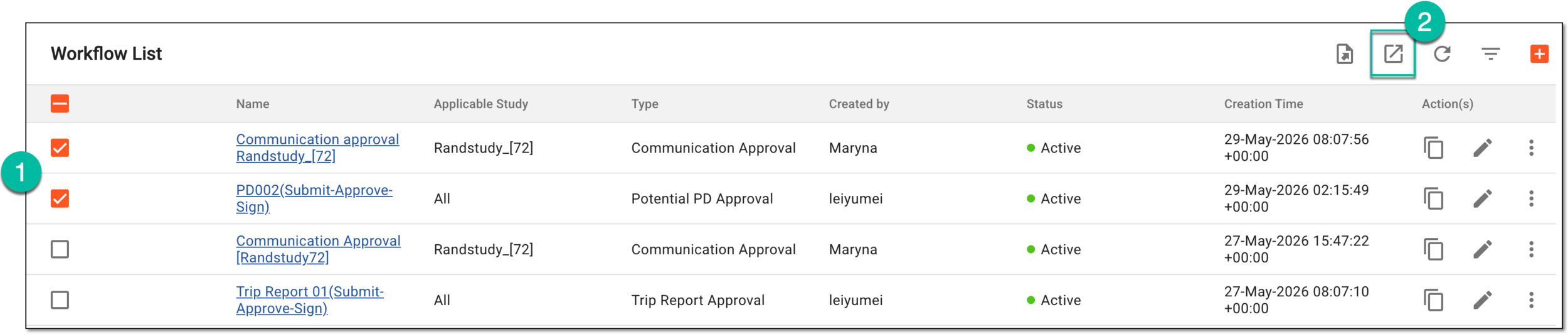 Figure 2. Selecting workflow settings to export
-
In the downloads widget that appears, view your download progress. Select the widget to open the My Downloads dialog.
 Figure 3. Downloads widget for workflow setting
-
In the My Downloads dialog that opens, you can find the following tabs:
-
Preparing: lists all the files whose export is in progress, and they are not yet ready for download. Wait until the needed file moves to the Download is Ready tab.
-
Download is Ready: lists the files whose export is complete, and they can be downloaded to your computer by selecting
 .
.
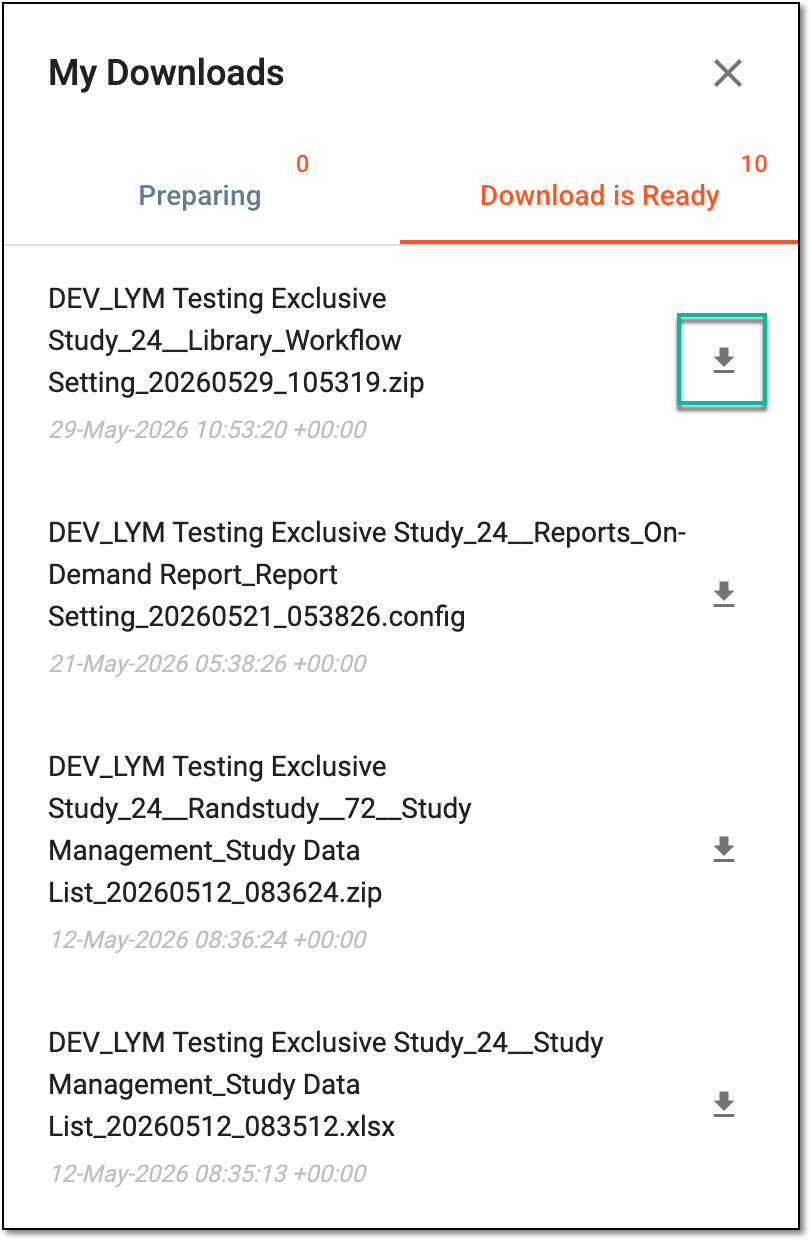 Figure 4. Downloading extracted workflow setting data
-
Once downloaded and saved, the workflow setting data in the ZIP archive of individual PDF files becomes available on your computer. Each PDF file comprises the graphic schema of the workflow and the detailed tables of all node settings, node connections (flow), and operation history.
Tip
The extracted file version is saved in the system and can be accessed from Export History  .
.
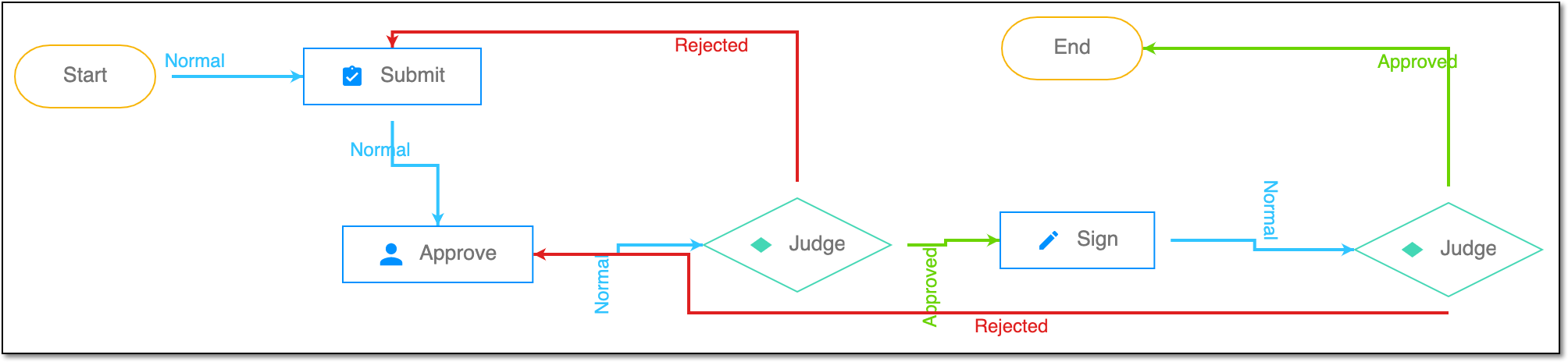
A schema, each step of which represents a stage of a specific entity lifecycle in the system.
A workflow can be considered an instrument to help control various actions on system entities for the sake of accountability, as it limits the actions that can be performed on the entity associated with a workflow. This provides an additional tier of scrutiny, and the approval/rejection mechanism reduces the risk of unintended impact on sensitive resources and important information.
 |
For instance, in eTMF, the workflow dictates the procedure of file and folder management from the moment of upload to the approval stage; in CTMS, the workflow controls the process of creation, completion, and approval of a trip report; in EDC, the workflow covers the process of source document handling.