View operation history of workflow
In CTMS, you can track all actions performed on a workflow, such as creation, updates, activation, or inactivation. This history provides a clear record of who made changes and when, supporting better oversight, accountability, and audit purposes.
To view operation history of workflow
-
In the CTMS application header, select the LIBRARY tab.
-
On the page that opens, from the left pane, select the Workflow Setting subtab (if not opened by default).
 Figure 1. Accessing workflow setting
-
From the Workflow List table, next to the required workflow, from the Action(s) column, select More
 > Operation History
  .
.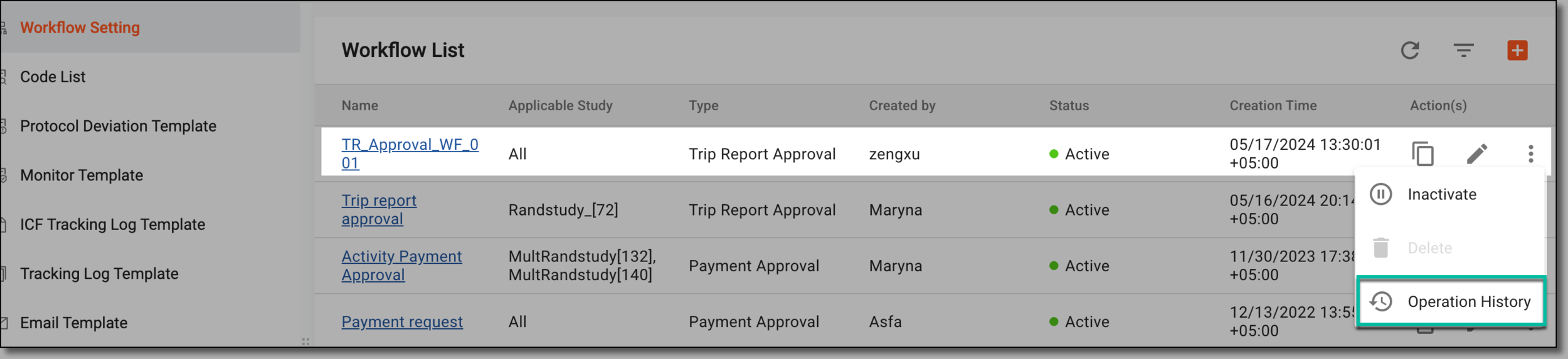 Figure 2. Accessing operation history of workflow
-
In the Operation History dialog that opens, analyze the changes and actions made to the workflow.
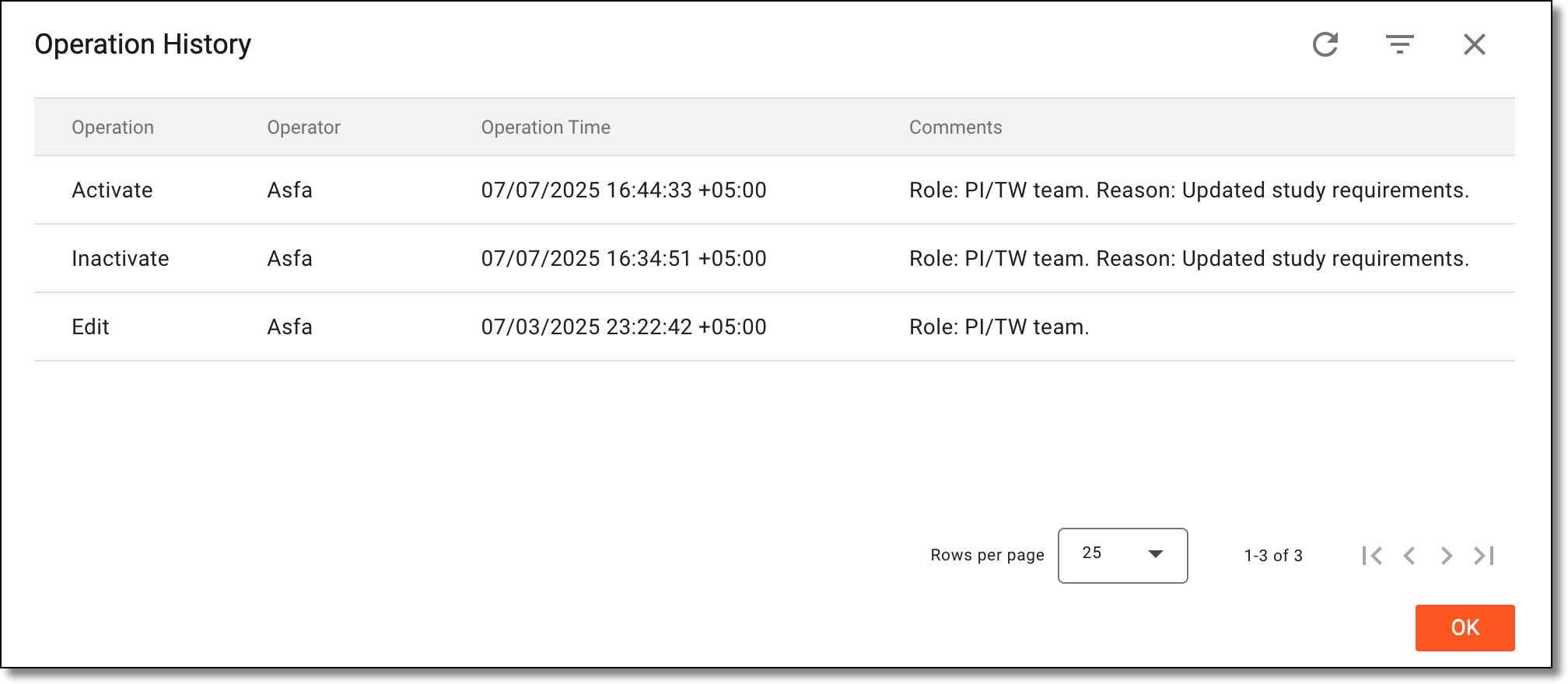 Figure 3. Analyzing operation history of workflow
Once operation history is analyzed, select OK to close the dialog and return to the workflows.