Activate/Inactivate payable item
During a clinical trial, the services provided by study staff or vendors and entitled to be paid, for instance, CRF, visit, or lab test completion, are recorded as payable items, for which payment requests can be created.
The functionality to activate and inactivate payable items provides you with control over the services for which it is possible to request payments—inactivate the items that are not supposed to be included in payment requests and activate only those that should.
Important
The activation and inactivation functionality is only available for payable items that are not yet included in any payment request.
-
In the EDC application header, select the STUDY INFO tab.
-
On the page that opens, in the left pane, select Site Payment > Payable Items.
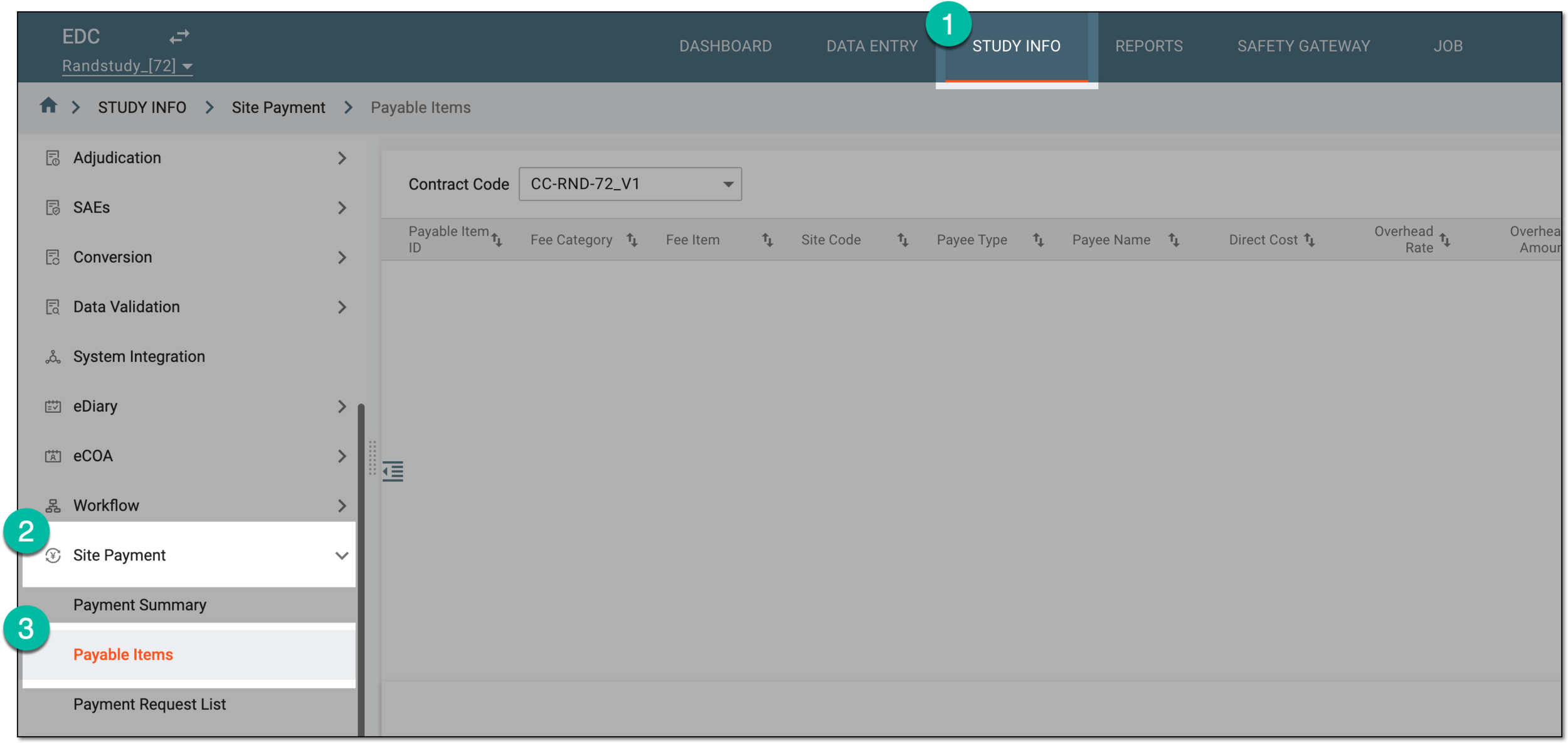 Figure 1. Accessing payable item list
-
On the Payable Items page that opens, from the Contract Code dropdown menu, select the contract according to which you want to access the payable items.
Tip
The available here contracts are configured and maintained in CTMS.
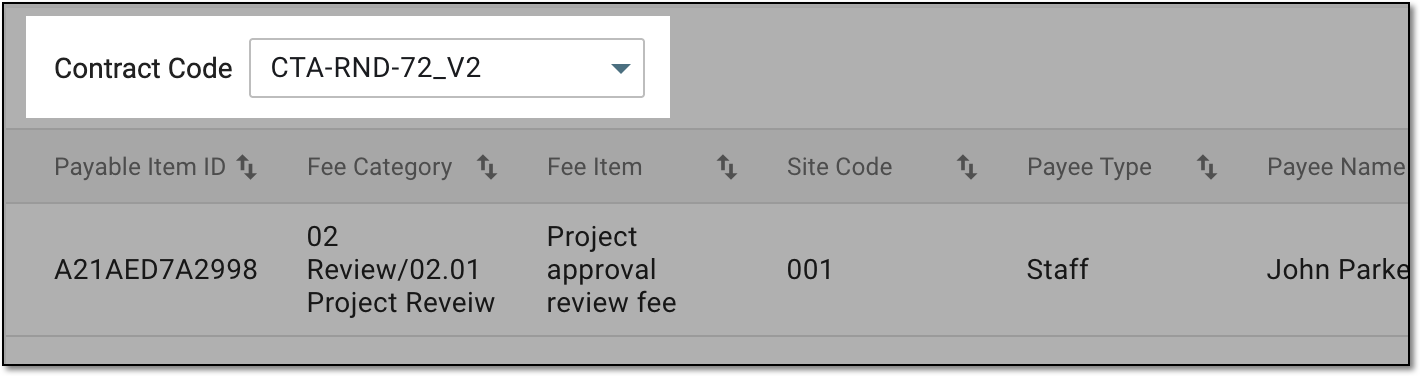 Figure 2. Selecting contract to show payable item list
-
To display the list of payable items by their billing method, from the workspace toolbar, select one of the available filter buttons.
Tip
The number, naming, and availability of filter buttons depends on the billing methods added to the pricing template used for the selected contract in CTMS.
For instance, if your contract is intended for three types of payments—"Fixed Fee," "Subject Visit," and "Lab Fee"—then there are three filter buttons available for the payable items list: "Fixed Fee," "Subject Visit," and "Lab Fee" respectively.
 Figure 3. Selecting filter button to show payable item list
-
Once the resulting list depicts the payable items of your interest, locate the one that you want to activate or inactivate. Then from the Action column next to the item, select one of the following:
-
Activate
 : to make the payable item available for payment requests.
 -
Inactivate
 : to make the payable item unavailable for payment requests.
Tip
The activation and inactivation options are not available for payable items that are already included in payment requests.
 Figure 4. Inactivating payable item
-
You have activated or inactivated the payable item. The active items can be selected when creating payment requests, and inactive ones become unavailable for selection.