View payable items
During a clinical trial, a party providing services to the sponsor (site, laboratory, or another research facility) may receive payments for their services based on agreed study milestones or performed activities.
For instance, a clinical research coordinator (CRC) at the site has to be payed for completion of all the lab test CRFs of the subjects. Thus, each time the respective CRF is completed in EDC, the recording of this action becomes available in the payable item list.
All such milestones and activities that have already occurred and must be paid for become so-called payable items. The complete list of payable items can be found in EDC to help the study teams track the upcoming and pending payments, plan financial activities, calculate direct and overhead costs, and control the overall budget spending for different study operations.
-
In the EDC application header, select the STUDY INFO tab.
-
On the page that opens, in the left pane, select Site Payment > Payable Items.
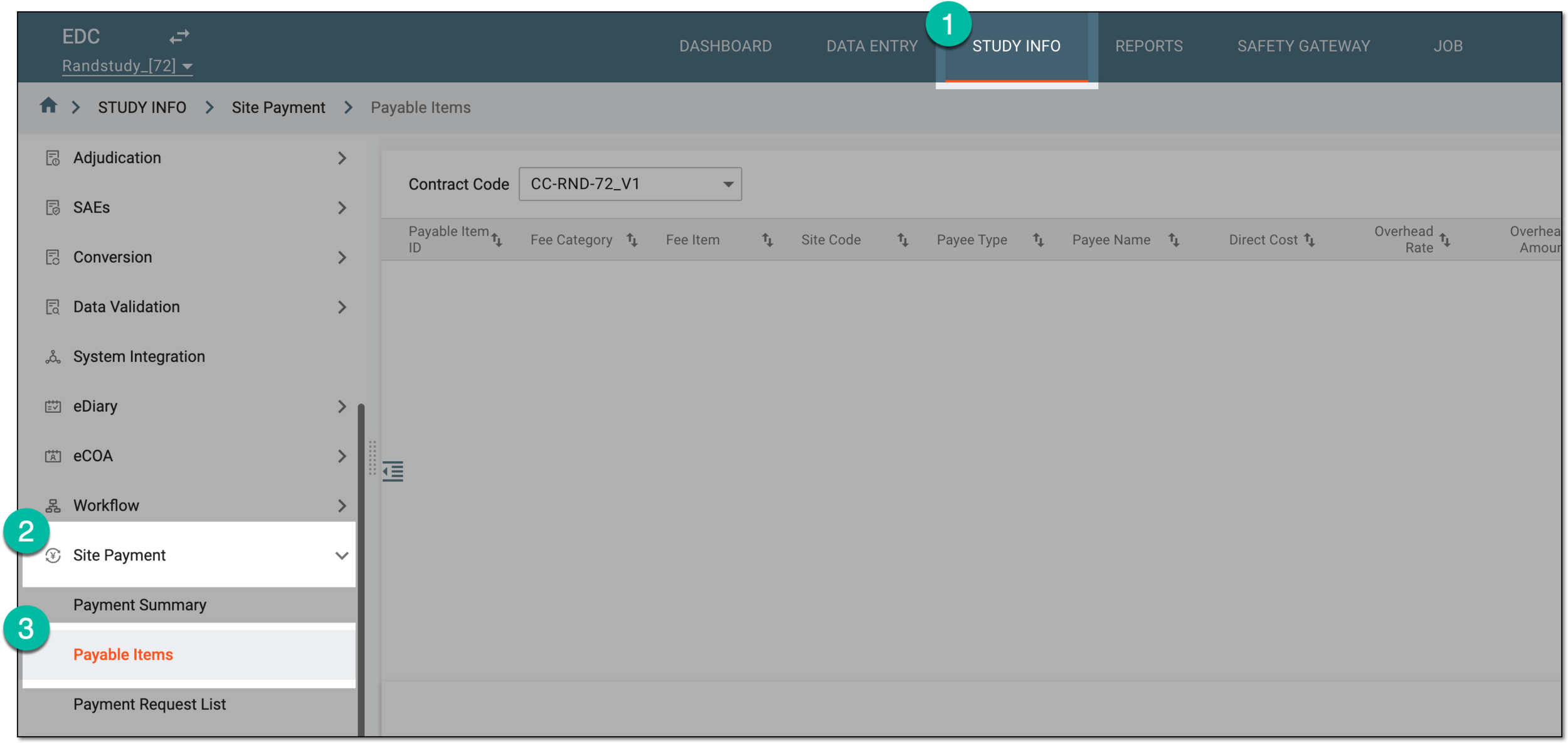 Figure 1. Accessing payable item list
-
On the Payable Items page that opens, from the Contract Code dropdown menu, select the contract according to which you want to access the payable items.
Tip
The available here contracts are configured and maintained in CTMS.
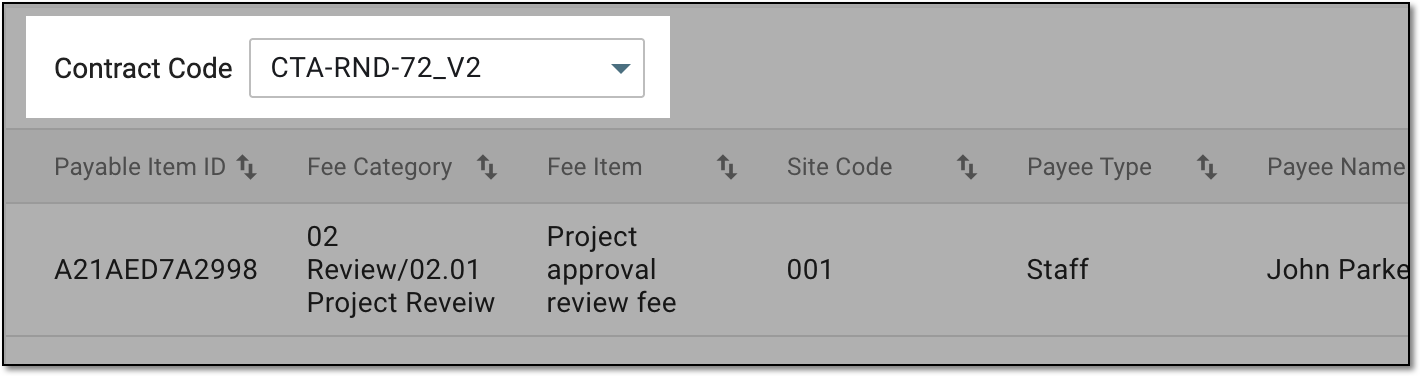 Figure 2. Selecting contract to show payable item list
-
To display the list of payable items by their billing method, from the workspace toolbar, select one of the available filter buttons.
Tip
The number, naming, and availability of filter buttons depends on the billing methods added to the pricing template used for the selected contract in CTMS.
For instance, if your contract is intended for three types of payments—"Fixed Fee," "Subject Visit," and "Lab Fee"—then there are three filter buttons available for the payable items list: "Fixed Fee," "Subject Visit," and "Lab Fee" respectively.
 Figure 3. Selecting filter button to show payable item list
-
In the resulting list, examine the details of all the payable items—occurred milestones and activities entitled for payment. The details depict all the necessary information, including related payment request ID and status, however, the available columns depend on the selected billing method.
For instance, the lab payments include the name of the lab test for which the fee is intended, and the subject visit payable items depict subject IDs and visit details.
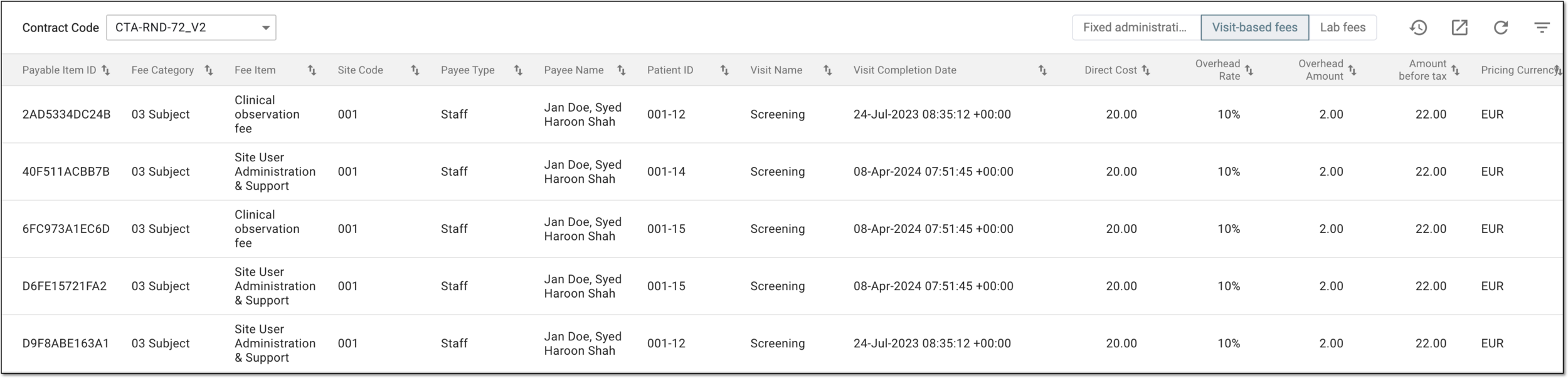 Figure 4. Examining payable items by billing method
You have viewed the list of payable items for your study.