Payment summary
In EDC, with Payment Summary, you can analyze and extract an exhaustive report on the financial transactions of your study at different sites as explained in the following sections.
In EDC, the payment summary is designed to understand the total amount of payments in various statuses—intended or already paid to payees—at different sites of your study. This summary helps analyze money distribution, efficiency of requests for payments, and such other statistical indicators.
-
In the EDC application header, select the STUDY INFO tab.
-
On the page that opens, in the left pane, select Site Payment > Payment Summary.
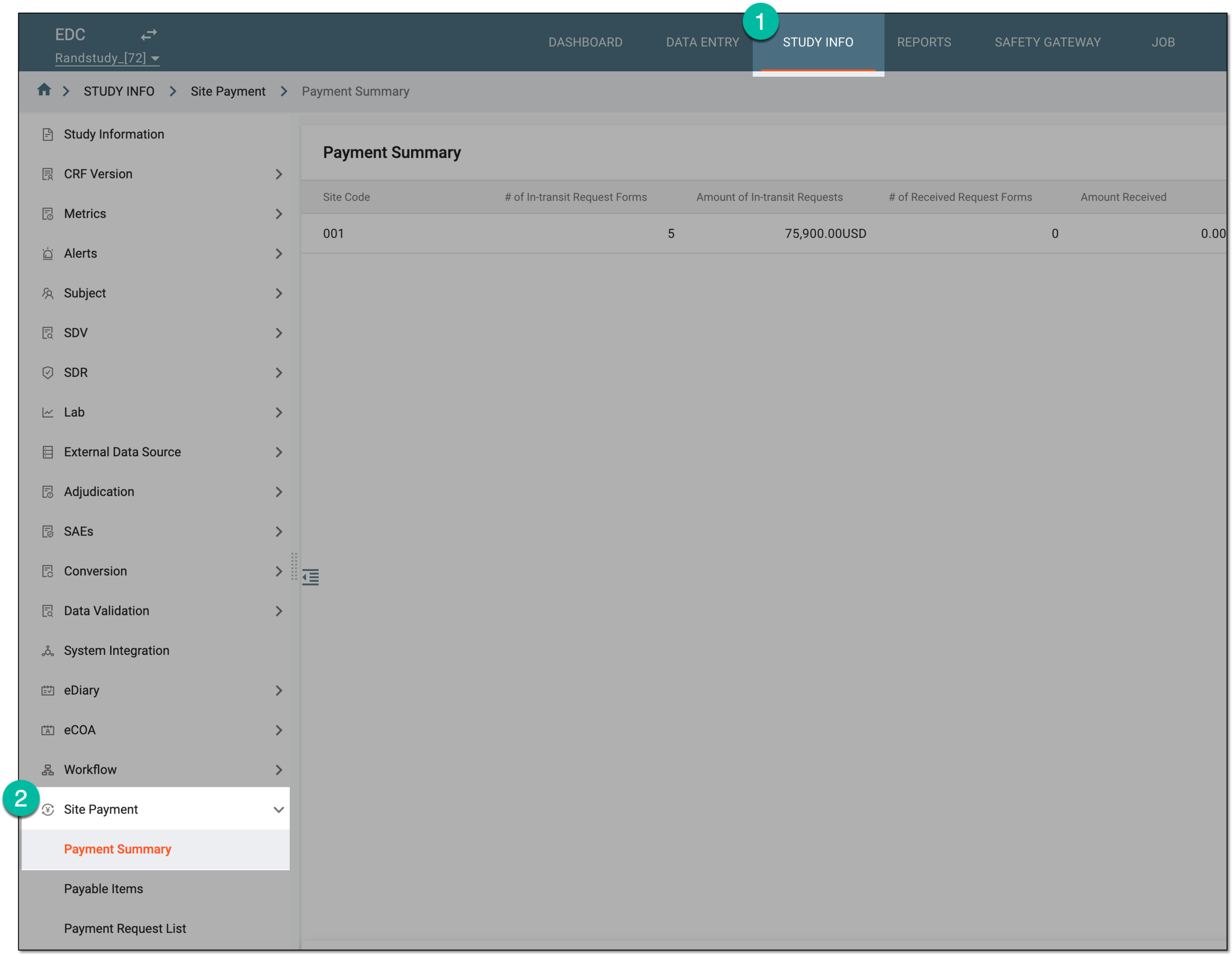 Figure 1. Accessing payment summary
-
On the Payment Summary page that opens, analyze the payment details as explained in the following table.
 Figure 2. Analyzing payment summary
Column
Details
Site Code
Represents a unique identifier of the site to which the payment request relates.
# of In-transit Request Forms
Represents the total number of payment requests at the site that are being processed, such as newly created drafts, submitted requests, and those sent to but not yet paid in CTMS.
Amount of In-transit Request Forms
Represents the total amount of money that must be paid according to all the site's requests that are in transit.
# of Received Request Forms
Represents the total number of payment requests at the site that are already paid in CTMS.
Amount Received
Represents the total amount of money paid according to all the site's requests that are already received.
# of Declined Request Forms
Represents the total number of payment requests at the site that were sent to CTMS but got rejected.
Amount Declined
Represents the total amount of money that should have been paid according to all the site's requests that were declined.
You have analyzed the details of payment requests by site.
In EDC, the payment summary is designed to understand the total amount of payments in various statuses—intended or already paid to payees—at different sites of your study. This summary helps analyze money distribution, efficiency of requests for payments, and such other statistical indicators.
For convenience, the payment summary can be extracted as the Excel file to your computer for sharing with stakeholders or other business purposes.
-
In the EDC application header, select the STUDY INFO tab.
-
On the page that opens, in the left pane, select Site Payment > Payment Summary.
Figure 1. Accessing payment summary
-
On the Payment Summary page that opens, from the workspace toolbar, select Export
 .
. Figure 2. Selecting option to export payment summary
-
In the downloads widget that appears, view your download progress. Select the widget to open the My Downloads dialog.
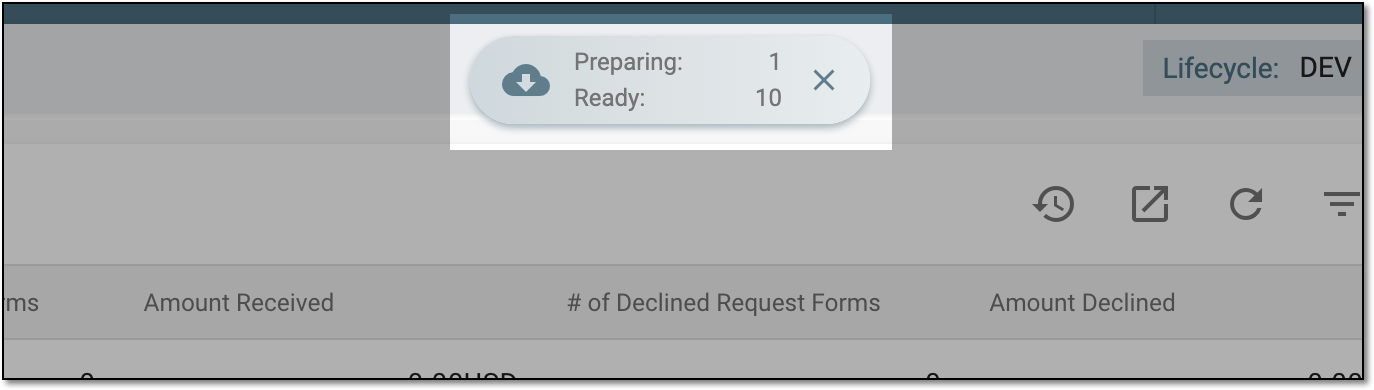 Figure 3. Downloads widget for payment summary
-
In the My Downloads dialog that opens, you can find the following tabs:
-
Preparing: lists all the files whose export is in progress, and they are not yet ready for download. Wait until the needed file moves to the Download is Ready tab.
-
Download is Ready: lists the files whose export is complete, and they can be downloaded to your computer by selecting
 .
.
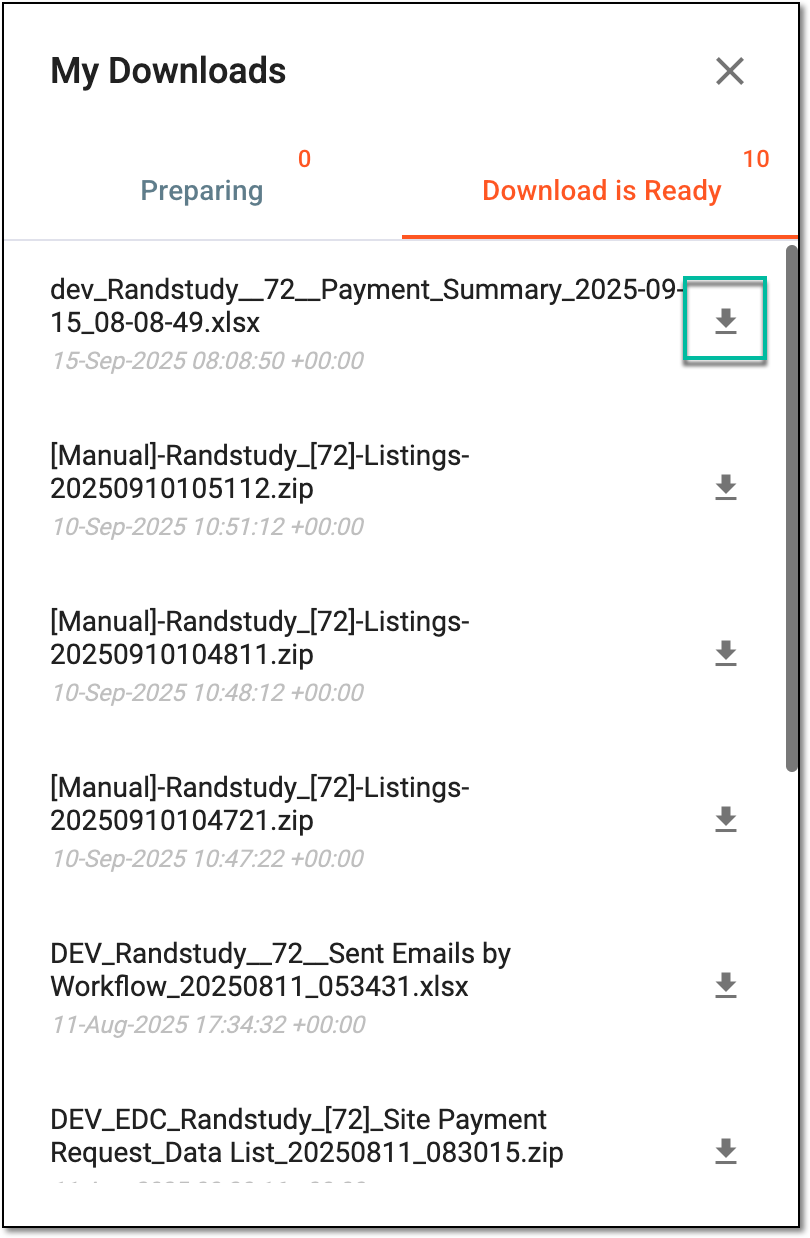 Figure 4. Downloading extracted payment summary
-
Once downloaded and saved, the payment summary data in the XLSX format becomes available on your computer.