Submit payment request
A payment request can be interpreted as an inquiry to perform financial compensation for a service. In a clinical trial, payment requests are created to maintain financial operations between the sponsor and vendors and other involved parties, such as sites, labs, and research facilities.
In EDC, once you create a new payment request, it remains in the draft state until submitted. To submit the payment request is to establish that all the details are finalized and the request is ready for review and approval.
-
In the EDC application header, select the STUDY INFO tab.
-
On the page that opens, in the left pane, select Site Payment > Payment Request List.
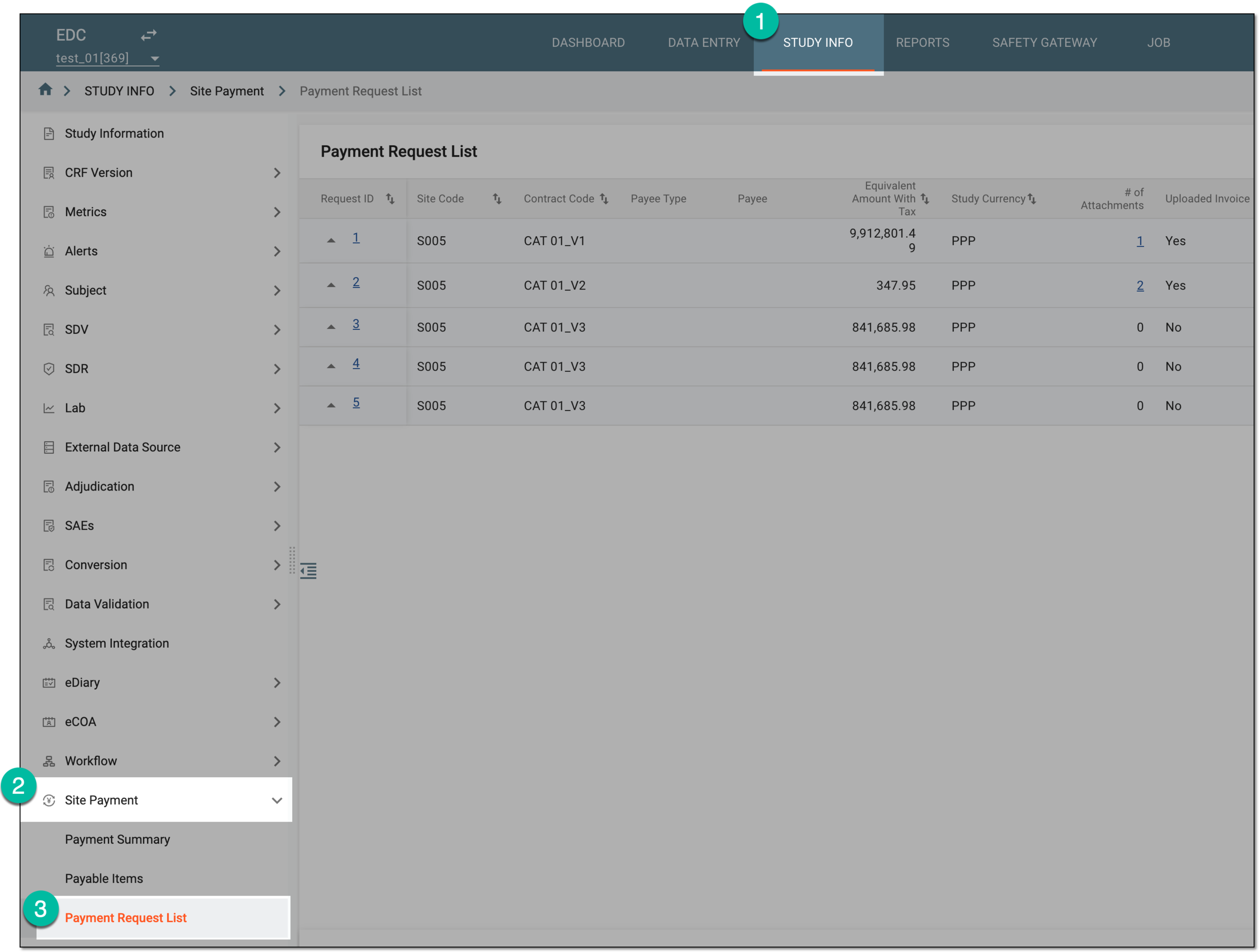 Figure 1. Accessing payment request list
-
On the Payment Request List page that opens, locate the payment request in the Draft status that is ready for submission. Then select the request ID to access its details.
 Figure 2. Accessing payment request details
-
On the request details page that opens, from the workspace toolbar, select
 .
.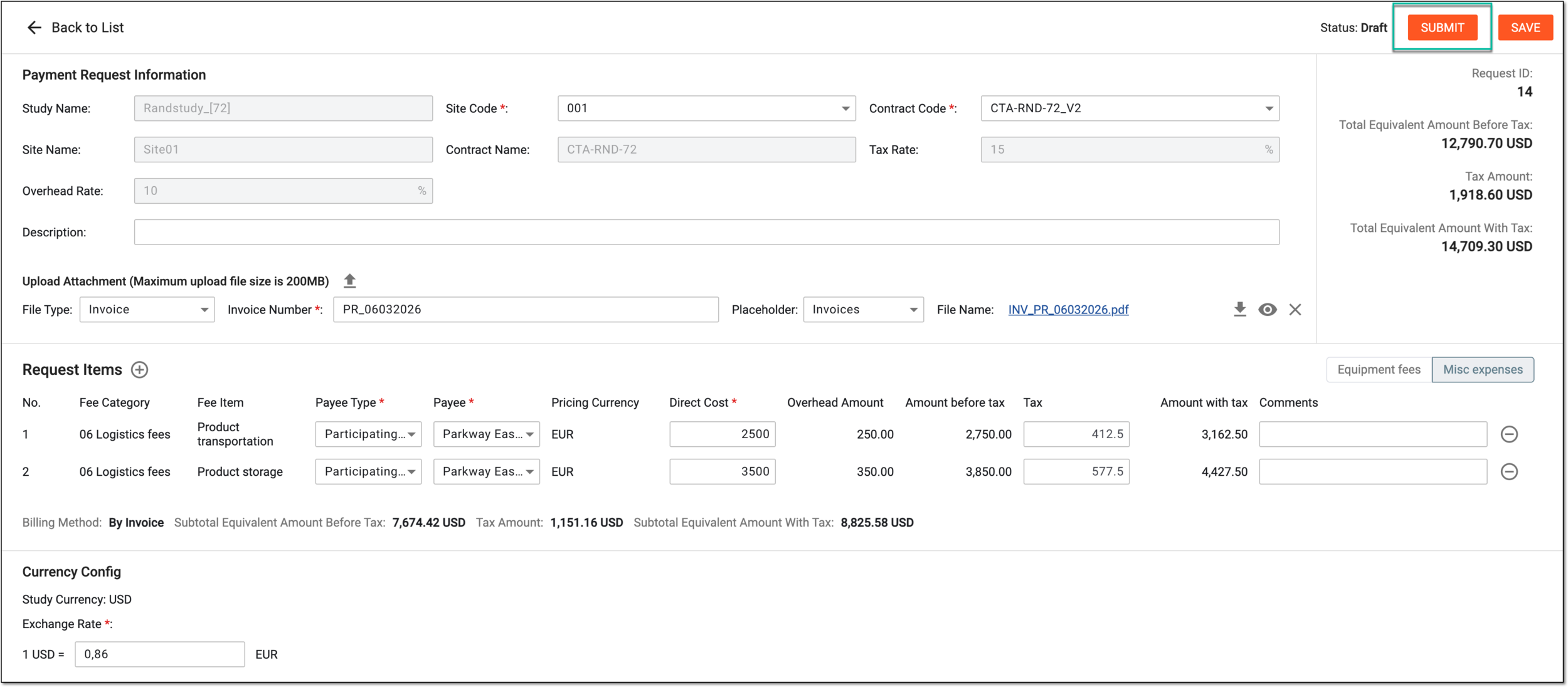 Figure 3. Submitting payment request
-
In the dialog that opens, under the Operation History tab, in the Due Date of Next Work Step field, select the date until when the next step of audit for the request must take place. Then select
.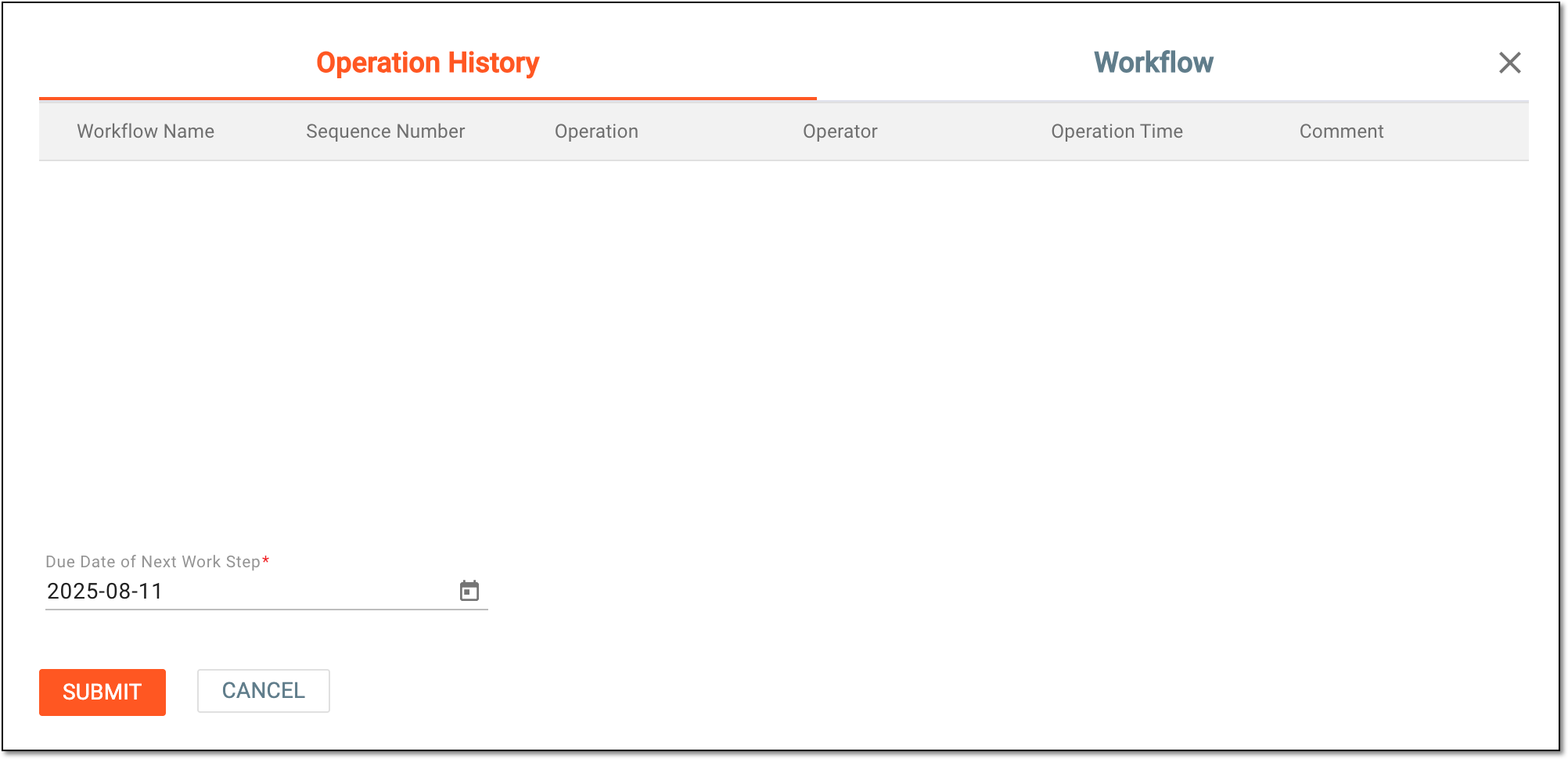 Figure 4. Specifying submission details
Tip
For the draft payment request, the operation history and workflow details are missing. These details appear once the request is submitted and becomes entitled for auditing and history of operations tracking.
Once submitted, the payment request is ready to be audited by the dedicated personnel.