Replace workflow approver via exceptional handling
Exception handling is a procedure of managing occurrences that may disrupt the study conduct, such as the unavailability of certain personnel in charge of review and approval processes can delay or completely hold up the study procedures.
In EDC, you can use the Exceptional Handling functionality to replace the unavailable personnel in charge of approvals.
For instance, if the payment request approver is unavailable, the payment cannot be finalized in the system, and thus, the payee cannot be compensated for their services. So you can replace them with the available staff member to keep the procedure intact.
-
In the EDC application header, select the STUDY INFO tab.
-
On the page that opens, from the left pane, select Workflow > Exceptional Handling.
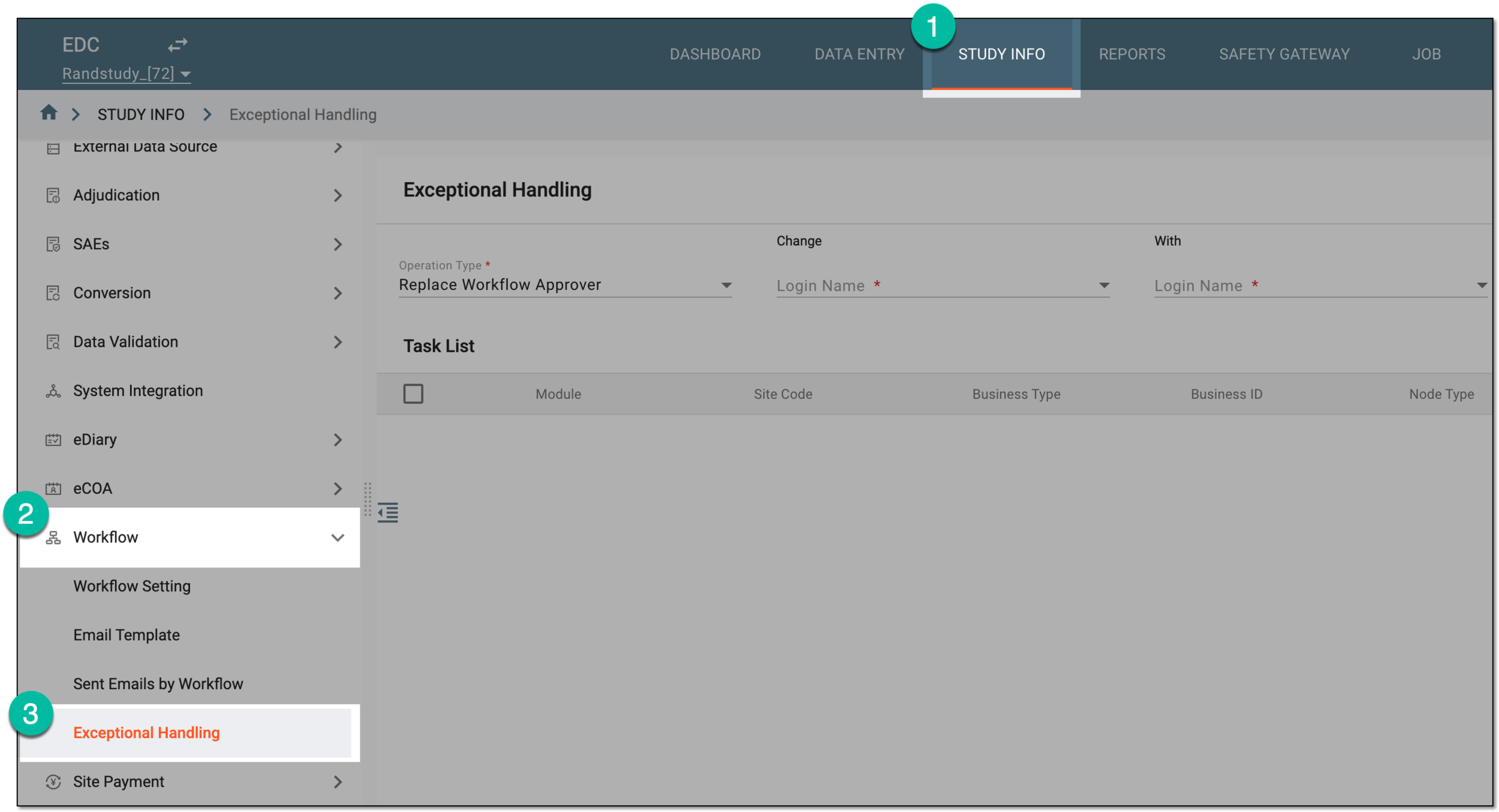 Figure 1. Accessing exceptional handling
-
On the Exceptional Handling page that opens, enter the details of the original and replacement users as explained in the following table.
 Figure 2. Selecting original and replacement users
Tip
In the following table, mandatory elements are marked with an asterisk (*).
Element
Details
Operation Type*
Select the type of action or system task that you want to manage via the user replacement (exception handling) functionality. Currently, only the Replace Workflow Approver operation type is available.
Change Login Name*
Select the name of the original user—the person whose system tasks in EDC must be assigned to another user.
With Login Name*
Select the user name of the person who must replace the original user in completing certain system tasks.
The replacement user must have the same site access permissions and the permission to perform the respective actions granted to them via ADMIN as the user being replaced.FILTER
Select
 to display the list of current tasks of the original user that are available for reassignment.
 -
In the Task List table, select the checkboxes next to the tasks of the original user that you want to assign to the replacement user. Then select
 .
.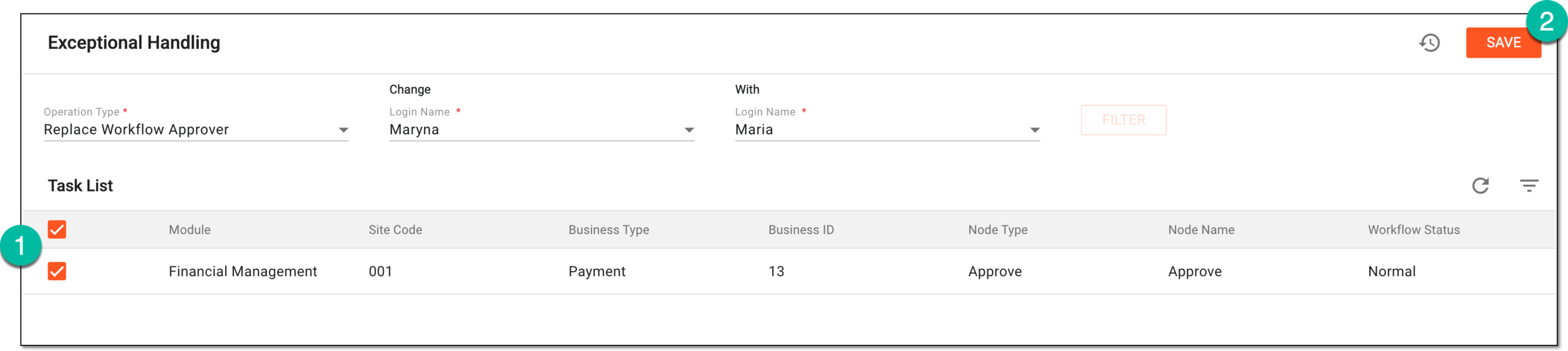 Figure 3. Selecting tasks for user replacement
Once saved, the tasks are reassigned and can be taken care of by the newly appointed user.