Analyze operation history for exception handling
Exception handling is a procedure of managing occurrences that may disrupt the study conduct, such as the unavailability of certain personnel in charge of review and approval processes can delay or completely hold up the study procedures.
In the course of a clinical trial, various user replacements can be made via exception handling, and it is vital to keep record of such changes for compliance and traceability reasons. The operation history provides an exhaustive, structured log of events, helping you trace their details, who performed them, and when.
-
In the EDC application header, select the STUDY INFO tab.
-
On the page that opens, from the left pane, select Workflow > Exceptional Handling.
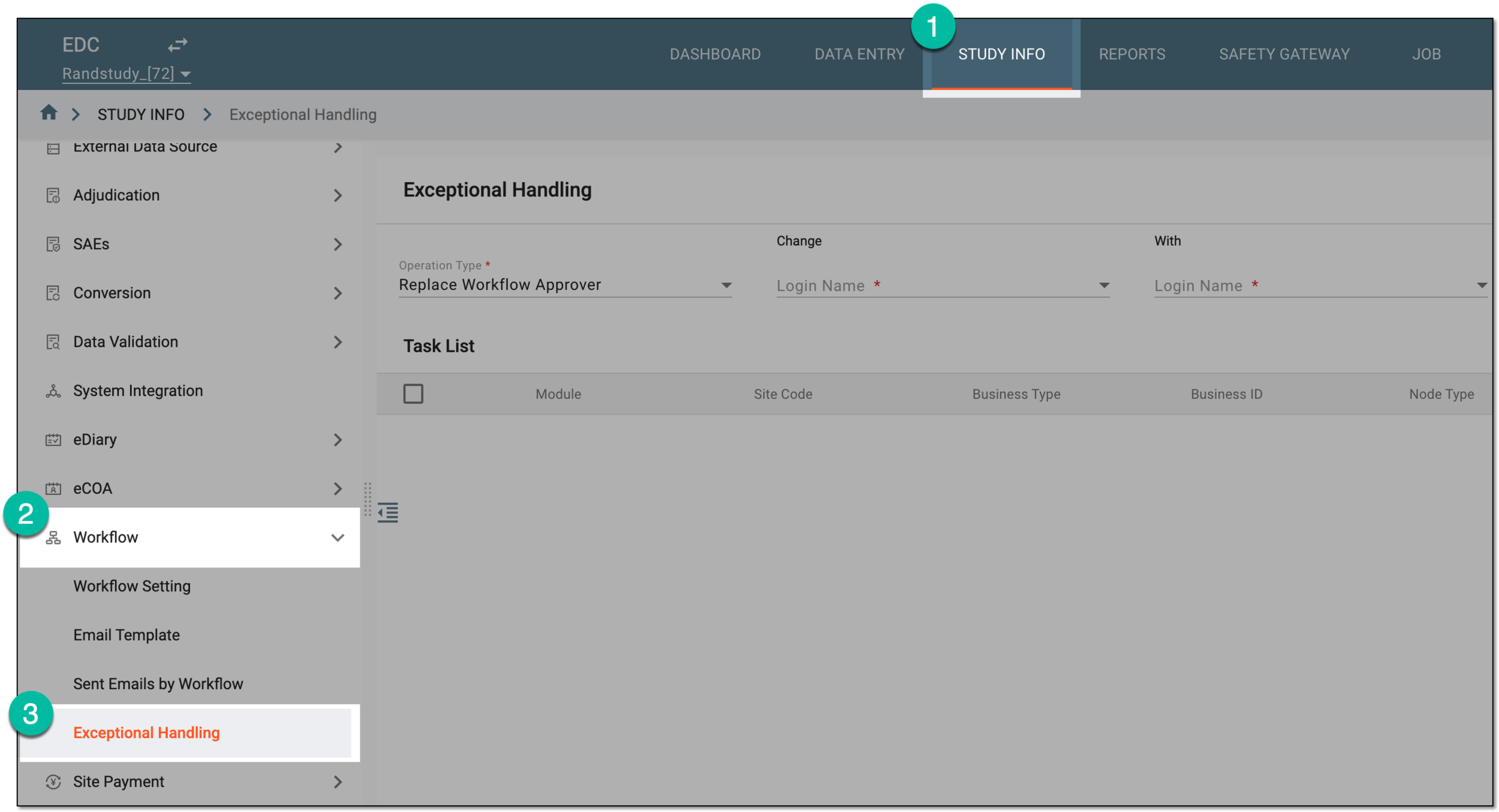 Figure 1. Accessing exceptional handling
-
On the Exceptional Handling page that opens, from the workspace toolbar, select Operation History
 .
. Figure 2. Accessing operation history for exception handling
-
In the Operation History dialog that opens, select the operation type for which you need to analyze the user replacement history. Then in the resulting table, analyze the details of all the user replacement operations performed for the selected type to date.
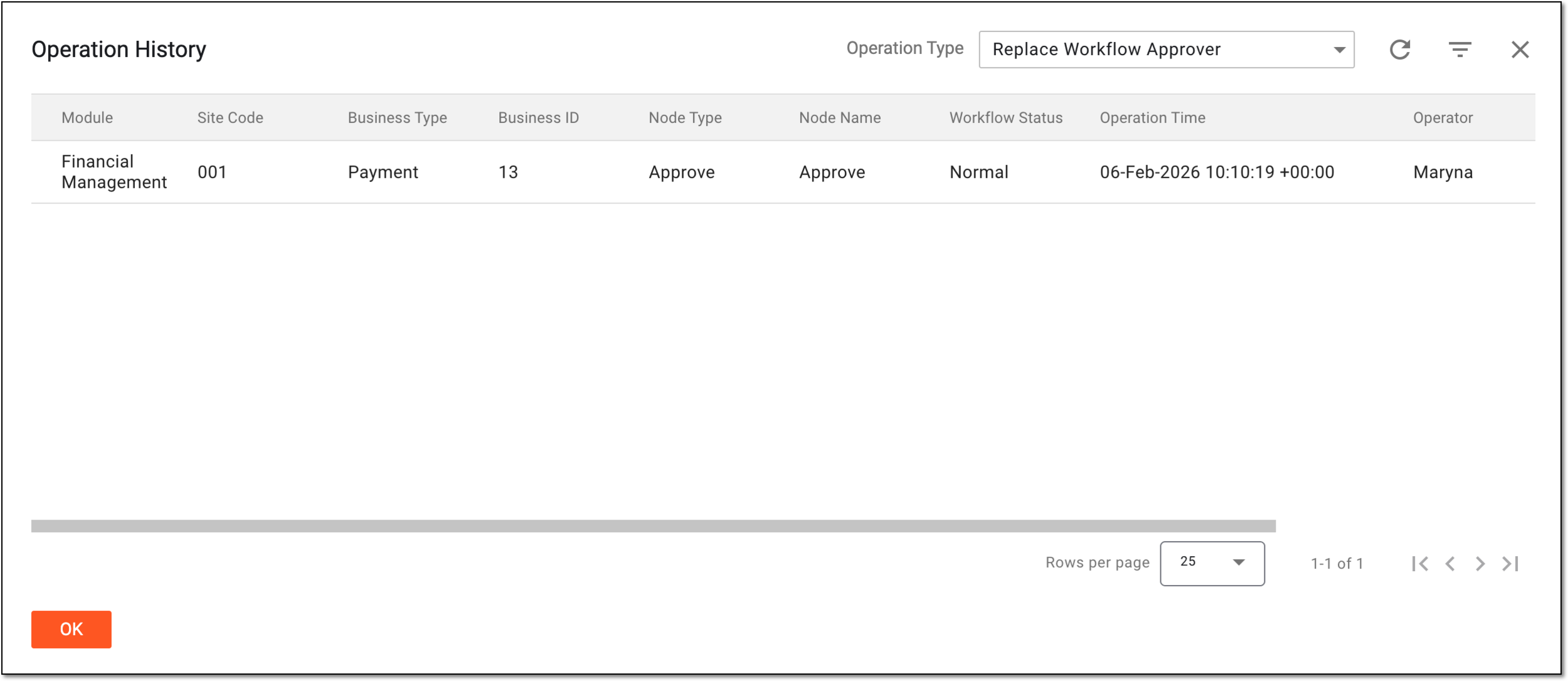 Figure 3. Analyzing operation history for exception handling
You have analyzed the operation history for the exception handling. You can now select OK to close the dialog and return to the Exceptional Handling page.