Request subject replacement
During a clinical trial, the subject who is already enrolled can drop out of the study or decide to cease their participation due to various reasons. To maintain the study conduct uninterrupted and treatment assignment balanced, it is possible to replace such subjects with other ones that fit the same criteria and meet the expectations to be enrolled in the same cohort and arm and receive the same treatment.
To introduce an additional tier of scrutiny, you can enable the subject replacement approval functionality for your study. This way, when there is a need to replace the subject, the manual request must be created for the personnel in charge to approve.
-
In the IWRS application header, select the SUBJECT tab.
-
From Subject List that opens, select the needed site and subject.
 Figure 1. Selecting site and subject
-
On the Subject Information page that opens, select SUBJECT REPLACEMENT.
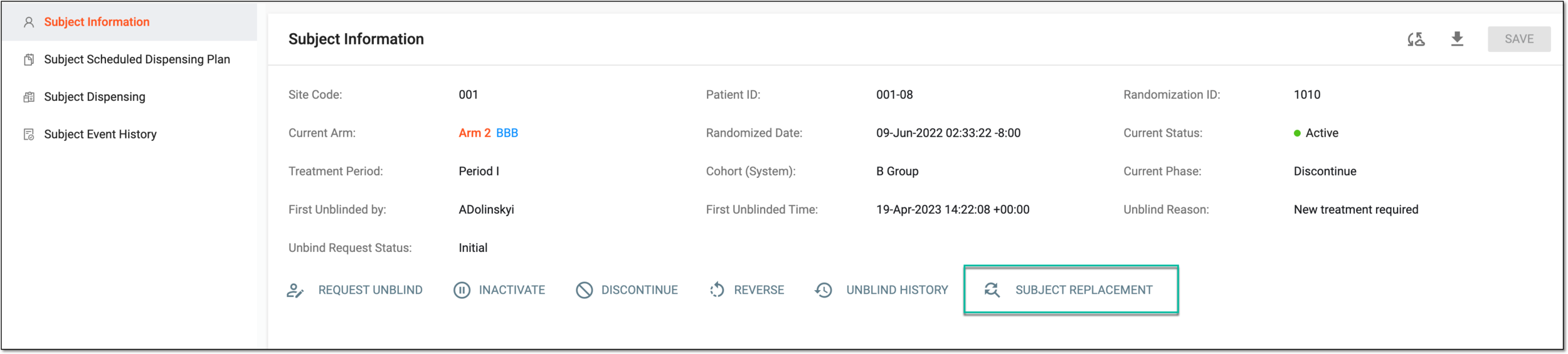 Figure 2. Accessing subject replacement request
-
In the Subject Replacement dialog that appears, enter the reason for replacement and select SUBMIT REQUEST.
Tip
Based on the subject replacement settings, the reason field can be set as mandatory or optional, and the reason value can be entered manually or autopopulated from a certain CRF in EDC.
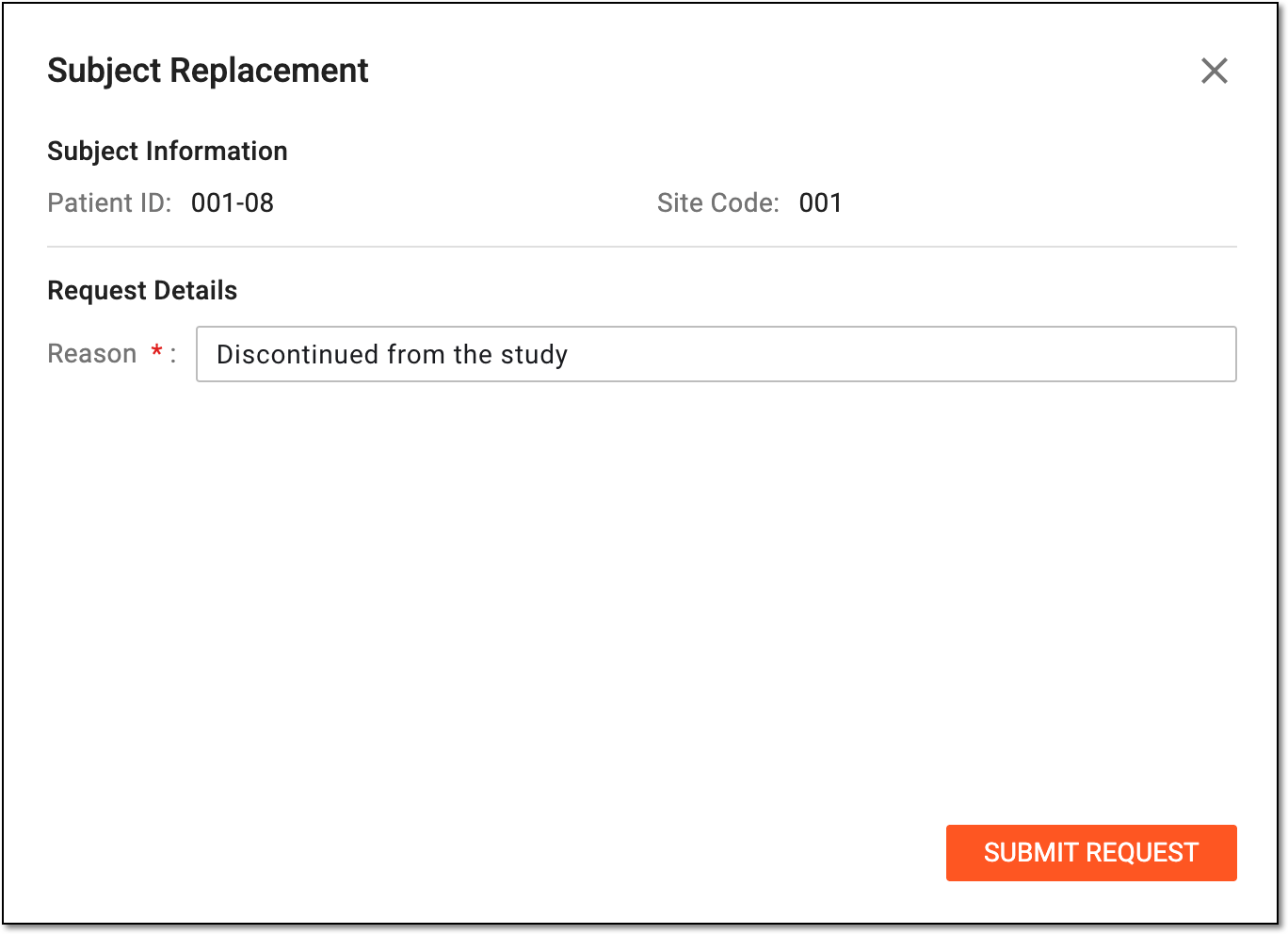 Figure 3. Requesting subject replacement
You have requested replacement approval for the subject. The status of the subject's replacement is now Replacement Pending Approval; the user in charge can now approve or reject the request.
The respective record is made in the Replacement Details module of IWRS, where you can analyze the result of the subject replacement process.