Analyze operation history of tracking log entry
This feature provides a detailed record of all actions performed on a tracking log entry, including changes made, the user responsible, and the date and time of each update. Reviewing the operation history helps ensure transparency, accountability, and compliance throughout the lifecycle of the tracked instance.
Important
Note that you can only access and view the operation history of the tracking log entry if you have been granted the read and/or write permission for the corresponding log.
-
Access the study management page in one of the following ways:
-
In the CTMS application header, select the DASHBOARD tab and then select the study dashboard of your interest.
 Figure 1. Accessing study management from dashboard
-
In the CTMS application header, select the STUDY MANAGEMENT tab. Then from the Study Data List table, select the study name of your interest.
 Figure 2. Accessing study management from study data list
-
-
On the page that opens, from the left pane, select Tracking Log. Then from the expanded menu, select the name of the previously added tracking log.
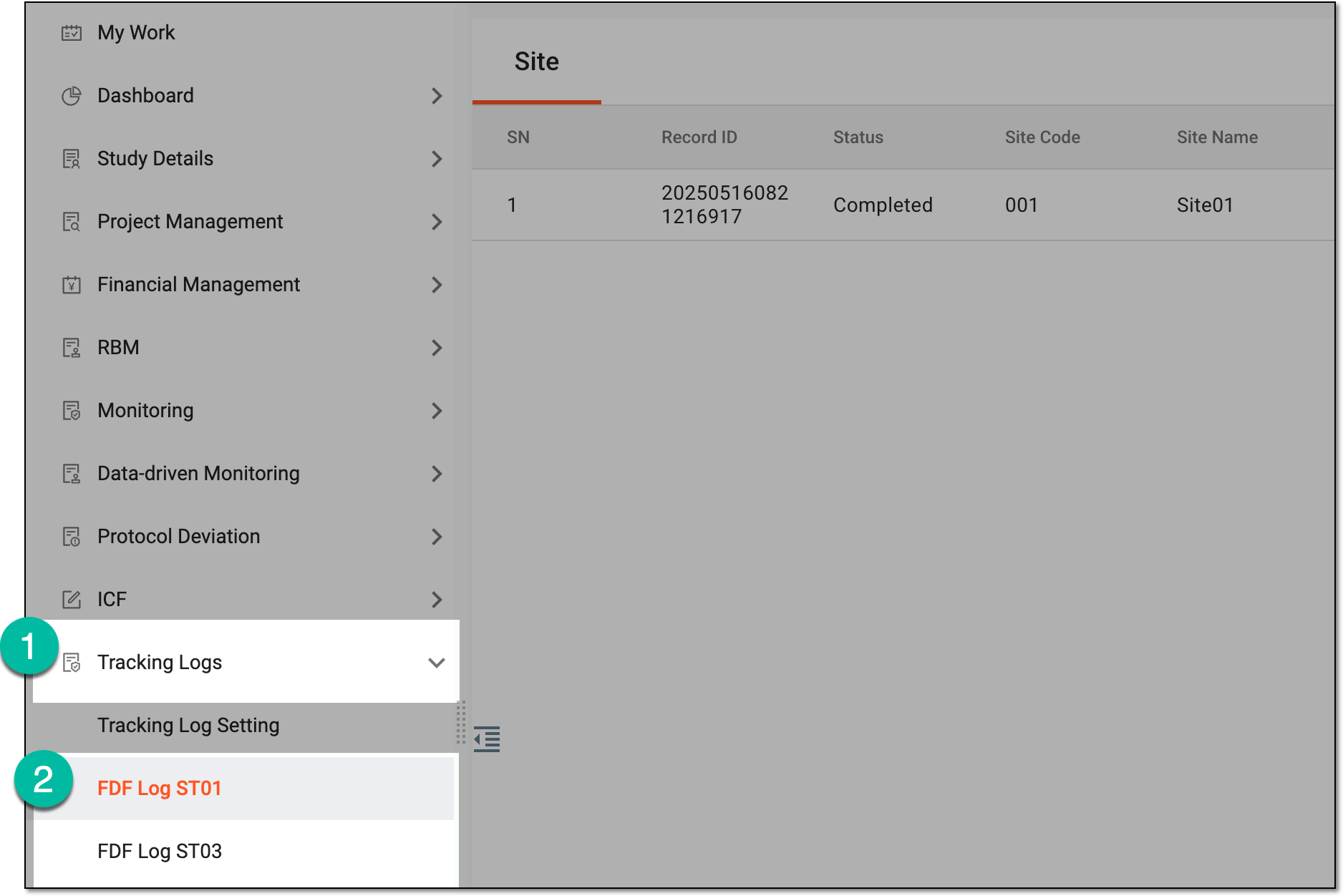 Figure 3. Accessing tracking log
-
On the page that opens, do one the following:
-
In the single-form tracking log, based on the level of the tracking log selected upon setting, the Site, Study, or both tabs are available. Select the needed tab to access the entry list.
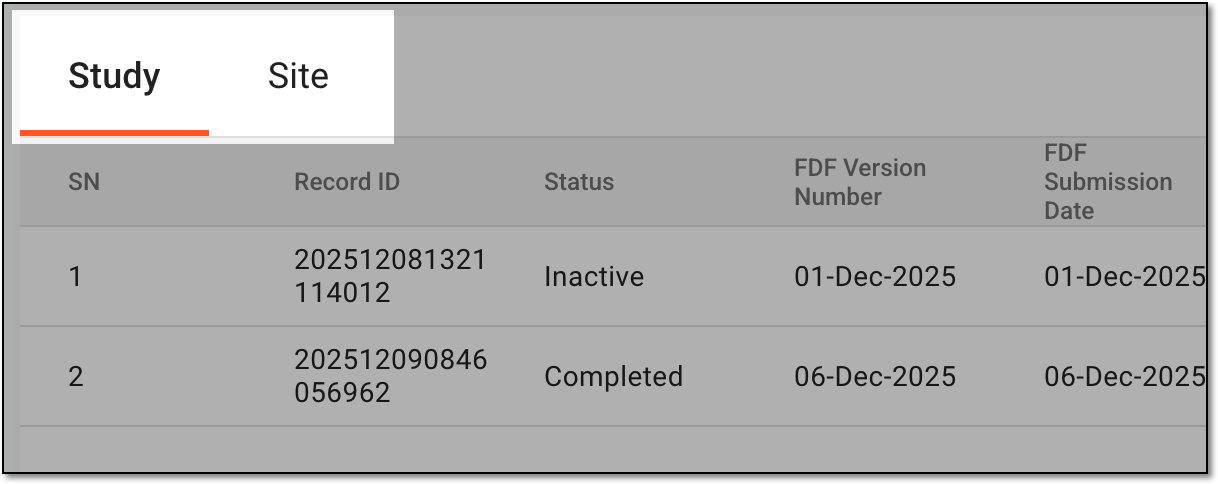 Figure 4. Selecting tab to access entry list
-
In the multiform tracking log, select the needed form to access the entry list.
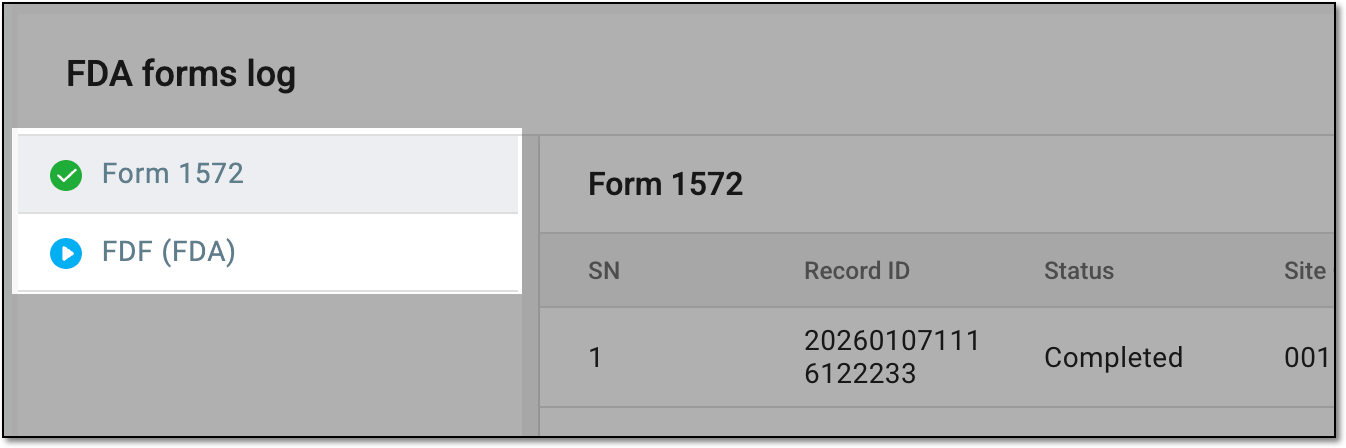 Figure 5. Selecting form to access entry list
-
-
In the resulting tracking log entry list, next to the required entry, from the Action(s) column, select More
 > Operation History
  .
.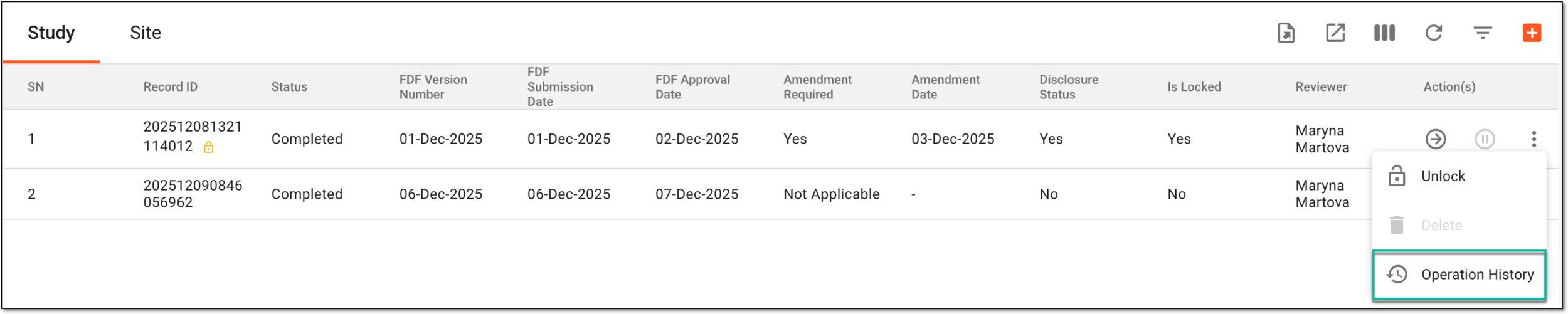 Figure 6. Accessing tracking log entry operation history
-
In the Operation History dialog that opens, review the complete history of actions performed to the tracking log entry.
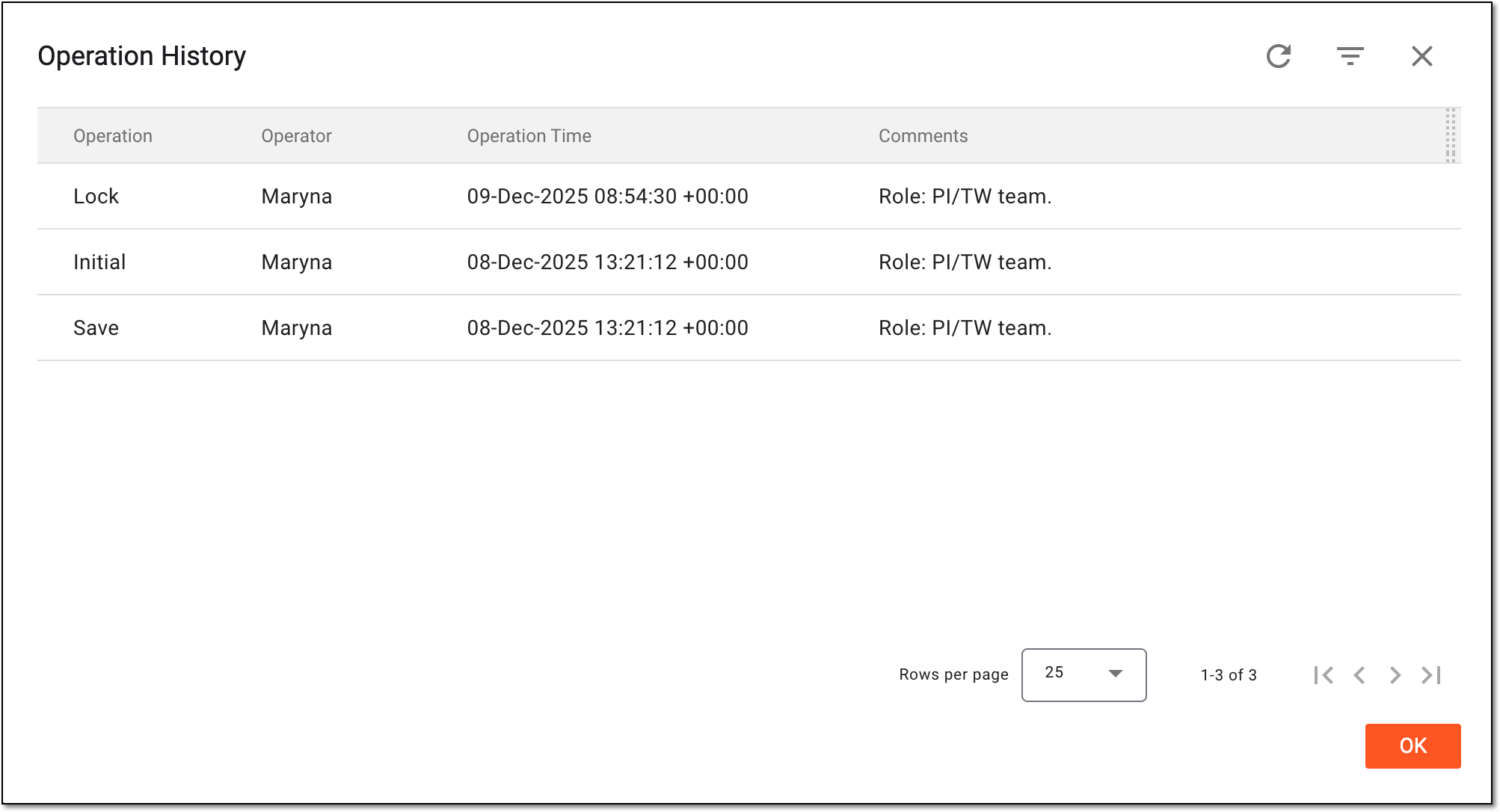 Figure 7. Analyzing tracking log entry operation history
Once you have reviewed the operation history of the tracking log entry, you can select OK to return to the tracking log.