Analyze policies and agreements acceptance log for eDiary
eDiary is an eClinical application suitable for iOS and Android devices designed to help collect data directly from subjects. During a clinical trial, subjects are unlikely to come to visits every day to fill out a simple form. So the simplest solution is to give subjects the devices with eDiary installed so that they can complete forms by themselves at any given time or place to maintain a more detailed picture of their condition, reaction to the studied drug, and so on.
For compliance reasons, all the eDiary users need to acknowledge that they are aware of and agree to various policies and agreements of the product. In EDC, you can review the complete report on the acceptance of such policies and agreements by each eDiary user.
-
In the EDC application header, select the STUDY INFO tab.
-
On the page that opens, in the left pane, select eDiary > Policies & Agreements.
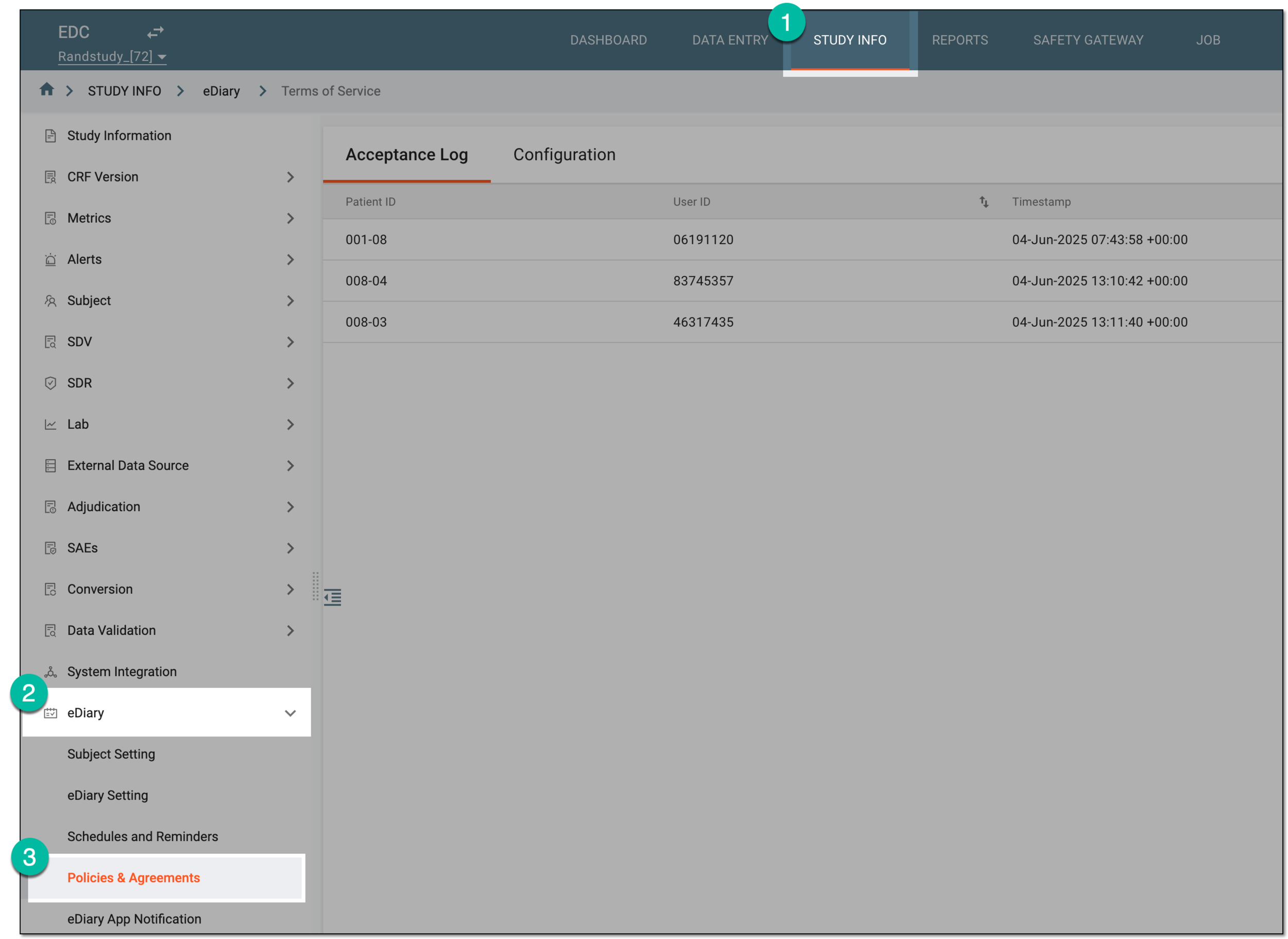 Figure 1. Accessing eDiary policies and agreements
-
On the page that opens, under the Acceptance Log tab, analyze the details of the policies and agreements acceptance as explained in the following table.
 Figure 2. Analyzing eDiary policies and agreements acceptance log
Tip
Select View Signed Policies
 to open and review the contents of the accepted policy or agreement in a
dialog.
to open and review the contents of the accepted policy or agreement in a
dialog.Column
Details
[Unique ID Label]
Represents the unique identifier of the subject in the EDC system who is the user of the eDiary app.
The column name depends on the unique ID label configuration of your study in IWRS.User ID
Represents the unique identification number of the subject assigned to their user account in the eDiary app.
Timestamp
Represents the exact date, time, and time zone stamp when the user has accepted the policy or agreement in the eDiary app.
Language of Signed Policy
Represents the language in which the user has read and accepted the policy or agreement in the eDiary app.
You have analyzed the acceptance log for policies and agreements of the eDiary app users.
Tip
From the workspace toolbar, select Export  to download the report to your computer for offline
access.
to download the report to your computer for offline
access.