Export JSON/XML file for form
When working with the CRF design in SD, you can export each CRF as a JSON or XML file for validation, reuse, templating, integration into another vendor's EDC, or other business needs. There is also an option to export the entire set of unique forms configured for the study.
-
In the Study Designer application header, select the CRF DESIGN tab.
-
In the toolbar, select the CRF version for which you want to export form files.
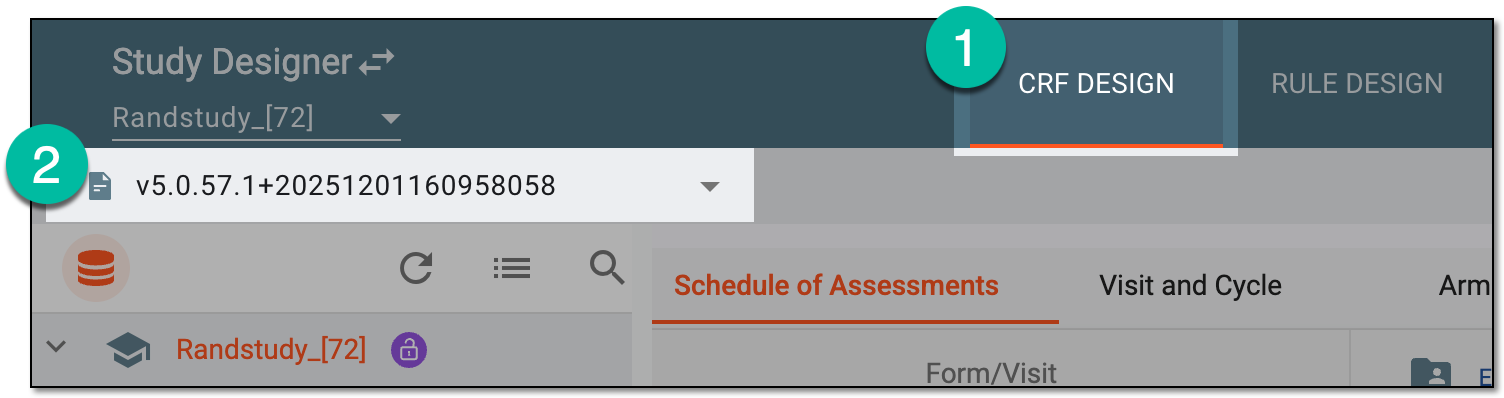 Figure 1. Selecting CRF design version
-
In the left pane that appears, do one of the following based on your objective.
-
Right-click the Unique Form folder and in the menu that expands, select Export
 to extract the file for the entire set of unique forms designed for the study.
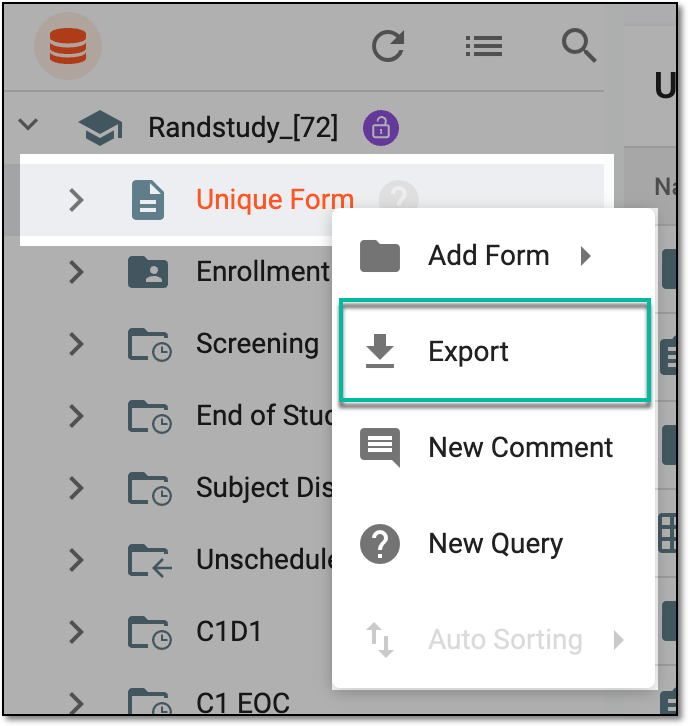 Figure 2. Selecting option to export unique form set file
-
In the Export dialog that appears, select one of the available file formats—XML files containing basic study structure, XML files of forms with rich text formatting, or XML files of forms with plain (unformatted) text. Any chosen file set is exported as a ZIP archive. Then select the language in which you need to export the form texts.
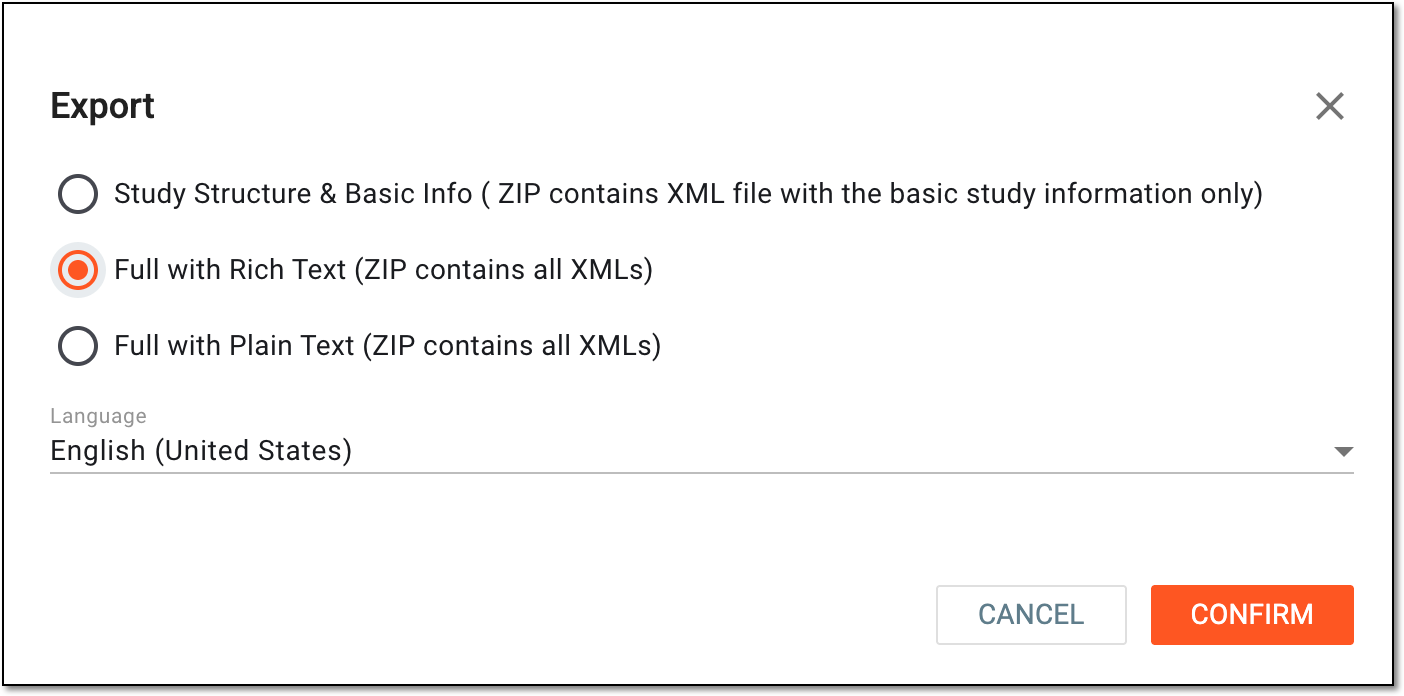 Figure 3. Exporting unique form set in target file format
-
Select
 to proceed.
-
Drill down the folders representing visits, cycles, unique form storage, and such. Then right-click the CRF and in the menu that expands, select Export
.Tip
To locate the needed forms faster, use Search
 on the workspace
toolbar of the left pane.
on the workspace
toolbar of the left pane.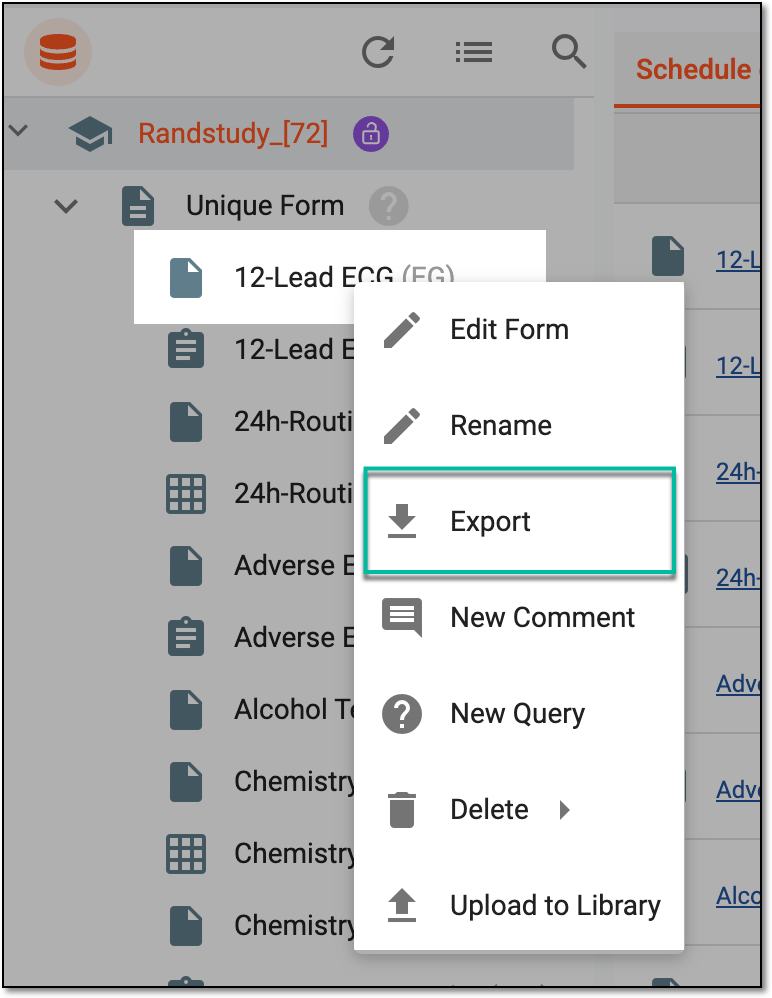 Figure 4. Selecting option to export form file
-
In the Export dialog that appears, select one of the available file formats—JSON, XML with rich text formatting, or XML with plain (unformatted) texts. Then select the language in which you need to export the form texts.
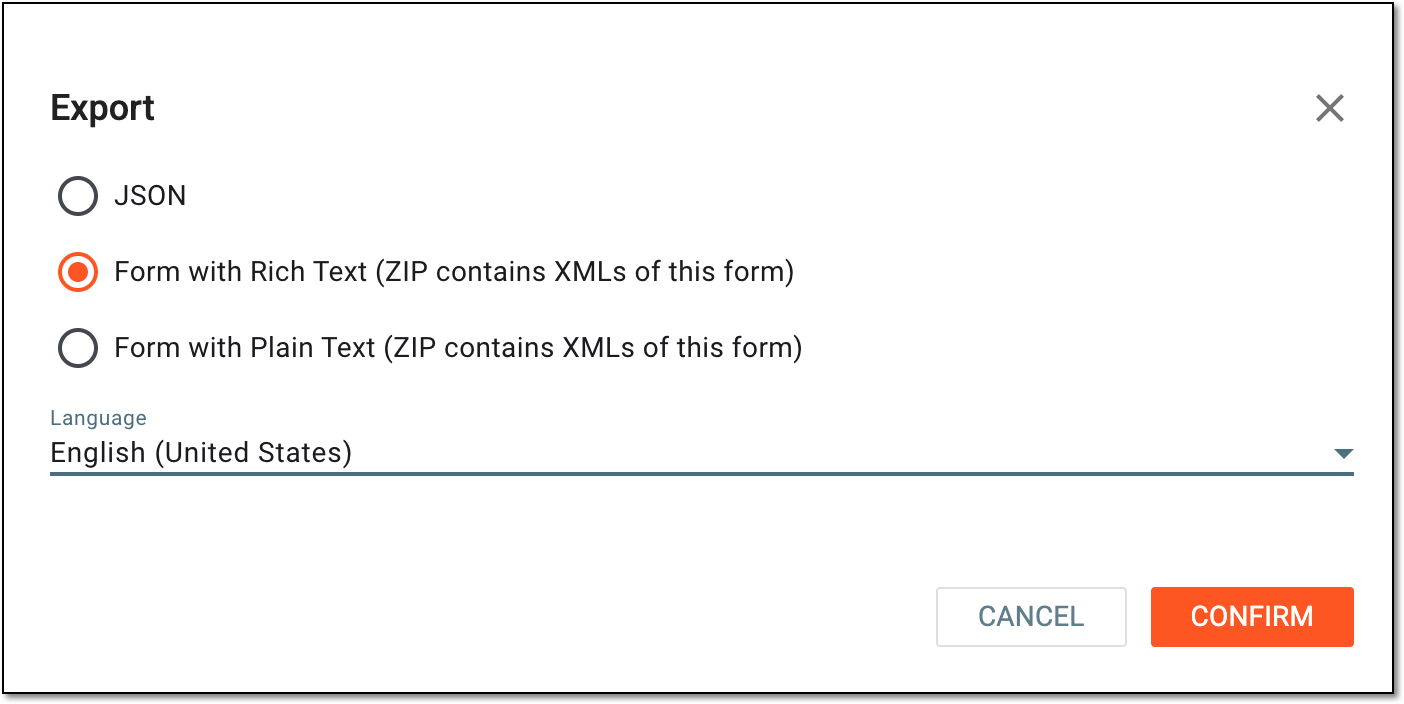 Figure 5. Exporting form in target file format
-
Select
to proceed.
-
Once confirmed, the export process is initiated. For larger files, such as when exporting the unique form set, the widget with the progress bar appears for you to track the process. Once exported, the resulting file can be saved on your computer and used according to your business needs.
 |