Distribute safety data
By distributing the previously added safety distribution tasks, you are sending out the safety data report emails to the intended recipients at the study sites—investigators (PIs), clinical research coordinators (CRCs), clinical research associates (CRAs), and other responsible study personnel.
Tip
The list of recipients is preconfigured in CTMS by providing the safety distribution level of access to the site personnel.
-
In the PV application header, select the ICSR tab.
-
On the page that opens, from the left pane, select Safety Distribution.
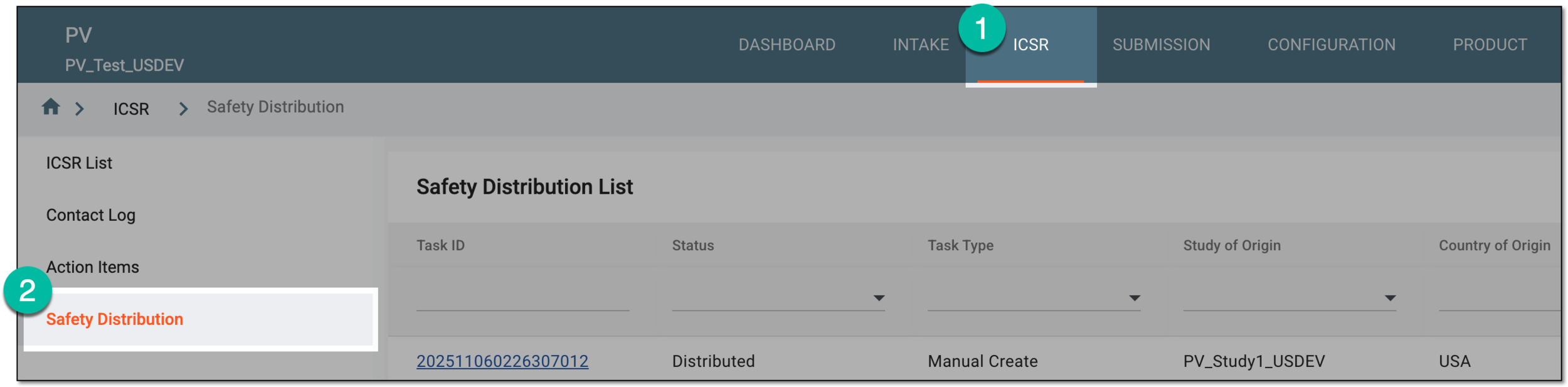 Figure 1. Accessing safety distribution
-
In Safety Distribution List, locate the task according to which you want to distribute safety data. Then select the task ID or from the Actions column, select Edit
 .
. Figure 2. Accessing safety distribution task details
-
On the page that opens, from the workspace toolbar, select Distribute
 .
.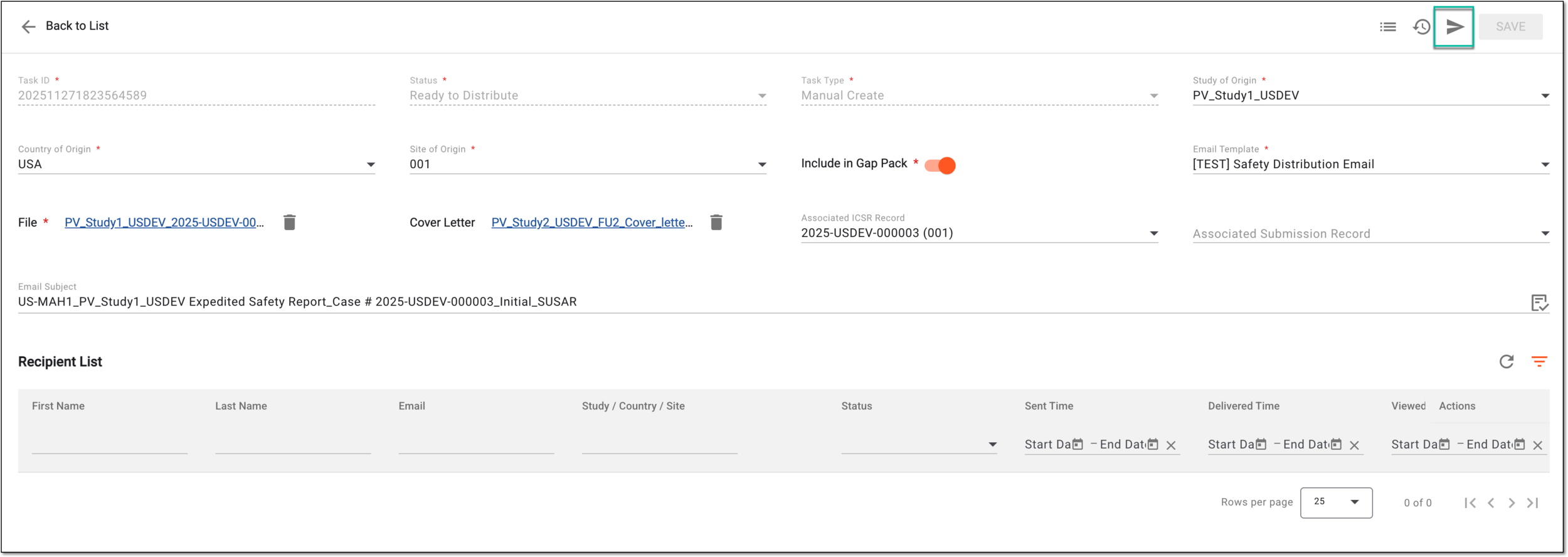 Figure 3. Selecting option to distribute safety data
-
In the Select Sites dialog that appears, search for and choose the sites for safety data distribution as explained in the following table.
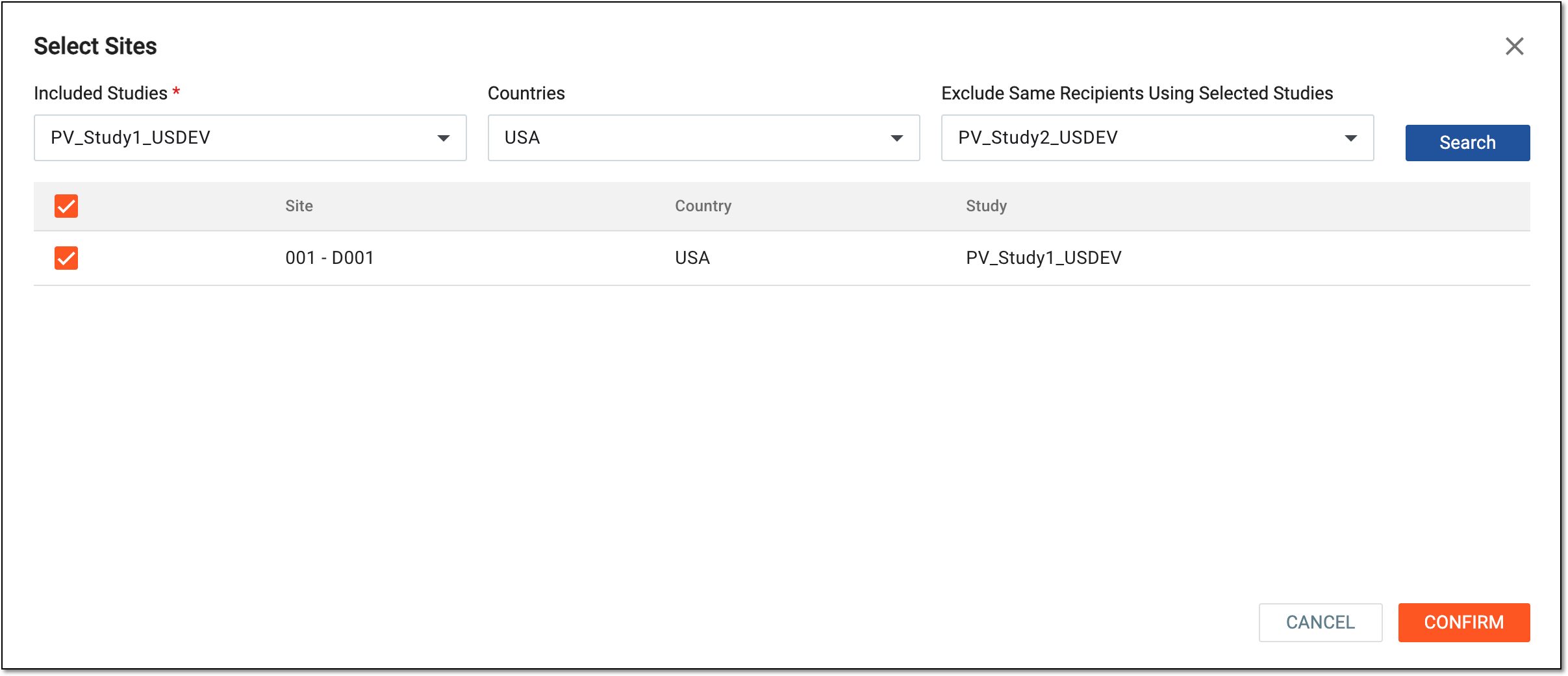 Figure 4. Choosing sites to distribute safety
Tip
In the following table, mandatory elements are marked with an asterisk (*).
Element
Details
Included Studies*
Select the studies whose sites are intended to receive emails according to this safety distribution task.
Countries
Select the countries where the sites are intended to receive emails according to this safety distribution task. This helps you narrow down the search results.
Exclude Same Recipients Using Selected Studies
Select the study that, if it has duplicate recipients of the safety data, will be excluded from the mailing according to this task.
Search
Select
 to populate the list of sites satisfying the set inclusion or exclusion parameters.
Site list
In the table that appears upon search, select the checkboxes next to the sites to whose recipients you want to send the safety data.
CONFIRM
Select
 to send out the safety data to the selected sites.
CANCEL
Select
 to discard the changes without saving and return to the safety distribution task details page.
Once confirmed, the safety data is distributed (sent out via email) to the dedicated recipients of the chosen sites. Each recipient receives an independent email (not a copy of the common email for all recipients).
In Recipient List, you can now find the record of the data distribution with the Sent status. You can also keep track of the further delivery status by viewing the safety distribution task details.