Download eDiary schedules and reminders from history
In EDC, under the Schedules and Reminders subtab, you can view the schedules and reminders set for subjects that complete the eDiary forms. You can also export the Schedules and Reminders table data to work with it offline or share it with those who have no access to the EDC system.
Tip
The reminders for eDiary are set via the eDiary alert feature.
The system keeps track of all the previously exported file versions, so you can download any of them from Export History.
-
In the EDC application header, select the STUDY INFO tab.
-
On the page that opens, in the left pane, select eDiary > Schedules and Reminders.
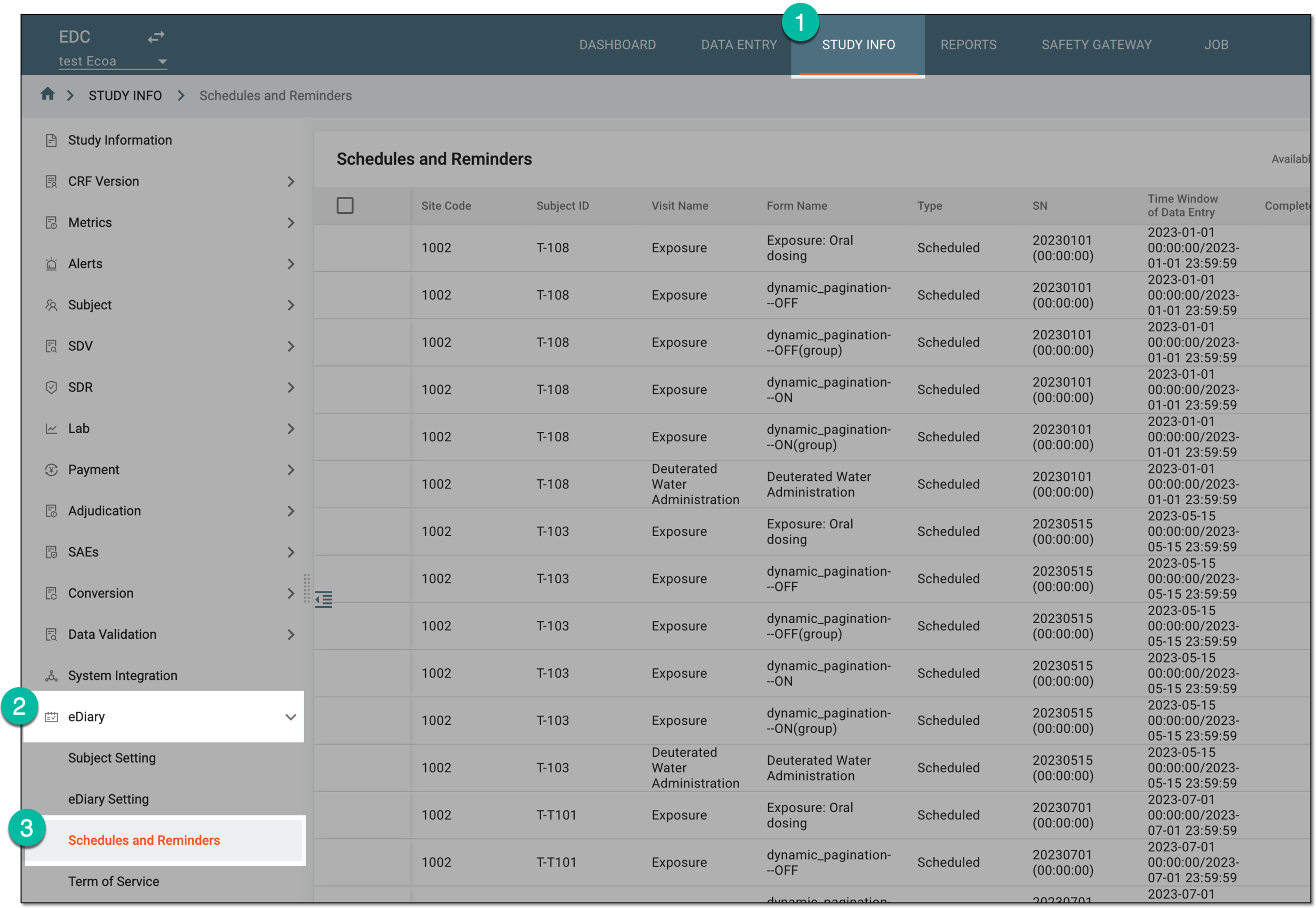 Figure 1. Accessing eDiary schedules and reminders
-
On the Schedules and Reminders page that opens, select History
 .
.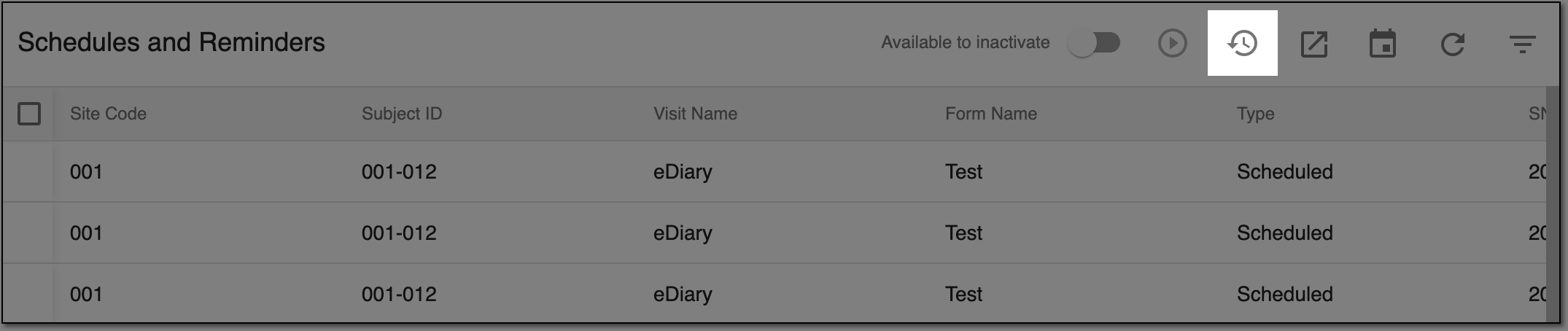 Figure 2. Accessing export history
-
In the Export History dialog that opens, you can find all the previously exported versions of the eDiary schedule data, who has exported them, and when. Next to the preferred file, select Export
 to download the XLSX file and follow the prompts to save it to your computer.
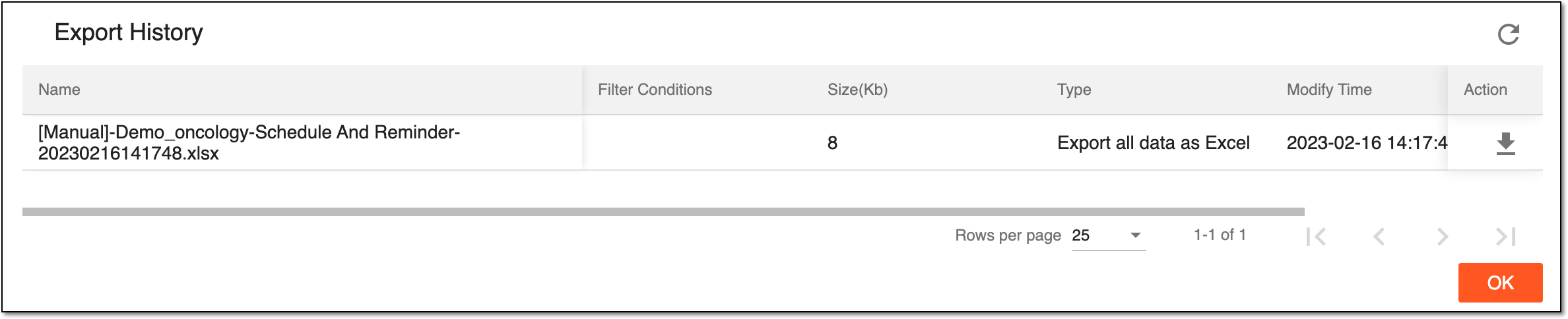 Figure 3. Downloading exported eDiary schedule file
The eDiary schedule data XLSX file is downloaded and saved on your computer.