Autotranslate texts in bulk with AI
The Translation functionality of EDC is designed to support multilingual studies that require data collection and review in different languages based on locations, participating audience, and other factors.
For preset data, such as CRF items, help texts, validation messages, and so on, the translations are configured in SD. However, the input data can be translated using AI technology daily if you enable the AI autotranslation. If some of the data entries have not yet been translated as per the scheduled AI run, you can translate them manually with AI at any time.
Important
This functionality is unavailable if the AI autotranslation is disabled for your study.
-
In the EDC application header, select the STUDY INFO tab.
-
On the page that opens, in the left pane, select Translation > Translation Review.
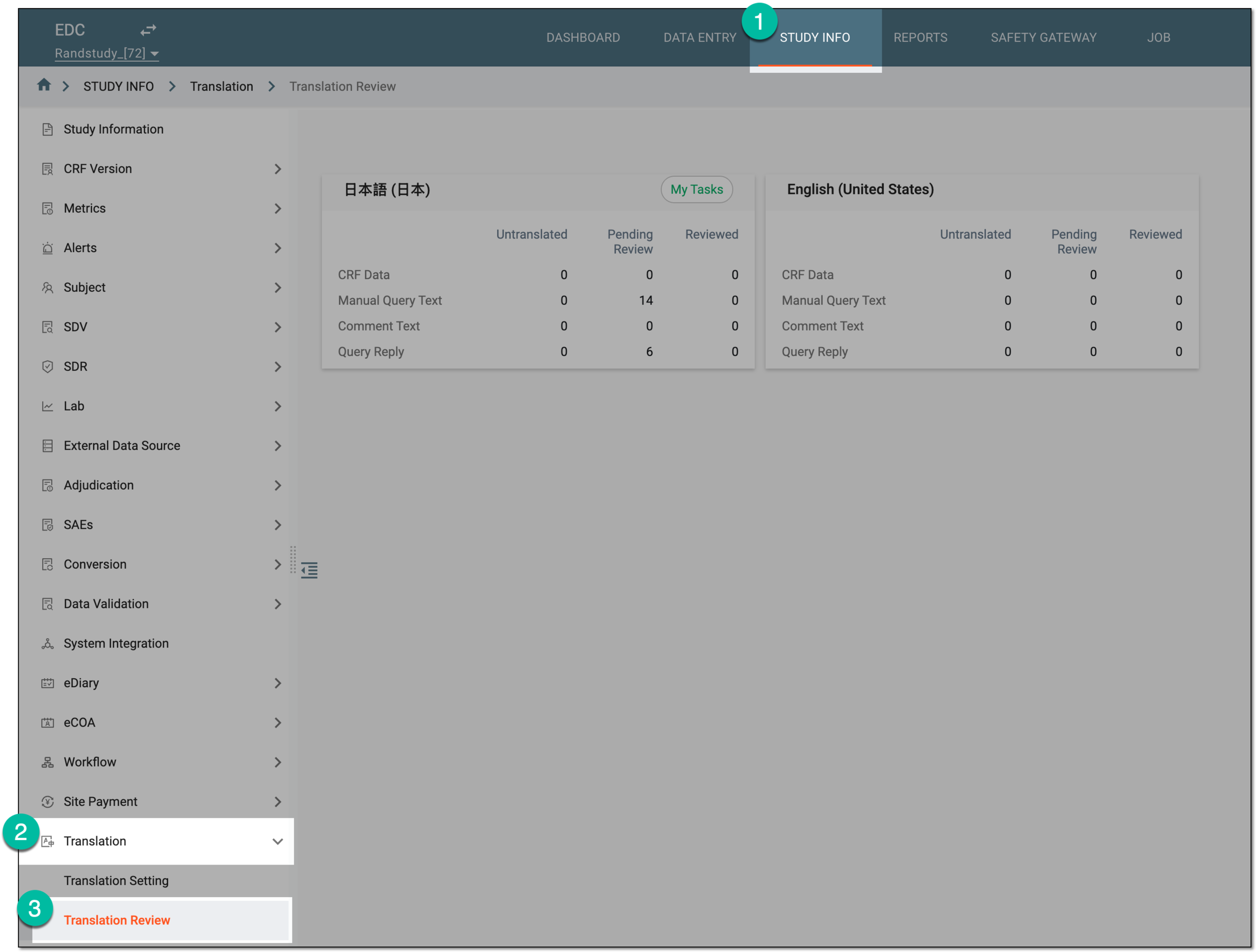 Figure 1. Accessing translation review
-
On the page that opens, from the workspace toolbar, select Auto-translation
 .
.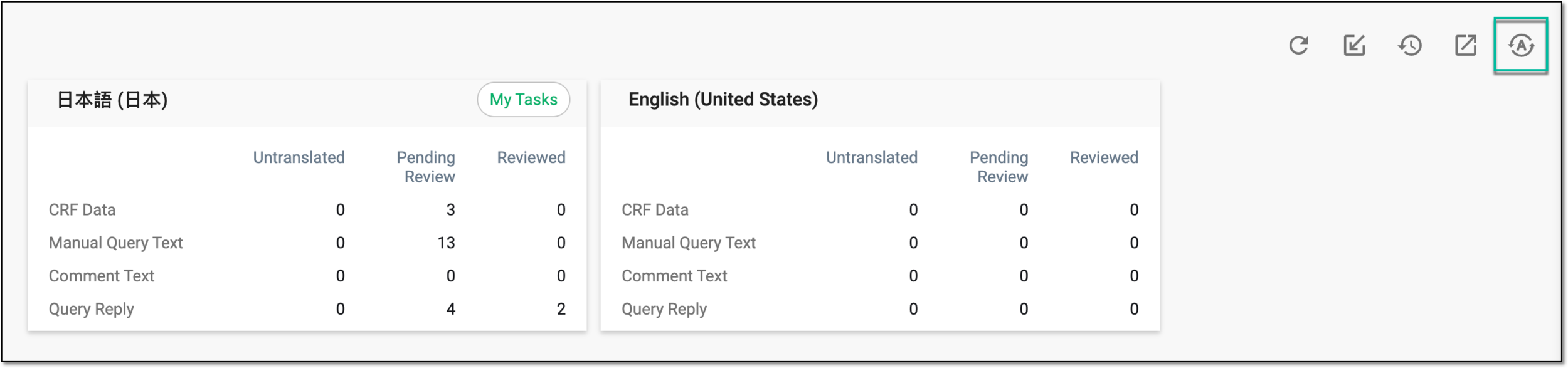 Figure 2. Selecting option to autotranslate all texts in bulk
-
In the confirmation dialog, select
 to acknowledge that you want to translate all the untranslated texts in all languages in bulk.
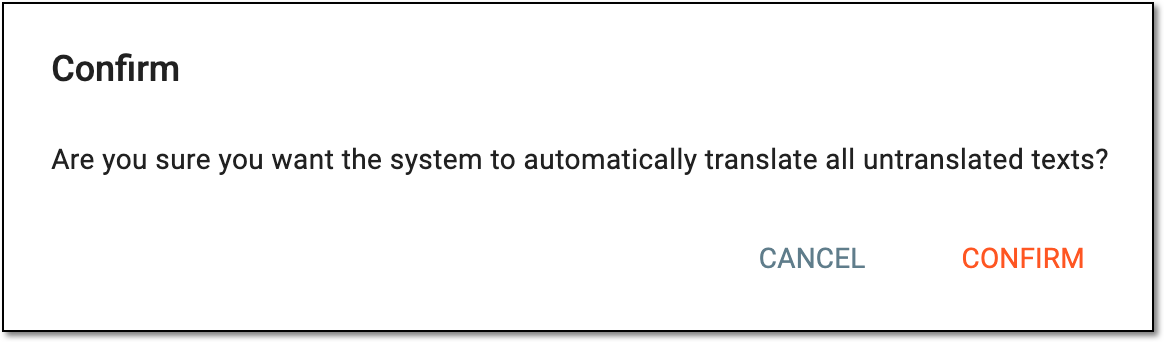 Figure 3. Confirming autotranslation in bulk
Once confirmed, the system runs autotranslation. This operation can take some time depending on the amount of untranslated texts. Upon finishing, all the texts are autotranslated and the users in charge can review the translations to validate them.