Analyze audit trail for translation text
The Translation functionality of EDC is designed to support multilingual studies that require data collection and review in different languages based on locations, participating audience, and other factors.
An audit trail is a documentation that descriptively records all the operations made with the translation texts—from the original data entry to translation. Keeping the audit trail makes it possible to reconstruct the course of events, and the lack of the audit trail can be considered a serious breach of data integrity.
-
In the EDC application header, select the STUDY INFO tab.
-
On the page that opens, in the left pane, select Translation > Translation Review.
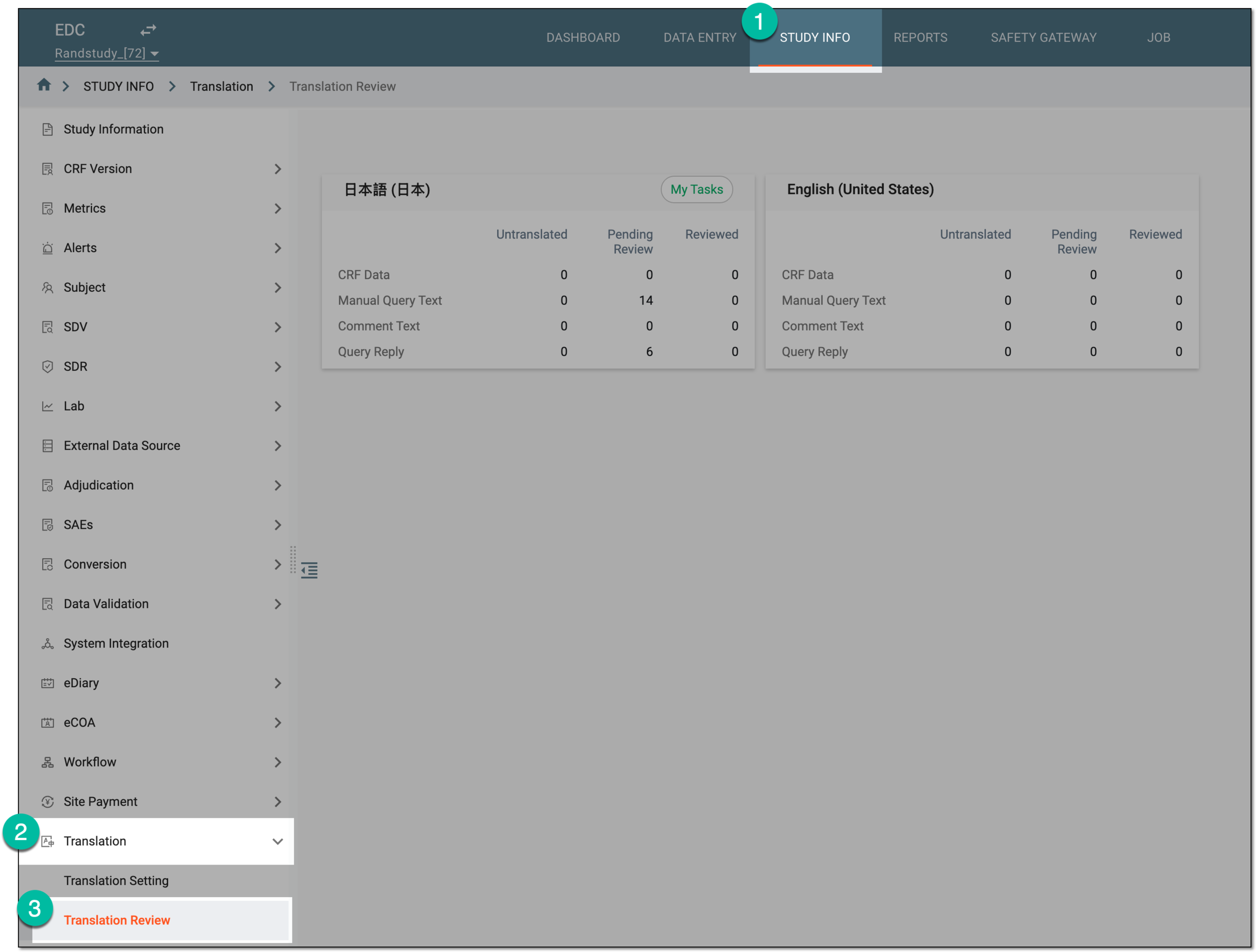 Figure 1. Accessing translation review
-
On the page that opens, select the tile representing the language in which you want to access the translations.
Tip
Select My Tasks to access the translation reviews assigned to you.
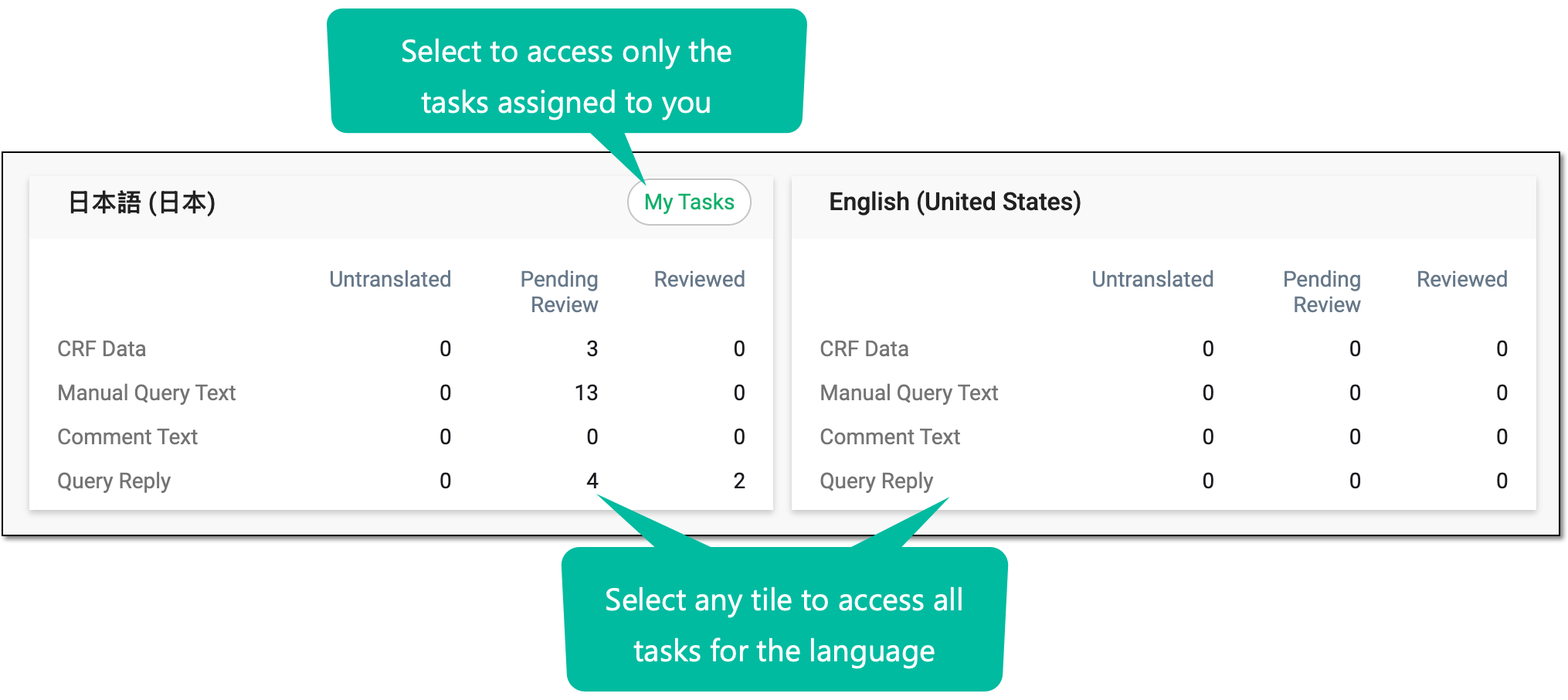 Figure 2. Accessing translation review tasks
-
On the page that opens, switch between the CRF Data, Manual Query Text, Query Reply, and Comment Text tabs to see the pertinent translation texts. Next to the needed text, select Audit Trail
 .
.Tip
Only the CRF Data tab is available here if in the global translation settings, the Translate CRF Data Only toggle is turned on.
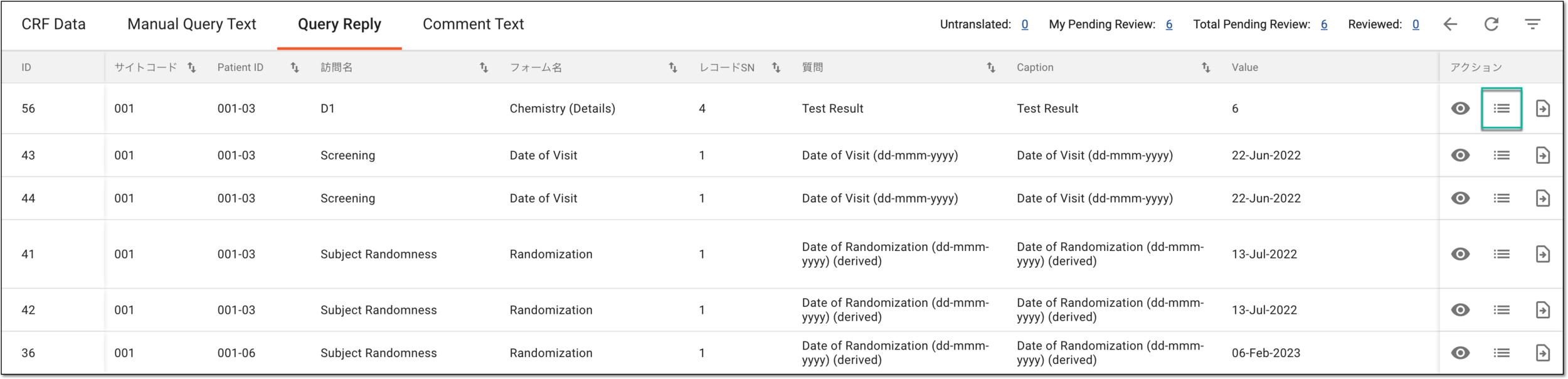 Figure 3. Accessing audit trail for translation text
-
In the Audit Trail dialog that opens, analyze the details of all the operations performed with the translation text from its first entry and up to date.
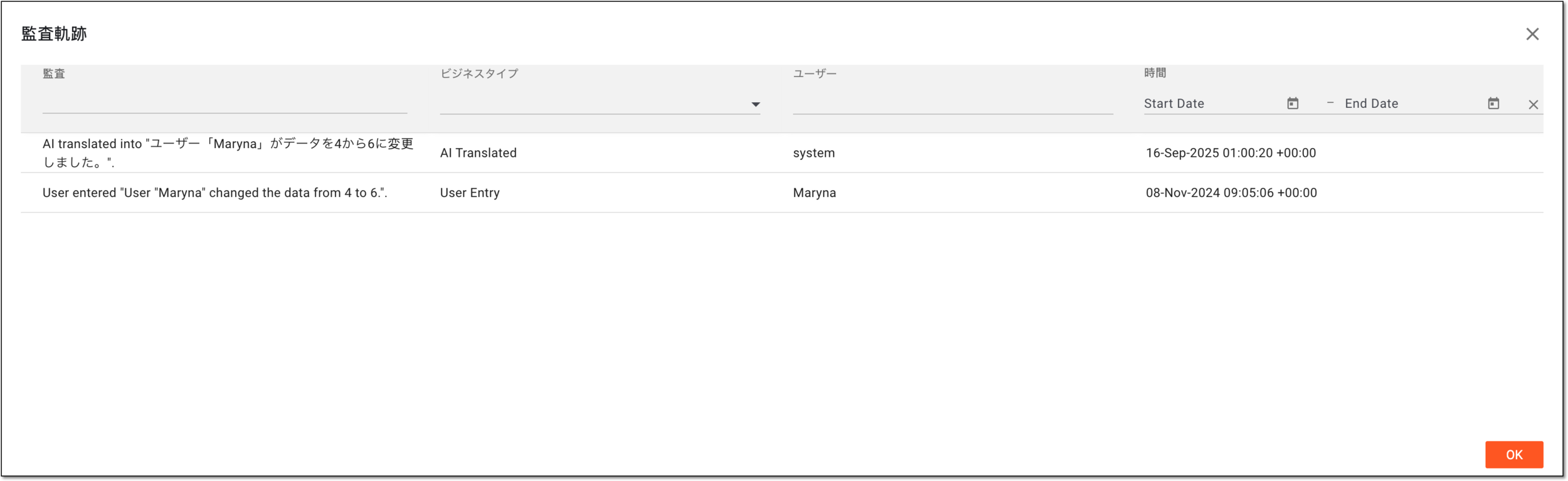 Figure 4. Analyzing audit trail for translation text
You have analyzed the audit trail for the translation text. You can now select OK to close the dialog and return to the translation review page.