Edit fee item
A fee item represents an individual service or occurrence intended for financial compensation, such as drug distribution, data storage, equipment usage, subject visit performance, and so on.
In CTMS, you can update the details of the previously added fee items to keep them relevant according to your study protocols and agreements with vendors.
Important
You cannot edit fee items that are currently used in payments not to disrupt the ongoing financial operations.
-
In the CTMS application header, select the LIBRARY tab.
-
On the page that opens, from the left pane, select Fee Template.
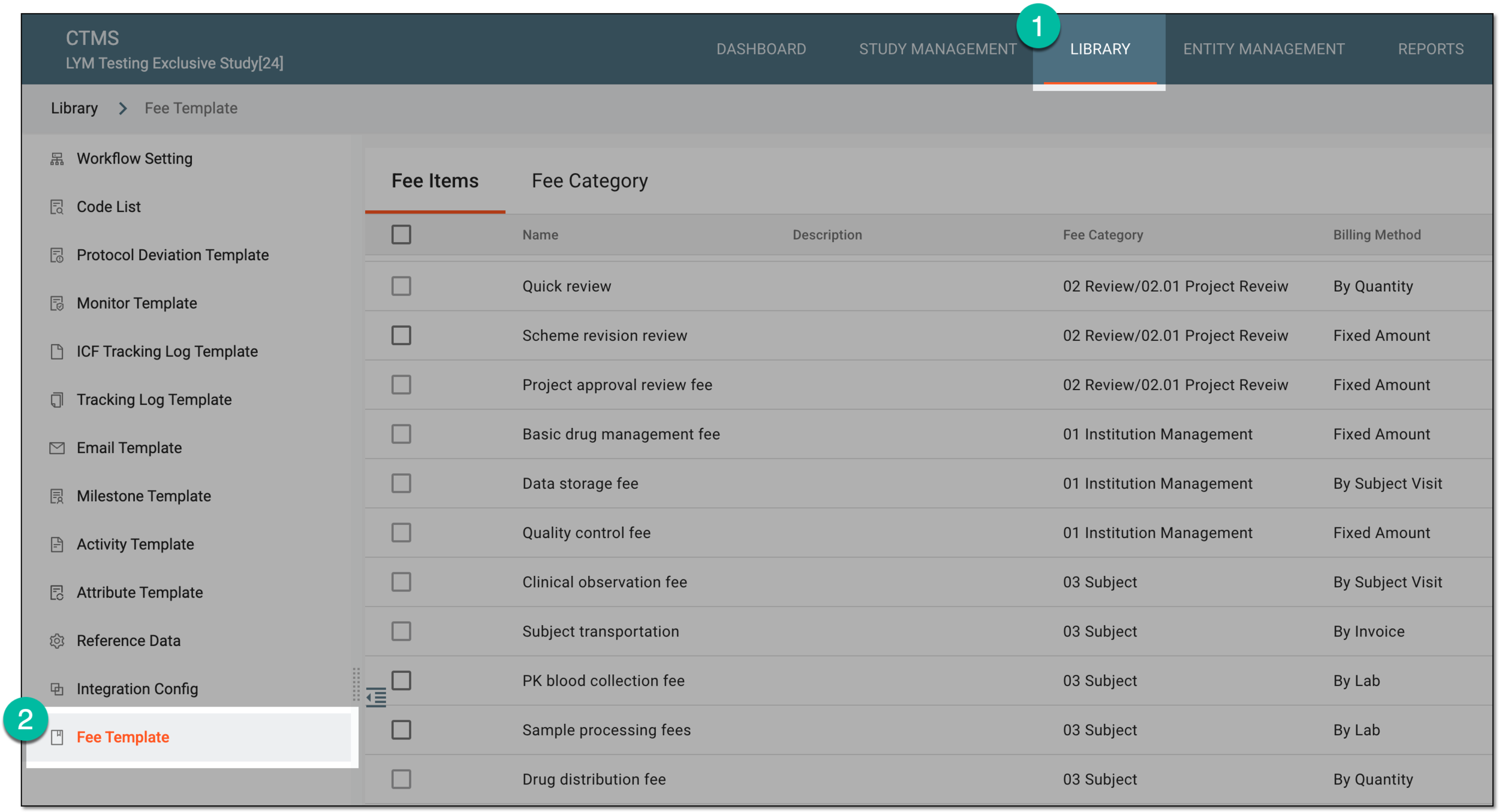 Figure 1. Accessing fee templates
-
In the Fee Items table that opens, locate the fee items that you need to update. Then do one of the following.
-
In the Edit Fee Item dialog that opens, update the fields as needed. These fields are identical to the ones explained in the table of the Add fee item section.
Tip
There are as many editable fee items in the dialog as you have selected in the previous step.
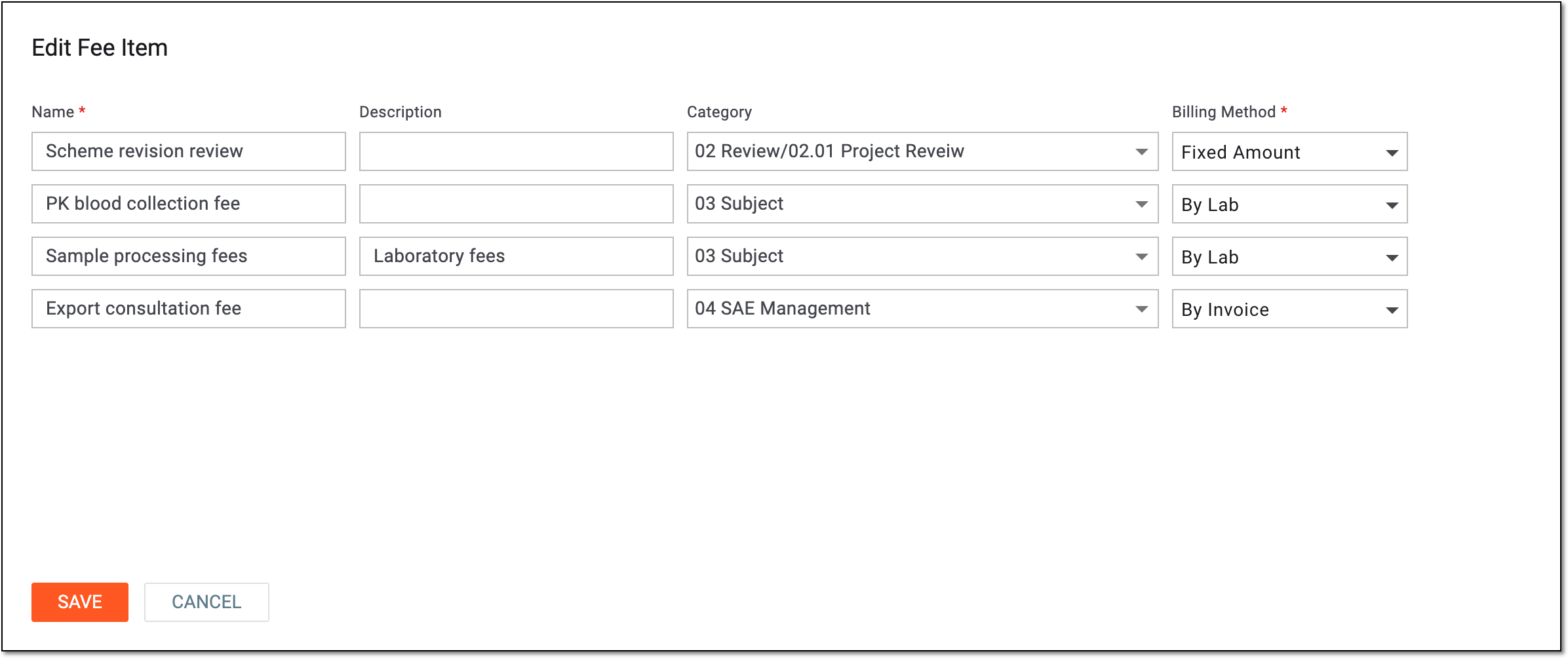 Figure 4. Editing fee item details
-
Select
 to implement the changes.


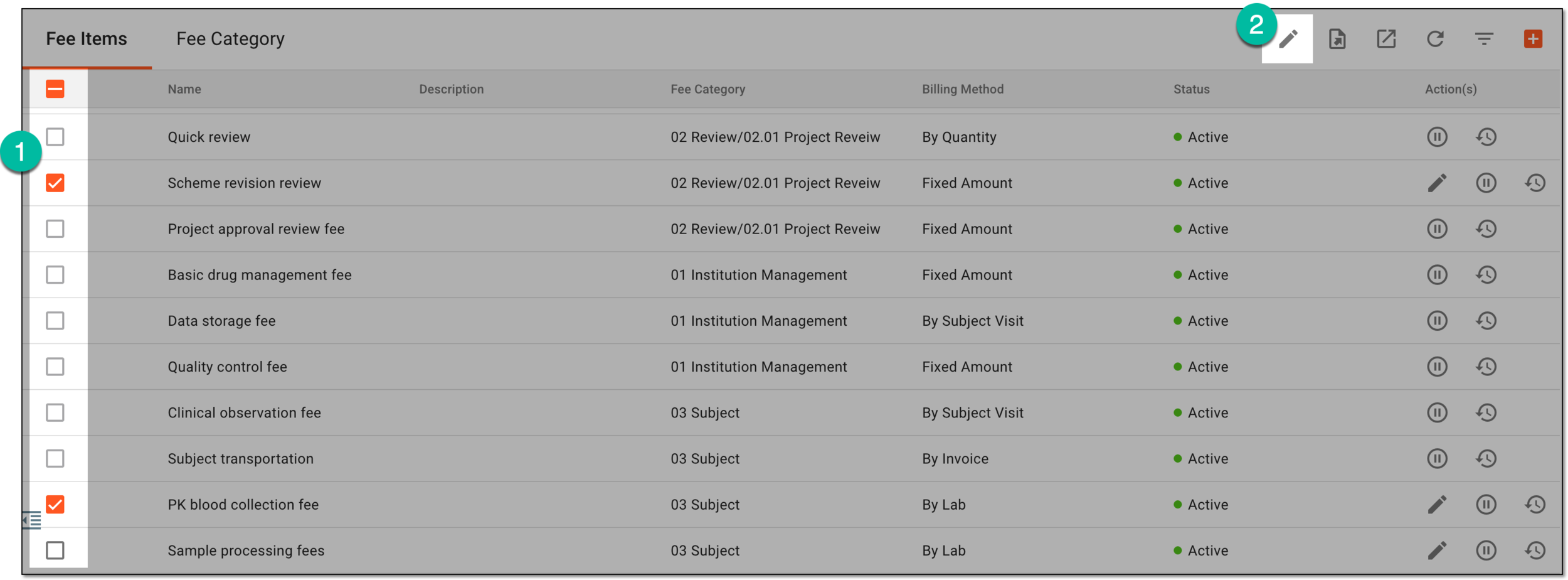
Once saved, the fee item details are updated.