Add fee item
A fee item represents an individual service or occurrence intended for financial compensation, such as drug distribution, data storage, equipment usage, subject visit performance, and so on.
In CTMS, you can add all the needed fee items to the library and then use them for all your studies in their financial management for convenience.
-
In the CTMS application header, select the LIBRARY tab.
-
On the page that opens, from the left pane, select Fee Template.
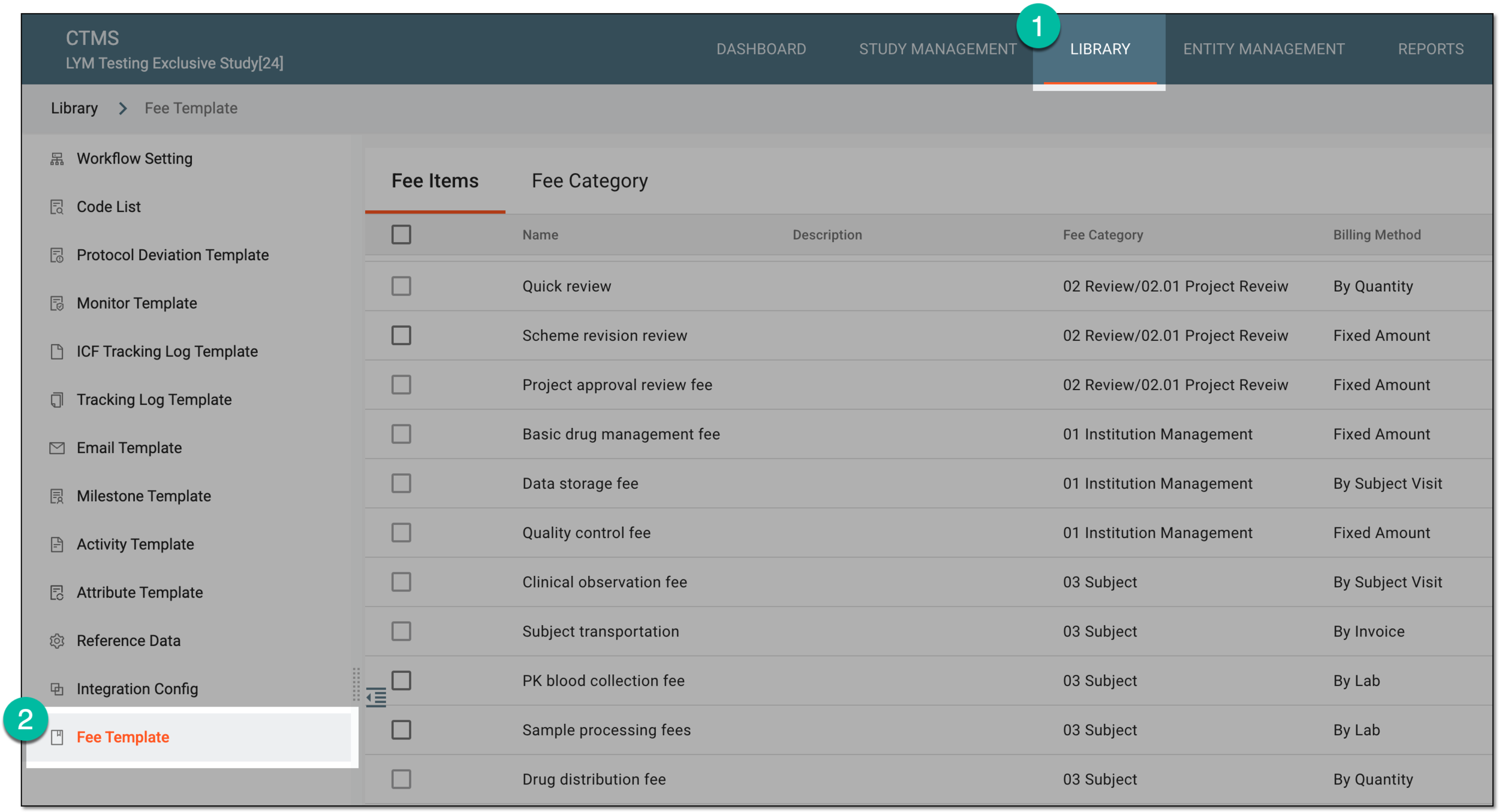 Figure 1. Accessing fee templates
-
In the Fee Items table that opens, from the workspace toolbar, select New Item
 .
. Figure 2. Selecting option to add fee item
-
In the Add Fee Item dialog that appears, complete the details as explained in the following table.
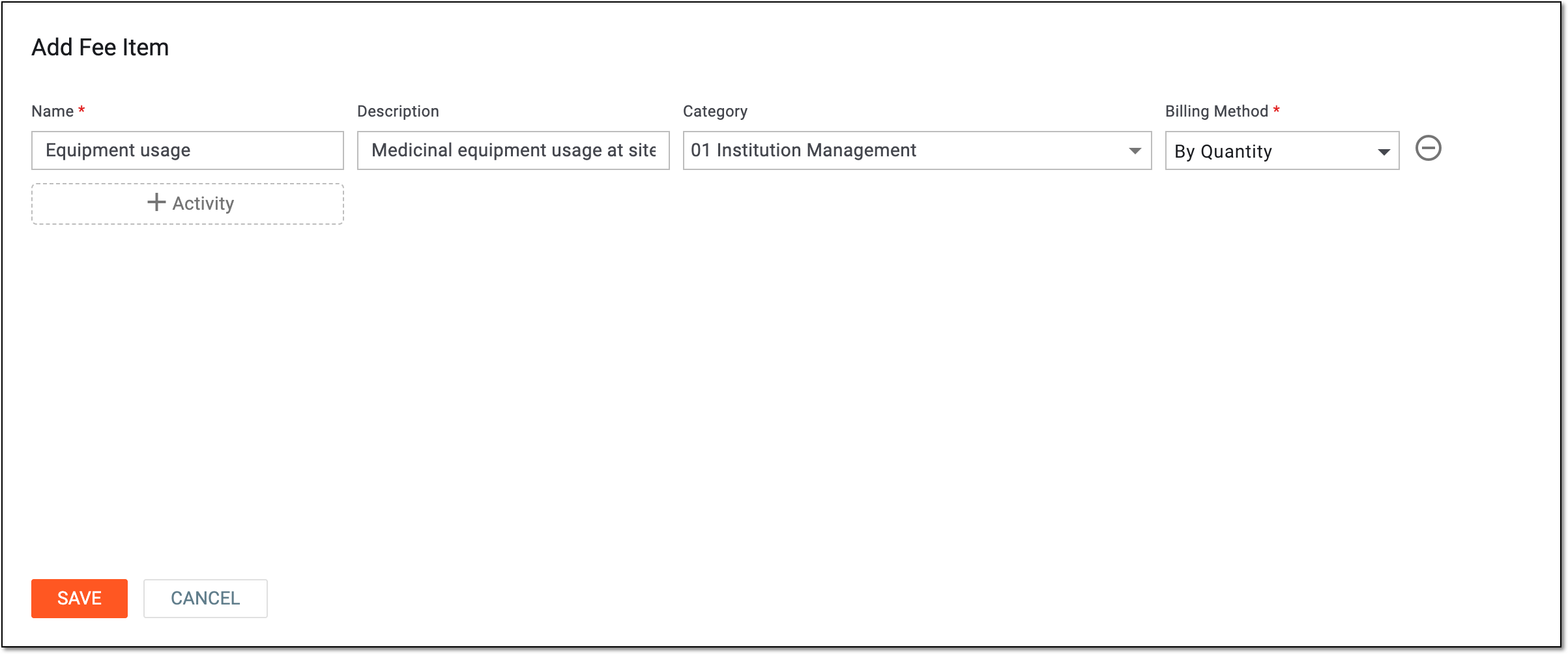 Figure 3. Configuring fee item details
Tip
In the following table, mandatory elements are marked with an asterisk (*).
Element
Details
Name*
Enter the unique name of the fee item—the service that is entitled for payment.
Description
Enter any auxiliary details of the fee item.
Category
Select the category to which the fee item belongs. Fee categories group fee items by type or intention, aiding maintenance. You can also associate your item with fee category later if needed.
Billing Method*
Select how the fee is accumulated and paid for the item, by the quantity of performed service, by the provided invoice, by occurring events, such as subject visits, and so on.

Select this button to add a new row and configure another fee item. You can add as many items as needed.
Remove
Select
 to remove the extra rows.
SAVE
Select
 to implement the changes.
CANCEL
Select
 to discard the changes without saving and close the dialog.
Once saved, the new fee item is added to the CTMS system and can be used for financial management.