Activate/Inactivate fee item
A fee item represents an individual service or occurrence intended for financial compensation, such as drug distribution, data storage, equipment usage, subject visit performance, and so on.
In CTMS, you can activate or deactivate the previously added fee items to keep them available or hide them from usage elsewhere in the system for financial operations. Keeping only relevant action items active simplifies the maintenance of financial operations.
-
In the CTMS application header, select the LIBRARY tab.
-
On the page that opens, from the left pane, select Fee Template.
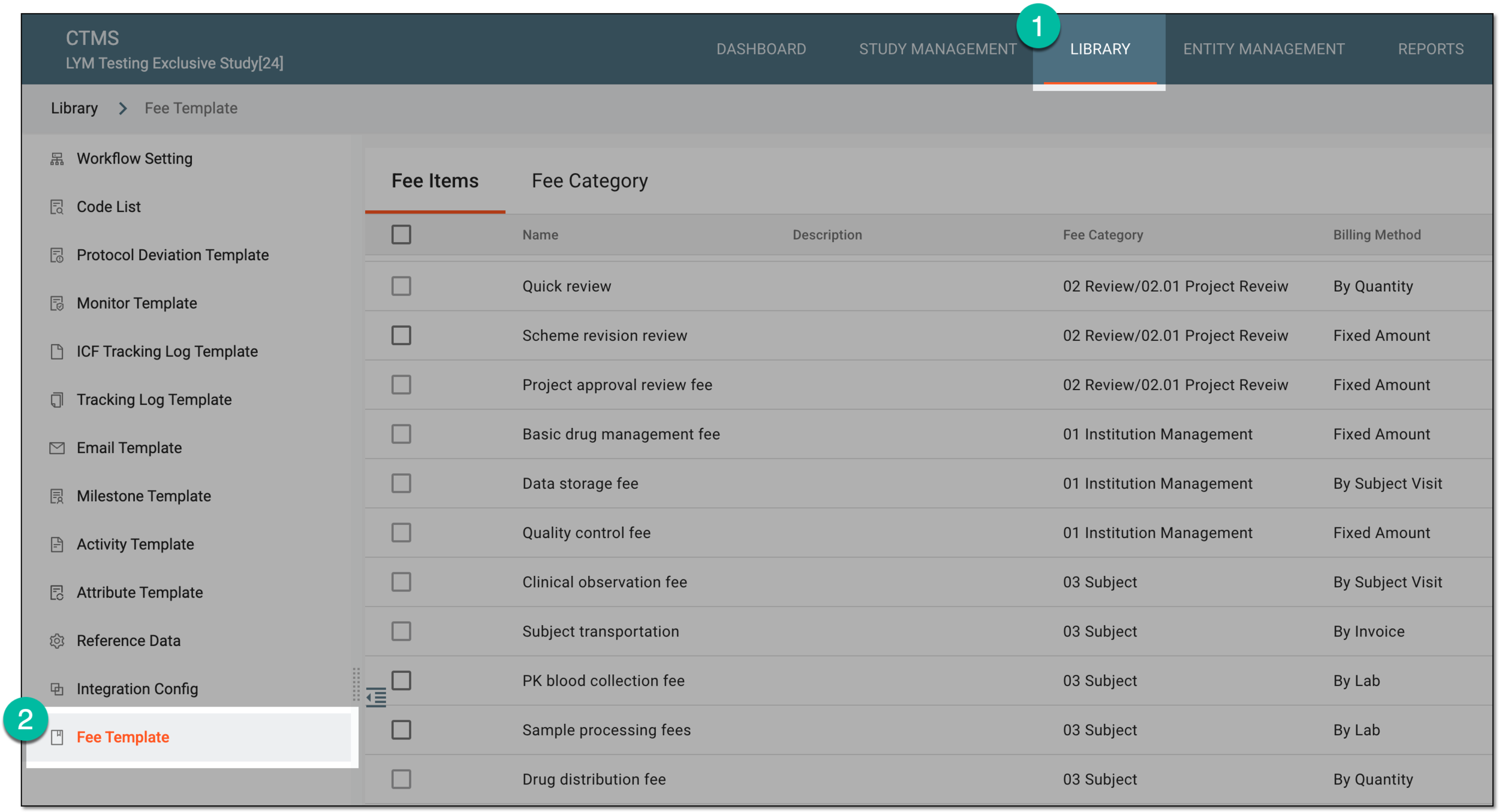 Figure 1. Accessing fee templates
-
In the Fee Items table that opens, next to the item you want to activate or inactivate, from the Action(s) column, select Activate
 or Inactivate
  .
. Figure 2. Selecting options to activate or inactivate fee item
-
In the Reason dialog that appears, enter the argument why you need to activate or inactivate the fee item. Then select
 .
. Figure 3. Providing reason for fee item inactivation
Once saved, the fee item becomes active or inactive based on your performed action.