Manage meeting or event outcomes
After the scheduled meeting or event is successfully conducted, you can document and track the key results of the meeting or event—such as marking participant attendance, capturing discussion notes, and assigning follow-up tasks. Keeping these details organized ensures accountability, improves team coordination, and supports clear communication on next steps.
-
Access the study management page in one of the following ways:
-
In the CTMS application header, select the DASHBOARD tab and then select the study dashboard of your interest.
 Figure 1. Accessing study management from dashboard
-
In the CTMS application header, select the STUDY MANAGEMENT tab. Then from the Study Data List table, select the study name of your interest.
 Figure 2. Accessing study management from study data list
-
-
From the left pane, select Communication Management > Communication Plan.
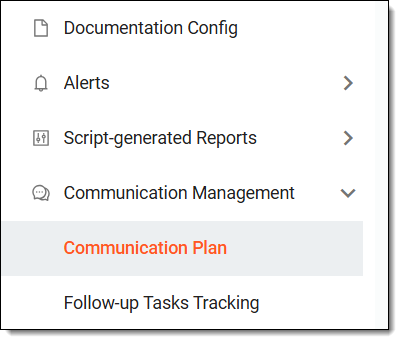 Figure 3. Accessing communication plan
-
In the calendar that opens, locate the required meeting or event, right-click it, and select Notes & Follow-up Tasks
 .
.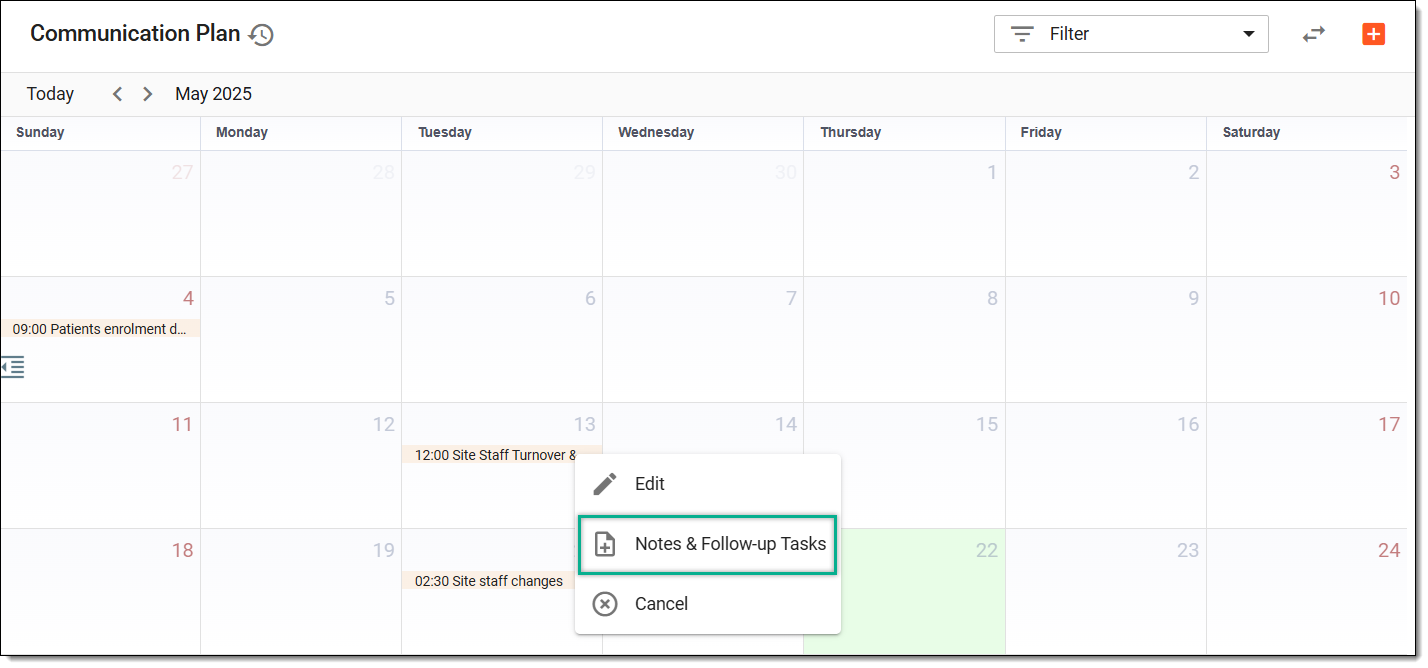 Figure 4. Selecting to update meeting notes and follow-up tasks
Tip
From the workspace toolbar, select the Filter dropdown menu to choose an option for filtering out the meetings and events in the calendar.
For instance, if you select Meetings > I'm an Attendee, then the calendar only displays the meetings in which you are a required or an optional participant.
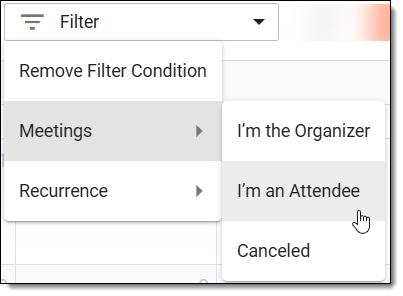 Figure 5. Using filter to search meeting or event
-
On the page that opens, update the meeting or event outcome details as follows:
In the Attendees tab, use the Attended field next to each participant’s name to mark whether they were present at the meeting by selecting Yes or No.
Also, you can select Operation History
 to view the changes made to participants' attendance in the meeting or event.
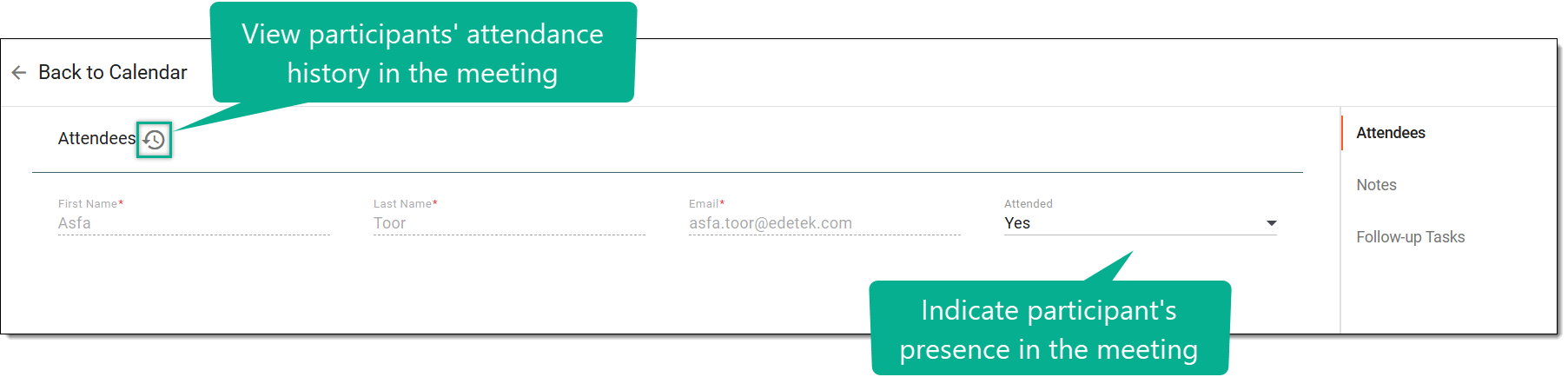 Figure 6. Marking particpants attendance in meeting
-
Select the Follow-up Tasks tab, and from the workspace toolbar, select New Item
 .
. -
In the row that adds to the Task List table, enter the details as explained in the following table.
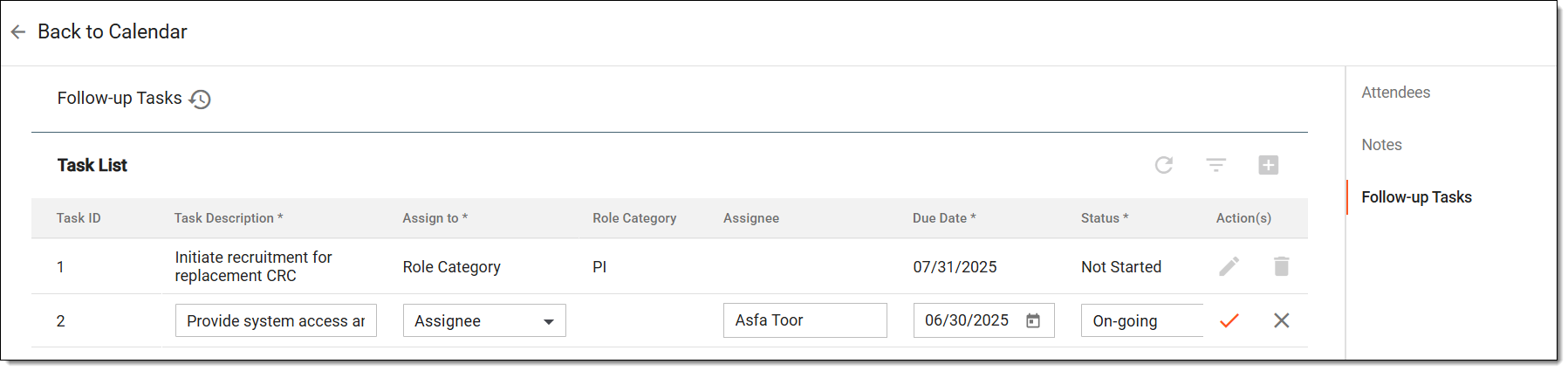 Figure 8. Adding follow-up task
Tip
In the following table, mandatory elements are marked with an asterisk (*).
Element
Details
Task ID
Represents the system-generated sequential number to uniquely identify each task in the list. It is automatically assigned and not editable by the user.
Task Description*
Enter a short summary of the task that needs to be completed.
Assign to*
Select the Role Category or Assignee option to choose the personnel responsible for the task.
Role Category
If you have chosen Role Category in the previous field, then here select the role (PI, CRC, CRA, and so on) that must complete the task.
Assignee
If you have chosen Assignee in the Assign to field, then here select the personnel who is responsible for completing the task.
Due Date*
Select the deadline by which the task should be completed.
Status*
Select the current progress of the task: Not started, On-going, or Completed.
Save
Select
 to add the task.
Cancel
Select
 to dismiss your changes without saving.
 -
After saving, if required, you can also update the added task using any of the following options:
-
Edit
 : next to the required task in the Task List table,
select this option and update the tasks details as explained in the previous table.
: next to the required task in the Task List table,
select this option and update the tasks details as explained in the previous table. -
Delete
 : next to the required task in the Task List table,
select this option to remove the task. In the confirmation dialog that appears, enter the reason for deletion, and select SAVE to confirm task deletion.
: next to the required task in the Task List table,
select this option to remove the task. In the confirmation dialog that appears, enter the reason for deletion, and select SAVE to confirm task deletion. -
Operation History
: if required, you can select this option to analyze the changes made to the task list.
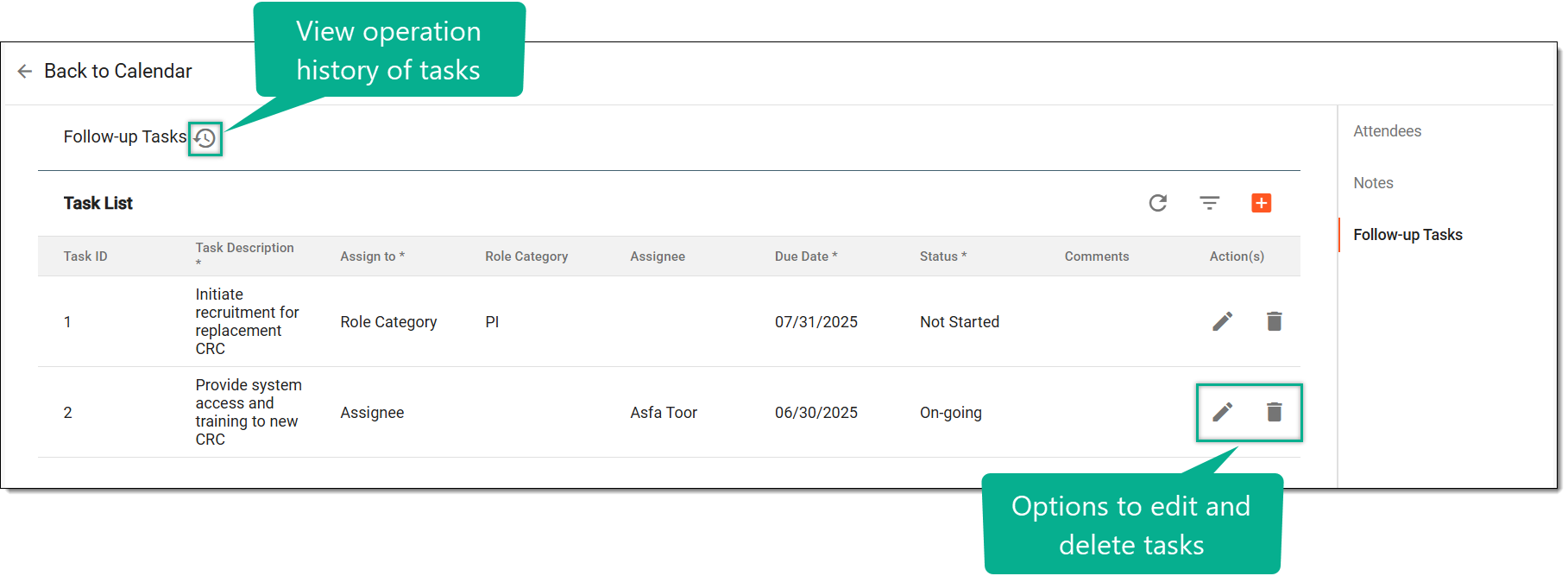 Figure 9. Managing follow-up tasks
-
-
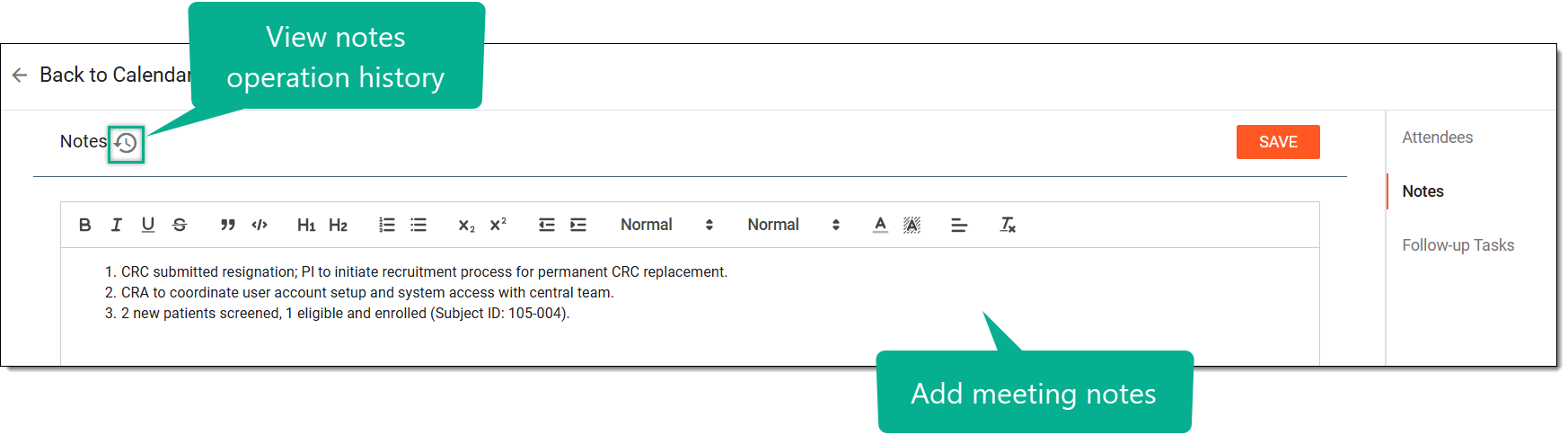
Once you have updated the participant's meeting or event attendance, updated notes, and follow-up tasks, your changes and meeting or event's outcomes are saved in the system.