View meeting or event details and outcomes
In CTMS, you can review all key information related to a scheduled meeting or event, including its title, time, location, participants, notes, attendance, and any assigned follow-up tasks. It provides a complete overview to help track progress, ensure alignment, and maintain clear records for future reference.
-
Access the study management page in one of the following ways:
-
In the CTMS application header, select the DASHBOARD tab and then select the study dashboard of your interest.
 Figure 1. Accessing study management from dashboard
-
In the CTMS application header, select the STUDY MANAGEMENT tab. Then from the Study Data List table, select the study name of your interest.
 Figure 2. Accessing study management from study data list
-
-
From the left pane, select Communication Management > Communication Plan.
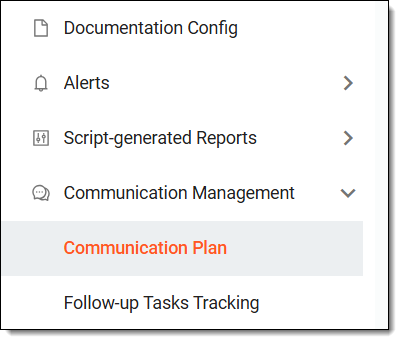 Figure 3. Accessing communication plan
-
In the calendar that opens, locate the required meeting or event, hover over it, and select it.
Tip
From the workspace toolbar, select the Filter dropdown menu to choose an option for filtering out the meetings and events in the calendar.
For instance, if you select Meetings > I'm an Attendee, then the calendar only displays the meetings in which you are a required or an optional participant.
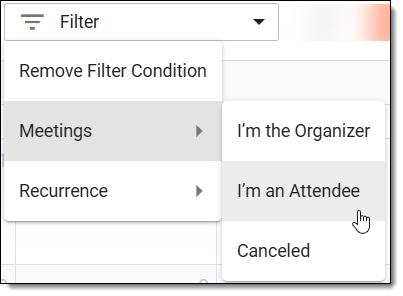 Figure 4. Using filter to search meeting or event
-
In the dialog that opens, select DETAILS.
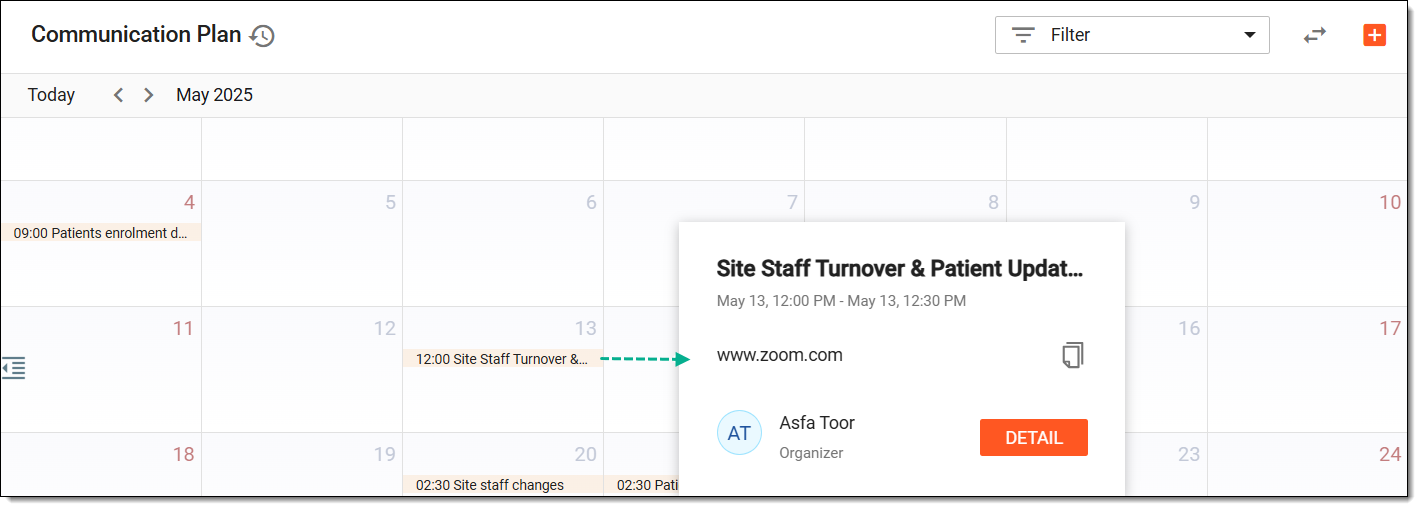 Figure 5. Accessing meeting details
Tip
You can also instantly copy the meeting's location from this dialog by selecting Copy
 next to
he meeting's location.
next to
he meeting's location. -
On the page that opens, analyze the following details:
-
Meeting/Event: view the meeting or event details as defined in the Schedule meeting or event section.
-
Attendees: view the participants' details as defined and updated in the Mark participants meeting attendace subsection.
-
Notes: view the meeting notes capturing key takeaways from the meeting or event as defined and updated in the Add meeting notes subsection.
-
Follow-up Tasks: view the follow-up tasks from the meeting or event as defined and updated in the Add meeting follow-up tasks subsection.
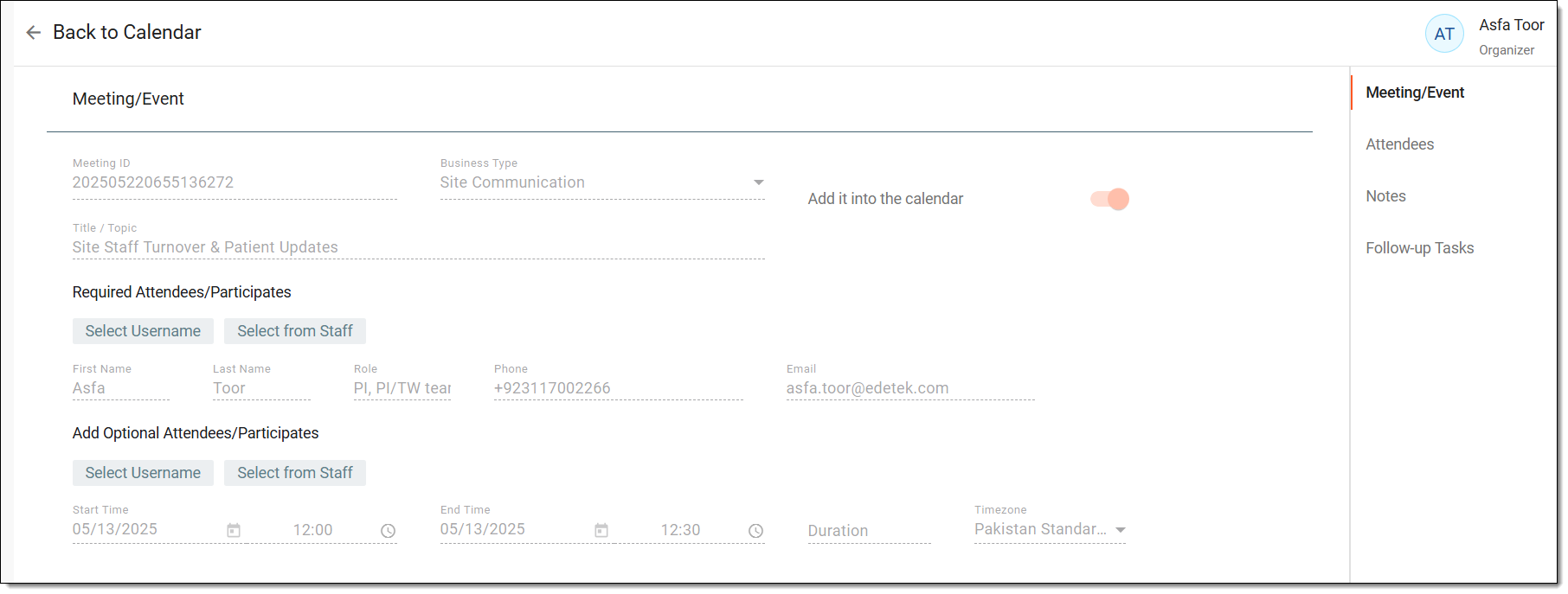 Figure 6. Analyzing meeting details
-
Once you have analyzed the required meeting or event details and information, you can go back to the Communication Plan.