Download file uploaded from email
In eTMF, the Files Uploaded by Emails module is the first landing point for all files extracted from the email server. This module also stores the records about such files with their details, even after they are processed and transferred to their destination directories. This allows for traceability and single-source oversight of files for all your studies.
Using this report, you can access the files of all your studies and, if required, download them to your computer.
-
In the eTMF application header, select the REPORTS tab.
-
On the page that opens, in the left pane, select Files Uploaded by Emails.
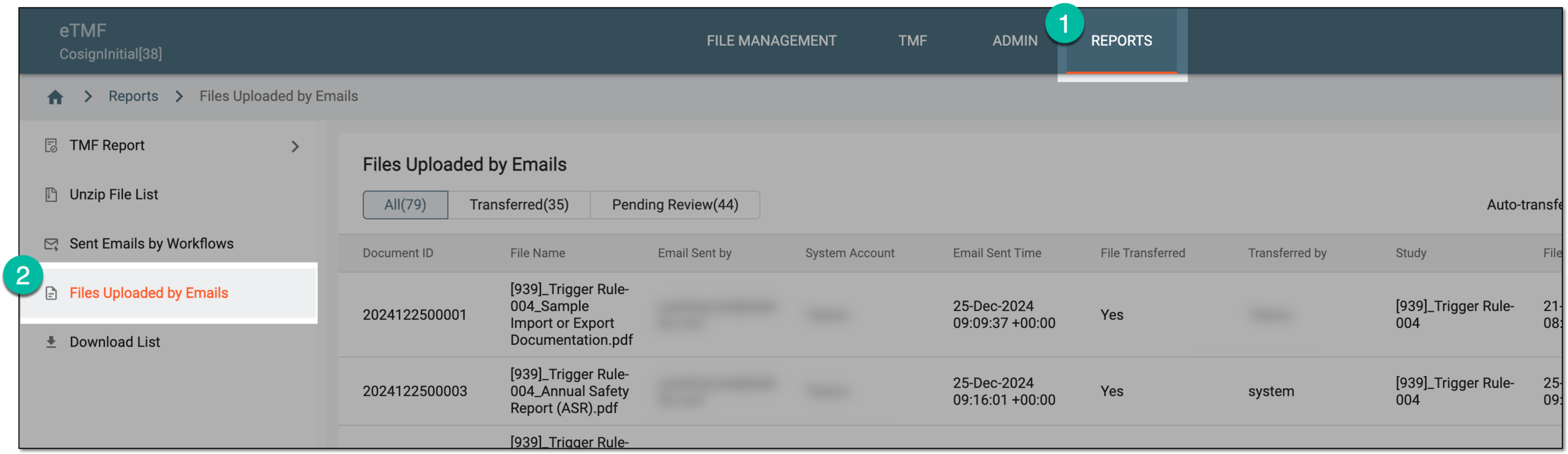 Figure 1. Accessing files uploaded via emails
-
On the Files Uploaded by Emails page that opens, locate the file that you want to extract from eTMF. Then from the Action(s) column, select Download
 .
.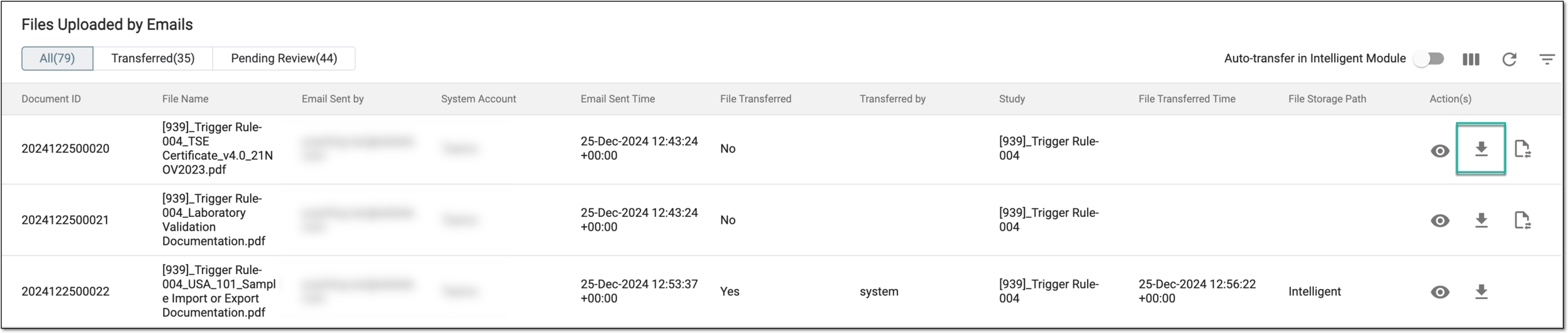 Figure 2. Selecting to download file
Once downloaded, the file becomes available on your computer.