Delete file uploaded from email
In eTMF, the Files Uploaded by Emails module is the first landing point for all files extracted from the email server. This module also stores the records about such files with their details, even after they are processed and transferred to their destination directories. This allows for traceability and single-source oversight of files for all your studies.
If the file whose status is Pending Review was received via email and is defined as erroneous, obsolete, or no longer needed, you can remove it.
-
In the eTMF application header, select the REPORTS tab.
-
On the page that opens, in the left pane, select Files Uploaded by Emails.
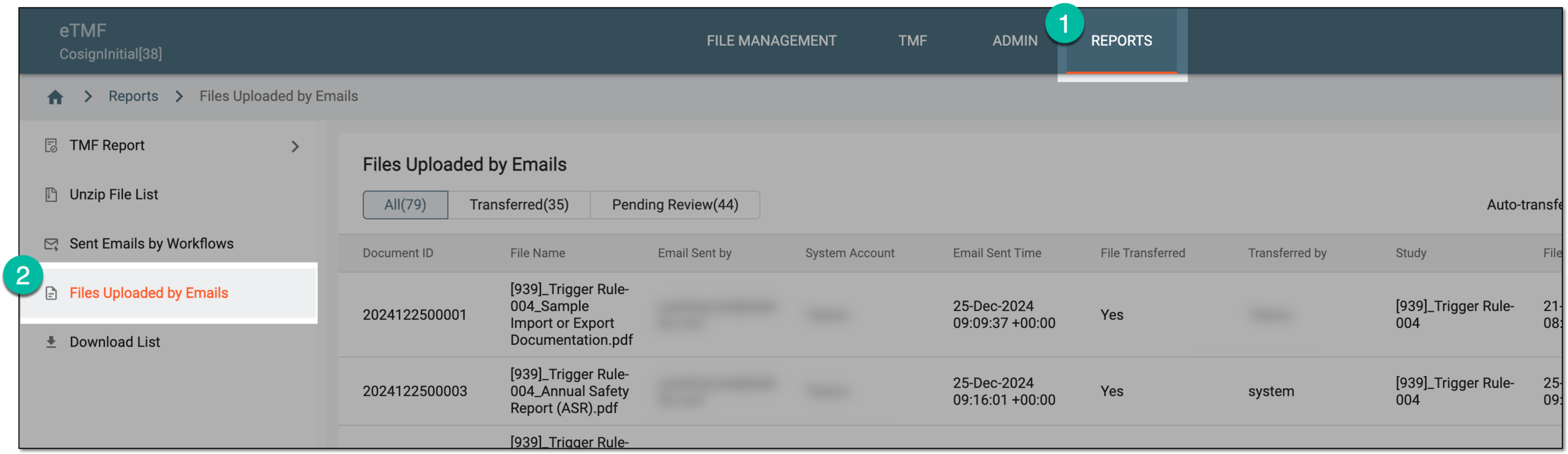 Figure 1. Accessing files uploaded via emails
-
In the open page, switch to the Pending Reviews [File count] tab.
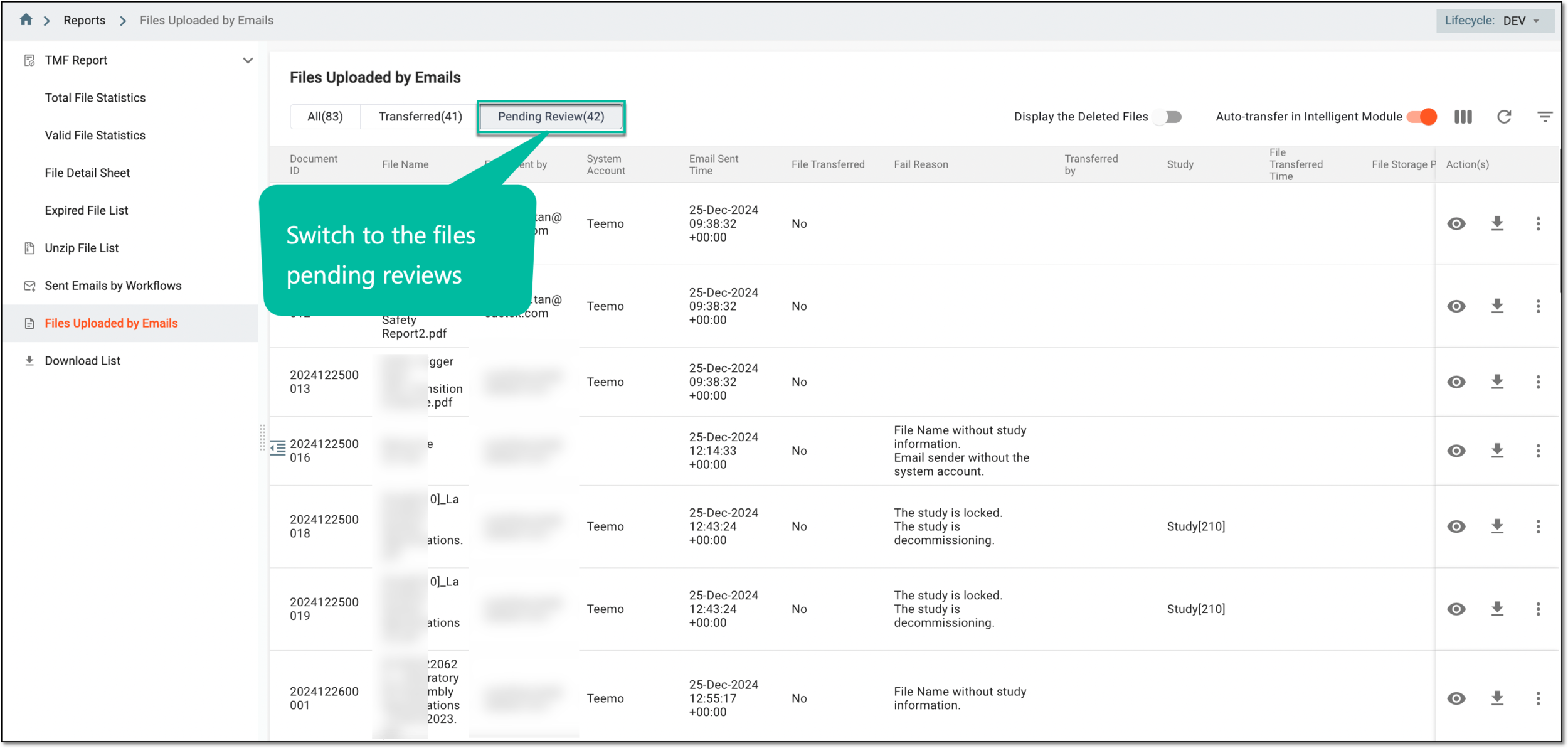 Figure 2. Switching to files pending review
-
On the Files Uploaded by Emails page, locate the file that you want to delete from eTMF. Then from the Action(s) column, select Delete
 .
.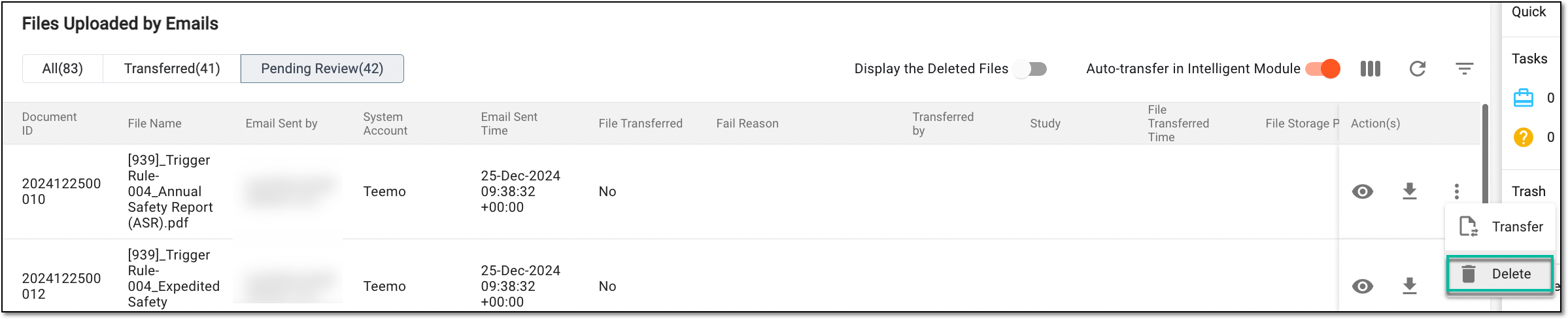 Figure 3. Accessing option to delete file
-
In the confirmation dialog that opens, select DELETE to confirm the file deletion.
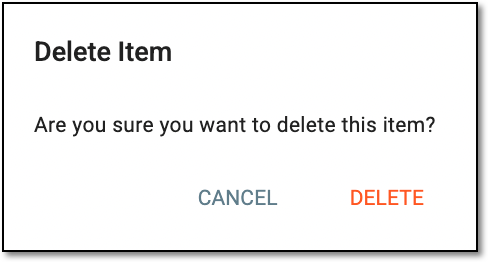 Figure 4. Confirming file deletion
Once confirmed, the file is removed from the Files Uploaded by Emails table.