Configure randomization window
The randomization window is a predefined timeframe within which subjects can be enrolled and assigned to their respective treatment groups. Its purpose is to ensure the random and unbiased allocation of subjects, thereby enhancing the scientific validity of the research. The duration of the randomization window and its criteria can vary depending on the study protocol and design.
Usually, the randomization of study subjects is executed during the configuration of periods. However, it may occur that the randomization window needs to be applied. The creation of a randomization window affects the randomization process in IWRS as it defines the start and end dates during which subjects can be enrolled and assigned to treatment groups. Randomization of subjects is not possible after the window expires.
-
In the IWRS application header, select the TREATMENT DESIGN tab.
-
From the left pane, select Visit Dispensing and Window.
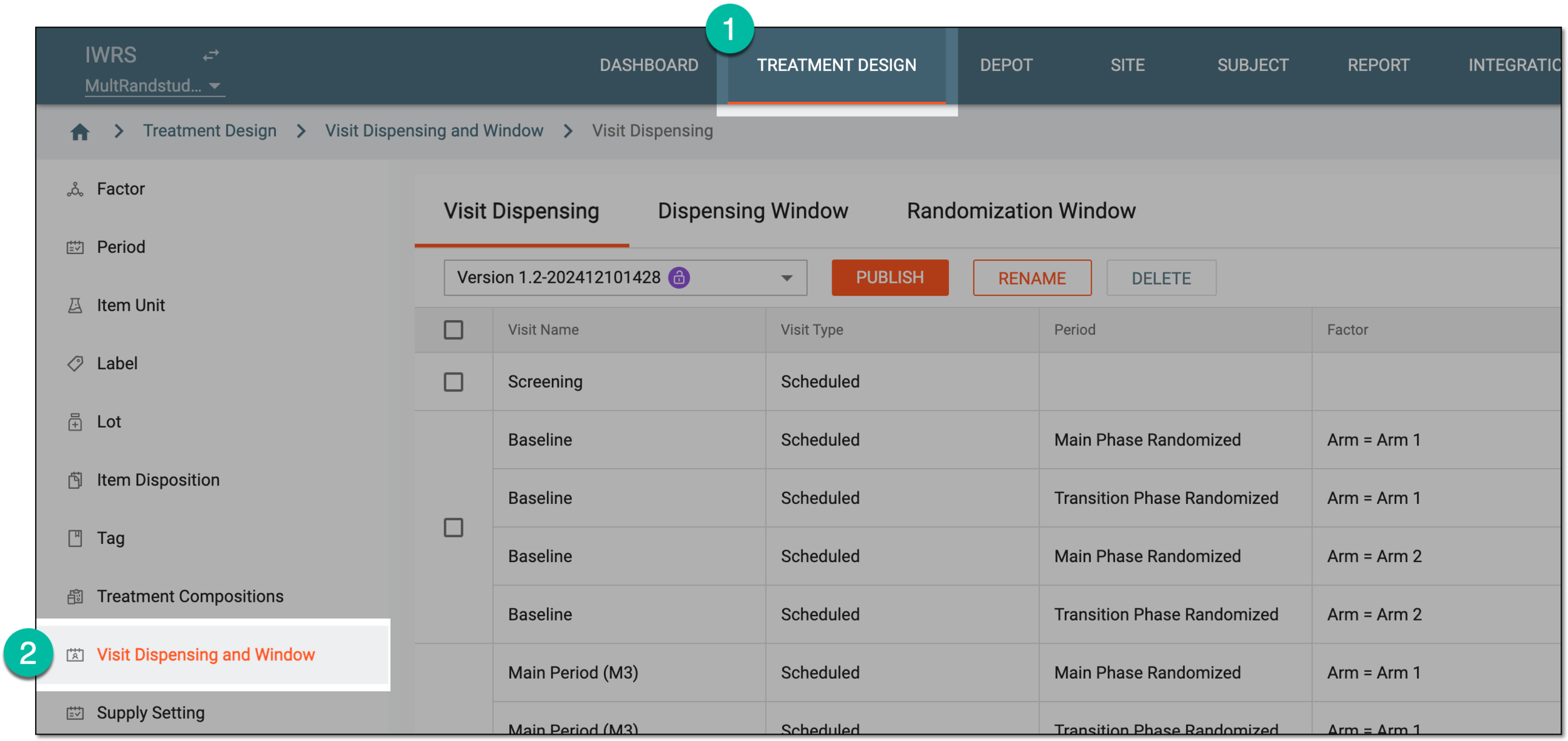 Figure 1. Accessing visit dispensing and window configuration
-
On the page that opens, from the contents panel, select the Randomization Window tab.
-
From the workspace toolbar, select New Item
 .
. Figure 2. Adding new randomization window
-
In the dialog that appears, configure a randomization window as explained in the following table.
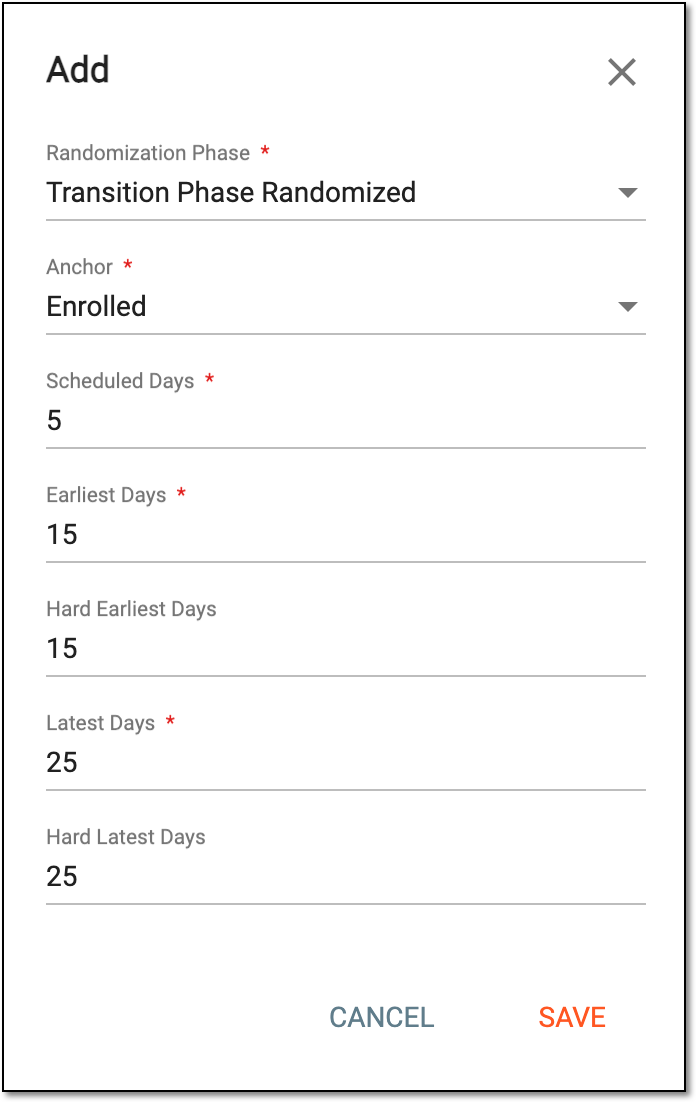 Figure 3. Configuring randomization window
Tip
In the following table, mandatory elements are marked with an asterisk (*).
Element
Details
Randomization Phase*
Select the randomization phase to which the window needs to be applied.
Anchor*
Select the event, the date of occurrence of which serves as a starting point for a randomization window.
For instance, the subject is supposed to start receiving certain medications once they are randomized. Let us assume the date when the subject phase is changed to Enrolled is July 1st, and this is the anchor date for this subject's randomization window.
Scheduled Days*
Enter the number of days from the anchor date to the last date when randomization can occur.
For instance, the subject can be randomized 30 days after they are enrolled. Thus, to calculate the scheduled date, the system considers the date when the subject phase is changed to Enrolled and adds 30 days. Let us assume the enrollment occurred on July 1st, so the last day for randomization is no later than July 30th.
Earliest Days*
Enter the number of days before the scheduled date that outlines the earliest time frame during which the subject can be randomized.
Hard Earliest Days
Enter the minimum number of days required before the next randomization phase can take place. It sets a lower limit on when the randomization window can begin.
For example, if the hard earliest days are set to 3, it means that the next randomization phase cannot occur until at least 3 days have passed since the previous randomization phase. This ensures that a specific period elapses before the next randomization phase can be initiated.
Latest Days*
Enter the number of days after the scheduled date that outlines the latest time frame during which the subject can be randomized. If randomization does not occur before or on this date, then it can no longer be applied to subjects.
Hard Latest Days
Enter the maximum number of days allowed for the start of a randomization window. It sets an upper limit on when the randomization window can begin.
If the hard latest days are set to, let us say, 10, it means that randomization must start within 10 days of the previous event. Beyond this timeframe, the system does not permit the initiation of randomization.
SAVE
Select
 to add a randomization window.
CANCEL
Select
 to cancel the randomization window creation.
Once saved, a new randomization window is configured. It now affects the entire randomization process in IWRS.
A specific phase that a subject has to complete in the course of a clinical trial to move further to the next phase. For instance, Screening, Enrolled, Randomized, and others.
 |
In eClinical, subject phases are designed individually for each study via the SD application, although they are referenced in others, like IWRS or EDC.