Download domain delta change report
With the help of the Download Domain Delta Change Report functionality, you can retrieve the generated domain delta change report for offline analysis. It helps you review coding changes and data comparisons in Excel format, making it easier to analyze trends, identify discrepancies, and share insights with stakeholders.
The domain delta change report itself is a powerful tool designed to highlight changes between two selected data sets within a specific domain. It compares the coding results of a primary batch (main batch) with another batch (compare with) to reveal updates, additions, or discrepancies in verbatim terms (VTs). The report helps you do the following:
Downloading this report ensures you have a detailed, structured record of all these changes for further examination and sharing offline.
-
In the Medical Coding application header, select the REPORTS tab.
 Figure 1. Accessing reporting functionality
-
On the page that opens, in the left pane, select Domain Delta Change.
 Figure 2. Accessing domain delta change reporting functionality
-
On the Domain Delta Change page, in the History table, go to the domain delta change report that you want to download and in the Action(s) column, select Download
 .
.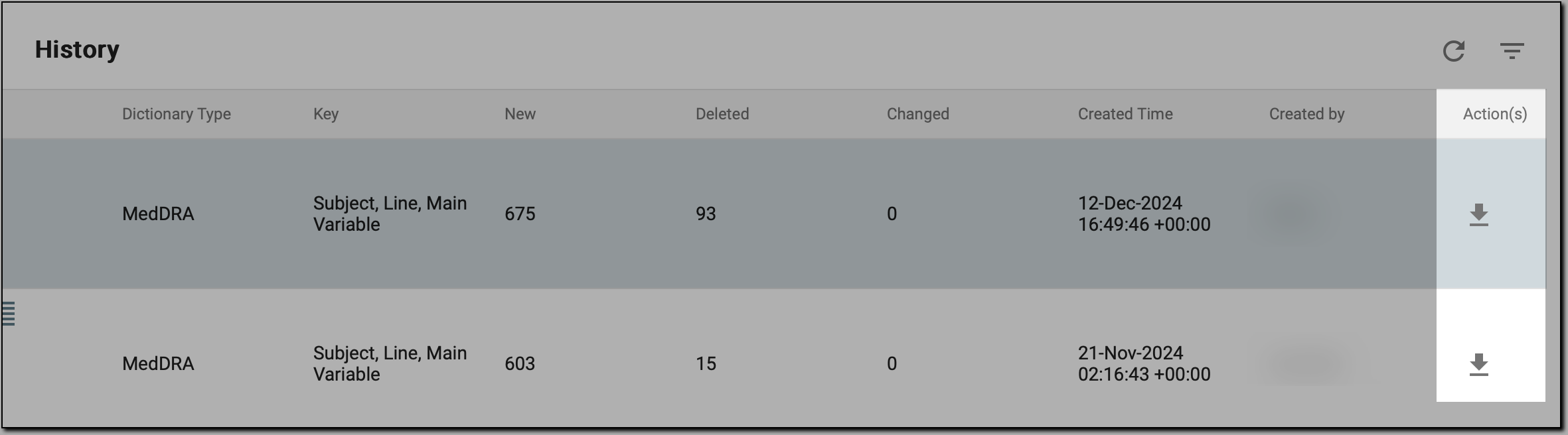 Figure 3. Initiating report download
Once done, the domain delta change report is saved to your local system in an XLSX format. You can open the file to review the detailed comparison between the batches, analyze changes in coding assignments for the selected domain and its parameters, and share the report with relevant stakeholders for review or further processing.