Code VTs automatically
In the Medical Coding module, the Execute Auto Coding feature is designed to streamline the process of assigning standardized terms to verbatim terms (VTs) by automatically matching them to entries in coding dictionaries, such as MedDRA or WHODrug.
While the CODING system efficiently matches many VTs, some terms may not find a match due to unique phrasing or lack of corresponding dictionary entries. For these unmatched VTs, you should proceed with manual coding to ensure all terms are accurately addressed. Manual coding allows for personalized handling of complex or ambiguous terms, ensuring a comprehensive and precise coding process.
This topic covers the steps for executing autocoding.
-
In the Medical Coding application header, select the CODING tab.
 Figure 1. Accessing coding functionality
-
On the VT List page that opens, in the workspace toolbar, select Execute Auto Coding
 .
.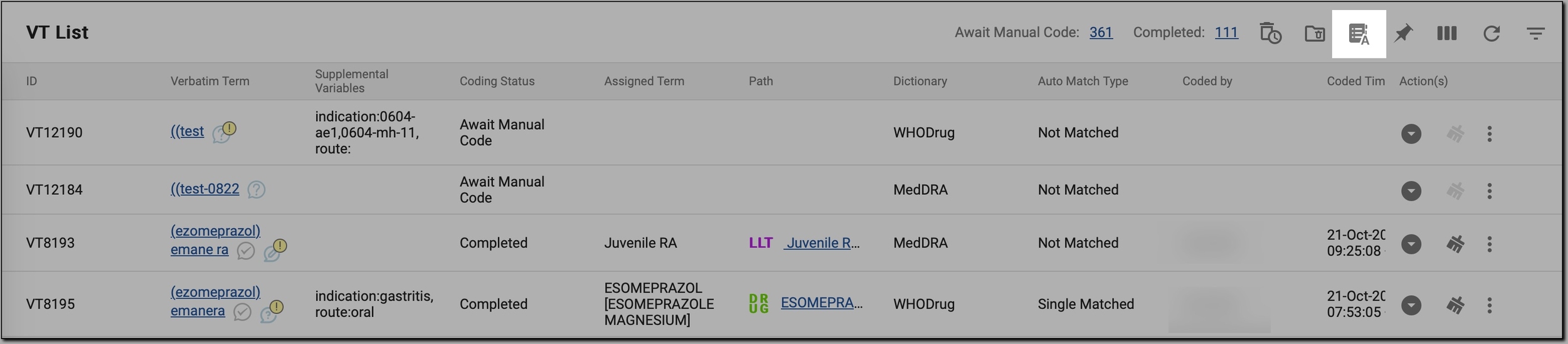 Figure 2. Initiating autocoding
-
In the Execute Auto Coding dialog, determine how the autocoding must be executed.
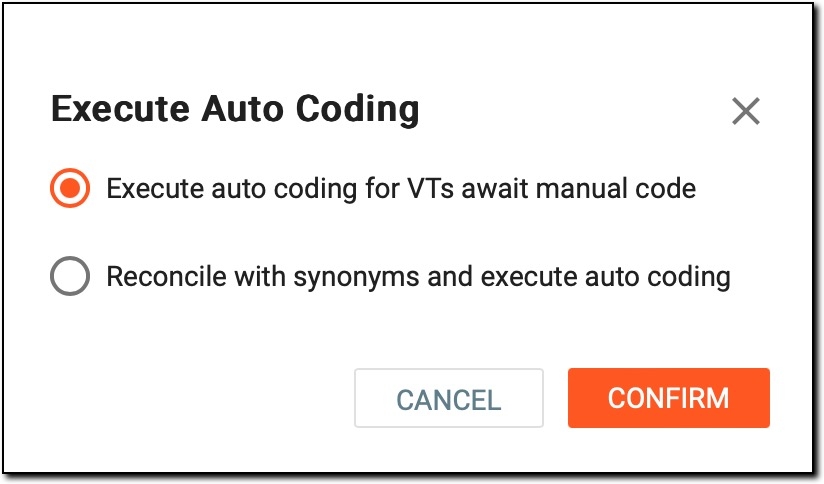 Figure 3. Defining autocoding criteria
-
Execute auto coding for VTs await manual code: select it to initiate the autocoding process specifically for VTs that are currently in a pending state, awaiting manual coding. Autocoding attempts to find matching dictionary entries for these terms and assigns them automatically if a clear match is identified. Any terms that cannot be matched remain in the manual coding queue for further review.
-
Reconcile with synonyms and execute auto coding: select it to let the system check for existing synonyms or previously assigned terms in the coding dictionary and reconcile the VTs based on those matches. After reconciliation, the system proceeds to autocode the remaining terms by attempting to match them to dictionary entries.
-
-
Select
 .
. -
If you selected the Reconcile with synonyms and execute auto-coding option, on the Reconciliation page, review the terms requiring reconciliation as explained in the following table.
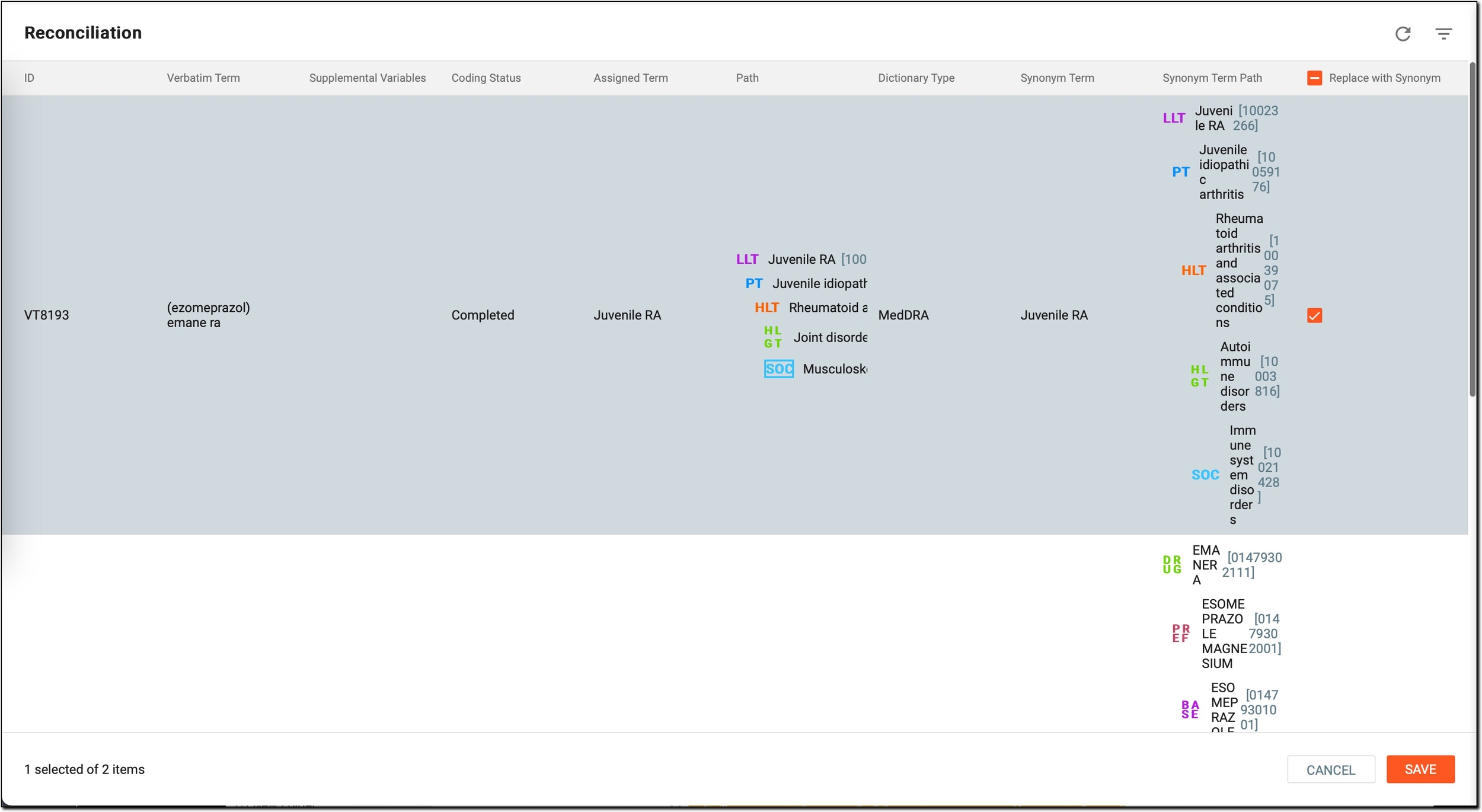 Figure 4. Reviewing terms requiring reconciliation
Column
Details
ID
The unique identifier for the term being reconciled.
Verbatim Term
The term as entered in the source data. This is the original term provided, which must be mapped to a standardized term in the coding dictionaries.
Supplemental Variables
Any additional variables associated with the term, providing contextual details.
Coding Status
Indicates whether coding has been completed for the term.
Assigned Term
Shows the currently assigned dictionary term, if any.
Path
Displays the dictionary path to the assigned term.
Dictionary Type
Specifies the type of dictionary used for coding, such as MedDRA or WHODrug.
Synonym Term
Suggests a synonym term from the coding dictionary, if available.
Synonym Term Path
Displays the dictionary path to the synonym term.
Replace with Synonym
If needed, select terms for replacement in one of the following ways:
-
Next to a specific entry, select a single checkbox to reconcile only that term.
-
In the column header, select the checkbox to reconcile all terms at once.
-
-
Select
 .
.
Once done, the following happens:
-
If you selected Execute auto coding for VTs await manual code, the system attempts to assign dictionary terms to all eligible VTs that are awaiting manual coding, skipping any that are already completed or cannot be autocoded.
-
If you selected Reconcile with synonyms and execute auto coding, the system:
-
Updates the selected terms with their chosen synonyms, replacing the existing assignments as per your selections.
-
Proceeds to execute autocoding for terms not reconciled or already coded.
-
Important
For terms that remain uncoded, proceed with manual coding to ensure all entries are addressed.